
TCP Smart Outdoor Camera Manual
PDF manual · 4 Pages
English



Quick check
Incorrect answer, please try again.
Chat with your TCP Smart Outdoor Camera manual using AI
Get instant AI answers from your TCP Smart Outdoor Camera manual
Ask anything about the TCP Smart Outdoor Camera. Answers come from this manual, with the pages they are based on.
Ask a Question
Do you recommend Smart Outdoor Camera?
Yes NoFrequently Asked Questions
The TCP Smart WiFi Outdoor Kamera requires a 2.4 GHz Wi-Fi network. It is not compatible with 5 GHz networks. If you are unsure how to switch your router to 2.4 GHz, consult your broadband provider or router manual.
Is this answer helpful?
Download the TCP Smart app (iOS/Android), register with email or phone, select Add Device > Smart Camera, power the camera on until the red LED blinks rapidly, choose your Wi-Fi and enter the password, then scan the QR code displayed on your phone 15–20 cm from the camera and follow the prompts.
Is this answer helpful?
Yes. The camera has an IP66 rating, which provides protection against dust and heavy rain, making it suitable for outdoor installations when mounted securely using the supplied magnetic plate and fittings.
Is this answer helpful?
Ensure the camera is powered and the red LED is flashing rapidly. If not, reset the camera using the reset button under the rubber cover at the base (use the supplied metal puck). Also confirm your router is on 2.4 GHz and extenders are turned off during setup.
Is this answer helpful?
Yes. The camera supports voice control via Amazon Alexa and Google Home. For detailed integration steps, visit the TCP Smart how-to pages. Ensure you have the relevant voice assistant app configured and permissions granted.
Is this answer helpful?
Battery life varies with usage patterns such as motion alerts and live view frequency. Charge the camera fully with the supplied Micro-USB cable before installation. Frequent motion recordings and live streaming will reduce battery runtime, so periodic recharging may be required.
Is this answer helpful?
Advantages and Disadvantages
Advantages

- 1080p HD video with infrared night vision for clear day/night monitoring
- IP66-rated weatherproofing suitable for outdoor installations
- Battery-powered and magnetic mount for flexible, cable-free placement
- Two-way audio plus motion detection and push alerts for active monitoring
- Works with Alexa and Google Home; no hub required; app for iOS and Android
Disadvantages

- Only supports 2.4 GHz Wi-Fi; incompatible with 5 GHz networks
- Battery operation may require periodic recharging depending on usage
- Initial setup requires disabling Wi-Fi extenders and a stable router
- Pairing depends on QR-scan and a rapidly blinking red LED which can fail
- Advanced features and integrations may require reading online guides
Product Specification
Image Sensor
1/4" CMOS 1.0 MP
Resolution
1920x1080 Pixels
Viewing Angle
110 degrees
Wireless
Wi-Fi 4 (WLAN 802.11b/g/n)
Storage
1x microSD-Slot (max. 128GB)
Microphone
integrated
Speaker
integrated
Illumination
IR Illumination (26.25 ft)
System Control & Operation
Mobile App (Android, iOS)
Zone & Analysis Functions
Motion Detection, IR Filter
Manufacturer's Warranty
2 Years
Product Description
TCP Smart WiFi Outdoor Kamera — Reliable Outdoor Surveillance
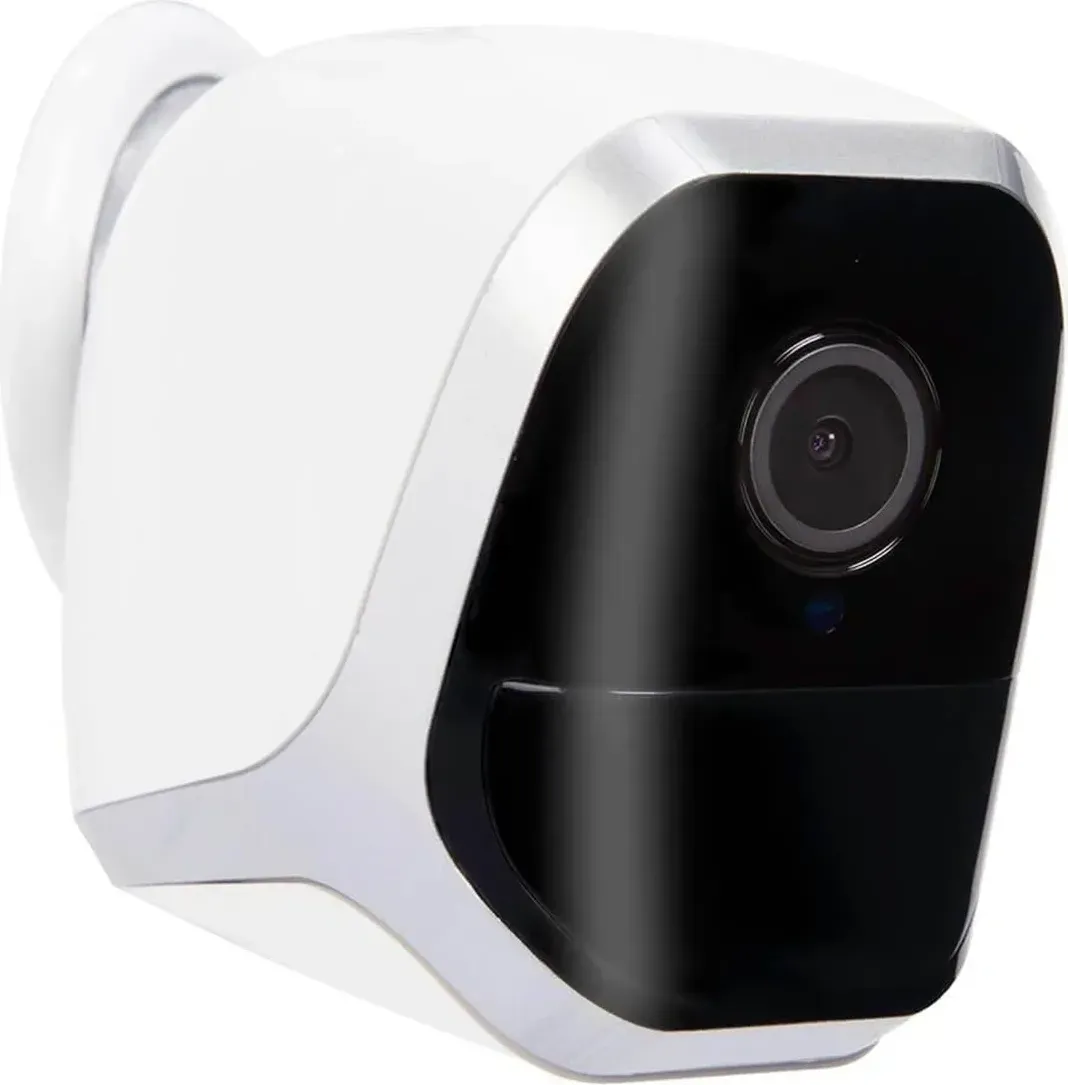
The TCP Smart WiFi Outdoor Kamera is a versatile 1080p surveillance solution designed for both outdoor and indoor use. With IP66 weather resistance, a 100° wide-angle lens, infrared night vision and motion detection, it covers key security needs for homes and small businesses. The battery-powered design and magnetic mounting plate make placement flexible and installation fast. Two-way audio allows live interaction, while compatibility with Amazon Alexa and Google Home enables voice control and smart-home integration. The camera connects to 2.4 GHz Wi-Fi networks and pairs directly to iOS and Android devices using the free TCP Smart app—no dedicated hub required.
Setup and Key Features
Getting started is straightforward: download the TCP Smart app from the Apple App Store or Google Play, register with email or phone, and follow the in-app pairing steps. The camera uses a QR-scan pairing routine—place your phone 15–20 cm from the camera during setup—and indicates status via a red indicator light. Important setup notes include ensuring your router runs on 2.4 GHz (not 5 GHz), disabling Wi-Fi extenders during setup, and charging the camera fully before installation.
Core features include:
- 1080p HD video quality for clear day and night footage
- IP66 rating for rain and dust resistance
- Battery operation for cable-free placement
- Motion detection with alerts
- Infrared night vision for low-light monitoring
- Two-way audio for live communication
- Voice control with Amazon Alexa and Google Home
- App compatibility with iOS and Android; no hub required
User Experience
The app guides users through registration, device naming, and room/family organization to keep multiple devices organized. The QR-based pairing process is user-friendly but relies on the camera’s rapid red blink to indicate pairing mode. Troubleshooting advice covers missing verification codes, connection failures, and how to reset the camera using the supplied metal puck. Online resources and FAQs are available at the TCP Smart website for deeper support.
Installation Tips
Charge the battery to 100% before mounting. Use the magnetic mount and supplied fittings for quick adjustments. Ensure your Wi-Fi is stable on 2.4 GHz and temporarily disable extenders during pairing. If pairing fails, try resetting the camera or checking your router configuration with your broadband provider.
Notes:
- Works only on 2.4 GHz Wi-Fi; incompatible with 5 GHz networks.
- Best used with a stable Wi-Fi connection and current iOS/Android versions.
- Visit https://www.tcpsmart.eu/how-to/ for detailed integrations and https://www.tcpsmart.eu/faq/ for troubleshooting.
Search for 67,732 Manuals online


Type-in Brand or Model