
TCL SOCL100BT Manual
PDF manual · 12 Pages
English



Quick check
Incorrect answer, please try again.
Chat with your TCL SOCL100BT manual using AI
Get instant AI answers from your TCL SOCL100BT manual
Ask anything about the TCL SOCL100BT. Answers come from this manual, with the pages they are based on.
Ask a Question
Do you recommend SOCL100BT?
Yes NoFrequently Asked Questions
Press and hold the pairing control for about 5 seconds until the blue and white LED flashes alternately. On your phone, enable Bluetooth and select "TCL SOCL100BT". If a password is requested, enter "0000". When pairing succeeds, the blue LED will flash.
Is this answer helpful?
Use the supplied USB cable with the micro USB charging slot. For first-time use, charge for about 5 hours for optimum battery capacity and lifetime. After that, a normal charge takes about 2 hours. During charging the LED is white and turns off when fully charged. Use a certified 5V USB adaptor and the recommended cable to help prevent damage.
Is this answer helpful?
Yes. After you pair once, powering on the headphones will reconnect to the last connected smartphone or Bluetooth device automatically. If the headphones do not connect within about 5 minutes, they switch off to save battery, so you may need to reconnect afterward.
Is this answer helpful?
You can control playback (play/pause and track skipping), adjust volume, and manage calls. Call features include answering, hanging up, rejecting an incoming call, muting/unmuting the microphone, and switching to another caller during an active call.
Is this answer helpful?
Yes. Press and hold for about 2 seconds to activate Siri or Google Assistant. You can then speak your request through the headphones microphone. The headphones also provide voice notifications for status changes like low battery and connection updates.
Is this answer helpful?
Yes. Ensure the headphones are powered on, then follow the language-change steps in the TCL SOCL100BT Manual by pressing and holding the indicated controls together for about 5 seconds until you hear a confirmation sound. Available languages are English and Mandarin Chinese.
Is this answer helpful?
Crackling or streaming issues can happen if you are outside the Bluetooth range or if profiles are not supported. Make sure your Bluetooth device supports HFP for calls and A2DP for stereo audio. For music control, AVRCP is needed for reliable remote playback commands.
Is this answer helpful?
Advantages and Disadvantages
Advantages

- Wireless music and hands-free calls with clear in-call controls like answer, hang up, and mute.
- Replaceable earcaps help you find a better in-ear fit for comfort and stability.
- Automatic reconnection to the last paired smartphone or Bluetooth device.
- Voice assistant support (Siri and Google Assistant) with a quick activation press.
- Supports common Bluetooth profiles for calls and stereo audio (HFP, A2DP, AVRCP).
Disadvantages

- Not designed for water exposure; avoid dripping, splashing, or submerging.
- Only up to 8 devices are saved; connecting to a 9th replaces the earliest one.
- First-time battery optimization requires a longer 5 hour charge.
- Charging guidance emphasizes using the supplied cable and only a certified 5V USB adaptor.
- Voice language selection is limited to two options: English and Mandarin Chinese.
Product Specification
Type
Earbuds (In-Ear)
Form Factor
without ear hooks, neckband
Acoustic Principle
closed
Microphone
Cable microphone
Wireless
Bluetooth 4.2
Control
3-button remote control
Operating Time
6h, 100h (Standby)
Battery
USB Micro-B charging port, 2h charging time, fast charging function (15min for 1h operating time)
Frequency Range
10Hz-22kHz
Impedance
16Ω
Sensitivity
105dB
Driver
0.34in
Weight
0.42oz
Product Description
TCL SOCL100BT Wireless In-Ear Headphones
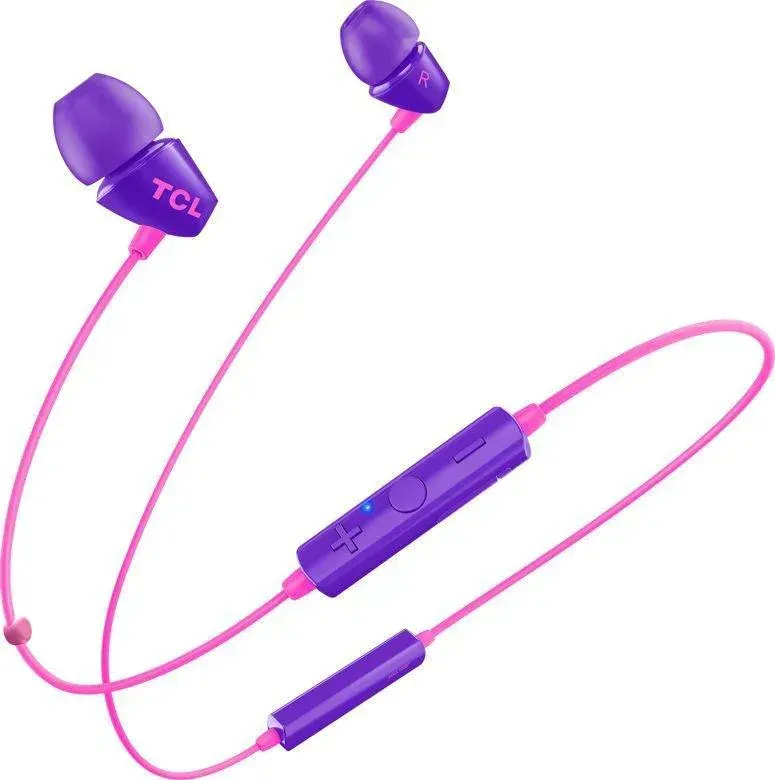
If you want wireless listening without complicated setup, the TCL SOCL100BT is a practical in-ear choice built for both music and hands-free calls. With the right guidance from the TCL SOCL100BT Manual, you can pair quickly, charge safely, and get consistent day-to-day performance.
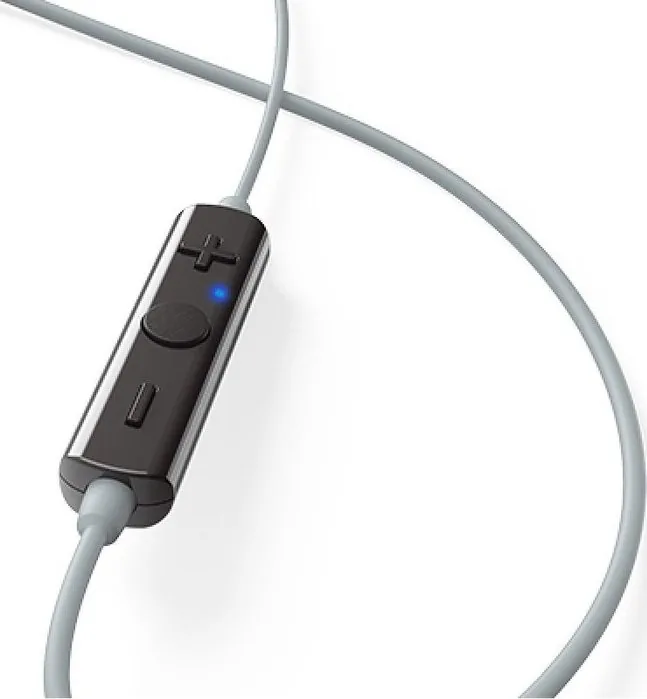
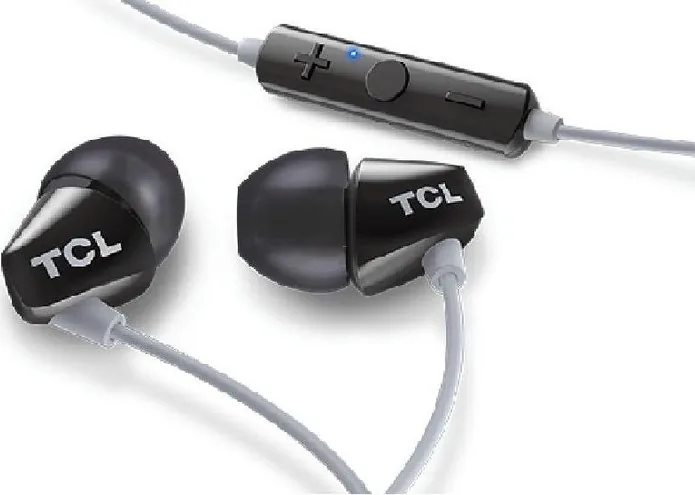
The SOCL100BT comes with multiple earcap sizes so you can dial in a comfortable fit. Once connected, you get straightforward on-ear controls for power, volume, playback, call handling, and quick access to your phone's voice assistant. It is designed to work with common Bluetooth profiles for music streaming and call features.
Setup, charging, and pairing made simple
Getting started is fast: for first-time use, the headphones enter pairing mode by pressing and holding the button for about 5 seconds until the LED flashes alternately in blue and white. On your smartphone, choose "TCL SOCL100BT" and use the pairing password "0000" if prompted. After that, powering on will automatically reconnect to the last device.
Charging uses the micro USB charging slot. The LED turns white while charging and turns off when fully charged. For best battery capacity and lifetime, the first charge should be 5 hours, while later charges take about 2 hours.
Music, calls, and voice assistant control
The TCL SOCL100BT supports voice assistant access by pressing for about 2 seconds to activate Siri or Google Assistant. From there, you can make a request through the microphone. Call controls include answering, ending, rejecting, muting/unmuting, and switching between callers during an active call.
There is also a helpful voice-language option, with notifications for connection and low battery status. The headphones can store up to 8 paired devices, replacing the earliest one if you exceed that limit.
Key results
- Quick first-time pairing with manual mode and PIN "0000", then automatic reconnection to the last device.
- Comfortable wearing thanks to replaceable earcaps, supporting a more stable in-ear fit.
- Hands-free calling and music playback with supported Bluetooth profiles (HFP, A2DP, AVRCP).
- Easy voice assistant access plus clear call controls like mute/unmute and pickup/hang-up.
- Power-saving behavior: if no Bluetooth connection happens within about 5 minutes, the headphones switch off.
Notes on safe use
Keep volume at a reasonable level to help protect hearing. Avoid exposing the headphones to excessive heat, dropping, or water contact such as dripping or splashing. Operate in an environment roughly between 0 C and 45 C, and follow battery precautions for integrated rechargeable power. For disposal, check local regulations and remove the integrated battery before recycling.
Pros and cons (from the product guidance)
- Pros: wireless music and calls; replaceable earcaps; auto reconnect; voice assistant support; up to 8 stored devices.
- Cons: not intended for water exposure; limited to 8 saved devices; first charge takes 5 hours; charging expects compatible 5V certified power; only English and Mandarin voice languages are offered.
Search for 67,706 Manuals online


Type-in Brand or Model