
TCL S522W Manual
PDF manual · 31 Pages
English



Quick check
Incorrect answer, please try again.
Chat with your TCL S522W manual using AI
Get instant AI answers from your TCL S522W manual
Ask anything about the TCL S522W. Answers come from this manual, with the pages they are based on.
S522W Maintenance Schedule
If the remote control is not to be used for more than a month, remove the battery to prevent it from leaking.
Clean only with a dry cloth. Do not block ventilation openings and maintain a spacing of 20cm or more around the product.
Free maintenance reminders
Timed to your purchase date. Always free, unsubscribe anytime.
Ask a Question
Do you recommend S522W?
Yes NoFrequently Asked Questions
Ensure another mobile device is not connected. Disconnect it and try pairing again if the device was previously paired. Make sure the phone is within range and no obstacles block the signal.
Is this answer helpful?
Check the volume on the mobile device as it might be low initially. Also check the output volume setting on the phone to ensure it is turned up sufficiently for the sound bar.
Is this answer helpful?
The Bluetooth range is up to 10 meters without obstacles. If the connection is short or broken, check for obstruction between the phone and the sound bar and reduce the distance.
Is this answer helpful?
Obstructions between mobile devices and the sound bar can cause interference. Also, being too far beyond the 10-meter connection range can lead to broken audio signals requiring closer proximity.
Is this answer helpful?
Turn on the sound bar and enter Bluetooth mode. Double press the pair button quickly then turn on the subwoofer. The red LED on the subwoofer should turn off when paired successfully.
Is this answer helpful?
Activate the PCM signal output on your TV or device if using HDMI ARC or Optical audio. Check the sound bar manual for specific activation steps for PCM signal output settings.
Is this answer helpful?
Batteries should be removed from the remote if not used for more than a month to prevent leakage. Leakage can damage the internal components of the remote control permanently.
Is this answer helpful?
Advantages and Disadvantages
Advantages

- Wireless 30W subwoofer for deep bass
- HDMI ARC support for TV integration
- USB and Optical input connectivity
- Multiple sound modes like Movie and Music
- Included wall mount kit for flexible installation
Disadvantages

- Wall mounting requires qualified personnel
- Batteries can leak if exposed to heat
- Bluetooth pairing requires specific password
- Subwoofer placement must be under 9.8 feet
- Children safety warning for coin cell batteries
Product Specification
Type
Soundbar with Subwoofer
Channels
2.1
Power
200W Peak
Frequency Range
50Hz-20kHz
HDR
No
Video Connections
1x HDMI In
Audio Connections
1x Digital Audio In (optical), 1x AUX In (3.5mm jack)
Additional Connections
1x USB-A 2.0
Wireless
Bluetooth 5.1
Color
Black
Dimensions
31.89x2.48x3.62 in (W x H x D)
Subwoofer Dimensions
6.50x11.73x9.45 in (W x H x D)
Weight
3.31 lbs
Subwoofer Weight
4.52 lbs
Includes
Soundbar, 1x Wireless Subwoofer
Product Description
Elevate Your Home Audio with the TCL S522W
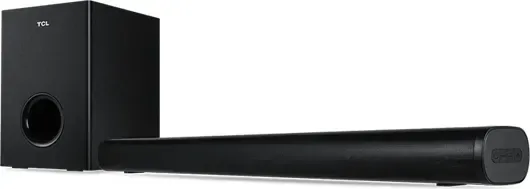
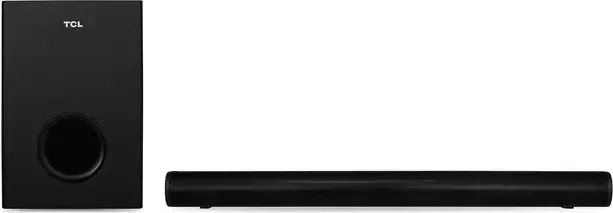
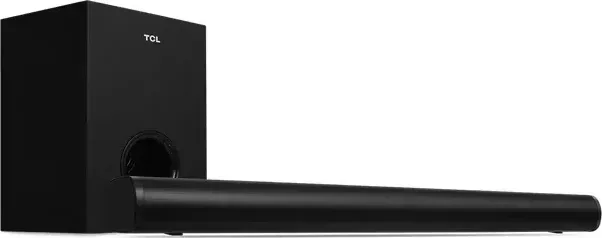
The TCL S522W represents a significant leap for affordable home audio systems. This 2.1 channel sound bar delivers robust 20W audio output complemented by a powerful 30W wireless subwoofer. Users looking to enhance movie nights or music sessions will find this unit perfectly suited to transform any living space. The design emphasizes sleek aesthetics while ensuring functionality remains at the forefront of every user experience. It offers high quality sound to fit your home entertainment system.
Connectivity options are plentiful for this versatile device to match various setup requirements. It supports HDMI ARC for seamless integration with compatible televisions allowing for a single remote control to manage both video and audio systems efficiently. For older devices, optical and AUX inputs provide reliable wired alternatives that maintain clarity. USB playback capability enables direct listening from flash drives without needing a constant internet connection. Bluetooth 5.1 ensures wireless streaming from smartphones up to 10 meters away providing flexibility for music lovers.
Setup is designed with flexibility in mind for different environments. The system can rest on a surface or be wall-mounted using the included hardware and wall mount template. Safety instructions emphasize proper ventilation, requiring at least 20cm of spacing to prevent overheating during extended use. Wall installation requires careful attention to wall integrity and qualified personnel for drilling to ensure security. Users must ensure the product on the furniture is of adequate size and strength to prevent accidental tipping.
Sound customization is available through various modes including Movie, Music, and Dialogue settings for specific content types. Treble and bass adjustments allow listeners to fine-tune the audio profile to their preferences using the dedicated remote buttons. Voice prompts assist during pairing processes to simplify Bluetooth connectivity for first-time users. Safety warnings regarding battery handling and electrical risks are prominent to ensure long-term safety and proper usage of the equipment. Users are advised to avoid heat or moisture to avoid leakage.
Final Thoughts on the S522W Experience
This sound bar system balances power and convenience effectively for modern households. Whether connecting via HDMI ARC or Bluetooth, the audio performance aims to meet the needs of daily entertainment needs without complicating the room layout excessively. Regular checks on battery status and cable connections ensure uninterrupted performance throughout the year. The product serves as a reliable companion for home theater setups. Refer to the TCL S522W Manual for detailed troubleshooting if issues arise.
Search for 67,706 Manuals online


Type-in Brand or Model