
TCL Movetime Family Watch 2 MT42X Manual
PDF manual · 6 Pages
English



Quick check
Incorrect answer, please try again.
Chat with your TCL Movetime Family Watch 2 MT42X manual using AI
Get instant AI answers from your TCL Movetime Family Watch 2 MT42X manual
Ask anything about the TCL Movetime Family Watch 2 MT42X. Answers come from this manual, with the pages they are based on.
Ask a Question
Do you recommend Movetime Family Watch 2 MT42X?
Yes NoFrequently Asked Questions
You need to insert a nano-SIM card into the designated slot on the watch. Ensure the card is properly aligned before closing the compartment to maintain connectivity.
Is this answer helpful?
The side button can wake up the display, turn off the screen, or end a call. Holding it for three seconds turns the watch on or off.
Is this answer helpful?
Download the TCL Connect app from Google Play or the App Store. Scan the QR code or open the app and follow the on-screen instructions to pair the device securely.
Is this answer helpful?
When the watch is paired with your phone, press and hold the side button for three seconds to trigger the SOS call feature for emergencies.
Is this answer helpful?
Use the supplied USB cable to connect to the Micro USB port on the watch. Ensure the cable is connected to a power source to charge the battery.
Is this answer helpful?
Press and hold the side button for fifteen seconds. This action restarts the watch and helps resolve any temporary system glitches without resetting user data.
Is this answer helpful?
Advantages and Disadvantages
Advantages

- Nano-SIM card slot enables standalone cellular connectivity for calls
- SOS call function provides emergency assistance when paired with a phone
- Side button allows for power management and call ending with simple press
- Built-in camera enables quick photo captures directly from the wrist
- TCL Connect app simplifies the initial pairing process with mobile phones
Disadvantages

- Setup requires external app pairing which adds initial configuration steps
- Micro USB port is used for charging instead of modern wireless standards
- Side button functions require memorizing specific hold durations for power
Product Specification
Display
1.54", 240x240 Pixels, Color Display, LCD, Touchscreen, Rectangular, Backlit
Operating System
Proprietary
RAM
512MB
Internal Storage
4GB
Connectivity
USB Micro-B 2.0, Wi-Fi (Wireless LAN), Bluetooth 4.2 LE
Heart Rate Monitor
No
Measurement Functions
Time, Pedometer
Other Features
Date, Calendar, Alarm, Message Notifications, Call Notifications, Telephony (GSM/UMTS/LTE, Nano-SIM)
Sensors
Accelerometer
Navigation
Yes, GPS, GLONASS, BeiDou
Power Source
Battery (850mAh)
Battery Life
2 Days (Typical)
Dimensions (Case)
1.91x1.65x0.58 in
Band Width
0.79 in
Band Length
5.31-7.87 in
Weight
2.01 oz
Features
Speaker, Microphone, Vibration, Water Resistant (IPx5), Digital Camera (2.0MP), Emergency Function, Interchangeable Strap
Product Description
Discover Features of the TCL Movetime FamilyWatch 2 MT42X
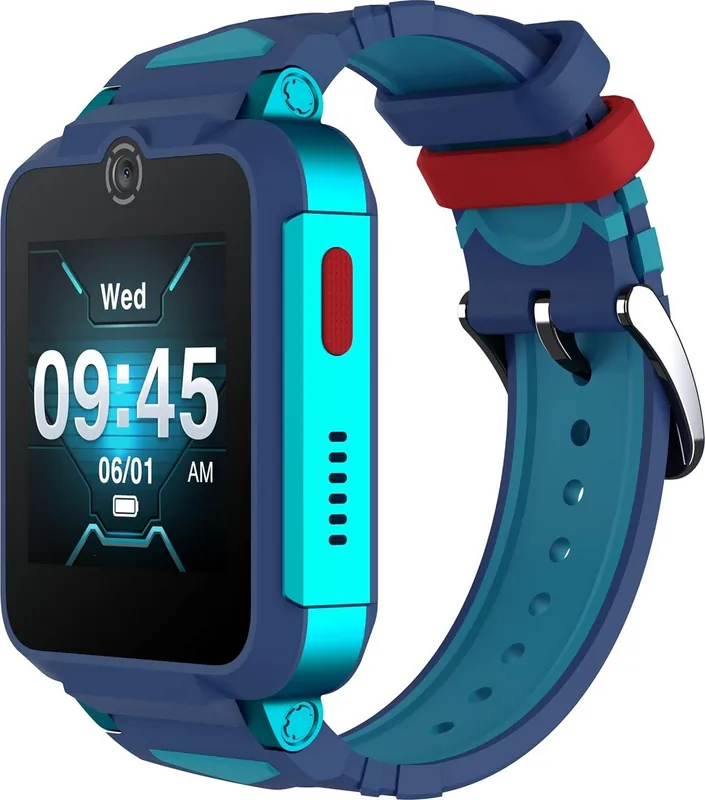
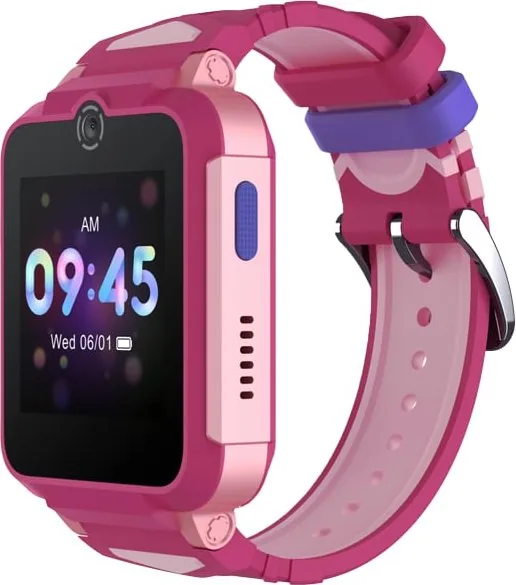
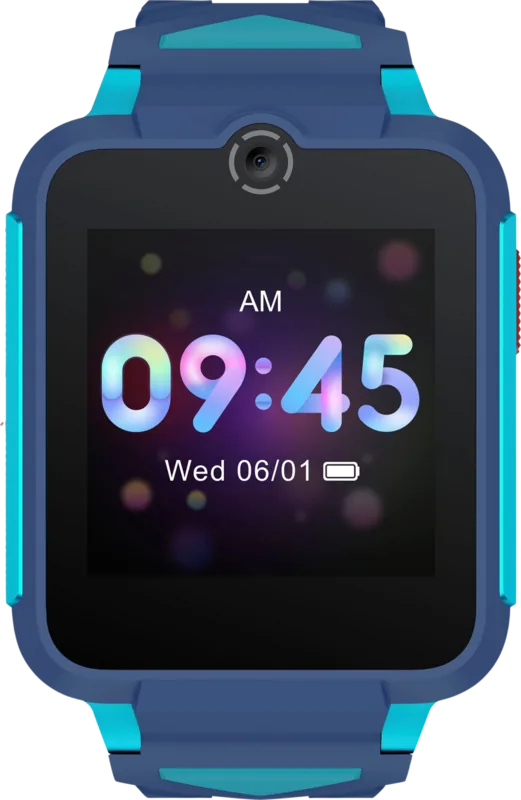
The TCL Movetime FamilyWatch 2 MT42X is designed for seamless integration into daily life. Users looking for setup details often refer to the TCL Movetime FamilyWatch 2 MT42X Manual for comprehensive instructions. This wearable offers a robust set of features centered around connectivity and safety. The watch display provides a clear interface for managing time and notifications efficiently.
Navigating the Interface
The home screen offers intuitive controls for various tasks. Swipe up to view notifications and swipe down for quick settings access. Moving left opens the full app menu while swiping right reveals recent calls easily. A long press on the screen allows users to access different watch faces to match their personal style preferences. The side button serves multiple functions including waking the display or ending active calls during the day. Pressing the button for three seconds activates power settings for turning the device on or off. These gestures ensure minimal effort is required for daily operation.
Connectivity and Safety Features
Cellular capabilities are enabled via a dedicated SIM card slot for independent use. Users must insert a nano-SIM card to utilize standalone calling features. The side button is critical for emergency situations at all times. When paired with a phone, pressing and holding for three seconds triggers an SOS call immediately. This ensures help is readily available when needed during critical moments. Restarting the device is possible by holding the side button for fifteen seconds safely. This feature helps resolve any temporary system glitches quickly without professional service.
Setup and Maintenance
Connecting the watch requires the TCL Connect app found on major app stores like Google Play. Scanning the QR code facilitates easy downloads for Android or iOS users. Users must follow on-screen prompts to pair the device securely for the first time. Charging is accomplished using the supplied USB cable connected to the Micro USB port for power. Band changes are supported by using the supplied tools to attach or remove bands safely.
The built-in camera adds a unique touch to the experience allowing for quick captures. Microphone integration supports clear voice communication during calls with friends and family. Keeping the device updated ensures features remain functional and secure for all users. Regular cleaning of the watch display maintains clarity in sunlight or dim rooms. Families appreciate the balance of style and utility provided by this model every day.
Conclusion
This device stands out for its user-friendly design and reliable performance standards. It simplifies staying connected while offering backup features for safety during emergencies. The integration of app controls and physical buttons creates a versatile tool for modern living environments. Users should ensure they charge the battery regularly for best performance and longevity. Investing in this unit guarantees a smart solution for communication at a glance.
Search for 67,706 Manuals online


Type-in Brand or Model