
TCL CF630 Manual
PDF manual · 29 Pages
English



Quick check
Incorrect answer, please try again.
Chat with your TCL CF630 manual using AI
Get instant AI answers from your TCL CF630 manual
Ask anything about the TCL CF630. Answers come from this manual, with the pages they are based on.
CF630 Maintenance Schedule
Remove dust from vents on the sides and back regularly using a soft cloth. Do not use solvents or abrasive products.
Use a glass cleaner for the screen and a soft cloth with mild detergent for the rest. Avoid alcohol-based or abrasive cleaners.
Ask a Question
Do you recommend CF630?
Yes NoFrequently Asked Questions
Leave at least 10 cm clearance around the TV and do not cover vents on the back or sides. Install away from heat sources like fireplaces and avoid enclosing the TV in tightly confined spaces to prevent overheating.
Is this answer helpful?
Use a glass‑cleaning product and a soft cloth for the screen. For the rest of the set use a soft cloth with mild detergent. Do not use strong detergents, alcohol‑based or abrasive cleaners as they can damage the screen and finish.
Is this answer helpful?
Yes. The TV supports Bluetooth (2402–2480 MHz) for audio devices and dual‑band Wi‑Fi (2.4 GHz and 5 GHz ranges) for network connectivity. Bluetooth performance may be affected by nearby Wi‑Fi access points or microwave ovens.
Is this answer helpful?
During thunderstorms, disconnect the TV from the mains and aerial to protect it from electrical or electromagnetic surges. Keep mains and aerial sockets accessible so you can unplug quickly if needed.
Is this answer helpful?
Ensure the wall can support the TV and mount assembly, follow the VESA mounting instructions, use screws suitable for the wall material, and get assistance (at least two people for larger screens). Route cables to avoid tripping hazards.
Is this answer helpful?
Unplug the TV immediately and do not open it. Contact an authorized service technician for inspection and repair to avoid electrical shock or further damage.
Is this answer helpful?
No. Feature availability varies by model, region, and content provider. Some services may require additional peripherals or subscriptions and third‑party apps may change or be discontinued without notice.
Is this answer helpful?
Advantages and Disadvantages
Advantages

- High‑quality glass display delivering finely detailed images.
- Comprehensive tuner support (DVB‑C / DVB‑T/T2 / DVB‑S/S2) for multiple reception sources.
- Bluetooth and dual‑band Wi‑Fi connectivity for flexible streaming and audio devices.
- Voice‑enabled remote with Alexa support and intuitive navigation buttons.
- Clear safety and installation guidance including VESA wall mounting and ventilation requirements.
Disadvantages

- Glass screen is fragile and can break if dropped or impacted.
- Certain smart features and apps may be region‑restricted or require additional subscriptions.
- Firmware updates are periodic and older devices may receive only critical fixes.
- Requires careful ventilation (10 cm clearance) and temperature/humidity limits (≤35°C, ≤75%).
- Some advanced features described may not be present on all model variants.
Product Specification
Resolution
3840x2160
Panel
LCD, Quantum dot
Backlight
LED, Direct-lit
HDR
Dolby Vision, HDR, HDR10, HDR10+, HLG
Refresh Rate
50/60Hz native
3D
no
Tuner
1x DVB-C/-T/-T2/-S/-S2 HEVC (H.265) MPEG-4 AVC (H.264)
Video Ports
4x HDMI 2.1 (HDCP 2.3)
Audio Ports
eARC, Digital Audio Out (optical), Headphones (3.5mm jack)
Other Ports
2x USB-A 2.0, 1x RJ-45, 1x CI+ 1.4
Wireless
Wi-Fi 5 (WLAN 802.11a/b/g/n/ac), Bluetooth 5.0
Processor
Quad-Core
Operating System
Fire TV
Voice Assistants
Amazon Alexa
Streaming Clients
Screen Mirroring (Apple AirPlay 2, Miracast)
Audio Decoders
Dolby Digital, Dolby Digital Plus, Dolby Atmos, DTS
Total Audio Power
20W (2x 10W)
Gaming Features
ALLM (Auto Low Latency Mode)
Special Features
HbbTV, Voice Control
Energy Efficiency Class SDR
G (A to G)
Energy Efficiency Class HDR
G (A to G)
Color
black
VESA
300x300
Stand
side
Manufacturer's Warranty
2 years
Note
Information on DVB-T2 reception in AustriaInformation on DVB-T2 reception in Germany
Product Description
TCL CF630 Manual — Overview and Product Description
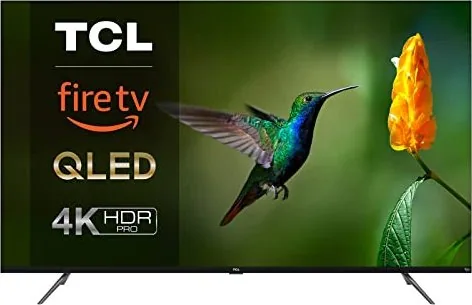
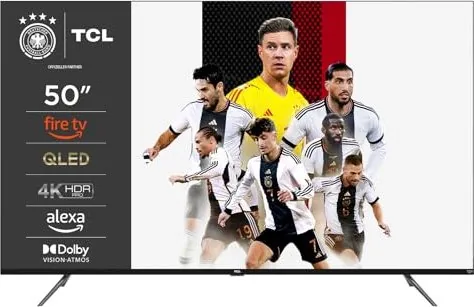
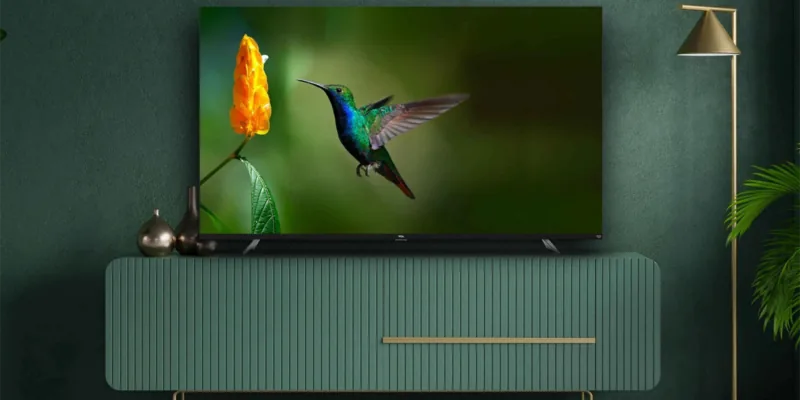
The TCL CF630 is a modern television model designed to blend smart features, reliable performance, and practical safety considerations for everyday home use. With attention to ventilation, heat sensitivity, and user-friendly installation, the CF630 suits households seeking a straightforward smart TV experience with robust connectivity and multimedia capabilities.
Product highlights
The CF630 offers a high-quality glass display that delivers finely detailed pictures and supports common modern standards like Bluetooth and dual-band Wi‑Fi. The set includes radio and tuner compatibility for DVB‑C, DVB‑T/T2 and DVB‑S/S2, allowing flexible reception across cable, terrestrial and satellite services. The remote control supports voice input (Alexa) and a wide set of navigation and media buttons for direct, convenient control.
Physically, the CF630 emphasizes safe mounting and ventilation: the chassis requires at least 10 cm clearance for proper airflow, should be mounted on vertical walls using VESA‑compatible fittings, and must avoid heat sources or high‑humidity environments (max ambient 35°C, humidity under 75%). The screen, made of glass, must be handled carefully to avoid breakage and should be cleaned with glass cleaner and a soft cloth — avoiding alcohol or abrasive cleaners.
Connectivity and software features include Bluetooth audio (2.4 GHz), 2.4G/5G Wi‑Fi bands with regional regulatory notes, and common open-source components (GPL/LGPL/MPL) used in the platform. The TV receives periodic firmware updates, typically quarterly where applicable, and supports external streaming services and SmartTV apps (availability may vary by region and provider).
Safety and legal notes
TCL emphasizes domestic, household use only and warns against unauthorized opening or repair. The manual includes explicit safety guidance for electrical disconnection during thunderstorms, handling burning smells, and cable routing to avoid hazards. The product carries regulatory conformity statements (e.g., EU Radio Equipment Directive) and recycling/disposal instructions for end‑of‑life equipment and batteries.
Who it’s for
Buyers who want an affordable smart TV with essential streaming, tuner flexibility, and a focus on safe, reliable daily operation will find the TCL CF630 appropriate. It’s suitable for living rooms, bedrooms, or family areas where standard mounting, ventilation and basic smart features are priorities.
Notes
- Keep ventilation openings clear and maintain at least 10 cm clearance.
- Avoid exposure to temperatures above 35°C and humidity above 75%.
- Use a glass cleaner and soft cloth; do not use alcohol or abrasive cleaners on the screen.
- Follow local regulations for disposal and recycling of electronic equipment and batteries.
Search for 67,706 Manuals online


Type-in Brand or Model