
TCL C645 Manual
PDF manual · 16 Pages
English



Quick check
Incorrect answer, please try again.
Chat with your TCL C645 manual using AI
Get instant AI answers from your TCL C645 manual
Ask anything about the TCL C645. Answers come from this manual, with the pages they are based on.
Ask a Question
Do you recommend C645?
Yes NoVideo Manual
TCL Smart TV: How to Turn Off, Change Source, Volume, Channels without Remote
Frequently Asked Questions
Open the dashboard menu with the remote, select Settings > Network and Internet, then follow the on-screen instructions to choose a wired (LAN) or wireless (Wi‑Fi) connection. For wireless, select your network and enter the password.
Is this answer helpful?
eARC/ARC (enhanced Audio Return Channel / Audio Return Channel) lets your TV send audio to compatible soundbars or AV receivers over HDMI. Use the HDMI port labeled eARC/ARC and enable CEC in Settings if required for full functionality.
Is this answer helpful?
Go to Settings > Channels and inputs > Channel > Subtitle, toggle subtitles on, and choose Digital subtitle language and Subtitle type to select hearing-impaired or preferred language options for digital broadcasts.
Is this answer helpful?
Ensure the wall can support the TV and mount hardware, follow VESA and manufacturer instructions, use suitable screws for the wall material, and have at least two people for installation while managing cables to avoid tripping hazards.
Is this answer helpful?
Navigate to Settings > Remotes and accessories > Pair accessory. The TV will search for nearby Bluetooth devices; select your device from the list and follow the prompts to complete pairing.
Is this answer helpful?
Quick Start enables faster turn-on from standby, but it increases standby power consumption. Toggle it via Settings > System > Power and energy > Quick start.
Is this answer helpful?
Go to Settings > System > About > Reset > Factory reset, choose Delete everything, enter your PIN or the set password when prompted, and confirm to return the TV to its initial setup state.
Is this answer helpful?
Advantages and Disadvantages
Advantages

- Multiple HDMI ports including eARC/ARC for advanced audio setups.
- Google TV mode and optional hands-free voice control for convenient smart features.
- Comprehensive connectivity: Wi‑Fi, LAN, Bluetooth, USB for varied media options.
- Accessible setup with on-screen initial configuration and automatic channel scanning.
- Robust safety and compliance guidance plus environmental disposal instructions.
Disadvantages

- Certain features (HbbTV, hands-free voice) are model- or region-dependent.
- Quick Start increases standby power consumption when enabled.
- Bluetooth and wireless performance may be affected by nearby 2.4 GHz interference.
- Some advanced functions require enabling CEC or other settings to interoperate.
- Remote control functionality and app buttons may vary by model and region.
Product Specification
Resolution
3840x2160
Panel
LCD, Quantum dot
Backlight
LED
HDR
Dolby Vision, HDR, HDR10, HDR10+, HLG
Refresh Rate
50/60Hz native
3D
no
Tuner
1x DVB-C/-T/-T2/-S/-S2 HEVC (H.265) MPEG-4 AVC (H.264)
Video connections
3x HDMI
Audio connections
eARC, Digital Audio Out (optical), Headphones (3.5mm jack)
Other connections
1x USB-A 3.0, 1x USB-A 2.0, 1x RJ-45, 1x CI+ 1.4
Wireless
Wi-Fi 5 (WLAN 802.11a/b/g/n/ac), Bluetooth
Processor
TCL AiPQ 3.0 Processor, Quad-Core
Operating System
Google TV
Voice Assistants
Amazon Alexa compatible, Google Assistant integrated (not usable in all countries)
Streaming Clients
Screen mirroring (Google Cast), DLNA client
Audio Decoder
Dolby Digital, Dolby Digital Plus, Dolby Atmos, DTS, DTS-HD, DTS Virtual:X
Special features
HbbTV, Voice control, Unicable
Energy efficiency class SDR
G (A to G)
Energy efficiency class HDR
G (A to G)
Color
black, stainless steel
Manufacturer's warranty
2 years
Note
Information on DVB-T2 reception in AustriaInformation on DVB-T2 reception in Germany
Product Description
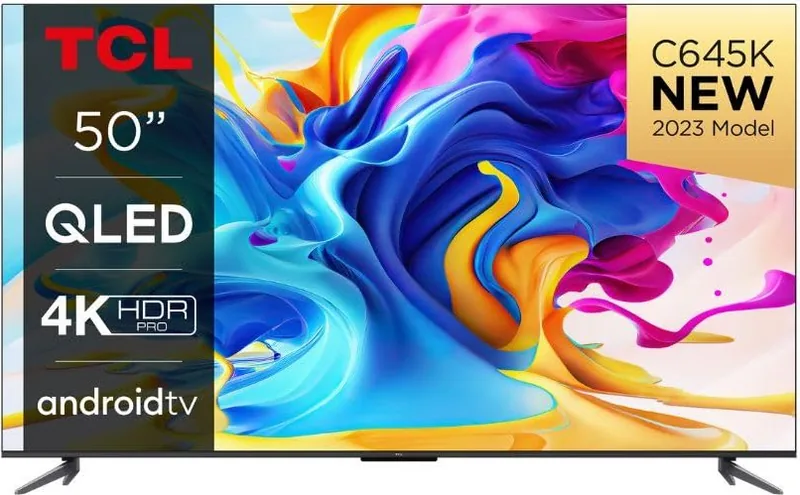
TCL C645 — Smart TV overview
The TCL C645 is a versatile smart TV designed for everyday home entertainment, combining modern connectivity with practical features to simplify setup and use. It supports multiple HDMI inputs including an eARC/ARC-enabled port for high-quality audio return, several USB ports for media playback, wired and wireless network options, and Bluetooth connectivity for audio devices and accessories. The C645 emphasizes ease of installation with VESA-compatible wall-mounting guidance and clear instructions for safe placement, ventilation, and cable routing.
Key features and usability
Setting up the TCL C645 is straightforward: an initial on-screen wizard guides language selection, network configuration, and channel scanning. The TV supports automatic channel installation for antenna, cable, or satellite (model-dependent). Smart TV capabilities give access to apps and streaming services; Google TV mode (on supported models) integrates Google Assistant and hands-free voice control when enabled. A dedicated remote with quick-access app buttons (Netflix, Prime Video, YouTube) and navigation controls simplifies everyday operation.
The picture experience is enhanced by advanced picture settings including a Blue Light Filter to reduce eye strain, adjustable colour and brightness options, and subtitle/teletext controls for accessibility. Audio features include CEC support for one-touch play/standby with HDMI-connected devices and eARC/ARC for enhanced sound systems. Bluetooth allows pairing with speakers, headphones, keyboards or mice, while HbbTV support (where available) brings interactive broadcaster services.
Safety, maintenance and compliance
TCL provides comprehensive safety guidelines: ensure correct mains voltage, adequate ventilation (at least 10 cm clearance), and avoid moisture or heat exposure. The manual stresses not opening the unit, safe battery handling for the remote, proper grounding for external antenna systems, and secure mounting to prevent tip-over injuries. Environmental compliance and disposal information is included for batteries and electronic waste, along with regulatory declarations and open-source software notices.
Final notes
The C645 balances a full feature set with practical controls and safeguards. It’s aimed at users seeking a capable smart TV with flexible connectivity, accessible smart features, and clear guidance for setup, safety, and maintenance.
Notes:
- Some features are model- or region-dependent (e.g., satellite input, hands-free voice control, HbbTV).
- Quick Start reduces power-up time but increases standby consumption.
- Super parental password: 0423 (for password recovery).
Search for 67,706 Manuals online


Type-in Brand or Model