
TC Helicon Go Guitar Manual
PDF manual · 2 Pages
English



Quick check
Incorrect answer, please try again.
Chat with your TC Helicon Go Guitar manual using AI
Get instant AI answers from your TC Helicon Go Guitar manual
Ask anything about the TC Helicon Go Guitar. Answers come from this manual, with the pages they are based on.
Ask a Question
Do you recommend Go Guitar?
Yes NoFrequently Asked Questions
It is a portable interface for connecting a guitar or bass to a mobile device. It lets you monitor through headphones, send audio to an amp, and use app-based effects for practice or creative sound shaping.
Is this answer helpful?
Plug your guitar or bass into the instrument input with a standard 1/4" TS cable. Then connect the attached cable to your mobile device using the supported headphone or adapter connection.
Is this answer helpful?
The THRU setting sends a more direct signal, while FX lets you hear the processed sound from the app on your mobile device. It helps you choose between clean monitoring and effect-based playback.
Is this answer helpful?
The gain wheel helps set the input level so the signal is strong without clipping or distortion. Adjust it while playing until you reach a clear, balanced level for your app or recording setup.
Is this answer helpful?
Yes. It includes a headphone output, which makes it useful for quiet practice and private listening without needing an amp or external speaker.
Is this answer helpful?
Yes. The product is designed for both guitar and bass, so it works well for players who want a compact mobile interface for either instrument.
Is this answer helpful?
Advantages and Disadvantages
Advantages

- Ultra-compact design makes it easy to carry and use anywhere.
- Headphone and amp outputs support silent practice or louder playback.
- Gain control and THRU/FX routing help shape the input signal.
- Works with mobile apps for effects, practice, and tone experimentation.
Disadvantages

- Depends on a compatible mobile device and app for full effect use.
- Uses 1/4" TS connections, so extra adapters may be needed.
- Very simple layout may feel limited for advanced players.
- Best for lightweight setups, not for elaborate studio routing.
Product Specification
Interface
analog (3.5mm jack)
Input Channels
1
Mic Preamps
no
Analog Inputs
1x Instrument In (0.25in jack)
Analog Outputs
1x Instrument/Reamp Out (0.25in jack), 1x Headphone (0.14in jack)
Digital Inputs
no
Digital Outputs
no
Dimensions
3.62x1.77x1.06in (WxHxD)
Weight
0.15 lb
Product Description
TC Helicon Go Guitar: Portable Guitar Interface for Mobile Creativity
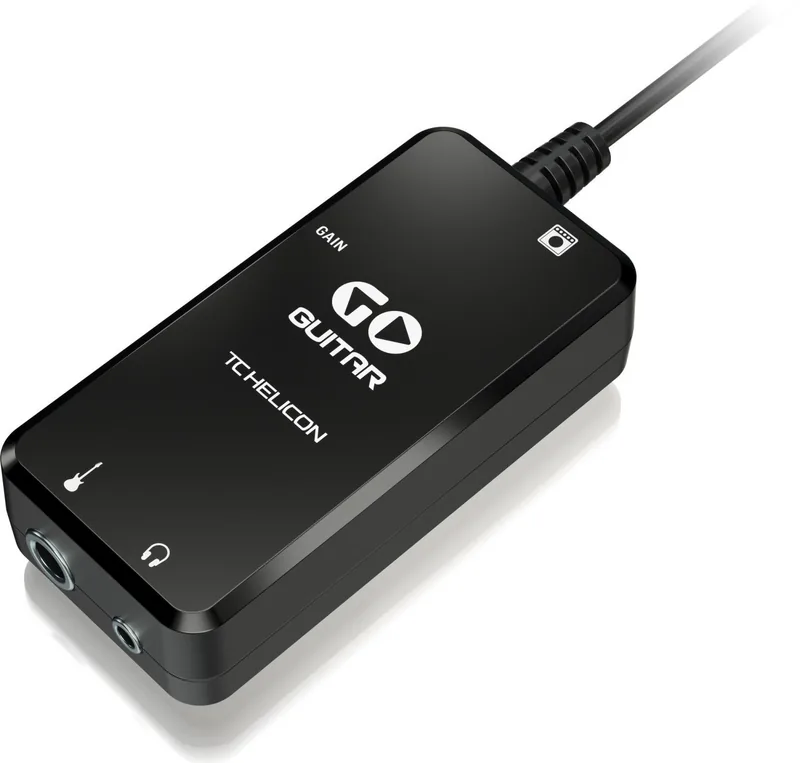
The TC Helicon Go Guitar is a compact interface built for players who want to connect a guitar or bass directly to a mobile device and start shaping sound right away. It brings together simple hardware routing, headphone monitoring, and app-based effects in a pocket-friendly format, making it a practical choice for practice, tone exploration, and mobile recording.
What makes it appealing
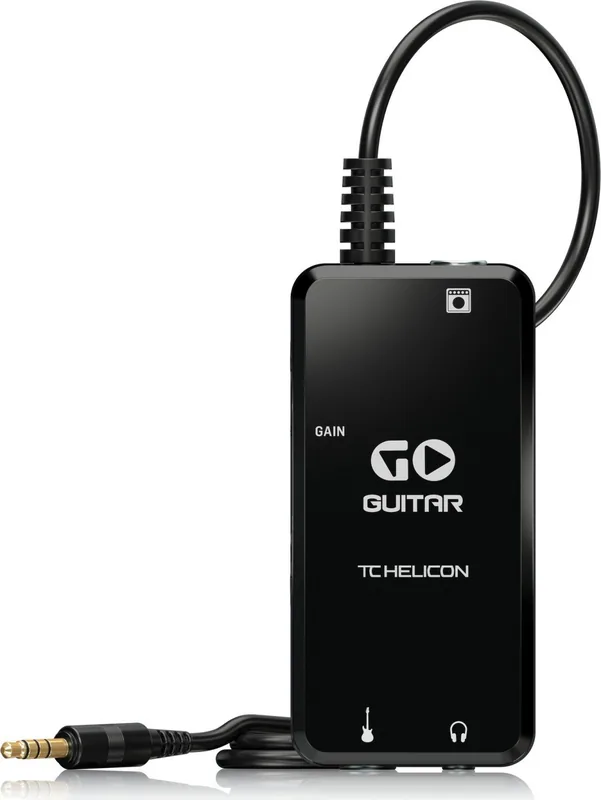
At the heart of the Go Guitar is its easy signal flow. You plug the attached cable into your phone or tablet, connect your instrument with a standard 1/4" TS cable, and route audio either straight through or into effects mode. A dedicated gain wheel helps you set the input level, while the THRU/FX switch lets you decide whether you want a clean pass-through signal or the processed sound coming back from your app. That flexibility is especially useful when testing tones, rehearsing silently, or experimenting with TC Helicon software.
Built for mobile players
One of the strongest advantages of the Go Guitar is how little space it takes up. Its small footprint and lightweight build make it easy to slip into a gig bag, backpack, or studio drawer. The unit also includes a headphone output for quiet playing and an amplifier output for situations where you want to send the signal to a larger system. In short, it is designed to keep your setup minimal without limiting your creative options.
If you are looking for the TC Helicon Go Guitar Manual experience in a more approachable form, the product is straightforward enough that most players can get started in minutes. The basic workflow is simple: connect, adjust gain, choose routing, and open a compatible app to explore effects. That makes it ideal for users who prefer quick results over complicated setup steps.
Sound and practical use
The specs suggest a clean, usable signal path with a broad frequency range and strong dynamic performance. That matters for both guitar and bass players who want reliable tone translation when moving into a mobile recording or effects environment. Whether you are practicing quietly, building tones on the go, or using your phone as part of a live or rehearsal setup, the Go Guitar offers a focused and efficient solution.
Notes
- Best suited for players who use mobile apps for effects and practice.
- Requires the right cable or adapter for your device connection.
- Ideal for portable, low-profile setups rather than complex pedalboard-style rigs.
Search for 67,706 Manuals online


Type-in Brand or Model