
Targus Webcam Pro AVC041GL Manual
PDF manual · 8 Pages
English



Quick check
Incorrect answer, please try again.
Chat with your Targus Webcam Pro AVC041GL manual using AI
Get instant AI answers from your Targus Webcam Pro AVC041GL manual
Ask anything about the Targus Webcam Pro AVC041GL. Answers come from this manual, with the pages they are based on.
Ask a Question
Do you recommend Webcam Pro AVC041GL?
Yes NoFrequently Asked Questions
The camera supports Full HD 1920 by 1080 resolution for clear video streaming.
Is this answer helpful?
Yes, it supports Mac OS 10.6 and newer versions without additional drivers.
Is this answer helpful?
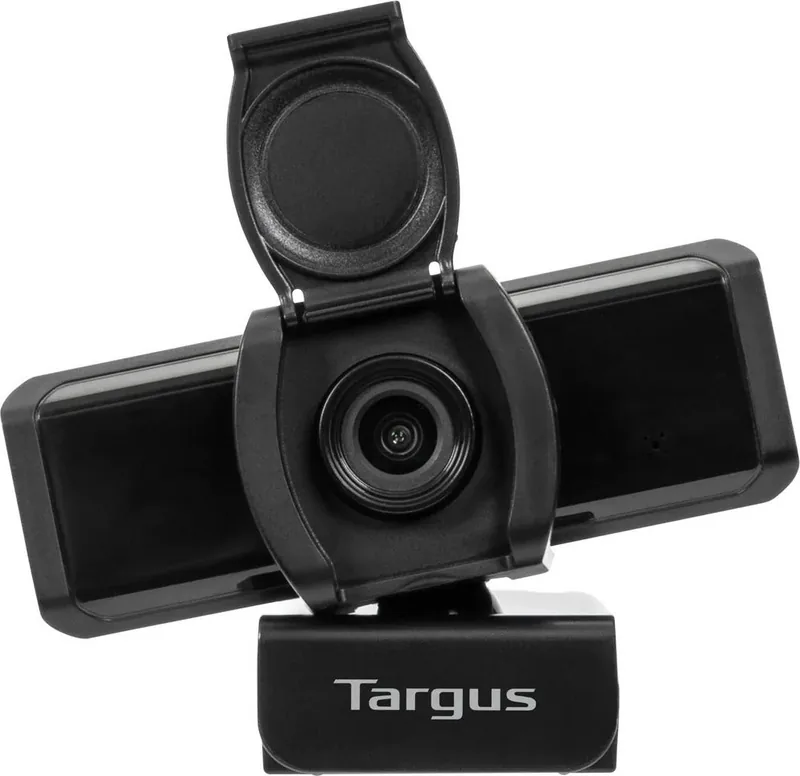
Yes, the package includes a Spyguard Protection Flip Cover for lens privacy.
Is this answer helpful?
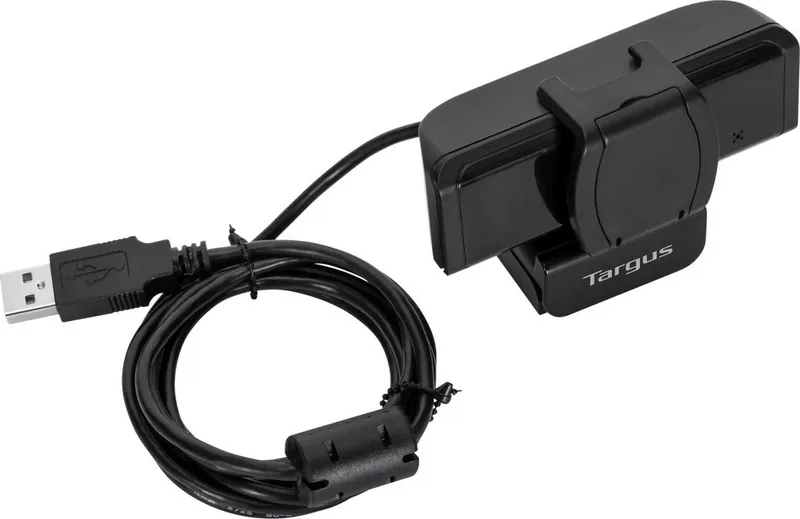
The included USB cable is 150cm long for flexible placement options.
Is this answer helpful?
Yes, it is compatible with various chat tools including Skype, Zoom, and Teams.
Is this answer helpful?
EMEA customers receive a two-year limited warranty on this Targus product.
Is this answer helpful?
Yes, it features a built-in sound-absorbing and noise-reducing microphone.
Is this answer helpful?
Advantages and Disadvantages
Advantages

- Full HD 1080P lens delivers crystal clear video for professional online meetings and conferencing globally.
- Driver-free plug and play setup allows immediate usage without installing complex software drivers.
- Built-in noise-reducing microphone ensures your voice is heard clearly without background distractions.
- Spyguard Protection Flip Cover provides physical privacy shield for the lens when not in use.
- Wide OS compatibility supports Windows 11, 10, 8, 7, XP 2, and Mac OS 10.6 and newer.
Disadvantages

- USB 2.0 interface is older technology compared to newer USB 3.0 or Type-C standards found elsewhere.
- 150cm USB cable may tangle or be too long for some compact desk setups requiring less reach.
- No battery included means the device requires constant power from the host computer to operate.
- Viewing angle of 73 degrees might be narrow for large team meetings without multiple cameras.
- Warranty varies significantly between regions, offering only one year in some areas compared to two in EMEA.
Product Specification
Type
Webcam
Image Sensor
1x 1/3" CMOS 2.0 MP
Resolution
1920x1080 Pixels
Viewing Angle
73 deg
Pan Range
360 deg
Ports
1x USB-A 2.0 (480 Mb/s)
Wireless
N/A
Microphone
Built-in (omnidirectional)
Speaker
N/A
Lighting
N/A
Cable Length
59.06 in
Power Source
USB Powered
Mounting
Mounting clip, with 1/4" thread
Dimensions
3.62 x 1.65 x 2.32 in
Weight
0.26 lb
Package Contents
Camera, Camera cover
Features
Status LED
Manufacturer Warranty
2 years
Product Description
Elevate Your Video Calls With Targus AVC041GL Webcam Pro
In the modern work landscape, high-quality video conferencing is essential for remote professionals. The Targus AVC041GL Webcam Pro delivers crystal clear visuals for your online meetings today. This device features a full HD 1080P lens that ensures your face is seen clearly by colleagues and clients worldwide. Whether you are joining a Zoom call on your laptop or connecting to Teams on a desktop, the performance remains consistent and reliable.
Setup is incredibly straightforward. The camera mount allows you to snap the rear end securely to the back of your screen easily. Once the mount is engaged, you simply connect the USB cable to your computer system. The driver-free plug and play functionality means you do not need to install complex software to begin working.
Audio quality complements the video performance perfectly. A built-in microphone absorbs sound and reduces noise effectively, ensuring your voice comes through without background distractions. The contrast optimization engine helps balance lighting conditions automatically within any room. This makes the camera suitable for various environments, from bright offices to dimmer home setups comfortably.
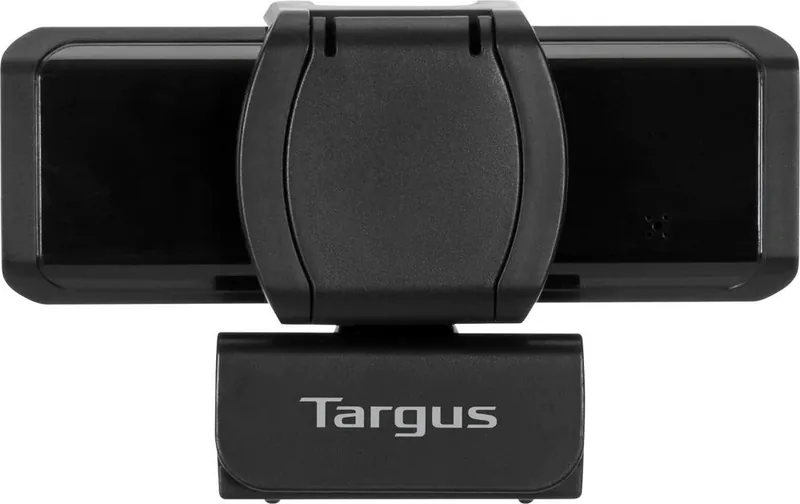
Privacy is another key consideration for many users recently. The included Spyguard Protection Flip Cover offers a physical way to shield the lens when the camera is not in use. This adds a layer of security against unauthorized access. Installation steps involve turning on the mount and pointing the camera toward the display front safely. It fits most monitors and laptops effectively without issues.
Compatibility is broad across operating systems globally. The device supports Windows 11, 10, 8, 7, and XP 2 as well as Mac OS 10.6. Software applications like Skype and Zoom are fully supported for users. If you are looking for detailed usage instructions similar to a Targus AVC041GL Webcam Pro Manual, the included guide provides clear steps for connecting.
The package includes the webcam, a user guide, and the privacy cover. A long 150cm USB cable provides flexibility in placement. Refresh rates of 50Hz and 60Hz ensure smooth motion rendering. Overall, this camera is a reliable accessory for remote work and streaming purposes. It offers great value considering the warranty options available in different regions now.
The resolution is 1920 by 1080 pixels ensuring sharp images. The interface type is USB 2.0 which is widely compatible. The sensor type is a 1/3 inch 2MP sensor which handles light well. The lens aperture is f/2.2 with a 73-degree viewing angle.
Choosing the right webcam matters for professionalism. The Targus AVC041GL Webcam Pro checks all boxes for clarity. It stands out among built-in cameras for its superior image processing chip technology. With support for H.265 compression, file sizes remain manageable. If you need reliable hardware for daily communication, this model serves well.
Search for 67,732 Manuals online


Type-in Brand or Model