
Targus Compact Blue Trace AMU75EU Manual
PDF manual · 31 Pages
English



Quick check
Incorrect answer, please try again.
Chat with your Targus Compact Blue Trace AMU75EU manual using AI
Get instant AI answers from your Targus Compact Blue Trace AMU75EU manual
Ask anything about the Targus Compact Blue Trace AMU75EU. Answers come from this manual, with the pages they are based on.
Ask a Question
Do you recommend Compact Blue Trace AMU75EU?
Yes NoFrequently Asked Questions
No, the Targus Compact Blue Trace Mouse supports plug and play technology. It does not require any additional software drivers to be installed on your computer to function properly with your operating system.
Is this answer helpful?
Targus warrants this product to be free from defects in materials and workmanship for two years. If your accessory is found to be defective within that time, we will promptly repair or replace it.
Is this answer helpful?
Yes, this mouse is compatible with Mac OS X 10.4 or later versions, ensuring it functions correctly across different Apple computer operating systems in addition to Microsoft Windows versions.
Is this answer helpful?
To retract the cord, pull both ends of the cable slightly and release quickly. This engages the internal mechanism to pull the cord back into the mouse housing.
Is this answer helpful?
Yes, while the mouse is functioning, optical light is visible. Users should be careful not to look directly into the emitter hole while the mouse is active.
Is this answer helpful?
Absolutely. The USB interface allows the mouse to be used with any computer device that has a standard USB port, including laptops and desktop computers.
Is this answer helpful?
No, the mouse draws power directly through the USB connection. This eliminates the need to purchase or replace batteries constantly.
Is this answer helpful?
Advantages and Disadvantages
Advantages

- Plug and play design eliminates the need for extra software drivers
- Retractable USB cord prevents cable tangling during transport
- Compatible with both Windows and Mac operating systems
- Powered directly through USB port saving battery life
- Backed by a two-year warranty for quality assurance
Disadvantages

- Optical emitter requires users to avoid direct eye contact for safety
- Cable mechanism requires specific pulling motion to extend fully
- Lacks specialized buttons typically found in gaming mice
- Fixed cable length reduces flexibility compared to wireless options
- Compact size might feel small for users with large hands
Product Specification
Intended Use
both hands (left hand, right hand)
Buttons
3 (total), 2 (main), 1 (scroll wheel click)
Scroll wheel
1x 2-way
Tracking
LED-blue
Resolution
1000 DPI
Lighting
N/A
Connection
wired (29.92 in), USB-A 2.0
Power
USB
Dimensions (WxHxD)
1.77x0.98x3.15 in
Approximate Volume
1.46 in^3 (approximate shape)
Weight
1.41 oz
Color
solid color, black
Features
Retractable cable
Product Description
Discover the Targus Compact Blue Trace Mouse
In the ever-evolving world of peripheral hardware, finding a mouse that balances portability with performance can be challenging. The Targus Compact Blue Trace Mouse stands out as a reliable solution designed for users who value organization and ease of use. Whether you are managing files on a corporate desktop or working on a laptop in a coffee shop, this device adapts to your workflow without adding unnecessary clutter. It serves as an essential tool for daily computing tasks requiring a stable pointer.
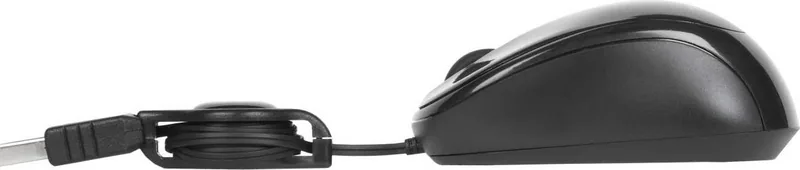
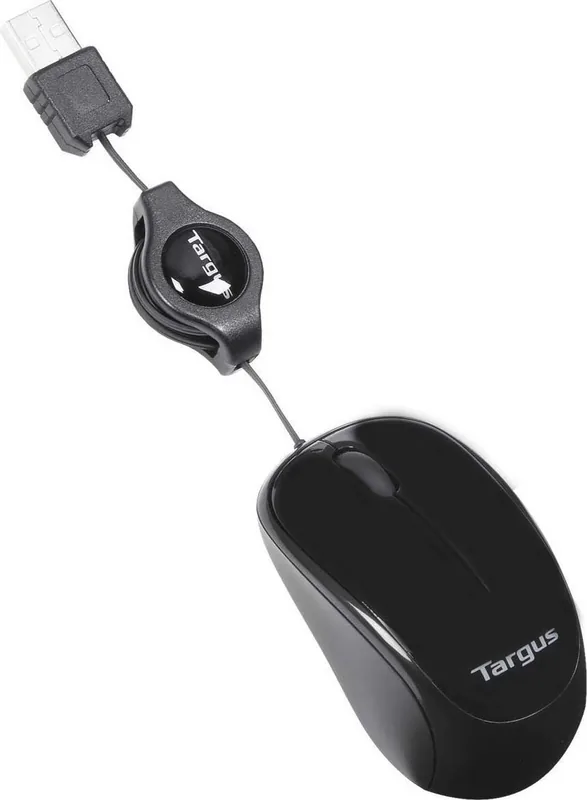
The standout feature of this accessory is its innovative retractable USB cord. Traditional mice often suffer from tangled wires when stored in bags, leading to frustration during setup. With the Targus design, the cable hides neatly within the chassis. To extend the cable, simply hold the mouse in one hand and the USB connector in the other while pulling both ends simultaneously away from the internal wheel. Retracting is equally straightforward by pulling slightly and releasing the tension quickly. This mechanism keeps your workspace tidy and prevents cable damage over time.
Compatibility is a crucial factor for any modern peripheral. This USB mouse supports plug and play technology, meaning no additional software drivers are required for installation. It works seamlessly with widely-used operating systems including Microsoft Windows versions 2000, XP, Vista, and 7. Furthermore, Mac users are supported with compatibility for Mac OS X 10.4 and later versions. This broad support ensures that whether you are at the office or working from home, your hardware interface remains consistent and reliable.
Safety precautions are also highlighted in the usage guide to ensure long-term health. The device emits optical light when active which is visible to the naked eye. Users are advised never to look directly into the emitter hole while the mouse is powered on. This ensures eye safety during extended use sessions. The Targus Compact Blue Trace Mouse continues the brand reputation for durability, backed by a two-year warranty against defects in materials and workmanship. If the product fails within this period, Targus offers repair or replacement services ensuring customer satisfaction.
For those seeking a no-fuss computer accessory, the Targus Compact Blue Trace Mouse provides a practical answer. It requires no batteries and utilizes power directly through the USB port. This eliminates the need to manage charging or replacement batteries constantly. The compact design reduces hand strain during long periods of use compared to larger gaming mice. While it lacks specialized gaming buttons, it delivers precise tracking for standard office tasks and web browsing. It remains a top choice for travelers seeking a compact companion for their PC environments.
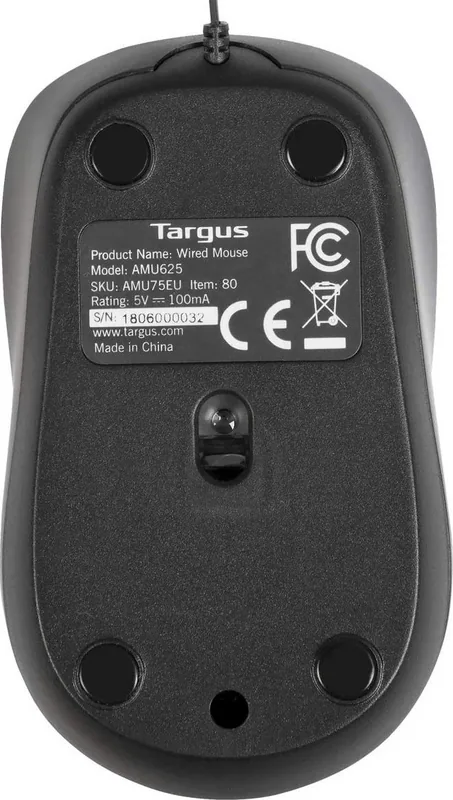
Technical support is available via the website for any connectivity issues. This equipment complies with FCC regulations for digital devices ensuring safe radio frequency operation in residential areas. The manual is available in numerous languages catering to a global audience.
Search for 67,732 Manuals online


Type-in Brand or Model