
Targus AWU1000 Manual
PDF manual · 10 Pages
English



Quick check
Incorrect answer, please try again.
Chat with your Targus AWU1000 manual using AI
Get instant AI answers from your Targus AWU1000 manual
Ask anything about the Targus AWU1000. Answers come from this manual, with the pages they are based on.
Ask a Question
Do you recommend AWU1000?
Yes NoFrequently Asked Questions
The folded size is 70 x 130mm and it comes in black color.
Is this answer helpful?
No, the USB-C PD power adapter is not included with this device.
Is this answer helpful?
It supports Microsoft Windows 10, macOS 10.14 or higher, and Chrome OS.
Is this answer helpful?
Yes, it supports USB-C Power Delivery up to 100 watts upstream.
Is this answer helpful?
It has one upstream USB-C port and four downstream USB-A ports.
Is this answer helpful?
EMEA customers receive two years, while other regions get one year.
Is this answer helpful?
Check connections, try different ports, and reset over-current protection in Device Manager.
Is this answer helpful?
Advantages and Disadvantages
Advantages

- Compact folded size is 70 x 130mm for easy travel storage
- Supports USB-C Power Delivery up to 100 watts upstream
- Four USB-A ports allow connection of multiple peripherals simultaneously
- Plug and play functionality requires no driver software installation
- Thunderbolt 3 host compatible for high-speed data transfer speeds
Disadvantages

- Power adapter for PD is not included in the package box
- Only one upstream USB-C host connection available on unit
- USB-A ports share a maximum of 15 watts total power
- Certain HP laptops with specific charging profiles may fail
- Warranty is only one year for regions outside EMEA areas
Product Specification
Type
LAN Adapter, USB Hub, Video Adapter
Form Factor
1x external wired (cable not detachable)
Power Supply
Power also via connection, mains power (1x USB-C port USB PD 3.0, max. 100W), external power supply possible but not included
Dimensions
10.24x2.44x1.06 in (WxHxD)
Weight
12.70 oz
Case Color
silver
Compatibility
universal
Features
Metal case, stand (Notebooks 10" - 15.6")
Manufacturer Warranty
2 years
USB Port Orientation
Left
Product Description
Elevate Your Remote Workspace Setup
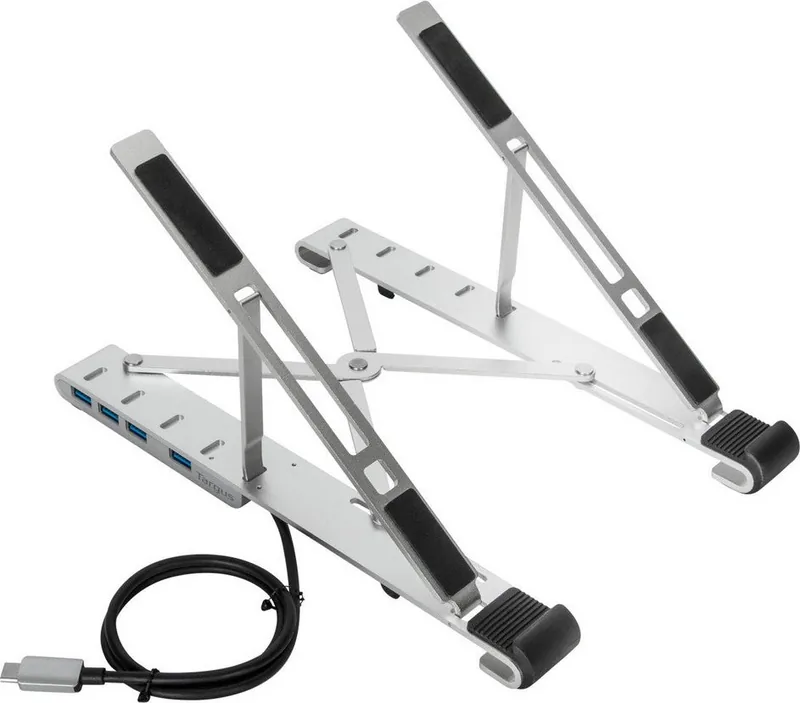
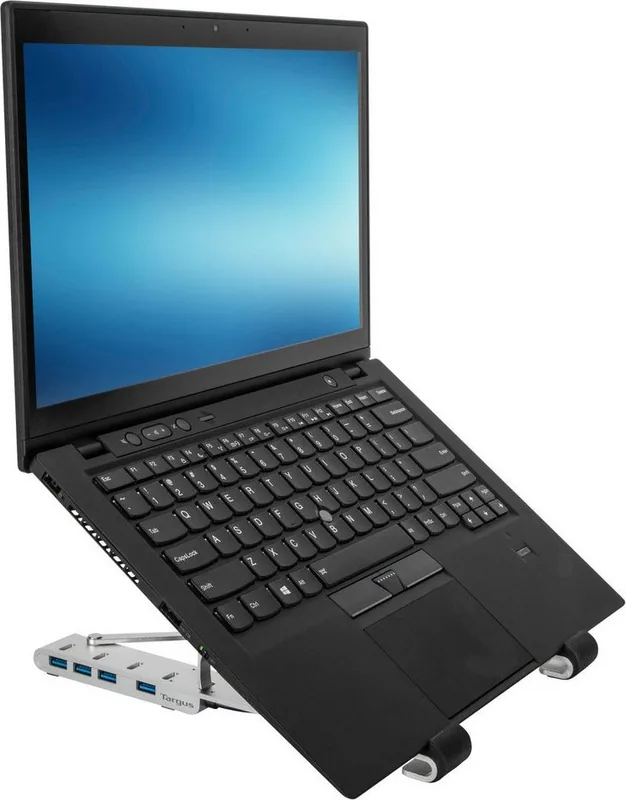
In the modern world of digital nomads and remote work, maintaining a portable and efficient workstation is essential for productivity. The solution lies in combining ergonomic stands with versatile connectivity hubs. You will find that the Targus Portable Laptop Stand meets these needs perfectly for daily commuting. Before purchasing, many users recommend consulting the Targus Tragbarer Laptop-Ständer Manual for detailed insights on setup procedures. This device is designed to be compact, allowing you to carry it anywhere without hassle. It transforms a flat laptop into a stable viewing experience instantly.
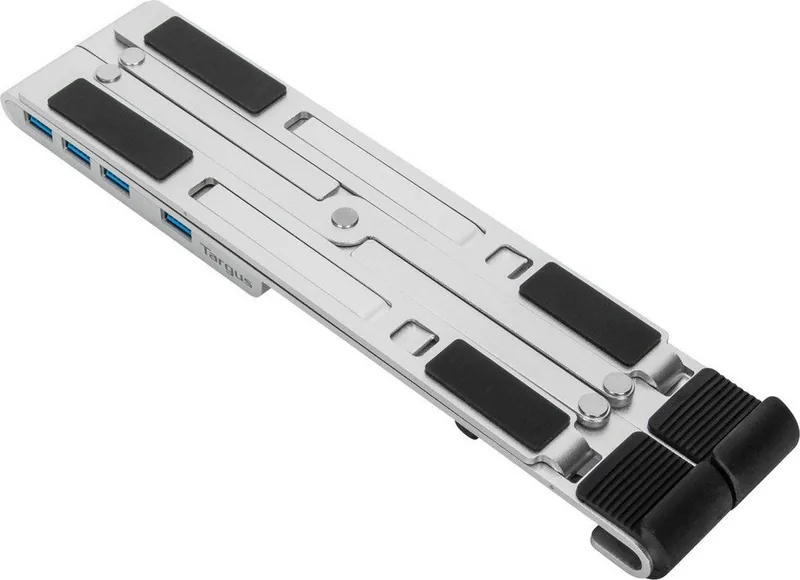
The physical architecture of this stand is built for durability and mobility across all environments. It features a sleek black finish that complements most laptop colors and screen sizes. When folded, it measures just seventy by one hundred thirty millimeters for storage convenience. This small footprint ensures it fits easily into any backpack or briefcase for travel. The build quality suggests it can withstand daily travel wear and tear while providing stable support for your laptop screen. Stability is key for typing accuracy and long work sessions without eye strain.
Beyond physical support, the integrated hub enhances functionality significantly for power users. It includes a USB-C host port compatible with Thunderbolt 3 for high speed data. This connection supports Power Delivery up to one hundred watts upstream efficiently. You can charge your devices while connecting peripherals without losing performance. There are four USB-A ports available for keyboards, mice, and external drives. These ports share up to 15 watts, which is sufficient for most accessories. Power delivery passthrough is also a vital feature for charging the laptop itself directly.
Operational compatibility covers major operating systems like Windows 10 and macOS 10.14 without issues. Installation is plug and play, needing no drivers downloaded or installed manually. However, users should be aware of specific troubleshooting steps if devices do not work initially. Resetting the port in the Device Manager can resolve over-current shutdown issues quickly. EMEA customers receive a two-year limited warranty, while others get one year standard coverage. Registration is recommended to validate your coverage claims effectively and receive support.
Note: Always check power requirements of devices before plugging into the shared ports.
Search for 67,732 Manuals online


Type-in Brand or Model