

Targus ACH112EU Manual
PDF manual · 29 Pages
English



Quick check
Incorrect answer, please try again.
Chat with your Targus ACH112EU manual using AI
Get instant AI answers from your Targus ACH112EU manual
Ask anything about the Targus ACH112EU. Answers come from this manual, with the pages they are based on.
Ask a Question
Do you recommend ACH112EU?
Yes NoFrequently Asked Questions
You can connect up to four USB devices to the hub simultaneously. This includes mice, keyboards, printers, and flash drives, allowing you to expand your single computer port into four usable connections.
Is this answer helpful?
Yes, the hub is compatible with Mac OS X 10.4 or later. It also supports various Microsoft Windows versions including 2000, XP, Vista, and 7, making it versatile for mixed environments.
Is this answer helpful?
No, additional software is not needed. The hub operates on a plug-and-play basis. It will automatically operate when the USB cord is connected to the computer without manual driver installation.
Is this answer helpful?
The AC adapter provides extra power to the devices. If you connect multiple power-hungry peripherals and experience insufficient power, connecting the AC adapter will provide the necessary energy to maintain connections.
Is this answer helpful?
If a connection is lost, press and hold the reset button for 2 seconds. This action reboots the hub and restores all device connections automatically so you can continue working.
Is this answer helpful?
Yes, the USB cable wraps snugly around the hub. This protects the ports during transport and keeps the cable tidy in your laptop bag or travel case.
Is this answer helpful?
The LED lights indicate active communication. When the hub and a connected USB device are communicating data, the LED on the specific port will light up.
Is this answer helpful?
Advantages and Disadvantages
Advantages

- Connects up to four USB devices simultaneously which saves desktop port space.
- Includes AC adapter for stable power when multiple high-power devices are used.
- Compact design with cable wrap feature ensures easy travel and port protection.
- Plug-and-play functionality requires no extra driver installation for setup.
Disadvantages

- USB 2.0 technology offers transfer speeds slower than modern USB 3.0 standards.
- External AC adapter is required for full power which limits cable length options.
- LED indicator might be slightly visible but generally unobtrusive in low light.
Product Specification
Type
USB-Hub
Form Factor
1 External Wired (Connection cable not detachable)
Interface
1x USB-A 2.0 (Plug via Cable, 480Mb/s)
Ports
4x USB-A 2.0 (Port)
Transfer
4x USB-A 2.0 (Port, 480Mb/s)
Power Supply
Power also via Connection, Mains connection (1x Barrel Jack), external power supply possible and included (1x Barrel Jack)
Dimensions
1.61 x 0.63 x 3.90 in (W x H x D)
Housing Color
black
Compatibility
universal
Manufacturer Warranty
2 years
USB Labeling
Left
Product Description
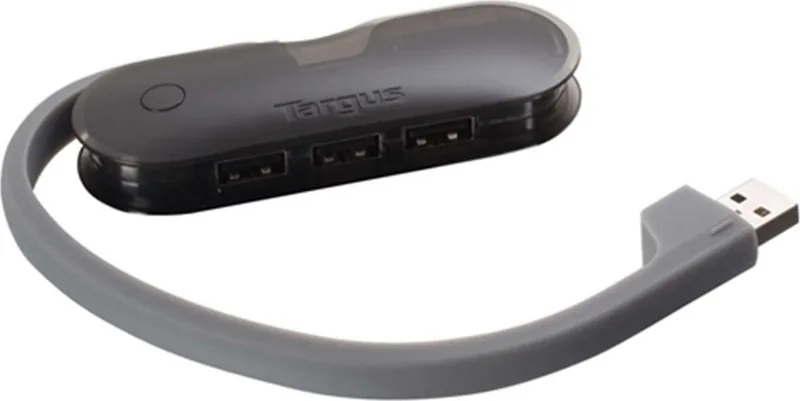
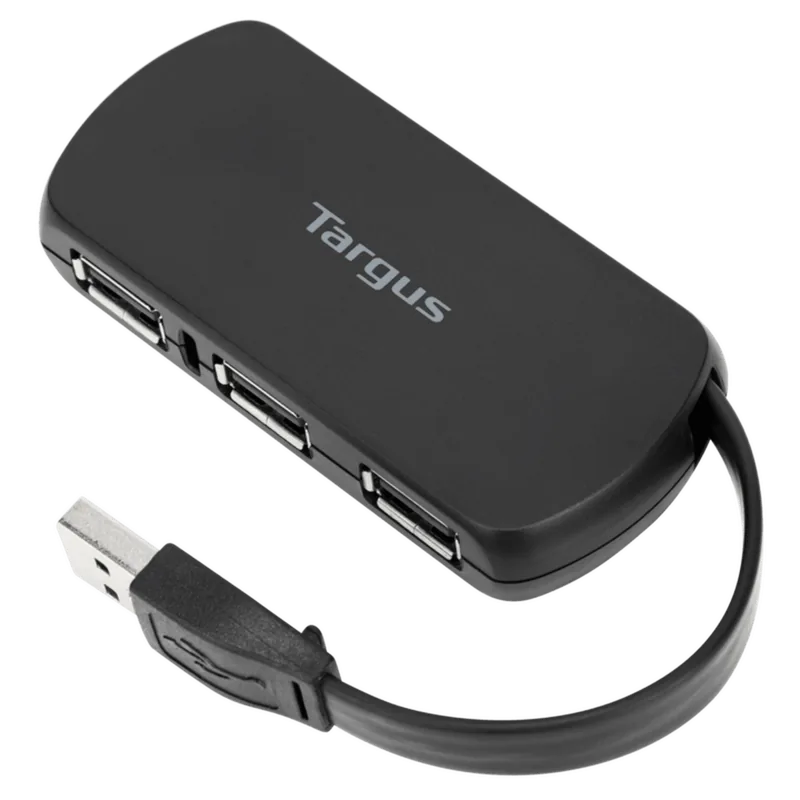
A Comprehensive Look at the Targus Smart USB Hub
Expanding the connectivity options on your computer is a necessity for many users. Whether you are managing multiple peripherals or need to transfer files quickly from various flash drives, having extra ports is vital. The Targus Smart USB Hub provides a robust solution to this common hardware limitation. This device transforms a single available interface into four separate connections, streamlining your workspace significantly.
Hardware Capabilities
The hub features four USB-A 2.0 ports. While newer standards exist, USB 2.0 remains widely supported for standard peripherals like mice, keyboards, printers, and storage drives. You can connect up to four devices simultaneously without installing any additional software. The system automatically handles the connection, allowing for immediate use upon insertion. This functionality is designed to save time.
Smart Power Management
One of the critical aspects of USB hubs is power distribution. The unit includes an AC adapter in the box. This is important when connecting multiple high-power devices. Although the USB cable alone powers basic input devices, the external adapter ensures stable voltage when all four ports are fully utilized. This prevents devices from disconnecting unexpectedly due to insufficient power flow.
Portability and Design
Design considerations are evident in how this hub is constructed for travel. The accompanying cable wraps neatly around the center of the unit. This keeps the cord protected and prevents it from getting tangled in your bag. It also safeguards the USB ports during transit, reducing the risk of physical damage. For digital nomads and students, this compact form factor is highly convenient.
Troubleshooting and Feedback
User feedback is provided through small LEDs located near each port. When communication is active between the hub and a device, the light turns on. This visual cue confirms the connection status instantly. If a device loses connection, you can press the reset button for two seconds. This reboots the system and reconnects all peripherals, ensuring your workflow continues smoothly without interruption.
In conclusion, this accessory bridges the gap between your computer limitations and your connectivity needs. It supports various operating systems, including Windows and Mac, making it versatile for different users. By integrating these features into a single compact shape, Targus ensures that maintaining connectivity remains simple and efficient.
Search for 67,732 Manuals online


Type-in Brand or Model