
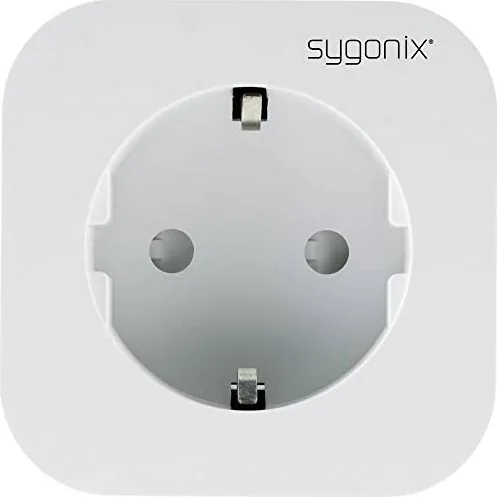
Sygonix Wi-Fi Measuring Socket 2138451 Manual
PDF manual · 78 Pages
English


Quick check
Incorrect answer, please try again.
Chat with your Sygonix Wi-Fi Measuring Socket 2138451 manual using AI
Get instant AI answers from your Sygonix Wi-Fi Measuring Socket 2138451 manual
Ask anything about the Sygonix Wi-Fi Measuring Socket 2138451. Answers come from this manual, with the pages they are based on.
Ask a Question
Do you recommend Wi-Fi Measuring Socket 2138451?
Yes No
Maria_K
7 months ago
Why does my device fail to connect to the app via Wi-Fi after multiple attempts?
Frequently Asked Questions
This smart socket only works with 2.4 GHz Wi-Fi networks. It is incompatible with 5 GHz routers, so ensure your network settings allow 2.4 GHz connections.
Is this answer helpful?
Download the 'Smart Life - Smart Living' app from the Google Play Store for Android or the Apple App Store for iOS. Scan the QR code in the manual or search for the app by name.
Is this answer helpful?
Yes, the app displays real-time data including current power consumption in watts, mains voltage, and total energy used in kilowatt-hours. You can view monthly graphs as well.
Is this answer helpful?
Absolutely. You can program daily timers, repeat schedules, and countdown timers directly within the app to automate when your appliances turn on or off.
Is this answer helpful?
The Sygonix WLAN Power Socket is designed to handle up to 2500 Watts, making it suitable for most common household electronics and small appliances.
Is this answer helpful?
Advantages and Disadvantages
Advantages

- Supports 2500W load capacity suitable for most high-power appliances
- Real-time energy monitoring tracks voltage, current, and total consumption
- Compatible with both Android and iOS devices via the Smart Life app
- Allows creation of custom timers, countdowns, and automated scenes
- Enables remote control and voice assistant integration for convenience
Disadvantages

- Only supports 2.4 GHz Wi-Fi networks and does not work with 5 GHz
- Requires a separate smartphone app rather than standalone hardware controls
- Setup process involves multiple steps including account creation and verification
- Device name must be manually assigned during initial configuration
- Resetting the device requires physical button press and app interaction
Product Specification
Type
Sensor, Actuator
Standard
WLAN (802.11b/g/n)
Function
Switchable outlet (on/off), power metering function
Features
App-controlled (Android, iOS)
Product Description
Revolutionize Your Home with the Sygonix WLAN Power Socket
The Sygonix WLAN Power Socket, rated at 2500W and featuring a Type F plug, represents a significant leap in home automation. This smart socket transforms any standard appliance into an intelligent device, allowing you to control power consumption from anywhere using your smartphone. Designed for seamless integration, it operates exclusively on 2.4 GHz Wi-Fi networks, ensuring stable connectivity for your smart home ecosystem.
Seamless Smart Control
Managing your energy usage has never been easier. By pairing this device with the "Smart Life - Smart Living" application, users gain full command over their electrical outlets. The interface is intuitive, guiding you through setup steps like creating an account, adding devices, and organizing them into specific rooms or families. Once connected, you can toggle power on or off with a simple tap, eliminating the need to physically reach for switches.
Advanced Features for Modern Living
Beyond basic on-off functionality, this smart socket offers robust scheduling capabilities. You can program timers to turn appliances on or off at specific times, or set countdowns for temporary tasks. For instance, you might schedule a coffee maker to brew automatically every morning or ensure a space heater turns off before you leave for work. The app also provides real-time energy monitoring, displaying current voltage, power consumption in watts, and cumulative energy usage in kilowatt-hours. This data helps you track monthly consumption patterns and identify energy-hungry devices.
Flexible Organization
The system supports grouping multiple sockets together, allowing you to control several devices simultaneously with one command. Scenes can be created to automate complex routines, such as turning off all lights and the TV when you say goodnight. Whether you are managing a single room or an entire household, the Sygonix WLAN Power Socket adapts to your needs, providing a reliable and efficient solution for modern energy management.
Search for 67,732 Manuals online


Type-in Brand or Model
Hans Mueller
4 months ago
Is the app setup possible without English language skills, and where can I find the full instructions?
Manual.ly
4 months ago
The current application interface is designed primarily in English. If you do not speak English, you may encounter difficulties during registration. We recommend using a translation tool or browser extension to assist with the process. The detailed user manual for the specific device model should be included in the package; however, if it only covers the plug-in version, please visit our website's support section to download the correct guide for your product.