Manual.ly Logo

Sygonix 10-Way Power Strip with Switch Manual

0.0 · 0 Ratings

PDF manual · 8 Pages

English

M: gpt-5.6-terra
page

/ 8

Loading...
66023ed15660649226cfff3d0fcbc8dc55b7 page 3
3
Operating Instructions
Socket Strips
Item no: 2377929 (10x mains, 2x USB-A)
Item no: 2377930 (10x mains)
1 Intended use
The product is a socket strip. The number and type of consumers that can be connected will
depend on your model.
The product is intended for indoor use only. Do not use it outdoors.
Warning labels are included in the package. Stick a label in your language over or
next to the language label on the product.
If you use the product for purposes other than those described, the product may be dam-
aged.
Improper use can result in short circuits, fires, electric shocks or other hazards.
The product complies with the statutory national and European requirements.
For safety and approval purposes, you must not rebuild and/or modify the product.
Read the operating instructions carefully and store them in a safe place. Make this product
available to third parties only together with the operating instructions.
All company names and product names are trademarks of their respective owners. All rights
reserved.
2 Delivery contents
■
Product
■
Operating instructions
3 Latest product information
Download the latest product information at www.conrad.com/downloads or scan the QR
code shown. Follow the instructions on the website.
4 Description of symbols
The symbol with the exclamation mark in the triangle is used to indicate important
information in this document. Always read this information carefully.
Risk of electric shock!
This product must only be used in dry, enclosed indoor areas. It must not be-
come damp or wet.
5 Safety instructions
Read the operating instructions carefully and especially observe the safety
information. If you do not follow the safety instructions and information on
proper handling, we assume no liability for any resulting personal injury or
damage to property. Such cases will invalidate the warranty/guarantee.
5.1 General
■
The product is not a toy. Keep it out of the reach of children and pets.
■
Do not leave packaging material lying around carelessly. This may become dangerous
playing material for children.
■
If you have questions which remain unanswered by this information product, contact our
technical support service or other technical personnel.
5.2 Handling
■
If it is no longer possible to operate the product safely, take it out of operation and pro-
tect it from any accidental use. Safe operation can no longer be guaranteed if the
product:
– is visibly damaged,
– is no longer working properly,
– has been stored for extended periods in poor ambient conditions or
– has been subjected to any serious transport-related stresses.
■
Handle the product carefully. Jolts, impacts or a fall even from a low height can damage
the product.
■
Consult an expert when in doubt about the operation, safety or connection of the appli-
ance.
5.3 Product
■
Do not connect the product in series!
■
Do not operate the product while covered.
■
De-energised only when unplugged.
■
Take special caution when children are around. Children cannot recognize the danger
arising from the incorrect use of electrical devices. There is a risk of a life-threatening
electric shock!
■
Only use in dry rooms.
5.4 Operating environment
■
Do not place the product under any mechanical stress.
■
Protect the appliance from extreme temperatures, strong jolts, flammable gases, steam
and solvents.
■
Protect the product from direct sunlight.
■
Do not switch the product on after it has been taken from a cold to a warm environment.
The condensation that forms might destroy the product. Allow the product to reach room
temperature before you use it.
5.5 Mains cable
Do not tamper with power supply components. Risk of death by electric shock!
■
Always ensure proper connection.
■
Never use damaged power supply components.
■
Do not modify power supply components.
■
The mains outlet must be located near to the device and be easily accessible.
■
Never plug in or unplug the mains plug when your hands are wet.
■
Never pull the mains plug from the socket by pulling at the cable. Always pull it from the
mains socket using the intended grips.
■
Unplug the mains plug from the mains socket if you do not use the device for an exten-
ded period of time.
■
Disconnect the mains plug from the mains socket in thunderstorms for reasons of safety.
■
Make sure that the mains cable is not squeezed, bent, damaged by sharp edges or put
under mechanical stress.
■
Avoid excessive thermal stress on the mains cable from extreme heat or cold.
■
Do not modify the mains cable. Otherwise the mains cable may be damaged. A dam-
aged mains cable can cause a deadly electric shock.
■
Do not touch the mains cable if it is damaged.
– First, power down the respective mains socket (e.g. via the respective circuit breaker)
and then carefully pull the mains plug from the mains socket.
– Never use the product if the mains cable is damaged.
■
A damaged mains cable may only be replaced by the manufacturer, a workshop com-
missioned by the manufacturer or a similarly qualified person, so as to prevent any
danger.
■
Ensure that cables are not pinched, kinked or damaged by sharp edges.
■
Always lay cables so that nobody can trip over or become entangled in them. This poses
a risk of injury.
5.6 Connected devices
■
Also observe the safety and operating instructions of any other devices which are con-
nected to the product.
5.7 Sockets
■
The product is equipped with an enhanced protection against accidental contact. An in-
tegrated mechanism will release the holes of the receptacle only, if the two prongs of a
power plug are inserted into the two holes at once.
6 Mounting
Mounting holes are available to fasten the product to suitable surfaces.
When penetrating the surface e.g. drilling or inserting fasteners, make sure no
cables or pipes are damaged. Inadvertently penetrating electric cables causes
the life-threatening danger of an electric shock!
7 Protection (mains sockets)
7.1 Surge protection
Protects connected devices from being damaged by voltage spikes in the mains power net-
work.
■
When the surge protection light is (ON), surge protection is functioning normally.
■
If the surge protection light is (OFF), surge protection has tripped.
If surge protection has tripped, you can still use the product, but surge protection
will not be available.

Chat with your Sygonix 10-Way Power Strip with Switch manual using AI

Get instant AI answers from your Sygonix 10-Way Power Strip with Switch manual

Ask anything about the Sygonix 10-Way Power Strip with Switch. Answers come from this manual, with the pages they are based on.

Ask a Question

0/1000

Do you recommend 10-Way Power Strip with Switch?

Yes No

Frequently Asked Questions

A

All listed variants support a maximum total connected load of 3680 W at up to 16 A. Add together the power consumption of every connected device and do not exceed this limit.

Is this answer helpful?

A

Yes. On models equipped with an on/off switch, the switch controls all connected loads together. The integrated indicator light illuminates when the strip is switched on.

Is this answer helpful?

A

Selected variants include USB charging ports. Most USB-equipped models provide a combined maximum output of 2.4 A or 12 W. Item 2269128 offers additional charging options, including USB-C and a fast USB-A port.

Is this answer helpful?

A

Use it only in dry, enclosed indoor spaces with an accessible earthed wall socket. Keep it away from bathrooms, showers, liquids, direct sunlight, extreme temperatures, flammable vapors, and heavy dust.

Is this answer helpful?

A

No. Do not connect power strips in series. Plug the Sygonix strip directly into a wall socket to reduce overload and fire risks.

Is this answer helpful?

A

Its integrated thermal fuse switches off the sockets. Turn the main switch off, remove the overload cause, wait 5 to 10 minutes for cooling, then briefly press the red reset button.

Is this answer helpful?

M: gpt-5.6-terra

Advantages and Disadvantages

Advantages

  • Supports up to 3680 W total connected load at 16 A for suitable household and office devices.
  • Switched models control all connected devices at once and use an illuminated on/off indicator.
  • Available in multiple layouts, from compact three-socket strips to twelve-socket versions.
  • Selected models add USB charging, desk mounting, or surge protection for more versatile setups.
  • Protective-contact sockets and enhanced touch protection are provided across the listed range.
VS

Disadvantages

  • Features vary substantially by item number, so the exact model must be checked before buying.
  • For indoor dry locations only; it must not be used near water or in humid environments.
  • USB charging is limited to selected variants and shared output may not suit every charging need.
  • Power strips cannot be daisy-chained or covered, which can limit placement options.
  • Surge protection is only included on item 2269140 and is unavailable after it has tripped.
M: gpt-5.6-terra

Product Specification

Input

1x Schuko (16 A)

Input voltage

230 V

Power

3,680 W (max.)

Material

Aluminum

Manufacturer warranty

three years

M: gpt-5.6-terra

Product Description

Sygonix Power Strip with Switch Black/Silver Manual

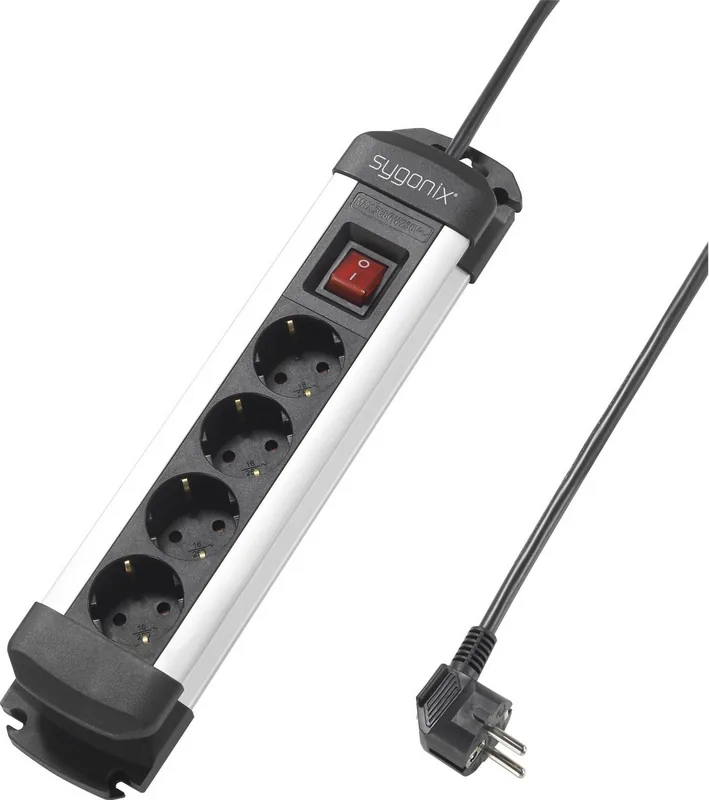
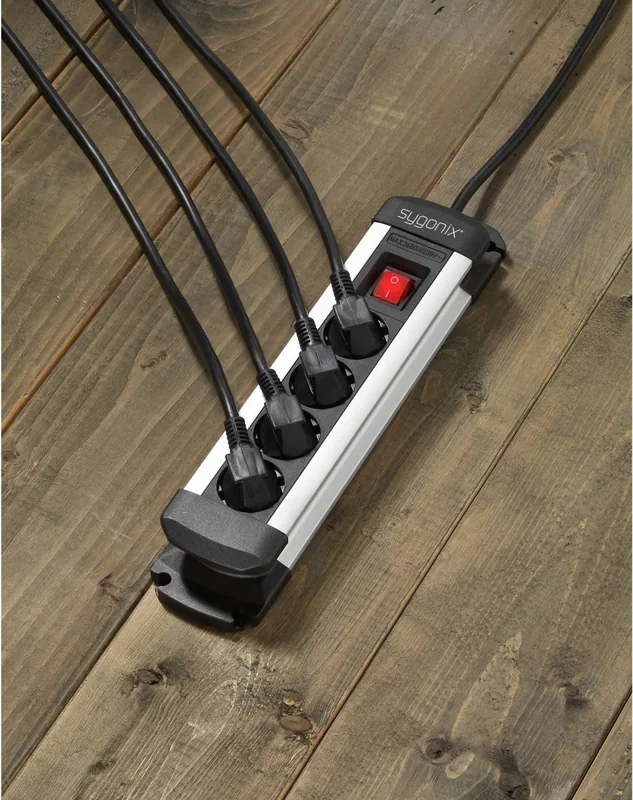
The Sygonix Power Strip with Switch Black/Silver Manual highlights a practical way to organize power for a desk, home office, entertainment area, or workshop. Designed for dry indoor use, this power-strip range provides multiple earthed outlets for everyday electrical equipment while allowing compatible switched versions to control all connected devices from one central on/off button.

Flexible power for everyday setups

Depending on the selected model, the range offers from three to twelve protective-contact sockets, with certain versions also including Euro sockets. Every listed unit supports a maximum connected load of up to 3680 W at 16 A, making it suitable for common household and office equipment within its rated total capacity. The illuminated switch on applicable versions provides a clear indication that connected devices are powered.

The Sygonix Power Strip with Switch Black/Silver Manual also covers models with USB charging ports. These options can charge compatible phones and other USB devices without occupying mains sockets. Selected versions provide two USB ports with a combined output of up to 2.4 A, while item 2269128 adds a USB-C port and a fast USB-A charging port with up to 18 W output. This makes the range especially useful where mains-powered and USB-powered devices share the same workspace.

Options for compact and protected installations

The product family includes a compact socket cube with four outlets, USB charging, and a supplied retaining bracket for mounting on a desk or similar suitable surface. Longer strip models offer up to twelve outlets for larger equipment groups. For added protection, item 2269140 includes surge protection rated at 60 kA. Its red indicator shows whether the surge-protection function remains available, while an integrated thermal fuse can switch off the sockets in an overheating event.

Safe operation matters

Use the power strip only indoors, in a dry, enclosed location, and connect it directly to an accessible earthed wall socket. Fully unwind the cable during operation, keep it uncovered, and route it away from sharp edges, foot traffic, and carpets. Never connect one power strip to another, exceed the stated total load, or use the unit with wet hands.

Disconnect the plug before cleaning, when unused for extended periods, or if damage is visible. Clean only with a dry, soft cloth. If a strip, cable, or housing shows signs of heat damage, smoke, unusual noise, or discoloration, stop using it immediately.

Notes

  • Check the exact item number before purchase because socket count, USB charging, cable length, mounting options, and surge protection vary by model.
  • The power strip is not intended for damp rooms, outdoor use, or tropical climates.
M: gpt-5.6-terra

© Copyright 2026 Manual.ly