
Swisstone SW 320 HR Manual
PDF manual · 2 Pages
English



Quick check
Incorrect answer, please try again.
Chat with your Swisstone SW 320 HR manual using AI
Get instant AI answers from your Swisstone SW 320 HR manual
Ask anything about the Swisstone SW 320 HR. Answers come from this manual, with the pages they are based on.
SW 320 HR Maintenance Schedule
Clean the surface with a soft, dry cloth. Do not use sprays, solvents, chemicals, or cleaning solutions containing alcohol, ammonia, or abrasives.
Do not use or store the unit in dusty or dirty environments to prevent damage to moving parts and electronic components.
Ask a Question
Do you recommend SW 320 HR?
Yes NoFrequently Asked Questions
Enable Bluetooth on your phone, install and open the GetFitPro app, register or log in, keep the band near the phone while the app scans, then select SW 320 HR and follow on-screen pairing instructions.
Is this answer helpful?
The SW 320 HR tracks steps, distance, active calories and provides automatic heart rate measurement when the heart-rate function is active. It does not display basal metabolic rate (BMR).
Is this answer helpful?
Pull the band gently to reveal the USB charging connector and insert it into a USB power adapter. Ensure USB contacts align physically with the charger; the display shows a short charging animation when connected correctly. Avoid exposing the Li-ion battery to temperatures above 60°C or physical damage.
Is this answer helpful?
The SW 320 HR is rated IP67, meaning it is protected against dust and temporary immersion, but it is not intended for prolonged submersion or swimming—avoid extended water exposure and follow the manual’s care guidance.
Is this answer helpful?
Contact the retailer or authorized service with your purchase receipt. The 24-month warranty covers manufacturing defects but excludes damage from misuse, liquid ingress, noncompliance with instructions or third-party software actions.
Is this answer helpful?
The band shows call and notification alerts when paired. To display SMS or notification content, grant the GetFitPro app access to SMS and notifications and keep the app running in the background.
Is this answer helpful?
Compatible with Android 6.0 and later, iOS 11 and later, and Bluetooth 4.0 or newer. Some features like weather require phone GPS and app permissions for position access.
Is this answer helpful?
Advantages and Disadvantages
Advantages

- Automatic heart rate monitoring when activated, offering convenient on-wrist readings.
- Lightweight and water-resistant (IP67), suitable for daily wear and basic water exposure.
- Compatible with Android 6+/iOS 11+ and Bluetooth 4.0, enabling broad smartphone pairing.
- Compact 0.96" TFT display with basic notifications, time, date and weather synchronization.
- Affordable option for users seeking essential fitness tracking without complex features.
Disadvantages

- Displays active calories only; does not show basal metabolic rate (BMR) which may underreport total calorie burn.
- Limited battery capacity (90 mAh) may require frequent charging under heavy use.
- Basic feature set lacks advanced metrics, detailed sleep analysis or GPS tracking on the device.
- Charging requires correct physical alignment of USB contacts in the band’s connector.
- Warranty excludes liquid ingress, misuse, and user/third-party software interference.
Product Specification
Display
128x64 Pixel, Color display, LCD, rectangular
Operating system
proprietary
Interfaces
Bluetooth 4.0
Heart rate measurement
integrated
Measurement functions
Time, Step counter, Distance, Sleep monitoring, Heart rate, Calorie consumption
Other functions
Alarm clock, Message notification (iOS, Android), Call notification (iOS, Android)
Navigation
no
Compatibility
Android, iOS
Power supply
Battery
Operating time
15 days (typical)
Strap material
Plastic
Case colors
black
Strap colors
black
Length (Strap)
8.66 in
Weight
0.06 lb
Special features
Vibration, water resistant
Product Description
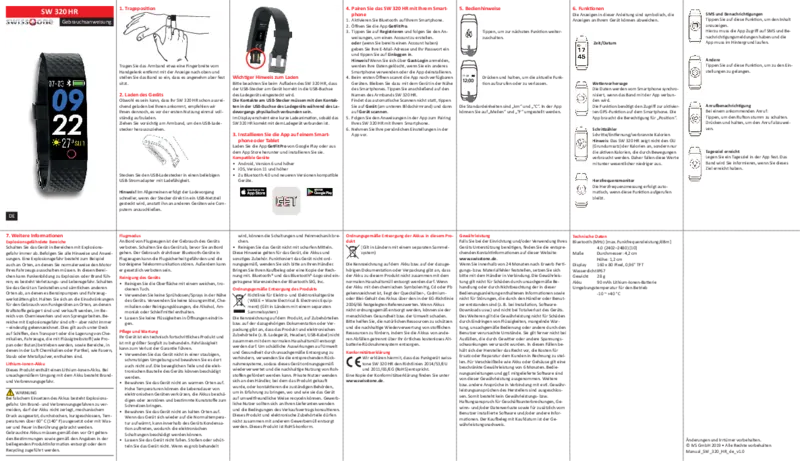
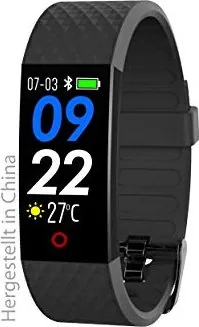
Swisstone SW 320 HR Activity Tracker Black
The Swisstone SW 320 HR Activity Tracker in black is a compact, budget-friendly fitness band designed for everyday tracking and basic smart features. With a 0.96" TFT display, IP67 water resistance and a slim 28 g profile, the SW 320 HR focuses on essential health metrics—automatic heart rate monitoring, step counting, distance, and active-calorie tracking—while pairing with the GetFitPro app for smartphone synchronization. It supports Bluetooth 4.0 and is compatible with Android 6+/iOS 11+ devices, making it accessible for most users.
Key features and user experience
The band provides automatic heart rate readings when the heart-rate screen is active and continuously logs steps, distance and active calories. Time, date and a weather forecast synchronize from your phone, and the band can display call notifications, SMS/notification content (when the app has permissions), and basic controls for incoming calls. A daily goal reminder helps keep motivation high. Pairing is straightforward: enable Bluetooth, open GetFitPro, register or log in, and select the SW 320 HR from the scanned devices.
Charging uses a built-in USB connector in the band; ensure the contacts align with the charger for proper charging animation on the display. The 90 mAh lithium-ion battery provides modest runtimes appropriate for the device’s size. The device includes useful safety and maintenance guidance—avoid extreme temperatures, dust, strong chemicals and impacts—and legal/environmental information such as correct disposal of batteries and electronics and RoHS/WEEE compliance.
Practical considerations
The SW 320 HR is best suited for users who want an affordable tracker that covers step counting, active calories, automated heart-rate checks and smartphone notifications without advanced fitness analytics. The tracker omits BMR display (it reports active calories only) and requires the phone’s GPS for weather and location-based features. Follow the maintenance guidance to preserve battery life and device longevity: keep it clean with a soft dry cloth, avoid solvents, and do not expose the Li-ion battery to extreme heat or mechanical damage.
Notes
- Warranty covers manufacturing defects for 24 months; batteries and casing have a 6-month limited warranty. Keep your receipt as proof of purchase.
- Dispose of batteries and electronic accessories according to local recycling rules; do not throw them in household waste.
- Flight mode: turn off the device during flights or when required by regulations.
Search for 67,706 Manuals online


Type-in Brand or Model
Brenna Rau
10 months ago
Do I really need the companion app to use this smartwatch, and what happens if the app is no longer available or stops working (like setting the time and using step/sleep features)?
Manual.ly
9 months ago
Yes, for full functionality the watch depends on its companion app. You typically need the app for initial setup, Bluetooth pairing, time synchronization, and to view and store health data such as steps and sleep. The watch alone may only show basic time, so without the app features will be limited. If the app is not visible in your store or stops working, verify you are using the correct app name for the exact model, check for updates and phone OS compatibility, and reinstall using the official link or QR code from the manual/packaging. Also confirm Bluetooth permissions, camera permissions (if requested for features), and that the watch is paired in the phone settings. Battery life is usually around 2-3 days depending on usage and settings.