
Sure Petcare SureFlap Microchip Cat Flap Connect Manual
PDF manual · 122 Pages
English



Quick check
Incorrect answer, please try again.
Chat with your Sure Petcare SureFlap Microchip Cat Flap Connect manual using AI
Get instant AI answers from your Sure Petcare SureFlap Microchip Cat Flap Connect manual
Ask anything about the Sure Petcare SureFlap Microchip Cat Flap Connect. Answers come from this manual, with the pages they are based on.
SureFlap Microchip Cat Flap Connect Maintenance Schedule
Wipe the unit with a damp cloth every couple of months to prevent buildup of mud, dirt, or pet hair.
Clean the tunnel floor and ceiling sensors every 2-3 months or if dirt build-up is noticed to ensure reliable operation.
Free maintenance reminders
Timed to your purchase date. Always free, unsubscribe anytime.
Ask a Question
Do you recommend SureFlap Microchip Cat Flap Connect?
Yes NoDo you recommend SureFlap Microchip Cat Flap Connect?
Yes NoFrequently Asked Questions
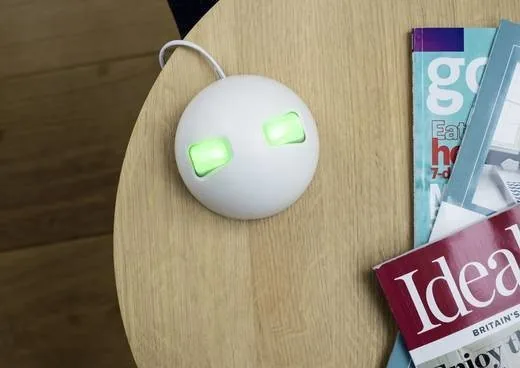
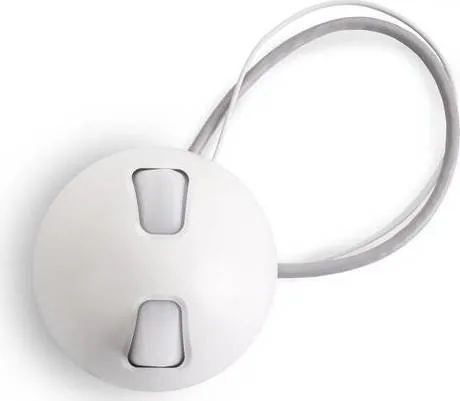
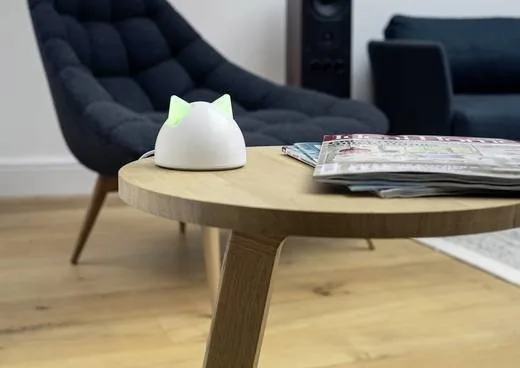
The Hub links the cat flap to your home internet and the Sure Petcare app. It helps send activity updates, supports remote control, and connects your pet door to your household network.
Is this answer helpful?
Yes. The flap still functions as a standard microchip cat flap without the Hub. You just won’t have app-based monitoring or remote control features.
Is this answer helpful?
It reads your cat’s implanted microchip or a Sure Petcare RFID collar tag. Once programmed, only authorized pets can enter, while other animals are kept out.
Is this answer helpful?
The pet door can store up to 32 pets. Each pet should be added individually so their microchip IDs stay organized and easy to manage in the app.
Is this answer helpful?
The system offers standard mode, keep inside, keep out, lock both ways, and curfew mode. These settings let you control when pets can enter or exit.
Is this answer helpful?
Place it close to the cat flap, ideally within about 10 metres, away from large metal objects, water sources, and common wireless interference.
Is this answer helpful?
Use good alkaline C batteries, clean the tunnel and sensors regularly, and check for interference or weak Hub placement if performance becomes inconsistent.
Is this answer helpful?
Advantages and Disadvantages
Advantages

- Microchip access helps keep out unknown animals while letting your pet in.
- App connectivity lets you monitor activity and adjust settings remotely.
- Multiple locking modes and curfew settings add flexible control.
- Works as a standard microchip flap even if the Hub loses connection.
Disadvantages

- Hub and app setup add extra steps compared with a basic cat flap.
- Placement matters; poor Hub location can affect wireless performance.
- Installation can be complex for glass, metal doors, or walls.
- Requires regular cleaning and battery maintenance to stay reliable.
Product Specification
Type
Hardware control unit
Standard
proprietary
Function
Gateway
Topology
Star
Special features
Controllable via app (iOS, Android)
Product Description
Sure Petcare Microchip Cat Flap Connect Hub Manual
The Sure Petcare Microchip Cat Flap Connect Hub is designed for cat owners who want smarter access control without giving up convenience. At its core, the system pairs a microchip-reading cat flap with a connected Hub and the Sure Petcare app, creating a practical setup that helps you monitor comings and goings from anywhere. If you’ve been looking for a way to keep intruder animals out while letting your own pet move freely, this connected solution offers a thoughtful balance of security and flexibility.
One of the biggest strengths of the Sure Petcare Microchip Cat Flap Connect Hub Manual is how clearly it shows the system’s purpose: the flap recognizes your pet’s microchip or RFID collar tag, while the Hub links the device to your home network. That means you can see activity updates in the app, adjust settings remotely, and choose from several locking modes based on your household routine. Whether you want standard entry control, keep-inside mode, keep-out mode, or a curfew schedule, the system is built to adapt.
The setup process is also detailed and reassuring. Before installation, the guide emphasizes checking your space, choosing the right location for the Hub, and making sure the flap fits your home’s layout. It offers guidance for wooden doors, glass, metal doors, and walls, which makes the product feel versatile rather than one-size-fits-all. There’s also a strong focus on safety, battery care, cleaning, and avoiding interference from metal or wireless devices.
For everyday use, the connected features stand out. The app can help you track when your cat is entering or leaving, create pet profiles, and manage access even when you are away. At the same time, the flap still works as a standard microchip door if the Hub loses internet connection, which adds peace of mind. That backup function makes the product especially appealing for owners who value reliability as much as smart-home features.
Notes
- Best results come from proper placement of the Hub.
- Clean the tunnel and sensors regularly for consistent performance.
- Use quality alkaline C batteries for dependable operation.
- Professional installation may be useful for glass, wall, or metal fittings.
In short, this connected cat flap system is built for households that want secure pet access, useful app control, and a smoother daily routine with fewer surprises at the door.
Search for 67,732 Manuals online


Type-in Brand or Model