
Sure Petcare SureFeed Microchip Pet Feeder Manual
PDF manual · 20 Pages
English



Quick check
Incorrect answer, please try again.
Chat with your Sure Petcare SureFeed Microchip Pet Feeder manual using AI
Get instant AI answers from your Sure Petcare SureFeed Microchip Pet Feeder manual
Ask anything about the Sure Petcare SureFeed Microchip Pet Feeder. Answers come from this manual, with the pages they are based on.
Ask a Question
Do you recommend SureFeed Microchip Pet Feeder?
Yes NoFrequently Asked Questions
The feeder works without the Hub for basic access control, but you need the Hub to connect to the app for monitoring and portion settings.
Is this answer helpful?
You must use four high-quality 1.5V alkaline C cell batteries. Rechargeable batteries are not recommended for best performance.
Is this answer helpful?
Yes, the training mode allows you to gradually increase lid movement so your pet can adjust to the feeder safely over time.
Is this answer helpful?
Clean the bowls daily. Wipe surfaces with a damp cloth weekly. Check the cleaning access cover base regularly to remove crumbs.
Is this answer helpful?
No, this product does not have a timer function. You must feed manually or rely on your pet's visit to the feeder.
Is this answer helpful?
No, each pet needs its own feeder for individual monitoring. The unit is designed to recognize specific microchips to block others.
Is this answer helpful?
Green lights show portion weight or authorized access. Red indicates low batteries or errors. Orange signals training mode status.
Is this answer helpful?
Advantages and Disadvantages
Advantages

- Recognizes pet microchip for secure single pet access
- Smart app monitors food intake and frequency
- Helps control portion sizes with lighting guide
- Gentle training mode for shy or cautious pets
- Washable bowls and mat included for maintenance
Disadvantages

- Hub must be purchased separately to use app features
- Does not include a timer function for scheduled meals
- Requires bulky C cell batteries for power
- Hub placement affects wireless connectivity range
- Sensors require regular cleaning to prevent errors
Product Specification
Type
Automatic Feeder
Note
Recognizes animals based on their implanted microchip or via a chip tag on the collar.
Product Description
Discover Smart Feeding Solutions
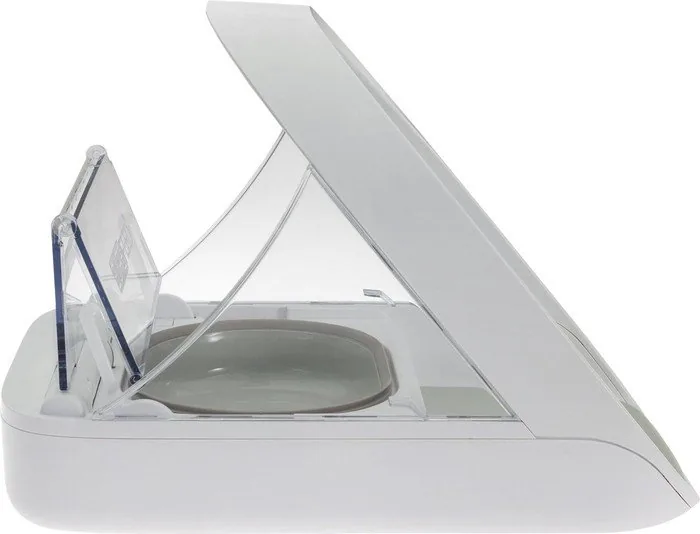
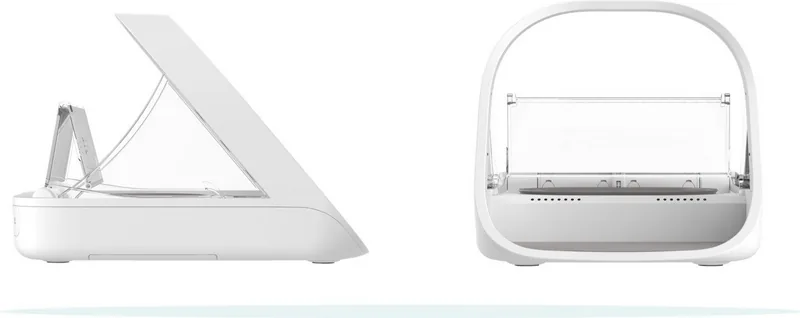
Managing your pet diet can be challenging, especially in households with multiple animals. The Sure Petcare SureFeed Microchip and Connect Microchip Feeder Manual outlines how this system helps maintain healthy eating habits effectively. This advanced feeder recognizes your pet's unique microchip ID or an included collar tag. This ensures only your designated animals access the food bowl safely. Other pets are blocked out completely, which is vital for weight management.
Connected Monitoring Experience
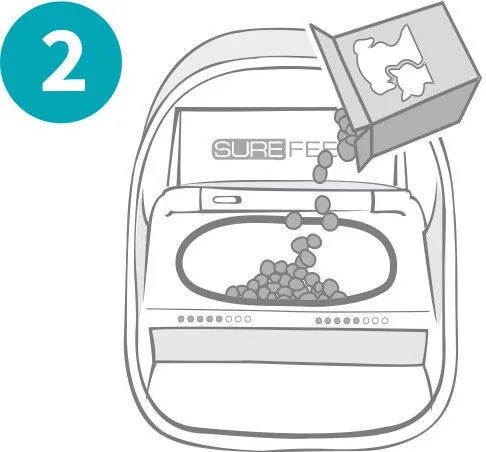
To unlock the full potential of this device, a dedicated Hub is required. This separate component connects to your home internet network. It allows seamless communication between the feeder and your smartphone app. You receive real-time notifications when your pet eats from the bowl. The app lets you monitor food intake frequency easily. You can also set specific portion weights securely. The feeder lights guide you during refilling to ensure accurate amounts. This prevents overfeeding accidentally.
Training and Maintenance
Pets often need time to adjust to new equipment quickly. The manufacturer suggests a gentle training process for shy animals. You can adjust the lid movement slowly using the training mode feature. This builds confidence without startling cautious pets unnecessarily. Cleaning is straightforward but requires specific care instructions. Do not submerge the unit in water ever. Use a damp cloth for surfaces regularly. Wash bowls by hand only. Remove the cleaning access cover to clear crumbs from the base regularly.
Important Notes
Always use four high-quality alkaline C cell batteries. Avoid mixing old and new batteries to ensure consistent power. Remember this product contains no timer function. Never rely on it to feed your pet unattended for long periods. Keep it away from excessive heat or water sources. Check warranty terms.
Additional features include various color options for bowls like blue, green, pink, and grey. Stainless steel options exist for hygiene lovers. Proper placement of the Hub affects connectivity significantly. Keep it within ten meters of the feeder strictly. Avoid thick walls or metal interference nearby. Regular checks of sensor cleanliness help maintain functionality. If issues arise, customer support offers remote assistance. This technology brings peace of mind to owners worldwide. You gain better insight into your pet health through consumption data.
Safety and Warranty
Safety is a priority during setup and daily use. Ensure all parts like supports and mats are assembled correctly. The mat catches spills making cleanup faster for owners. Children should not play with the unit as it is not a toy. Supervise use around younger household members. The warranty covers manufacturing defects for three years. You must retain proof of purchase. Battery leaks require safe disposal practices following local regulations. Proper maintenance prevents errors in food counting permanently.
Search for 67,732 Manuals online


Type-in Brand or Model