
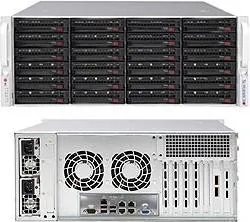
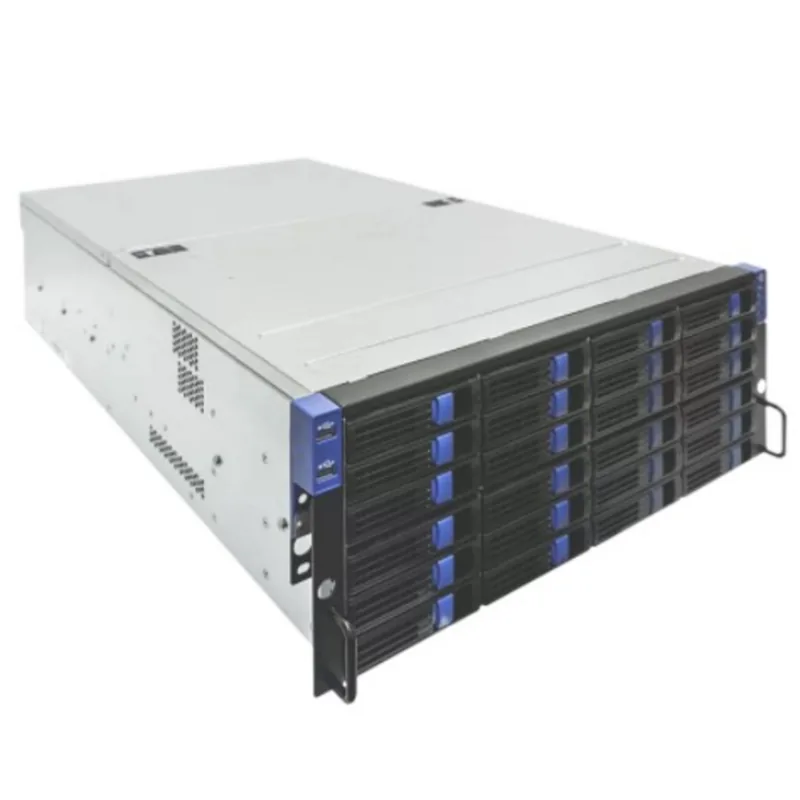
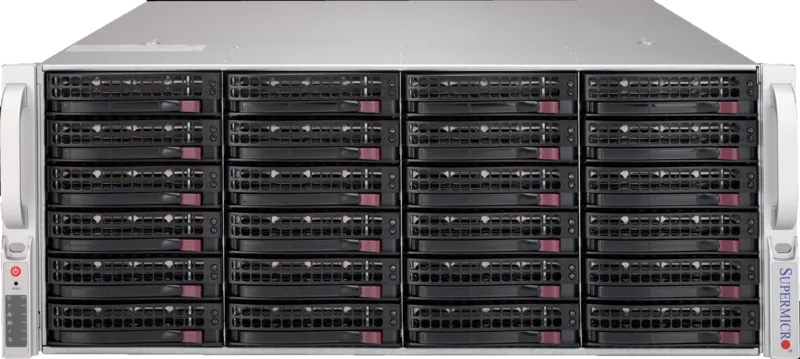
Supermicro SuperStorage 6049P-E1CR24H Manual
PDF manual · 132 Pages
English



Quick check
Incorrect answer, please try again.
Chat with your Supermicro SuperStorage 6049P-E1CR24H manual using AI
Get instant AI answers from your Supermicro SuperStorage 6049P-E1CR24H manual
Ask anything about the Supermicro SuperStorage 6049P-E1CR24H. Answers come from this manual, with the pages they are based on.
SuperStorage 6049P-E1CR24H Maintenance Schedule
If a fan fails, replace it immediately with an identical 8-cm, 12 volt fan available from Supermicro.
If a power supply module fails, replace it with the same model to restore redundancy and prevent power failure alerts.
Ask a Question
Do you recommend SuperStorage 6049P-E1CR24H?
Yes NoFrequently Asked Questions
It is ideal for storage-heavy enterprise use such as file storage, backup targets, virtualization, and infrastructure that benefits from high drive capacity and remote management. The 24-bay design makes it especially useful when local storage density matters.
Is this answer helpful?
The chassis supports up to 24 hot-swap 3.5-inch hard drives. This allows large storage configurations while keeping drives easy to replace or service without taking the system fully offline.
Is this answer helpful?
Yes. It includes a 1200W redundant, hot-plug power supply with two modules. If one module fails, the other can continue supplying power, helping reduce downtime during maintenance or hardware failure.
Is this answer helpful?
The X11DPH-T motherboard supports DDR4 ECC memory with up to 16 DIMM slots. It can handle RDIMM and 3DS LRDIMM configurations, with support dependent on the installed processors and population rules.
Is this answer helpful?
Yes. The platform supports IPMI for remote monitoring and management. It also works with SuperDoctor 5, which can track temperatures, voltages, fan speed, power use, and send alerts.
Is this answer helpful?
It is straightforward for experienced installers, but it requires proper rack precautions. The server should be mounted with attention to stability, airflow, grounding, and weight distribution, especially in multi-unit racks.
Is this answer helpful?
Advantages and Disadvantages
Advantages

- 24 hot-swap 3.5-inch drive bays provide strong storage density for enterprise workloads.
- Dual Intel Xeon Scalable support offers solid processing headroom for multi-tasking and virtualization.
- Redundant 1200W hot-plug power supplies improve uptime and maintenance flexibility.
- Integrated IPMI, 10GbE LAN, and PCIe expansion options make remote management and scaling easier.
Disadvantages

- Requires experienced technicians for installation and maintenance, which limits beginner-friendly use.
- Large 4U chassis needs substantial rack space and proper airflow planning.
- Drive, memory, and CPU population must follow strict compatibility rules.
- Advanced features can make setup and servicing more complex than on simpler servers.
Product Specification
Chipset
Intel C624
CPU
2x Socket 3647
RAM
16x DDR4 DIMM ECC, PC4-21300E/DDR4-2666, max. 512GB (RDIMM), 2TB (LRDIMM)
External
24x 3.5" (Hot-Swap)
Internal
N/A
Expansion Slots
3x PCIe 3.0 x16, 4x PCIe 3.0 x8
Graphics
ASPEED AST2500 - Onboard
GPU Ports
1x VGA
Ports
4x USB-A 3.0, 2x 10GBase-T (Intel X722), 1x Management Port (RJ-45)
Storage
10x SATA 6Gb/s (C624)
RAID Level
0/1/5/10 (C624), 0/1/5/6/10/50/60 (LSI3108)
Power Supply
1200W redundant, 80 PLUS Titanium
Fans
5x 3.15 in
Features
IPMI 2.0
Dimensions
4U, 26.50 in (Depth)
Product Description
Supermicro SuperStorage 6049P-E1CR24H, 4U
The Supermicro SuperStorage 6049P-E1CR24H is built for demanding storage and server workloads that need a balance of density, expandability, and dependable uptime. Designed around a 4U rackmount chassis, it combines a dual-socket Intel Xeon Scalable platform with a storage-focused layout that is well suited for enterprise environments, virtualization hosts, backup repositories, and data-heavy applications.
At the heart of the system is the X11DPH-T motherboard, paired with a chassis designed to hold up to 24 hot-swap 3.5-inch drives. That drive capacity makes the platform especially appealing for teams that want large local storage in a single enclosure without sacrificing serviceability. The hot-swap carriers, front-access drive bays, and organized internal airflow help simplify maintenance while supporting continuous operation.
The hardware layout also reflects flexibility. With multiple PCIe expansion slots, dual 10GbE LAN ports, dedicated IPMI management, M.2 support, and optional RAID or JBOD expansion, the system can be adapted for storage control, remote administration, and network-heavy deployments. The presence of a redundant 1200W power supply adds another layer of resilience, making it easier to keep the server online if one power module fails.
Cooling is handled by a combination of chassis fans and an air shroud that directs airflow across the internal components. This is important in a dense 4U design where storage, processors, and add-on cards all share space. The platform also supports modern DDR4 ECC memory, giving it the stability and memory bandwidth expected in professional infrastructure.
From a usability standpoint, the Supermicro SuperStorage 6049P-E1CR24H is clearly aimed at experienced integrators and technicians. Installation guidance, hardware labels, jumper settings, and remote management features all support careful deployment and long-term servicing. The result is a system that prioritizes reliability, structured maintenance, and scalability over consumer-friendly simplicity.
Notes
- Best suited for rack environments with proper ventilation and grounded power.
- Remote monitoring is supported through IPMI and SuperDoctor 5.
- Memory and CPU population should follow Supermicro compatibility rules.
- Hot-swap drives and redundant power help reduce downtime during servicing.
Search for 67,706 Manuals online


Type-in Brand or Model