
Supermicro SuperChassis 101i Manual
PDF manual · 46 Pages
English



Quick check
Incorrect answer, please try again.
Chat with your Supermicro SuperChassis 101i manual using AI
Get instant AI answers from your Supermicro SuperChassis 101i manual
Ask anything about the Supermicro SuperChassis 101i. Answers come from this manual, with the pages they are based on.
Ask a Question
Do you recommend SuperChassis 101i?
Yes NoFrequently Asked Questions
It is best for embedded, compact, and space-saving systems such as kiosks, small servers, control units, and edge devices. Its small size and mounting options make it useful in tight or managed environments.
Is this answer helpful?
The SC101i supports one internal 2.5" hard drive. It is designed for compact storage needs rather than large multi-drive configurations, which keeps the chassis simple and efficient.
Is this answer helpful?
Yes. It includes a 6 cm cooling fan and side venting for airflow. This helps manage heat in a small enclosure and supports stable operation in continuous-use deployments.
Is this answer helpful?
Yes. The chassis includes both wall-mount and VESA bracket support, making it suitable for installations where desk space is limited or where the system needs to be attached to another surface.
Is this answer helpful?
It can use a 60W or 80W power adapter, and some setups may use an optional DC-to-ATX power converter board. The right option depends on the motherboard and system power requirements.
Is this answer helpful?
It is designed for trained technicians and system integrators. Basic maintenance is manageable, but installation should follow safety warnings, power disconnection steps, and compatibility checks.
Is this answer helpful?
Advantages and Disadvantages
Advantages

- Very compact Mini-ITX chassis for space-limited installations.
- Supports wall-mount and VESA mounting for flexible placement.
- Includes active cooling with a 6 cm fan and side ventilation.
- Offers practical power options, including 60W/80W adapter support.
- Front USB, audio, and LED indicators improve everyday usability.
Disadvantages

- Only supports a single 2.5" internal drive, limiting storage expansion.
- Best handled by experienced technicians, not beginner builders.
- Limited internal room may restrict component choices.
- Requires careful attention to power and motherboard compatibility.
Product Specification
External
N/A
Internal
1x 2.5"
Ports
2x USB-A 2.0 (480Mb/s), 1x 3.5mm Jack (Line-Out), 1x 3.5mm Jack (Line-In)
PCI Slots
N/A
Fans (front)
N/A
Fans (rear)
N/A
Fans (left)
N/A
Fans (right)
1x 2.36"
Fans (top)
N/A
Fans (bottom)
N/A
Fans (other)
N/A
Motherboard
up to Mini-ITX
Supported Motherboards
Mini-ITX (6.7"x6.7")
Power supply
external
Power supply position
external
Color
black
Lighting
without lighting
Dimensions (WxHxD)
7.68"x2.68"x7.68"
Volume
0.68gal
Weight
2.76lb
Case type
ITX/DTX
USB notation
Link
Product Description
Supermicro SC101i Mini-ITX: Compact Power for Tight Spaces
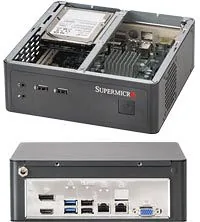
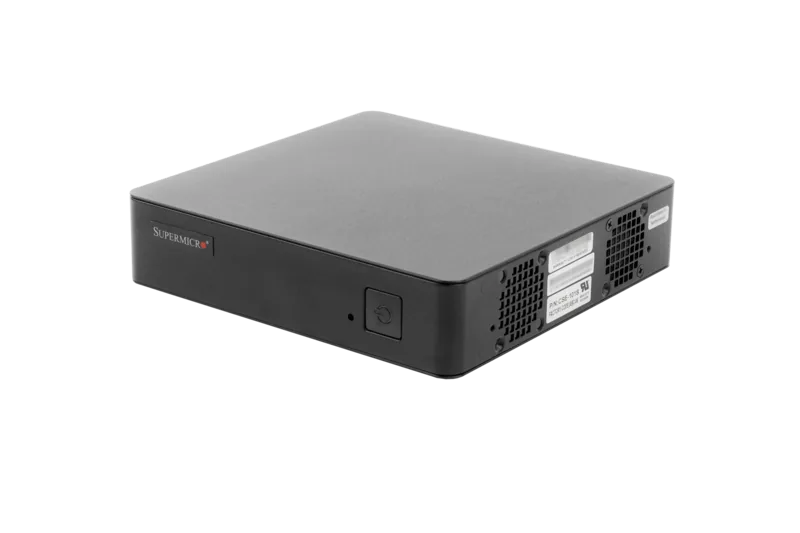
The Supermicro SC101i is a slim Mini-ITX chassis created for deployments where every inch matters. With a compact footprint of 7.68" x 2.68" x 7.68", it fits neatly into embedded systems, office appliances, and small-form-factor builds that need reliable hardware without taking over the workspace. The design feels practical from the start: space-saving dimensions, flexible mounting options, and a layout that supports efficient day-to-day use.
What makes this model especially appealing is its balance between size and functionality. It supports a single internal 2.5" hard drive, includes a 6 cm cooling fan, and offers two USB 2.0 ports plus two audio connectors on the front. That combination is ideal for compact systems that still need basic connectivity and dependable storage. If you are comparing compact enclosures, the Supermicro CSE-101i, Mini-ITX Manual points toward a chassis built with integration in mind rather than flashy extras.
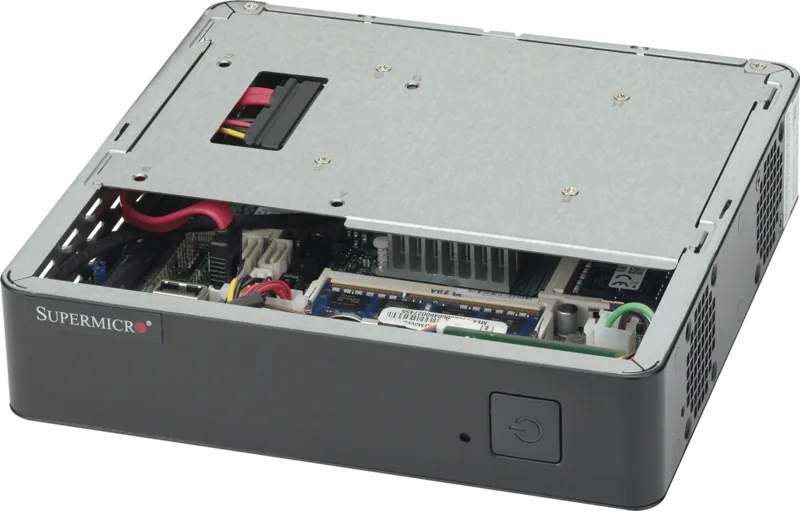
Thermals are handled with a focus on airflow and controlled cooling. Side venting and the internal fan help move heat away from the components, while the removable cover and accessible internal layout make maintenance more straightforward for experienced technicians. The chassis also supports a wall-mount bracket and a VESA bracket, which is a strong advantage for kiosks, media endpoints, industrial controllers, and other installations where desktop placement is not ideal.
Power flexibility is another strength. Depending on the motherboard and system design, the SC101i can work with a 60W or 80W power adapter, or with an optional DC-to-ATX converter board. That versatility makes it easier to adapt the chassis to different power environments and board requirements. The front power button with multicolor LED feedback also adds a useful touch, showing power state and HDD activity at a glance.
This is not a casual plug-and-play enclosure for beginners. The chassis is clearly aimed at professional integrators and technicians who are comfortable with safety procedures, compatibility checks, and internal assembly. In return, it offers a compact, well-organized platform that can support dependable small systems with minimal space overhead.
Notes
- Best suited for embedded, edge, and space-constrained builds.
- Check power and motherboard compatibility before installation.
- Designed for trained users who follow proper safety steps.
Search for 67,706 Manuals online


Type-in Brand or Model