
Supermicro Q170 Series Manual
PDF manual · 107 Pages
English



Quick check
Incorrect answer, please try again.
Chat with your Supermicro Q170 Series manual using AI
Get instant AI answers from your Supermicro Q170 Series manual
Ask anything about the Supermicro Q170 Series. Answers come from this manual, with the pages they are based on.
Ask a Question
Do you recommend Q170 Series?
Yes NoFrequently Asked Questions
It supports Intel 6th Generation Core i3, i5, and i7 processors, plus Pentium and Celeron models in the LGA1151 socket. The platform is aimed at efficient, business-oriented performance rather than high-end overclocking.
Is this answer helpful?
The board supports up to 32GB of DDR4 non-ECC SO-DIMM memory at 2133 MT/s. For best results, memory modules should match in type and speed, and the slots should be populated in the recommended order.
Is this answer helpful?
It includes five SATA 3.0 ports, an M.2 slot for compact SSDs, and mini-PCIe support that can be used with mSATA. This gives builders a good mix of legacy storage and faster solid-state options.
Is this answer helpful?
Yes. The board supports HDMI, DisplayPort, and LVDS, which makes it useful for systems that need desktop output, digital signage, or panel-based display integration.
Is this answer helpful?
Features like Intel vPro, AMT, VT-d, watchdog support, TPM, and system health monitoring make it well suited for managed environments where reliability and remote administration matter.
Is this answer helpful?
It uses a 24-pin ATX connector and an 8-pin CPU power input. For embedded builds, it can also accept 12V DC input through the CPU power path, but power limits must be respected.
Is this answer helpful?
It is best for system integrators, IT technicians, and advanced users building compact systems for storage, networking, industrial, or signage applications. It is less ideal for casual builders who want a simple plug-and-play desktop board.
Is this answer helpful?
Advantages and Disadvantages
Advantages

- Compact 6.7-inch design with rich I/O for embedded and small-form-factor systems.
- Supports Intel vPro, AMT, VT-d, and TPM for stronger manageability and security.
- Offers flexible storage: SATA 3.0, M.2, and mSATA options for different build needs.
- Triple-display support with HDMI, DisplayPort, and LVDS adds wide deployment flexibility.
Disadvantages

- Uses non-ECC DDR4 SO-DIMM memory, which limits workstation/server-class memory protection.
- Requires careful installation and technician-level handling, especially for CPU, heatsink, and power wiring.
- Only one PCIe x16 slot, so expansion is limited compared with larger boards.
- Best results depend on proper chassis cooling and power design, which may add setup complexity.
Product Specification
Socket
Intel 1151
Chipset
Intel Q170
CPU Compatibility
Core i-7000, Core i-6000, Pentium Gold G4000, Pentium G4000, Celeron G3000
Header Lighting
N/A
Audio
7.1 (Realtek ALC888)
Wireless
N/A
RAID Level
0/1/5/10 (Q170)
Multi-GPU
N/A
Lighting
N/A
USB Notation
Link
Product Description
Supermicro Q170 Board Overview
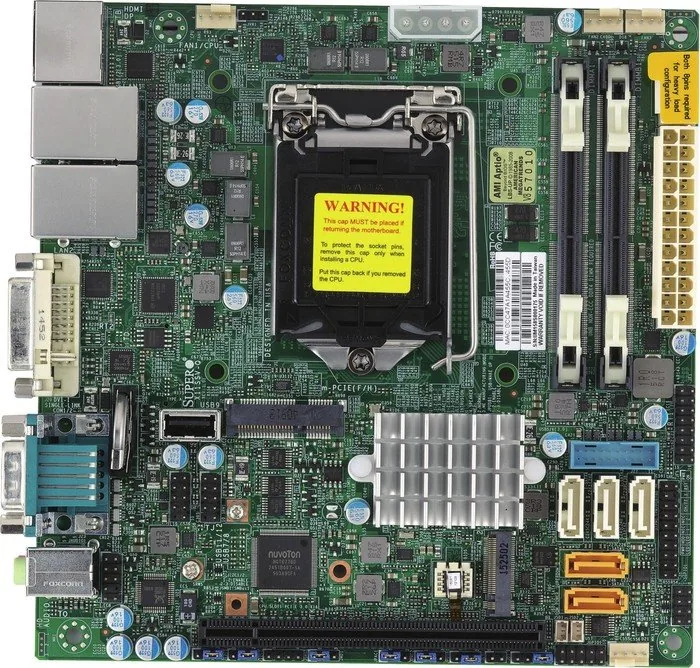
The Supermicro Q170 platform is built for compact systems that still need serious capability. Designed around Intel’s 6th Generation Core i3/i5/i7 family, along with Pentium and Celeron options, it balances performance and low power use in a small footprint. For integrators and technical users, the board stands out as a flexible base for embedded systems, business workstations, and space-conscious storage builds.
Practical performance in a compact layout
What makes this board appealing is how much it packs into a 6.7-inch square design. The Intel Q170 chipset brings business-focused features such as vPro, Intel AMT, VT-d, Smart Response, and Trusted Execution support. That combination helps the system fit into managed environments where remote administration, stability, and security matter just as much as speed.
Flexible storage and display support
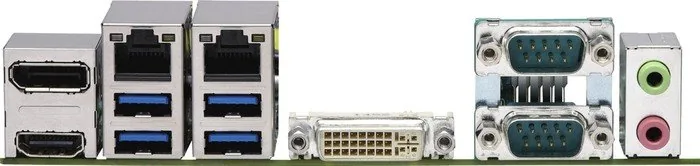
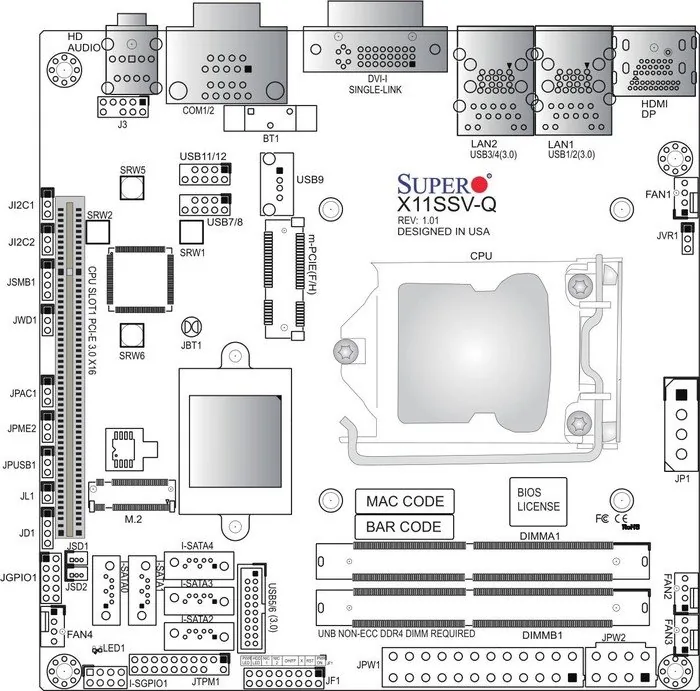
Storage options are a major strength. The board includes five SATA 3.0 ports, plus support for mSATA through a mini-PCIe slot and an M.2 connector for modern SSD installations. That gives builders room to mix fast boot storage with larger data drives. On the display side, the presence of HDMI, DisplayPort, and LVDS makes the board well suited for digital signage, industrial panels, and systems that need multiple output paths.
Built for monitoring and reliability
The platform also focuses on system health. Voltage checks, thermal control, fan monitoring, and chassis intrusion detection help keep the machine stable over time. Support for ACPI power states, recovery after AC power loss, watchdog functions, and SuperDoctor 5 monitoring adds another layer of control for unattended or business-critical setups. A TPM header and AMT support further strengthen its role in secure deployments.
Notes for system builders
This board is intended for knowledgeable users and professional installation. It uses DDR4 non-ECC SO-DIMM memory, requires careful CPU and heatsink installation, and depends on proper power delivery through both ATX and CPU power connectors. The layout is dense but practical, making it a strong option when space, reliability, and connectivity need to work together.
Quick takeaways
- Compact board with enterprise-friendly Intel Q170 features
- Strong storage mix: SATA, M.2, and mSATA support
- Triple-display capability suits embedded and signage builds
- Health monitoring and remote management improve uptime
- Best used by experienced builders or technicians
Search for 67,706 Manuals online


Type-in Brand or Model