
Supermicro C422 Series Manual
PDF manual · 110 Pages
English



Quick check
Incorrect answer, please try again.
Chat with your Supermicro C422 Series manual using AI
Get instant AI answers from your Supermicro C422 Series manual
Ask anything about the Supermicro C422 Series. Answers come from this manual, with the pages they are based on.
C422 Series Maintenance Schedule
Verify all heatsink fans and CPU/system fans work properly. Check hardware monitoring settings in IPMI to ensure temperatures are normal.
If the system loses setup configuration or shows low voltage, check if the battery supplies ~3VDC and replace it with a new one if needed.
Free maintenance reminders
Timed to your purchase date. Always free, unsubscribe anytime.
Ask a Question
Do you recommend C422 Series?
Yes NoFrequently Asked Questions
It supports Intel Xeon W-2200 and W-2100 series processors in Socket R4. These CPUs are aimed at workstation and professional workloads, offering strong multi-core performance and enterprise-oriented reliability.
Is this answer helpful?
The board supports up to 256GB of DDR4 ECC RDIMM and up to 512GB of DDR4 ECC LRDIMM across four DIMM slots. Actual speed and capacity depend on the CPU and selected memory modules.
Is this answer helpful?
Yes. It uses an ASpeed AST2500 BMC with IPMI support, which allows remote monitoring and management. This is especially useful for data centers, labs, and systems that need out-of-band administration.
Is this answer helpful?
It includes eight SATA 3.0 ports, an M.2 PCIe 3.0 x4 slot, and on the VF version, four NVMe connectors. This gives you flexibility for SSDs, boot drives, and storage-heavy configurations.
Is this answer helpful?
It can power a high-end system, but it is built primarily for professional and server-style use. Its strengths are stability, management, and storage flexibility rather than gaming-specific features.
Is this answer helpful?
Make sure your chassis supports micro-ATX, your power supply has both 24-pin and 8-pin CPU connectors, and your cooling solution matches the CPU’s thermal needs. Proper airflow is important for stable operation.
Is this answer helpful?
Advantages and Disadvantages
Advantages

- Supports Xeon W CPUs with strong core counts for workstation and server tasks.
- ECC DDR4 memory support improves reliability in mission-critical environments.
- Rich storage options include SATA, M.2, and NVMe/OCuLink on VF models.
- IPMI and BMC features enable remote management and system monitoring.
- Compact micro-ATX size fits dense builds without sacrificing key features.
Disadvantages

- Designed for professional use, so it may be overkill for basic desktop builds.
- Some features, like VROC, require extra hardware to activate.
- Maximum memory speed depends on the installed processor and selected SKU.
- Installation and servicing are intended for trained technicians only.
Product Specification
Socket
Intel 2066
Chipset
Intel C422
Header Lighting
N/A
Buttons/Switches
N/A
Wireless
N/A
RAID-Level
0/1/5/10 (C422)
Multi-GPU
N/A
Power Connectors
1x 24-Pin ATX, 1x 8-Pin EPS12V
Lighting
N/A
USB Designation
Link
Product Description
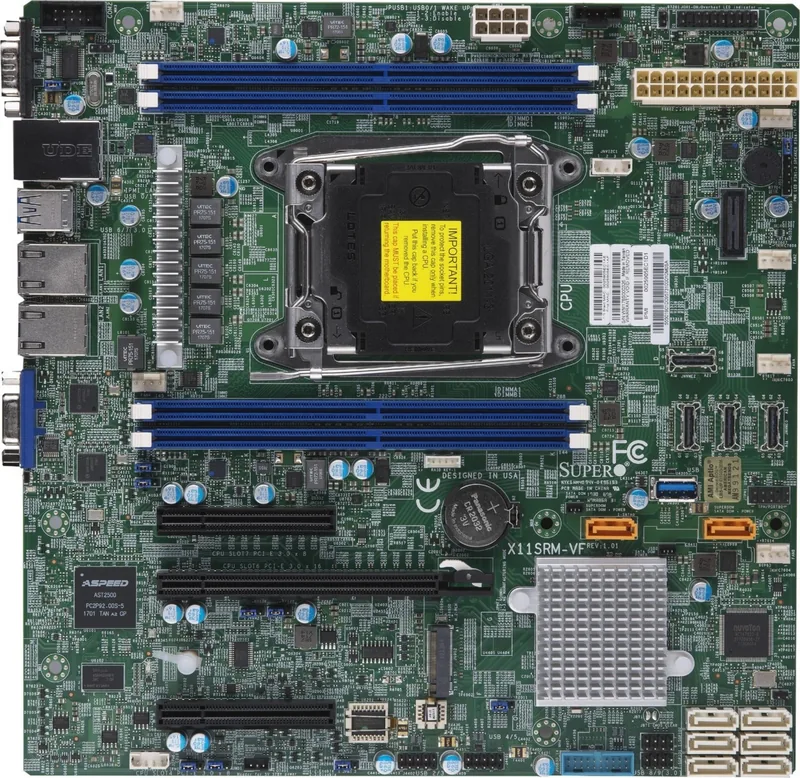
Supermicro X11SRM-F/-VF with Intel C422: A Compact Platform for Serious Workloads
If you are looking for a workstation-class motherboard that blends server-grade reliability with broad expansion options, the Supermicro X11SRM-F/-VF stands out as a strong contender. Built around the Intel C422 chipset and designed for Intel Xeon W-2200/2100 processors, this board is aimed at users who need dependable performance for demanding business, storage, and compute tasks. The Supermicro C422 Manual reflects that focus clearly: this is a board meant for professionals who value stability, manageability, and efficient system design.
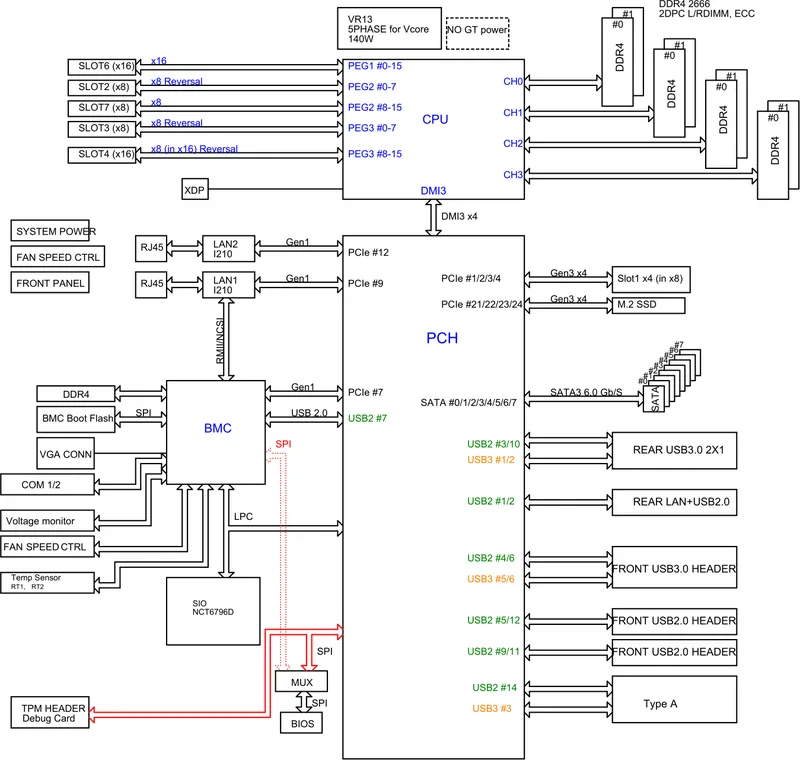
One of the biggest strengths of this platform is its balanced feature set. It supports up to 18-core Xeon W processors, ECC DDR4 memory, and four DIMM slots for scalable capacity. For real-world deployments, that means the board can serve as a compact foundation for data-intensive applications, virtualization, or an advanced workstation build. The inclusion of IPMI remote management through the AST2500 BMC is especially useful for administrators who need visibility and control without being physically present.
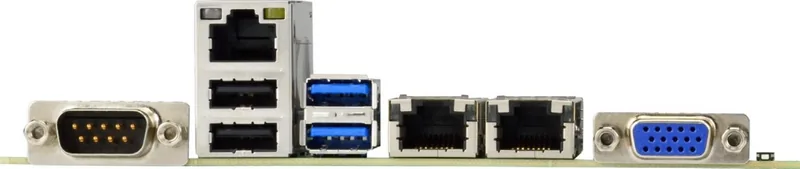
Storage and expansion are equally practical. The motherboard offers eight SATA 3.0 ports, M.2 support, PCIe 3.0 expansion slots, and on the VF model, NVMe connectors for high-speed storage configurations. This makes it a flexible choice for builders who want to mix traditional drives, fast SSDs, and enterprise-oriented storage layouts. Dual Intel 1GbE LAN ports plus a dedicated IPMI LAN round out the networking side with a setup that feels ready for serious infrastructure use.
The board also emphasizes monitoring and protection. Voltage checks, fan control, temperature alerts, chassis intrusion detection, and watchdog support help keep systems stable over long operating cycles. BIOS tools and jumper settings provide additional control for troubleshooting, recovery, and deployment. Even the layout reflects professional priorities, with clearly defined headers, indicators, and service-friendly labels.
Notes
- Best suited for professional builds, not casual consumer PCs.
- 2933MHz memory support depends on selected CPU/SKU combinations.
- Intel VROC requires a separate hardware key.
- Keep BMC security credentials updated after first boot.
Search for 67,706 Manuals online


Type-in Brand or Model