
Supermicro C252 Series Manual
PDF manual · 121 Pages
English



Quick check
Incorrect answer, please try again.
Chat with your Supermicro C252 Series manual using AI
Get instant AI answers from your Supermicro C252 Series manual
Ask anything about the Supermicro C252 Series. Answers come from this manual, with the pages they are based on.
C252 Series Maintenance Schedule
Verify that all heatsink fans and CPU/system fans work properly. Check hardware monitoring settings to ensure temperatures are normal.
Check if the battery still supplies ~3VDC. Replace with a new one of the same type if it does not.
Free maintenance reminders
Timed to your purchase date. Always free, unsubscribe anytime.
Ask a Question
Do you recommend C252 Series?
Yes NoFrequently Asked Questions
It supports Intel Xeon E-2300 series and 10th Generation Pentium processors in the LGA1200 socket.
Is this answer helpful?
It supports up to 64GB of DDR4 ECC UDIMM memory across two slots with speeds reaching 3200MHz.
Is this answer helpful?
Yes, it includes a VGA port on the rear I/O panel for direct monitor connection.
Is this answer helpful?
Yes, it has an M.2 slot that supports PCIe 3.0 x4 SSDs in the 2280 form factor.
Is this answer helpful?
Yes, it features a dedicated BMC LAN port and supports IPMI for out-of-band management.
Is this answer helpful?
The BIOS allows configuration to automatically restore the system to its last state before the power loss.
Is this answer helpful?
Advantages and Disadvantages
Advantages

- Supports high-speed DDR4 ECC UDIMM memory up to 3200MHz
- Features a powerful PCIe 4.0 x16 expansion slot
- Includes dual Gigabit Ethernet ports plus dedicated BMC LAN
- Offers extensive connectivity with six SATA 3.0 ports and multiple USB 3.2 headers
- Built-in system health monitoring and IPMI management support
Disadvantages

- Limited to only two memory slots restricting maximum capacity compared to larger boards
- Mini-ITX form factor may limit physical expansion options
- Requires professional installation due to complex jumper settings and component handling
- Pentium processor support reduces memory speed to 2666MHz
- No built-in Wi-Fi or Bluetooth capabilities requiring add-on cards
Product Specification
Socket
Intel 1200
Chipset
Intel C252
External connectors
1x VGA (AST2600), 2x USB-A 3.0 (5 Gb/s), 2x USB-A 2.0 (480 Mb/s), 2x Gb LAN (Intel I210-AT), 1x serial, 1x Management Port (RJ-45)
Lighting Header
N/A
Buttons/Switches
UID Switch (external)
Audio
N/A
Graphics
ASPEED AST2600 - Onboard
Wireless
N/A
RAID Level
N/A
Multi-GPU
N/A
Lighting
N/A
Features
All solid capacitors, IPMI 2.0, ECC support, remote maintenance with compatible CPU (Intel vPro)
USB Notation
Link
Product Description
Supermicro C252 Motherboard Overview
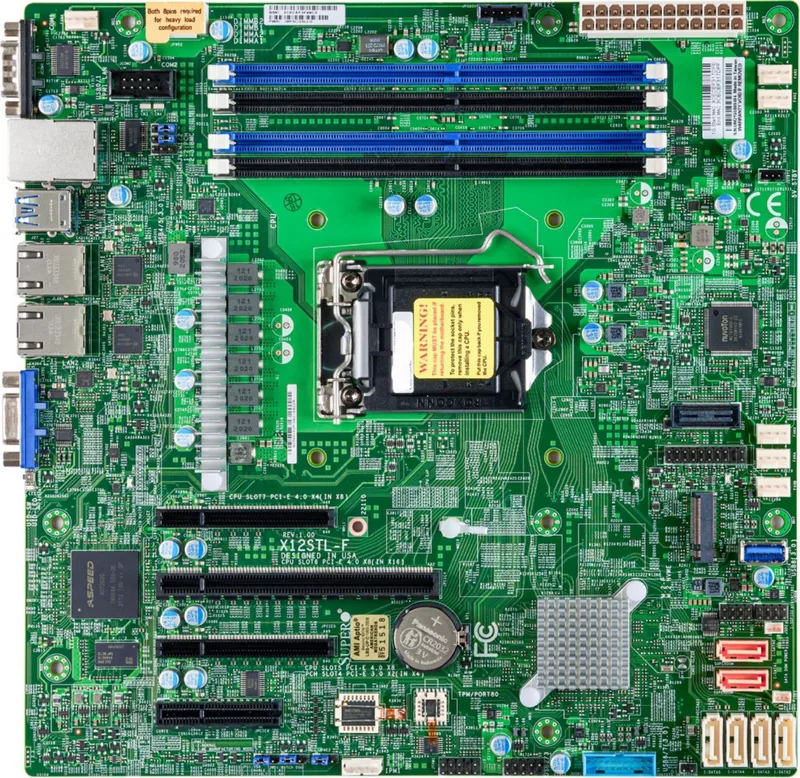
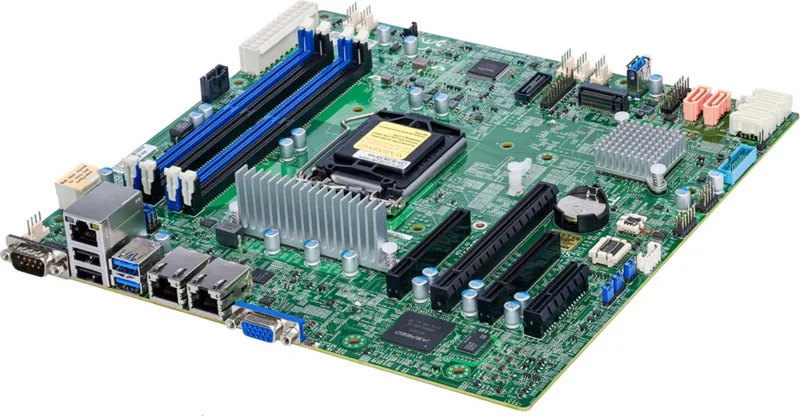
The Supermicro X12STL-IF motherboard stands as a robust solution for modern server and workstation environments, powered by the Intel C252 chipset. Designed to deliver high performance and reliability, this mini-ITX board supports the latest Intel Xeon E-2300 series processors and 10th Generation Pentium CPUs via the LGA1200 socket. It is engineered to handle demanding workloads while maintaining energy efficiency and system stability.
At the heart of its memory capabilities lies support for up to 64GB of DDR4 ECC UDIMM memory running at speeds up to 3200MHz. This ensures data integrity and optimal throughput for critical applications. The board features a single PCIe 4.0 x16 slot, offering significant bandwidth expansion capabilities, alongside an M.2 slot supporting PCIe 3.0 x4 SSDs in the 2280 form factor for rapid storage access.
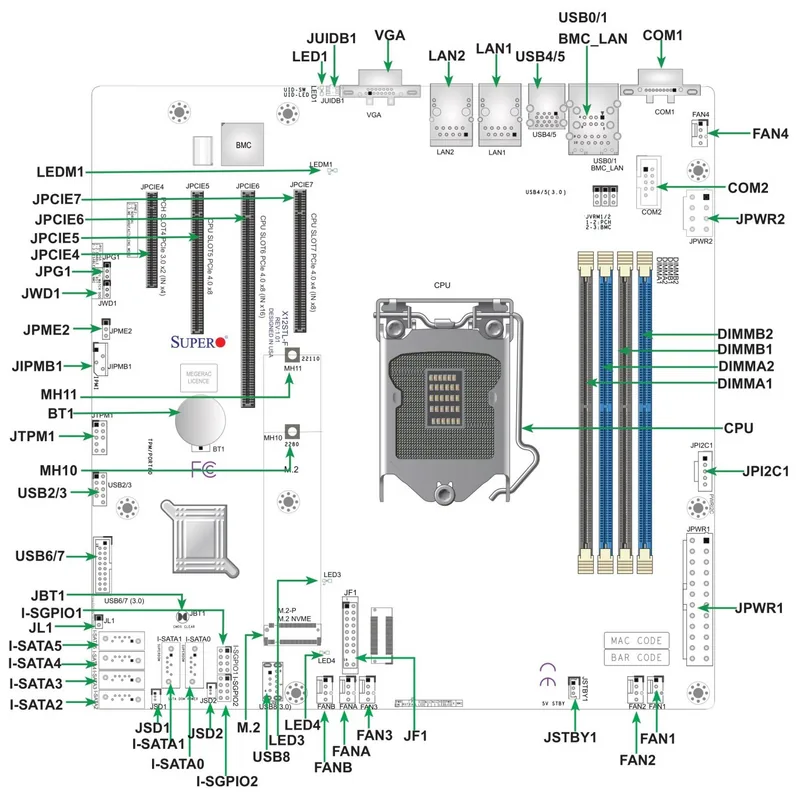
Connectivity is comprehensive, featuring two Gigabit Ethernet ports driven by Intel I210-AT controllers and a dedicated BMC LAN port for out-of-band management. Users benefit from six SATA 3.0 ports, multiple USB 3.2 and USB 2.0 interfaces both on the rear panel and accessible via front headers. Additional features include a Trusted Platform Module (TPM) header for enhanced security, a COM port for legacy serial connections, and a VGA port for local display output.
System health monitoring is integrated directly into the hardware with onboard voltage monitors tracking crucial power levels and temperature sensors managing CPU and PCH heat. The BIOS includes advanced power management features such as recovery from AC power loss, allowing the system to automatically resume operation after an outage. With support for IPMI and SuperDoctor 5, administrators gain granular control over system diagnostics and remote management capabilities.
Key Highlights
This platform combines enterprise-grade reliability with compact form factors, making it ideal for edge computing, industrial automation, and small-scale server deployments. The inclusion of fan headers with thermal management ensures cooling remains effective under load. Whether for professional IT technicians or system integrators, the Supermicro C252 based motherboard offers a versatile foundation for building powerful, stable computing systems.
Important Notes
- Always use static protection when handling components.
- Ensure proper airflow for thermal management.
- Refer to the manufacturer website for the latest memory compatibility lists.
Search for 67,706 Manuals online


Type-in Brand or Model