
Supermicro AOC-SLG3-2M2-O Manual
PDF manual · 19 Pages
English



Quick check
Incorrect answer, please try again.
Chat with your Supermicro AOC-SLG3-2M2-O manual using AI
Get instant AI answers from your Supermicro AOC-SLG3-2M2-O manual
Ask anything about the Supermicro AOC-SLG3-2M2-O. Answers come from this manual, with the pages they are based on.
Ask a Question
Do you recommend AOC-SLG3-2M2-O?
Yes NoFrequently Asked Questions
It adds up to two NVMe M.2 SSDs through a PCIe 3.0 x8 low-profile carrier, helping systems gain fast flash storage without replacing the motherboard.
Is this answer helpful?
It supports three common sizes: 60 mm, 80 mm, and 110 mm. The movable standoffs let you match the card to the SSD length you are installing.
Is this answer helpful?
It is designed for enterprise-style hardware and supports Windows, Linux, and VMware. It works best in systems with compatible PCIe and BIOS settings.
Is this answer helpful?
In some systems, yes. PCIe bifurcation may need to be set to x4x4x4x4, and NVMe firmware source options may need to be adjusted so the drives appear correctly.
Is this answer helpful?
Each green LED corresponds to one M.2 socket and blinks whenever there is read or write activity on that drive, which helps with quick status checks.
Is this answer helpful?
No, not unless Supermicro explicitly tells you to. The default SMBus address is usually the safest choice and helps avoid conflicts with other devices.
Is this answer helpful?
Advantages and Disadvantages
Advantages

- Supports up to two NVMe M.2 SSDs on a PCIe 3.0 x8 low-profile card, making it ideal for fast storage expansion.
- Movable standoffs support 60 mm, 80 mm, and 110 mm drives for flexible installation.
- Dual green activity LEDs help monitor read and write activity on each M.2 socket.
- Works with Windows, Linux, and VMware, giving it broad compatibility for business environments.
Disadvantages

- Some systems need PCIe bifurcation and BIOS tuning before both drives are recognized properly.
- Installation requires careful ESD handling and attention to anti-static safety steps.
- SMBus jumper settings should not be changed unless Supermicro specifically instructs it.
- Motherboards with reverse PCIe lanes may show the drive order differently in the operating system.
Product Specification
Conversion
PCIe -> M.2 PCIe
Host
1x PCIe 3.0 x8 (male)
Target
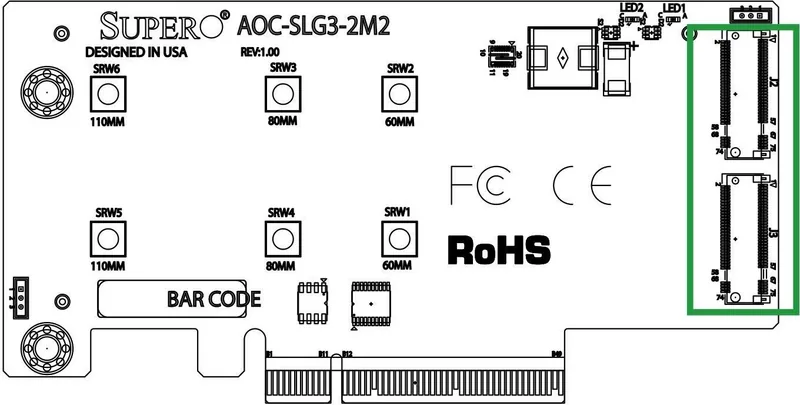
2x M.2/M-Key (PCIe 3.0 x4, 22110/2280/2260, female)
Additional Power Supply
N/A
Form Factor
Add-In Card (low profile)
Note
Requires motherboards with support for PCIe Bifurcation.
Product Description
Supermicro AOC-SLG3-2M2: Dual NVMe Storage in a Small Footprint
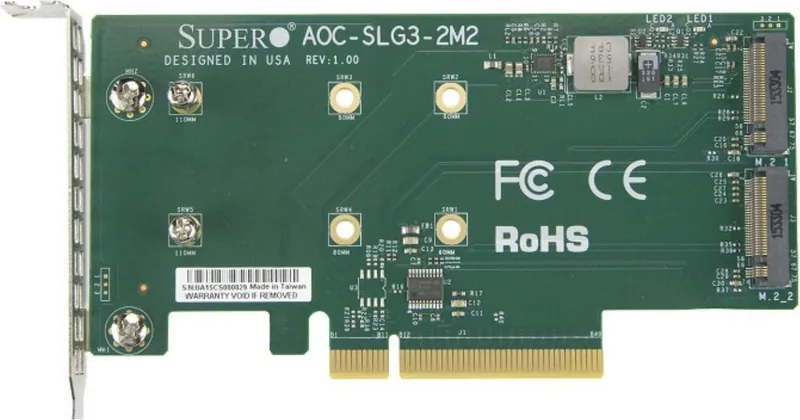
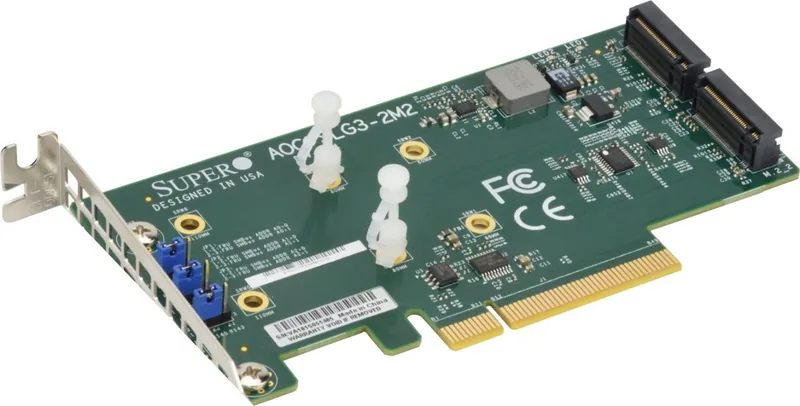
The Supermicro AOC-SLG3-2M2 is a practical expansion card for builders who want faster storage without sacrificing motherboard space. Designed as a PCIe 3.0 x8 low-profile carrier, it enables support for up to two NVMe M.2 SSDs and fits neatly into compact servers, workstations, and performance-oriented systems.
What makes this card appealing is its simple but effective layout. It supports 60 mm, 80 mm, and 110 mm M.2 drive lengths, and the movable standoffs help match each SSD to the correct mounting position. That flexibility makes installation easier for a variety of storage builds, especially when consistency and clean cable-free design matter.
If you're searching for the Supermicro AOC-SLG3-2M2 Manual, the main takeaway is that this card is built for dependable flash expansion in professional environments. The activity LEDs are a useful touch, giving quick visual feedback for each drive so users can spot read and write operations at a glance. It is also compatible with Windows, Linux, and VMware, which makes it a good fit for mixed IT environments and virtualization-friendly systems.
This card is most valuable when paired with the right platform settings. Some motherboards may require PCIe bifurcation changes, and BIOS storage options may need to be adjusted so the NVMe drives are detected correctly. In other words, the AOC-SLG3-2M2 rewards careful setup with fast, direct-attached storage performance.
Why it stands out
The AOC-SLG3-2M2 is not a flashy add-on. Instead, it focuses on giving users a clean path to high-speed storage in a compact format. For small servers, cache-heavy workloads, or systems that need extra NVMe capacity, it offers a smart and space-efficient upgrade.
Practical value for real builds
Its low-profile design, support for multiple SSD lengths, and dual-drive layout make it especially useful in dense hardware environments. For integrators and technical users, it provides a straightforward way to add speed and storage flexibility without redesigning the entire system.
Notes
- Use anti-static precautions during handling and installation.
- Keep SMBus jumper settings at default unless Supermicro says otherwise.
- Check motherboard and BIOS support before installing NVMe drives.
- Verify SSD length and standoff placement before securing each module.
Search for 67,706 Manuals online


Type-in Brand or Model
Lukas Schmitt
9 months ago
Do I need PCIe bifurcation support on my motherboard to use 2 NVMe SSDs with this Supermicro card? What happens if my board does not support it?
Manual.ly
9 months ago
Yes. Using two NVMe drives through this card typically requires the motherboard to support PCIe bifurcation (and expose the lanes accordingly). If your motherboard does not support bifurcation, the setup may not be able to address both SSDs at the same time. In some cases, you may still get one NVMe SSD detected and working as a fallback, but full 2-drive functionality will not be guaranteed. Please verify your specific motherboard model and BIOS support for PCIe bifurcation in the board documentation, and ensure the correct slot and settings are enabled.