
Strong UD7553 Manual
PDF manual · 35 Pages
English


Quick check
Incorrect answer, please try again.
Chat with your Strong UD7553 manual using AI
Get instant AI answers from your Strong UD7553 manual
Ask anything about the Strong UD7553. Answers come from this manual, with the pages they are based on.
Ask a Question
Do you recommend UD7553?
Yes NoFrequently Asked Questions
Pairing occurs during the first-time installation setup or via the Settings menu. Press and hold the pairing keys on the remote while pointing at the TV until the indicator light flashes.
Is this answer helpful?
The device supports DVB-T2 for terrestrial, DVB-C for cable, and DVB-S2 for satellite broadcasts. This ensures compatibility with most regional signal standards.
Is this answer helpful?
Yes. Multiple HDMI ports are available including ARC support. You can connect game consoles, Blu-ray players, or external soundbars to the rear panel inputs easily.
Is this answer helpful?
USB ports provide a maximum of 500mA. Powered hard disks drawing more current may cause the TV to switch to standby mode unexpectedly.
Is this answer helpful?
You can choose either a wired Ethernet connection via the LAN port or a wireless Wi-Fi connection using the internal module during network settings.
Is this answer helpful?
Options include standard headphone jacks, optical S/PDIF output for amplifiers, and HDMI ARC to send audio back to a compatible sound system.
Is this answer helpful?
Keep it away from damp areas, direct sunlight, and dust. Ensure space around ventilation openings so heat can escape and internal components stay cool.
Is this answer helpful?
Advantages and Disadvantages
Advantages

- Android TV platform with Google Play Store access for endless app options.
- Bluetooth remote enables voice control and works without line-of-sight.
- Multiple HDMI inputs support ARC for high-quality audio return.
- Low standby power consumption ensures energy savings when inactive.
- Dual remote controls provide flexibility for different user preferences.
Disadvantages

- USB ports limited to 500mA power output for connected devices.
- Remote controls require regular battery replacement for operation.
- Picture quality heavily depends on strong signal reception levels.
- Some multimedia file formats may not be supported for playback.
- Initial setup requires internet connection for account integration.
Product Specification
Resolution
3840x2160
Panel
LCD
Backlight
LED, Edge-lit, Dimming
HDR
HDR, HDR10
Refresh Rate
50/60Hz native
Contrast
5,000:1 static
Viewing Angle
176° / 176° (H/V)
3D
no
Tuner
1x DVB-C/T/T2/S/S2 HEVC (H.265) MPEG-4 AVC (H.264)
Video Connections
3x HDMI 2.1
Audio Connections
eARC, Digital Audio Out (optical), Headphones (3.5mm jack)
Additional Connections
2x USB-A 2.0, 1x RJ-45, 1x CI
Wireless
Wi-Fi 4 (WLAN 802.11b/g/n), Bluetooth
Operating System
Android TV 11
Voice Assistants
Google Assistant (not available in all countries)
Streaming Clients
Screen Mirroring
Features
HbbTV, Voice Control
Color
Black
Stand
Side
Note
Information about DVB-T2 reception in Austria. Information about DVB-T2 reception in Germany
Product Description
Experience Next Level Entertainment with Strong UD7553
The Strong UD7553 series represents a significant leap in home entertainment technology. Designed for modern households, these televisions offer a seamless blend of robust hardware and intuitive software. The device supports advanced digital broadcasting standards including DVB-T2, C, and S2, ensuring crisp signal reception across various transmission methods. Whether you prefer antenna, cable, or satellite feeds, this unit adapts to your regional requirements effortlessly. The build quality reflects durability with careful attention to ventilation systems that prevent overheating during extended use.
Smart Android TV Integration
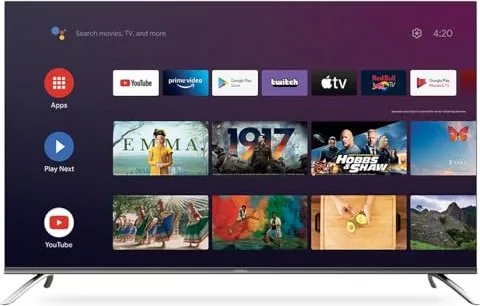
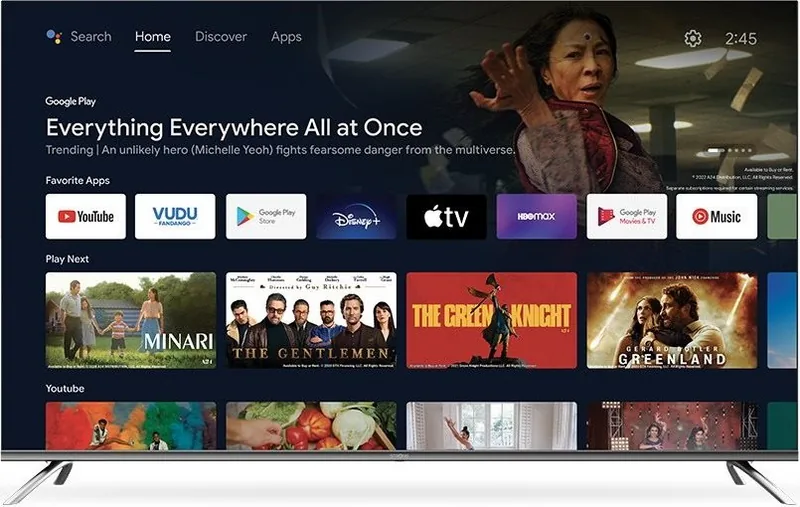
One of the standout features is the integrated Android TV platform. Users gain instant access to a vast ecosystem of applications. Streaming services like Netflix and YouTube are readily available for direct access via dedicated remote buttons. The Google Play Store allows further customization through additional apps. This flexibility transforms your living room into a multimedia hub capable of handling streaming, gaming, and browsing needs. Account integration simplifies the login process, allowing synchronized preferences across devices. Power management settings ensure energy efficiency while maintaining high performance for daily tasks.
Versatile Connectivity Options
Connection is key to a modern setup. The rear panel features multiple HDMI ports, including ARC support for audio return channel compatibility with soundbars. USB 2.0 ports facilitate direct media playback from storage devices. For stable internet access, a built-in Wi-Fi module or Ethernet port ensures consistent streaming without buffering issues. Optical audio output supports high-quality sound systems for audiophiles. The Common Interface slot supports conditional access modules for premium content decryption.
Remote Control Innovation
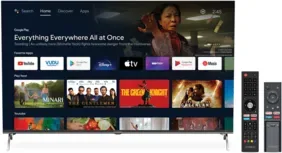
The package includes two remote controls to suit different preferences. The smaller option features Bluetooth pairing for voice control and non-line-of-sight usage. The traditional IR remote offers comprehensive button layouts for manual operation. Both are powered by standard batteries, eliminating the need for specialized charging hardware. Pairing is simple during the initial setup phase. Users can control inputs and volume with ease across different zones of the room.
Multimedia and Troubleshooting Solutions
The built-in multimedia player supports various video and audio formats from USB drives. Users can play high-definition movies, listen to music files, or view photo galleries directly on the screen. The system includes troubleshooting guides for common issues like signal loss or remote connectivity. Power consumption varies slightly by screen size, ranging from thirty-three watts for smaller models to one hundred watts for larger displays. Standby consumption remains minimal to save energy costs.
Setup and Configuration
Getting started is straightforward with guided on-screen instructions. Language and location settings are configured immediately. Channel installation can be performed manually or via automatic network selection. Safety guidelines ensure stable operation away from moisture or heat sources. Proper ventilation maintains performance over time. If adjustments are needed, the picture settings offer multiple modes like Vivid or Cinema.
For complete details regarding maintenance and advanced troubleshooting, refer to the official Strong UD7553 Manual. This resource covers necessary steps for optimal performance.
Search for 67,706 Manuals online


Type-in Brand or Model