
Strong SRT202EMATIC Manual
PDF manual · 18 Pages
English



Quick check
Incorrect answer, please try again.
Chat with your Strong SRT202EMATIC manual using AI
Get instant AI answers from your Strong SRT202EMATIC manual
Ask anything about the Strong SRT202EMATIC. Answers come from this manual, with the pages they are based on.
Ask a Question
Do you recommend SRT202EMATIC?
Yes NoFrequently Asked Questions
Turn on the box and follow the on-screen pairing instructions during setup or go to Settings > Remotes & accessories > Add accessory. Put the remote in pairing mode and select it from the list to connect and enable Google Assistant.
Is this answer helpful?
Yes. The SRT 202 EMATIC supports 4K playback with H.265 10-bit 4K@60fps and VP9 4K@60fps decoding. It also supports H.264 and audio decoding including Dolby Digital and Dolby Digital Plus.
Is this answer helpful?
You can connect via Ethernet by plugging an RJ45 cable into the LAN port or via Wi‑Fi: go to Settings > Network, enable Wi‑Fi, select your network and enter the password. Dual-band Wi‑Fi (2.4/5 GHz) is supported.
Is this answer helpful?
Check HDMI or AV connections, ensure the TV input matches the connected port, verify cables are secure, confirm device power and that volume/mute settings are correct. For audio format issues, change Settings > Surround > Surround Sound to PCM if needed.
Is this answer helpful?
USB 2.0 storage devices are recommended. STRONG cannot guarantee compatibility with all USB peripherals; high-power HDDs may require an external power source because the box’s USB output is limited (max. 5 V/500 mA).
Is this answer helpful?
Go to Settings > Storage & Reset and select Factory data reset. This will erase all manually installed apps and user data. Back up important information before proceeding.
Is this answer helpful?
Use the Google Play Store on Android TV: add the Play Store to your Home screen by selecting the Add icon [+] in the apps row, then open it to browse and download available apps compatible with Android TV.
Is this answer helpful?
Advantages and Disadvantages
Advantages

- Supports 4K H.265 and VP9 decoding at 60fps for high-quality video playback.
- Android TV with Google Play and Chromecast built-in offers wide app and casting support.
- Voice-search remote with Google Assistant enables hands-free control and quick navigation.
- Dual-band Wi‑Fi and Ethernet provide flexible, reliable network connectivity.
- Compact form factor with multiple ports (HDMI, optical S/PDIF, USB, microSD) for peripherals.
Disadvantages

- USB ports limited to USB 2.0; some modern peripherals may be incompatible or slower.
- External HDDs may need separate power if they exceed the box’s USB power output.
- Certain third-party apps or services may be region-locked or require separate subscriptions.
- Remote voice features require Bluetooth pairing and batteries, adding an extra setup step.
- Limited warranty/service access if attempting to open the device; servicing required by qualified personnel.
Product Specification
Chipset
CPU: ARM Cortex A53, 4x 1.50GHz
Video
AVC, H.263, H.264, H.265, HEVC, MPEG-2
Audio Decoder
Dolby Digital, Dolby Digital Plus
Video Ports
1x HDMI Out
Audio Ports
1x Digital Audio Out (optical)
Other Ports
2x USB 2.0, RJ-45, Card Reader (microSD/microSDHC/microSDXC)
Wireless
Bluetooth 4.2, Wi-Fi 4 (Wi-Fi 802.11b/g/n)
Resolution
up to 3840x2160 (@60Hz)
Hard Drive
no
Special Features
HDR, HDR10, HLG, Android, Remote Control
Dimensions
3.94x0.94x3.94in (WxHxD)
Weight
0.52 lb
Product Description
Strong SRT 202 EMATIC Manual
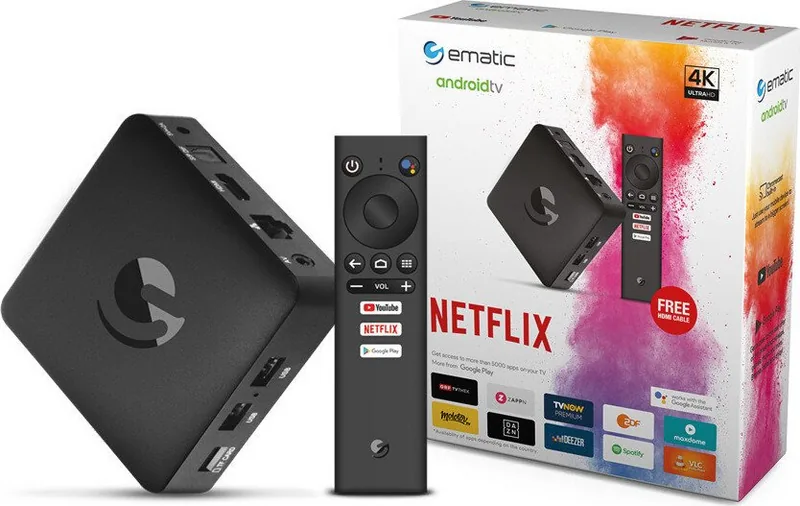
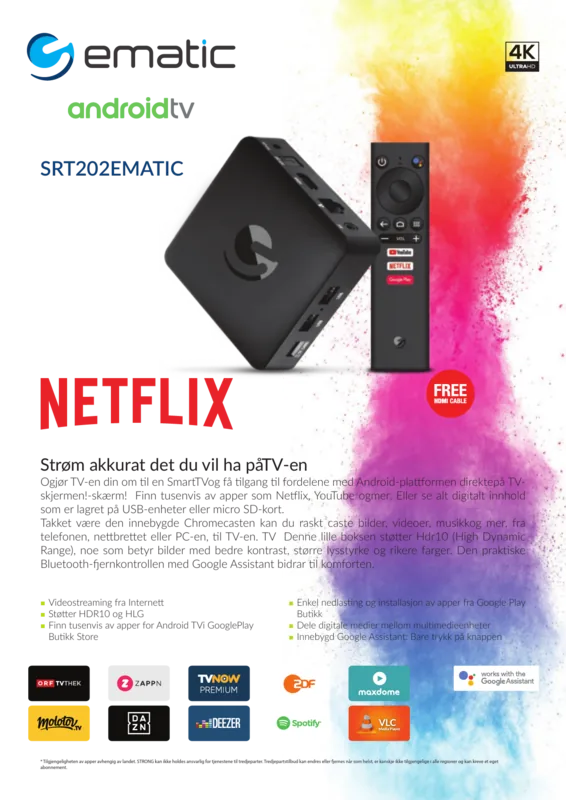
The Strong SRT 202 EMATIC is a compact 4K Ultra HD Android TV box designed to bring streaming, apps, and smart features to any HDTV. Equipped with Android TV, Chromecast built-in and Google Assistant support, the device aims to simplify home entertainment by combining high-resolution video playback, voice control and broad app compatibility in a small, easy-to-install unit.
Overview
Out of the box, the SRT 202 EMATIC includes the Android TV Box, a voice-search remote with dedicated shortcut keys, HDMI cable, power adapter (5 V / 2 A) and batteries. The box supports H.265 10-bit 4K@60fps and VP9 4K@60fps decoding, Dolby Digital and Dolby Digital Plus audio formats, and both 2.4 GHz and 5 GHz Wi‑Fi plus Ethernet for reliable network connectivity. Bluetooth 4.2 enables pairing with the voice remote and other accessories.
Setup and Use
Setup follows a guided Android TV flow: language selection, optional Android-device setup for quick pairing, Wi‑Fi configuration (or Ethernet), Google account sign-in, privacy and diagnostic preferences, and enabling Google Assistant. Chromecast built-in allows casting from mobile apps or Chrome. Users can download apps through the Google Play Store, use a smartphone as a touchpad via the Android TV Remote app, and control playback, search content and manage settings through voice commands on the remote after Bluetooth pairing.
Connectivity and Ports
The box features HDMI output for TV connection, AV output, optical S/PDIF, Ethernet, 2 USB 2.0 ports and a microSD slot. External USB drives are supported (USB 2.0+ recommended), though high-power HDDs may require separate power. The device’s power comes from a 5 V, 2 A DC adapter; typical power consumption is around 7 W during operation.
Features and Maintenance
Key features include easy app downloads from Google Play, system updates accessible from the About menu, and straightforward troubleshooting guidance for common issues (no display, network, audio or remote problems). Safety and disposal guidance emphasize proper ventilation, battery handling, and WEEE-compliant recycling. Factory reset is available to erase user-installed apps and data when needed.
Notes
- Ensure HDMI and TV input source selection before powering on.
- Pair the Bluetooth voice remote to enable Google Assistant functionality.
- Use quality HDMI cables and compatible USB devices to avoid playback issues.
- Keep backups of important data; STRONG does not guarantee compatibility with all peripherals.
Search for 67,706 Manuals online


Type-in Brand or Model
Schr0tt
7 months ago
My Android TV streaming box keeps crashing or freezing, and I read it has limited internal storage (4GB). What should I do if it stops working when storage is full?
Manual.ly
7 months ago
If the box runs out of internal space, apps and system services can fail, leading to freezes or reboots. Try these steps: 1) Free up storage by uninstalling unused apps and clearing app caches (Settings > Apps). 2) Move or store media on an external USB drive or SD card if your model supports it. 3) Update the device firmware and the affected apps. 4) Reboot the box and check if the issue persists. Only as a last resort, perform a factory reset. If crashes continue after freeing space and updating, please contact support for diagnostics or a replacement.