
Strong SRT 2023 Manual
PDF manual · 21 Pages
English



Quick check
Incorrect answer, please try again.
Chat with your Strong SRT 2023 manual using AI
Get instant AI answers from your Strong SRT 2023 manual
Ask anything about the Strong SRT 2023. Answers come from this manual, with the pages they are based on.
Ask a Question
Do you recommend SRT 2023?
Yes No
Lena Schuster
7 months ago
Before buying, can I install streaming apps like Disney+ or Chrome on this Android TV box, and will it be too slow due to the old Android version and limited RAM?

Manual.ly
7 months ago
App installation depends on the Android version and the device hardware. Reviews often mention Android 7.1 and limited RAM, and some services block installation with a Play Store message like "not compatible" (for example Disney+ or Chrome). Performance is also sensitive to RAM and CPU, so low memory can cause lag and a slow interface. To check compatibility before you buy, verify the listed Android version and RAM, then search for your exact apps in the Play Store once the box is set up. If your required apps require a newer Android or higher specs, they may not work and a newer device would be the safest choice.
Video Manual
STRONG SRT2022 Android IP Box - DK
Frequently Asked Questions
The default PIN is 1234. To change it go to Settings → Personal → Security & Restrictions → Change Password, enter the old PIN, then enter and confirm your new PIN.
Is this answer helpful?
Yes. The SRT 2023 can output up to 2160p (4K) when connected to a 4K-capable TV using a high-quality HDMI cable. The 2160p option appears only when a compatible HDMI connection is detected.
Is this answer helpful?
Insert the wireless dongle into a USB port with the power off, then switch the unit on. The device should automatically recognize standard USB wireless mice or keyboards; Bluetooth accessories can be paired in Settings → Add accessory (Bluetooth).
Is this answer helpful?
If the HDD draws more power than the box’s USB output (max ~500 mA), connect the HDD to an external power adapter. Ensure the drive is USB 2.0 compatible and formatted in a supported file system.
Is this answer helpful?
You can update locally by copying the update file to the root of a USB device and selecting Local update in Settings → About → Update, or check Online update if available in your region. Back up data first and do not power off during the process.
Is this answer helpful?
Wireless performance depends on router distance, walls, and interference. For best streaming quality use a wired Ethernet connection or move the router closer, reduce obstructions, or use a higher-grade Wi‑Fi network.
Is this answer helpful?
Go to Settings → Storage & Reset → Factory data reset. This erases user data and settings but not system software updates. Back up apps and data before proceeding.
Is this answer helpful?
Advantages and Disadvantages
Advantages

- 4K-capable HDMI output (2160p) when connected to a compatible TV and cable
- Compact Android 7.1 platform with Google Play access for apps and streaming
- Multiple connectivity options: LAN, Wi‑Fi, Bluetooth 4.0, USB ports, MicroSD
- Dolby audio support and HDMI CEC for integrated home theater control
- Simple first-install wizard and accessible troubleshooting guidance
Disadvantages

- Only 1 GB RAM and 8 GB internal storage, limiting heavy multitasking and app installs
- USB ports are 2.0 and may not supply enough power for some external HDDs
- Android 7.1 is dated compared to modern platform versions and app requirements
- HEVC/AVC licensing restricts some uses to personal, non-commercial content only
- Online update availability may be region-limited; local update resets settings
Product Specification
Chipset
CPU: ARM Cortex A53, 4x 2.00GHz, GPU: ARM Mali 450 (Quad-Core)
Memory
1GB RAM (DDR3), 8GB Flash
Video
AVC, AVI, DAT, H.264, H.265, HEVC, MKV, MOV, MPEG, MPEG-4, RM, WMV
Audio
AAC, ALAC, FLAC, GA, OGG/Vorbis, WMA
Audio Decoder
Dolby Digital, Dolby Digital Plus
Video Ports
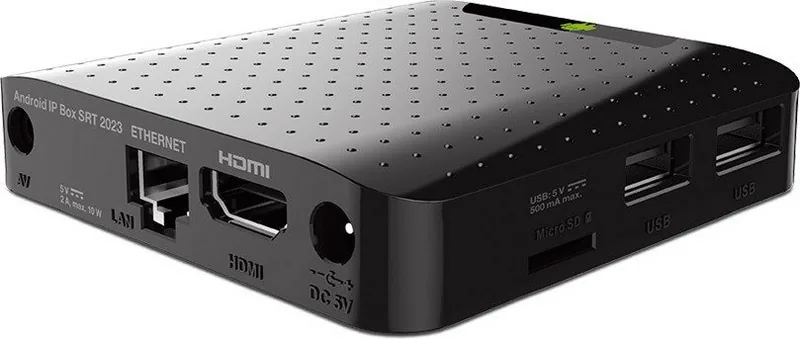
1x HDMI Out
Other Ports
2x USB 2.0, RJ-45, Cardreader (microSD/microSDHC/microSDXC)
Wireless
Bluetooth 4.0, Wi-Fi 4 (WLAN 802.11b/g/n)
Resolution
up to 3840x2160
Hard Drive
no
Features
Android 7.1, Remote Control
Dimensions
3.35x0.73x3.35in (WxHxD)
Weight
0.33 lb
Product Description
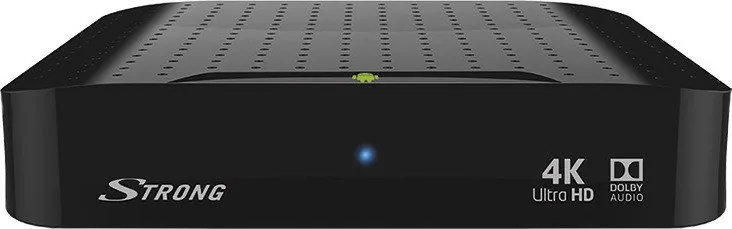
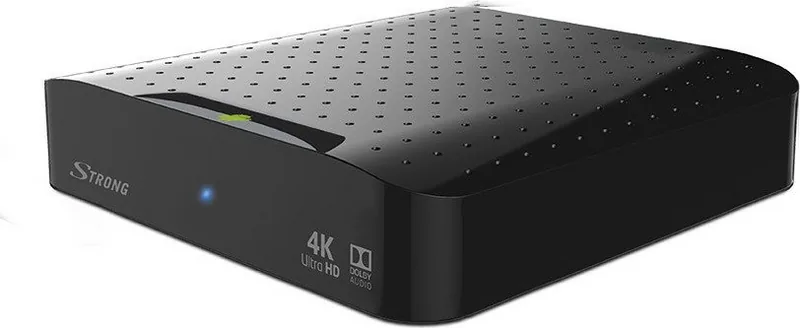
Strong SRT 2023 — Powerful Android IP Box
The Strong SRT 2023 is a versatile Android-based IP Box designed to bring smart TV features, streaming, and multimedia playback to your living room. Built on Android 7.1 with an Amlogic S905X_B chipset and a quad-core ARM Cortex-A53 CPU, the device targets users who want a compact, affordable gateway to apps, streaming services, and local media playback. With 1 GB DDR3 RAM and 8 GB eMMC storage, the SRT 2023 handles everyday streaming, browsing, and app usage reliably.
Compact and connectivity-focused, the Strong SRT 2023 supports HDMI output up to 4K (2160p when connected to a 4K-capable TV), wired LAN and 802.11 b/g/n Wi-Fi, and Bluetooth 4.0 for accessories. It includes two USB 2.0 ports, a MicroSD slot, and stereo/Dolby audio decoding for improved sound when paired with compatible amplifiers. The device ships with a remote control featuring an IR sensor and optional USB dongle support for wireless mice and keyboards, making navigation and app control straightforward.
First-time setup walks you through language, resolution, screen size, and network configuration, and offers Google Play access for installing apps. The SRT 2023 provides standard Android features such as a file manager, picture gallery, video and music players, and an app store interface for downloading and managing applications. It also supports S Link streaming to mirror content from mobile devices and webcam support for video-calling apps.
Strong emphasizes safety, compatibility, and proper accessory use: a recommended 5 V, 2 A power adapter, high-quality HDMI cable, and caution regarding external HDD power needs. The unit includes firmware update options (local via USB or online where available) and a factory-reset function for troubleshooting. Default PIN security is set to 1234, and users can change it in the settings.
For home theater setups, HDMI CEC control is supported to allow single-remote operation with compatible devices. The product carries licensed support for Dolby audio and AVC/HEVC usage under specified personal-use agreements. STRONG provides technical support channels and a troubleshooting section covering common issues like network configuration, HDMI input selection, remote control problems, and USB power limitations.
Notes:
- Default PIN: 1234; change it under Settings → Security.
- Use a quality HDMI cable to enable 2160p output on 4K TVs.
- External HDDs may require separate power if they draw more than 500 mA.
- Firmware updates can reset settings; back up apps/data first.
Search for 67,706 Manuals online


Type-in Brand or Model
maria_k
10 months ago
Will streaming apps like Disney+, Netflix, or Chrome install and work on this device, or are they incompatible due to the Android version?
Manual.ly
10 months ago
It depends on app compatibility with the device's Android version (many units are based on Android 7.x) and hardware. If an app says it is not compatible in the Play Store, it will not install. For some streaming services, support can be limited on older Android builds, which is why users report problems with Disney+/Netflix. Before buying, check the app listing in the Play Store on your target device. If installation fails, options are to use an alternative supported service, access content via the browser/web interface, or use an external streaming device (Chromecast/AirPlay where available). If you want, tell us your exact model and Android version and we can help you verify likely compatibility.