
SteelSeries Prime Manual
PDF manual · 32 Pages
English



Quick check
Incorrect answer, please try again.
Chat with your SteelSeries Prime manual using AI
Get instant AI answers from your SteelSeries Prime manual
Ask anything about the SteelSeries Prime. Answers come from this manual, with the pages they are based on.
Ask a Question
Do you recommend Prime?
Yes NoFrequently Asked Questions
The SteelSeries Prime Mini features five CPI levels, with the highest setting reaching 3200 CPI. This level is indicated by a red light on the scroll wheel when selected via the CPI button.
Is this answer helpful?
To reset the Prime Mini, press and hold the CPI button along with both main mouse buttons simultaneously for five seconds. The scroll wheel will flash pink three times before all settings revert to default.
Is this answer helpful?
Yes, the mouse is fully compatible with Mac OS X 10.13 and later versions. You will need to install the SteelSeries Engine software to access advanced customization features.
Is this answer helpful?
The CPI button allows you to change sensitivity levels instantly. A quick press cycles through five CPI values (400 to 3200), while a long press adjusts the polling rate between 125 Hz and 1000 Hz.
Is this answer helpful?
No, the SteelSeries Prime Mini is a wired mouse. It connects via a high-quality Super Mesh USB Type-C to Type-A cable included in the package.
Is this answer helpful?
Advantages and Disadvantages
Advantages

- TrueMove Pro sensor ensures pixel-perfect accuracy and tracking.
- Split trigger design reduces finger fatigue and improves click speed.
- Five customizable CPI levels provide versatile sensitivity options.
- Virgin grade PTFE feet offer ultra-smooth gliding motion.
- Super Mesh cable combines durability with flexible handling.
Disadvantages

- Compact size may feel too small for users with large hands.
- Requires software installation for full feature customization.
- Polling rate changes require holding the button longer than CPI adjustments.
- Limited color options for the scroll wheel indicator lights.
- No wireless connectivity option available for this model.
Product Specification
Suitability
right hand
Keys
5 (total), 2 (main), 2 (left), 1 (scroll wheel click)
Scroll Wheel
1x 2-way
Sensing
LED red/IR
Buttons
mechanical buttons, Prestige OM mechanical switches 100M, 100 million clicks
Lighting
RGB
Color
solid, black (matte), logo
Product Description
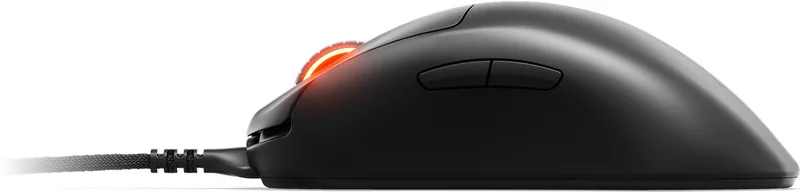
SteelSeries Prime Mini: Engineered for Victory
The SteelSeries Prime Mini represents the pinnacle of gaming mouse engineering, born from over two decades of relentless pursuit of perfection. This device is not merely a peripheral; it is a tool designed to help you chase your own glory on the battlefield. By pushing the boundaries of performance through precision, comfort, and durability, SteelSeries has created a mouse that feels like an extension of your hand.
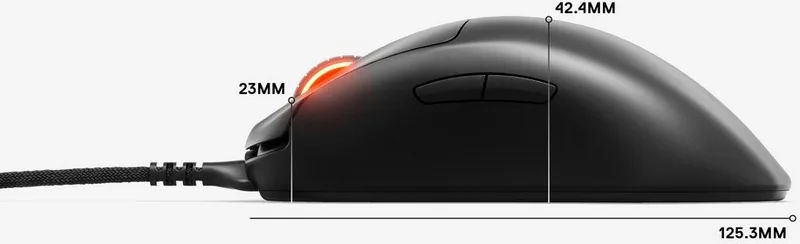
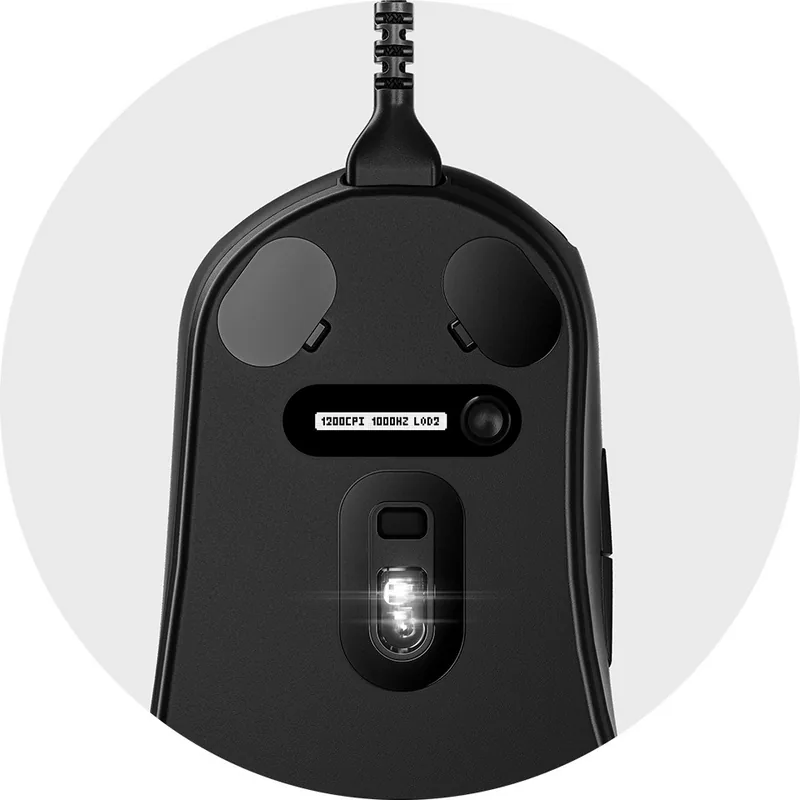
At the heart of the Prime Mini lies the TrueMove Pro sensor, delivering flawless tracking across any surface. The split trigger design separates the main buttons, reducing actuation force and enhancing click responsiveness for rapid-fire actions. Comfort is paramount, achieved through virgin grade PTFE mouse feet that glide effortlessly, ensuring smooth movement during intense gaming sessions. The Super Mesh USB Type-C cable provides robust data transmission and charging capabilities while maintaining flexibility.
Customization is seamless with SteelSeries Engine software. Users can program macros, adjust custom lighting effects, and fine-tune sensitivity settings to match their unique playstyle. The CPI button offers instant access to five distinct sensitivity levels, indicated by color-coded illumination on the scroll wheel. From 400 CPI in purple to 3200 CPI in red, finding your perfect speed is just a quick press away. Additionally, long-pressing this button allows you to cycle through polling rates ranging from 125 Hz to 1000 Hz, ensuring your mouse keeps up with the fastest reflexes.
Whether you are playing on PC, Mac, or Xbox, the Prime Mini delivers consistent performance. Its compact form factor makes it ideal for palm and claw grips, offering superior control without sacrificing power. Resetting to factory settings is simple if you ever need to start fresh, ensuring your experience remains tailored to your needs.
Key Notes
- Compatible with Windows 7+, Mac OS X 10.13+, and Xbox.
- Requires 140 MB of free hard drive space for software installation.
- Includes a 6 foot 10 inch USB Type-C to Type-A cable.
- Supports GameSense integration for dynamic in-game feedback.
Search for 67,732 Manuals online


Type-in Brand or Model