
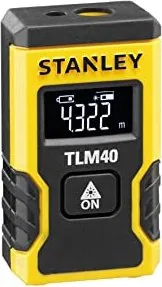
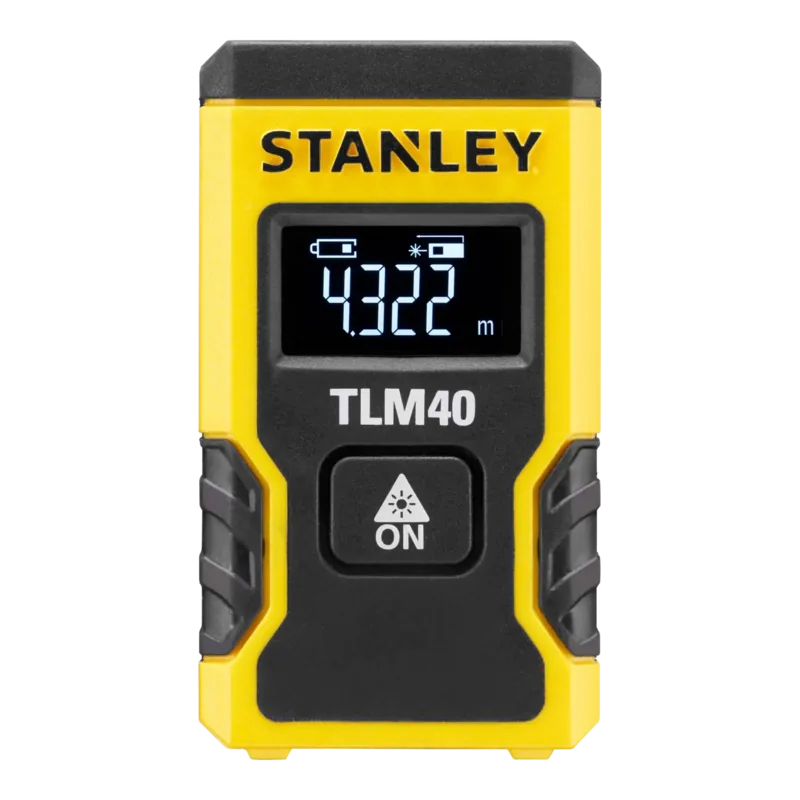
Stanley TLM40 Manual
PDF manual · 85 Pages
English



Quick check
Incorrect answer, please try again.
Chat with your Stanley TLM40 manual using AI
Get instant AI answers from your Stanley TLM40 manual
Ask anything about the Stanley TLM40. Answers come from this manual, with the pages they are based on.
Ask a Question
Do you recommend TLM40?
Yes NoFrequently Asked Questions
To change units, take a measurement first, then press and hold the button for three seconds until the unit changes. Continue holding to cycle through decimal feet, fractional feet, meters, and inches.
Is this answer helpful?
The Stanley TLM40 has a measuring range from 16.5 cm to 12 meters, which is equivalent to 6.5 inches to 40 feet.
Is this answer helpful?
A fully charged battery can perform up to 3000 measurements or last for 30 days if the tool is not used. It charges fully in about 2.5 hours via USB.
Is this answer helpful?
The TLM40 has an IP54 rating, which means it is protected against dust and low-pressure water jets, but it is not fully waterproof for submersion.
Is this answer helpful?
The device automatically turns off after 120 seconds of inactivity to save battery life. You can also manually turn it off by holding the button for five seconds.
Is this answer helpful?
No. The TLM40 is a Class 2 laser. Do not stare into the beam or look at it with optical aids like binoculars as it can be hazardous to your eyes.
Is this answer helpful?
When you are ready for a new measurement, simply click the button again. The previous reading will clear, and the device will be ready to measure the new distance.
Is this answer helpful?
Advantages and Disadvantages
Advantages

- High accuracy with ±6mm precision
- Lightweight and portable design weighing 31.75g
- USB rechargeable battery saves money on replacements
- IP54 rating provides dust and splash resistance
- Easy unit conversion between feet, inches, and meters
Disadvantages

- Limited range of up to 12 meters (40 feet)
- Class 2 laser requires caution to avoid eye exposure
- Automatic shut-off after 120 seconds may interrupt workflow
- Battery charging time is relatively long at 2.5 hours
- Display window may be hard to read in bright sunlight
Product Specification
Laser
620-690nm (rot), Klasse 2
Measurement Range
39 ft
Accuracy
±0.24 in
Features
Softgrip, Auto-off after 2min
Power Supply
Battery operated
Protection Class
IP54
Weight
1.1 oz
Package Contents
USB charging cable
Product Description
The Stanley TLM40 Laser Distance Measurer: Precision in Your Pocket
The Stanley TLM40 Laser Distance Measurer is a compact and reliable tool designed for professionals and DIY enthusiasts who need accurate measurements quickly. This device simplifies the process of measuring distances, heights, and diagonals with just a click. Whether you are working on home renovation projects, construction sites, or interior design layouts, the TLM40 delivers consistent results.
Key Features and Operation
Operating this laser measurer is straightforward. You simply point the top of the unit toward your target wall and press the button to activate the laser dot. Once positioned correctly, a second press captures the distance. The results appear instantly on the clear display window. One of the standout features is the ability to switch between various units of measurement, including decimal feet, fractional feet, meters, and inches. Changing units requires holding the button for three seconds, allowing for seamless transitions based on your project needs.
Battery life is another strong suit of the TLM40. A fully charged battery can support up to 3000 measurements or last for 30 days if the tool remains unused. Charging is convenient via a USB port located on the side of the device. Users must ensure the flat side of the cable aligns with the flat side of the port for a secure connection. A full charge takes approximately 2.5 hours.
Safety is paramount with any laser tool. The TLM40 is a Class 2 laser product, meaning it emits visible red light that should not be stared into directly. The manual warns users to avoid looking at the beam with optical aids like binoculars or telescopes to prevent eye injury. Additionally, the device features an automatic power-off function after 120 seconds of inactivity to conserve energy.
Durability and Design
Weighing only about 31.75 grams, the TLM40 is incredibly lightweight and easy to carry in a pocket or tool bag. Its dimensions are compact at 62mm by 17.5mm by 32mm. The device boasts an IP54 rating, offering protection against dust and water splashes, making it suitable for various environments. It operates within a temperature range of 0°C to 40°C and can be stored between -10°C and 60°C.
For those needing to re-measure quickly, the device clears previous data automatically when you initiate a new measurement. To turn off the tool manually after use, hold the button for five seconds until the display goes blank. Always remember to recycle electronic waste properly according to local regulations when the product reaches the end of its life.
Search for 67,732 Manuals online


Type-in Brand or Model