
Sportstech F10 Manual
PDF manual · 98 Pages
English



Quick check
Incorrect answer, please try again.
Chat with your Sportstech F10 manual using AI
Get instant AI answers from your Sportstech F10 manual
Ask anything about the Sportstech F10. Answers come from this manual, with the pages they are based on.
F10 Maintenance Schedule
For average use, add silicone oil to the red container. Wipe excess oil and walk slowly for 3-5 minutes to distribute it.
Remove sweat and moisture after every exercise. Use a soft cloth and mild detergent; do not use abrasives or solvents.
Check wear-prone parts, including the spring knob and running belt, to help prevent injury.
Free maintenance reminders
Timed to your purchase date. Always free, unsubscribe anytime.
Ask a Question
Do you recommend F10?
Yes NoFrequently Asked Questions
For average home use, apply silicone lubricant every 1–2 months. If you run many kilometers multiple times per week or multiple users use the treadmill, increase lubrication frequency. Wipe off excess oil and run the belt slowly for 3–5 minutes to distribute it.
Is this answer helpful?
If the belt slips, increase belt tension using the rear roller adjusters. If the belt hesitates when stepped on, check lubrication—apply silicone oil if dry—and ensure the belt is not overtightened. Center the belt if it is tracking off-center.
Is this answer helpful?
Enable Bluetooth on your Android (≥4.3) or iOS (≥8.0) device. Download FitShow from Google Play or the App Store (or via QR code). For Android, allow unknown sources if prompted. Open the app and tap the icon to pair with the treadmill.
Is this answer helpful?
Always turn off the master power and unplug the treadmill before cleaning or performing maintenance. Remove the safety key when not in use and ensure the console is dry and away from direct sunlight to avoid damage.
Is this answer helpful?
Common causes: power cord not plugged in, safety tether key not inserted, household circuit breaker tripped, or treadmill circuit breaker tripped. Plug in the cord, reinstall the safety key, reset the house breaker or wait five minutes and try restarting the treadmill.
Is this answer helpful?
No. Store the Sportstech F10 indoors in a clean, dry environment. Avoid leaving or using the unit outdoors to prevent damage from moisture and weather exposure.
Is this answer helpful?
Wipe down the unit after each use with a soft cloth and mild detergent for non-electronic parts. Avoid abrasives or solvents and keep excessive moisture away from the display panel to prevent electrical hazards and screen damage.
Is this answer helpful?
Advantages and Disadvantages
Advantages

- Foldable design with transport wheels for compact storage and easy relocation.
- Pre-programmed intervals and speed segments suitable for varied workout plans.
- Safety tether key and robust frame improve user safety during workouts.
- Simple maintenance: user-serviceable lubrication system and clear troubleshooting tips.
- Bluetooth compatibility with FitShow app for Android and iOS tracking.
Disadvantages

- Requires regular lubrication and belt tension adjustments with frequent use.
- Display and console vulnerable to moisture and direct sunlight damage.
- Assembly involves many parts; may require careful following of instructions.
- Not intended for outdoor use or heavy commercial gym traffic.
- Some troubleshooting steps (electrical) may require professional help.
Product Specification
Motor power
1HP continuous power
Speed
0.62-6.21mph
Incline
0-18% manually adjustable
Running surface
39.76x13.58in
Max. user weight
264.55lb
Dimensions
48.82x24.41x52.76in
Folded dimensions
21.65x24.41x52.76in
Weight
59.52lb
Features
Transport wheels, Hand pulse measurement, Chest strap, Bottle holder, App support (iOS, Android), Bluetooth, Ventilation, Foldable
Product Description
Sportstech F10 Treadmill — Practical Guide and Manual Overview
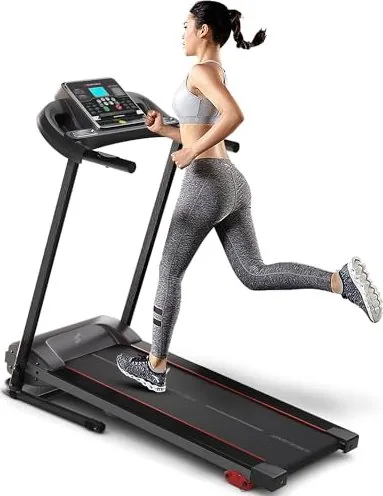
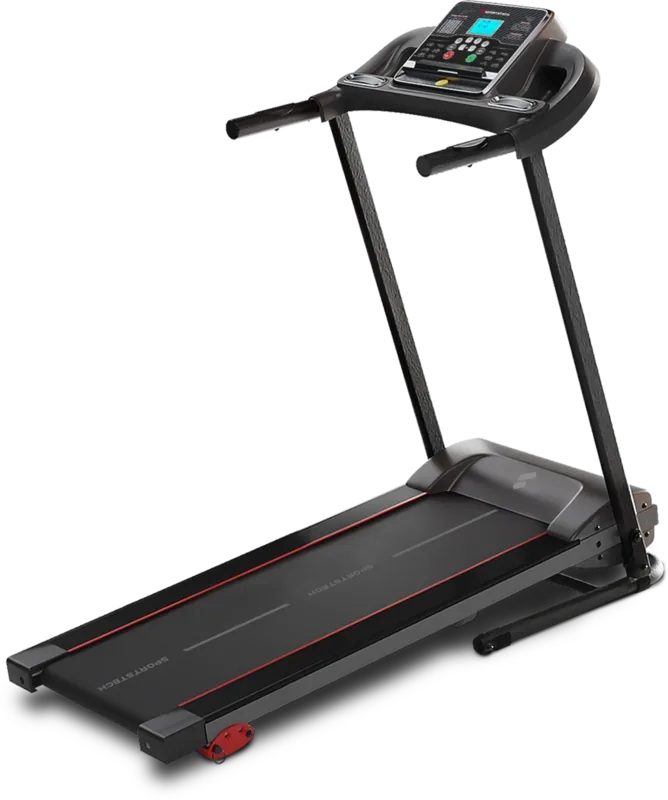
The Sportstech F10 treadmill is a compact, foldable home treadmill designed for everyday walking and running routines. It combines a sturdy base frame, a powerful motor, and a user-friendly console with preset programs to suit beginners and intermediate users. The unit features a running belt, reinforced frame tubes, front and rear rollers, safety key, and a silicone-lubrication system to extend belt life and reduce wear.
Key features and usage
The F10’s console offers multiple automatic programs with segmented speed profiles, letting users follow interval or steady-state sessions. Controls include start/stop, speed adjustment, and a safety tether key that immediately stops the belt if pulled. The treadmill supports app connectivity (FitShow) via Bluetooth for compatible Android and iOS devices, enabling tracking and integrated workouts.
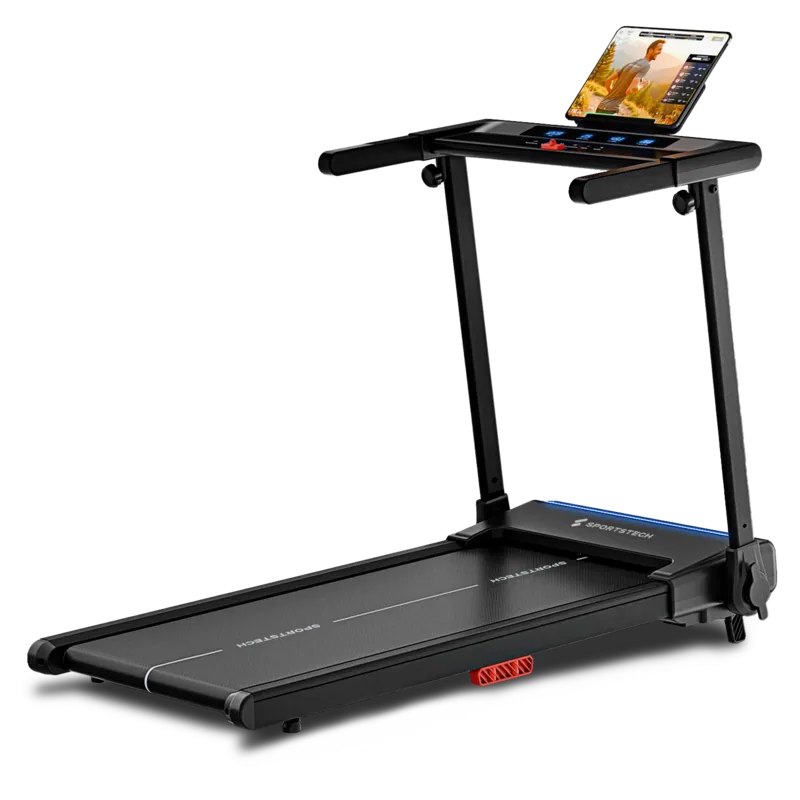
Assembly is straightforward with labeled parts and an exploded parts list. The foldable mechanism helps save space when not in use, and transportation wheels make relocation easier. The treadmill includes protective covers, foot pads, and a tablet holder to support multimedia during workouts.
Maintenance and care
Regular cleaning and lubrication are emphasized: wipe sweat away after each session, avoid solvents and excessive moisture on the display, and keep the console out of direct sunlight. Lubricate the running deck by adding silicone oil into the designated red container every 1–2 months for average use; increase frequency with heavy use. After oiling, run the belt at low speed for 3–5 minutes to distribute lubricant evenly. Check belt tension and centering periodically and adjust as needed.
Troubleshooting highlights
Common issues and simple fixes are included: if the treadmill won’t start, verify power connection, reinsert the safety key, and check circuit breakers. Belt slipping typically indicates insufficient tension; hesitation often signals low lubrication or incorrect tension. If the belt is off-center, adjust the rear roller tensioners.
Safety notes
Always unplug the treadmill before cleaning or maintenance. Ensure the safety key is attached to your clothing during use. Store the treadmill indoors in a dry, clean environment and switch off the master power after use.
Short tips
- Use mild detergent and soft cloth for cleaning; avoid abrasives.
- Lubricate regularly but do not over-apply oil.
- Keep Bluetooth enabled on your device before connecting to FitShow.
Search for 67,706 Manuals online


Type-in Brand or Model