
Spedal FF931 Manual
PDF manual · 21 Pages
English



Quick check
Incorrect answer, please try again.
Chat with your Spedal FF931 manual using AI
Get instant AI answers from your Spedal FF931 manual
Ask anything about the Spedal FF931. Answers come from this manual, with the pages they are based on.
Ask a Question
Do you recommend FF931?
Yes NoVideo Manual
Review: 4K AI-Webcam Spedal FF931
Frequently Asked Questions
Yes. The webcam installs automatically on most Windows and macOS systems without extra drivers. On Windows it appears under Device Manager entries like "Spedal 4K Camera"; on macOS check the System Report under Hardware > Camera.
Is this answer helpful?
Flicker occurs when camera shutter frequency and local power-grid frequency (50/60 Hz) mismatch. Capture the camera’s silver label and contact support; Spedal can provide software updates to match local flicker frequency.
Is this answer helpful?
Common causes include network congestion, using a USB 2.0 port (which may not support 4K), video app limitations, or app-level resolution settings. Try a USB 3.0 port, adjust app settings, or lower resolution for smoother transmission.
Is this answer helpful?
The full software includes multi-scene and multi-camera composition, filters, brightness/contrast/gamma adjustments, cropping, audio mixer, flip/rotate/record functions, and a virtual camera output for third-party apps. Download the full version from spedal.cc.
Is this answer helpful?
Use the included lens cloth and a dedicated lens-cleaning solution; avoid abrasive cleaners. For the remote, ensure the CR2025 battery is fresh and point the remote at the camera’s IR receiver with no obstructions.
Is this answer helpful?
The camera includes a one-year warranty covering defects under normal use. Warranty is void for damage from improper use, unauthorized disassembly, natural disasters, expired warranty, or purchases from unreliable sources.
Is this answer helpful?
4K consumes significant bandwidth. If you experience lag, lower the streaming resolution until network conditions improve, then switch back to 4K when stable.
Is this answer helpful?
Advantages and Disadvantages
Advantages

- True 4K resolution (3840×2160) with a 7-layer optical lens for sharp image quality.
- Built-in far-field AI denoising improves voice clarity without extra microphones.
- Wide 120° field of view suitable for group calls and multi-person setups.
- Spedal Webcam Expert software offers scene composition, filters, cropping, and virtual camera output.
- Plug-and-play on Windows and macOS with USB2.0/USB3.0 compatibility and included tripod and remote.
Disadvantages

- Fixed focus may limit fine close-up control compared with autofocus models.
- 4K streaming demands high bandwidth; network or USB 2.0 ports can reduce quality or cause lag.
- App Store version is limited; full software requires downloading from the official site.
- Warranty voided by unauthorized repairs or using non-standard replacement parts.
- Remote control needs clear line-of-sight to the camera’s IR receiver and a CR2025 battery.
Product Specification
Type
Webcam
Image sensor
1x 1/3" CMOS 8.0 MP
Resolution
3840x2160 Pixels (30fps)
Lens
(F2.0)
Viewing angle
120°
Pan
manual
Tilt
manual
Zoom function
4x digital
Compression/Codecs
MJPEG, YUY2
Ports
1x USB-C (female)
Wireless
N/A
Focus
Fixed focus
Camera cover
included
Microphone
integrated
Speaker
N/A
Lighting
N/A
Cable length
5.25ft
Power supply
via USB
Mount
Mounting clip, with 1/4" thread
Dimensions (WxHxD)
5.12x1.85x2.36in
Weight
0.36lb
Package contents
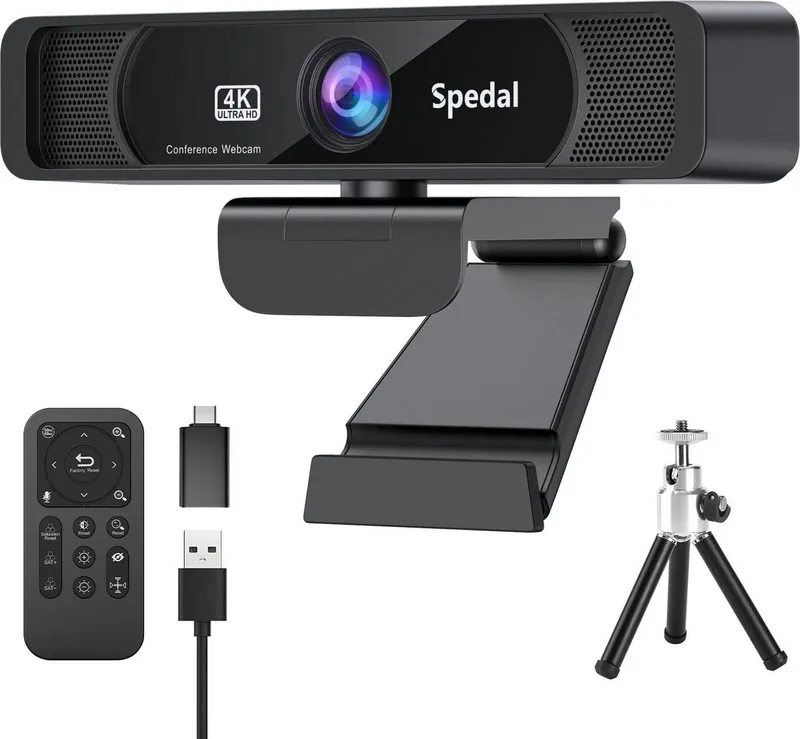
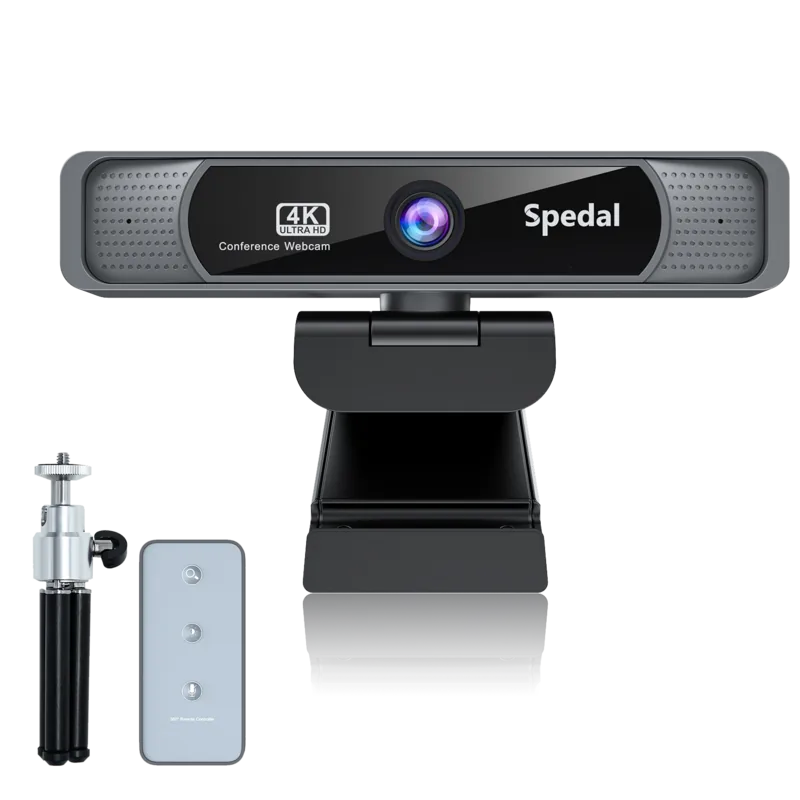
Camera, camera cover, remote control, tripod, USB-A to USB-C adapter, USB-C to USB-A cable
Special features
Status LED
Product Description
Spedal 4K UHD Webcam — Clearer Conferences with AI Noise Reduction
The Spedal 4K UHD Webcam is a high-end conference camera designed for professionals who need crisp visuals and clean audio during remote meetings, recordings, and live streams. Equipped with a 3840×2160 sensor and a 7-layer optical lens, the camera delivers ultra-high-definition video with a wide 120° field of view. Its fixed-focus design and F/2.0 aperture provide stable, evenly lit images suitable for group calls and single-presenter setups alike.
Beyond raw resolution, the Spedal webcam integrates far-field AI denoising to reduce background noise and improve voice clarity without requiring external microphones. It supports common formats (JPEG, YUY2) and works over USB2.0/USB3.0 connections, offering plug-and-play compatibility with Windows and macOS. For macOS users, a concise App Store version exists, while the full-featured Spedal Webcam Expert software (downloadable from the official site) unlocks scene management, filters, cropping, image adjustments, virtual camera output, and audio mixing.
Installation is straightforward: mount on a monitor or attach to the included tripod, plug the 1.6 m USB cable into your computer, and set the device as your default camera and microphone in system or app settings if needed. The camera includes a remote control (CR2025 battery) and lens cloth, and the software enables multi-scene composition, on-the-fly video effects, and per-scene camera controls.
Practical features help avoid common issues: recommended sample rates and speaker settings for Windows, guidance for macOS audio selection, and troubleshooting tips for flicker (power-grid frequency mismatches) or remote-control responsiveness. If 4K streaming is delayed, lowering resolution temporarily is advised to maintain smooth transmission. The product ships with a one-year warranty and after-sales support, with clear conditions that void coverage (unauthorized modifications, misuse, or third-party purchases).
Whether you’re hosting webinars, recording tutorials, or participating in hybrid meetings, the Spedal 4K UHD Webcam focuses on delivering detailed imagery and intelligible audio while offering software controls that let you tailor output to lighting and environmental conditions.
Notes
- Use the provided USB cable; if you need more length, use a Type-A USB 2.0 extension or a Type-C adapter for Type-C-only computers.
- Avoid touching or cleaning the lens with abrasive materials; use dedicated lens cloth and solution.
- Ensure the infrared receiver on the camera isn’t blocked to maintain remote control functionality.
Search for 67,706 Manuals online


Type-in Brand or Model