
Soundmaster SCD5100 Manual
PDF manual · 57 Pages
English



Quick check
Incorrect answer, please try again.
Chat with your Soundmaster SCD5100 manual using AI
Get instant AI answers from your Soundmaster SCD5100 manual
Ask anything about the Soundmaster SCD5100. Answers come from this manual, with the pages they are based on.
SCD5100 Maintenance Schedule
Always remove the mains plug from the outlet before cleaning the device to avoid electric shock.
Inspect batteries regularly to prevent leakage and replace them with the same type if needed.
Ask a Question
Do you recommend SCD5100?
Yes NoDo you recommend SCD5100?
Yes NoFrequently Asked Questions
It supports FM radio, CDs, audio cassettes, and external devices through the AUX-IN connection. This makes it a versatile option for both classic and basic modern audio use.
Is this answer helpful?
Yes. It can run on six UM-2 or C-size 1.5 V batteries. This makes it portable, although the batteries are not included in the package.
Is this answer helpful?
You can program up to 20 tracks in any order. This is useful if you want to build a custom playlist from a CD and replay it in your preferred sequence.
Is this answer helpful?
Yes. It includes a 3.5 mm headphone jack for private listening. When headphones are connected, the speakers are muted automatically.
Is this answer helpful?
If the CD is missing or inserted incorrectly, the display shows No. This helps you quickly identify loading issues before playback starts.
Is this answer helpful?
Yes. If the unit stays idle for about 10 minutes, it switches to standby mode automatically. You can reactivate it by selecting a function again.
Is this answer helpful?
Advantages and Disadvantages
Advantages

- FM radio with mono and stereo selection for flexible listening.
- Plays CDs, cassettes, and external audio through AUX-IN.
- Programmable CD playback supports up to 20 tracks.
- Portable design with handle and battery or AC power options.
Disadvantages

- Batteries are not included with the unit.
- Output power is modest for small-room or personal use only.
- No modern wireless features such as Bluetooth or USB playback.
- Best kept indoors; it is not designed for damp or outdoor conditions.
Product Specification
Power
2W Peak
Audio formats
CD-Audio, CD-R/RW, Cassette
Tuner
FM
Display
LED
Audio connections
AUX In (0.14 in jack), Headphones (0.14 in jack)
Power supply
C-Battery, Mains operation
Special features
Telescopic antenna
Dimensions
11.61x5.20x8.46 in (WxHxD)
Weight
3.75 lb
Product Description
Soundmaster SCD5100: A Compact Retro Audio Companion
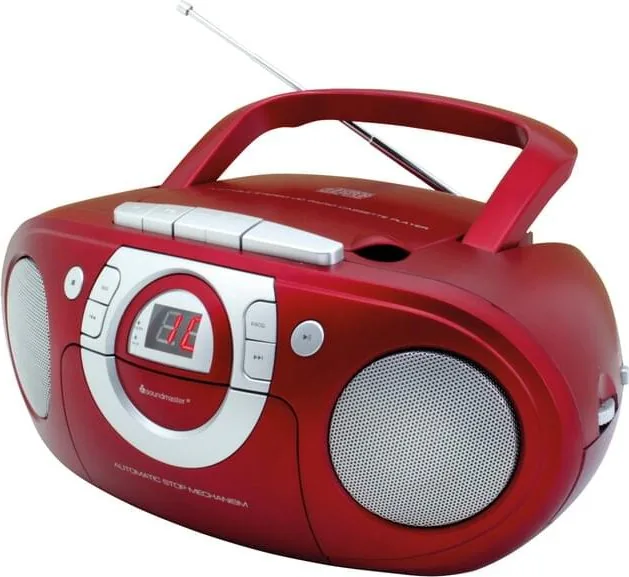
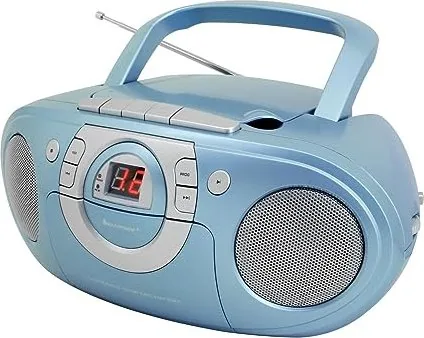
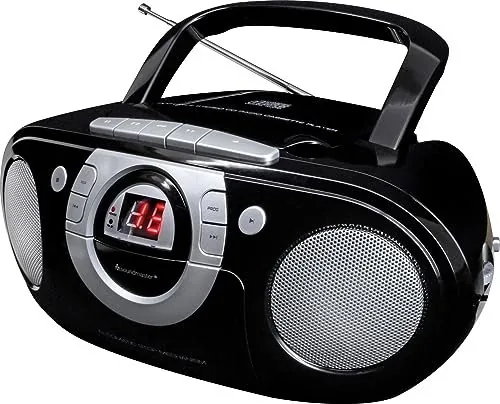
The Soundmaster SCD5100 is a practical all-in-one music player for listeners who still enjoy the charm of physical media while wanting simple everyday usability. It combines FM radio, CD playback, cassette support, AUX input, and headphone listening in one portable unit, making it a flexible choice for home use, hobby rooms, or relaxed weekend listening.
What makes the Soundmaster SCD5100 Manual especially useful is how clearly it reflects the player’s straightforward design. The controls are easy to understand, the layout is compact, and the system is built for people who want reliable playback without complicated menus. You can tune into FM stations, switch between mono and stereo reception, load a CD, program up to 20 tracks, or revisit old cassette tapes with a few simple button presses.
For blog readers looking for a nostalgic yet functional device, this model stands out because it bridges generations of audio. It feels familiar to anyone who grew up with cassettes and CDs, but it also supports modern convenience through the AUX-IN jack and private headphone listening. That makes it a handy option for casual music sessions, language learning, spoken audio, or background radio listening.
The compact body and carry handle also add to its appeal. At just over 1.7 kg, the SCD5100 is light enough to move from room to room, and it can run either from mains power or six C-size batteries. This gives it a degree of portability that is often missing from larger stereo systems. The automatic standby function after about 10 minutes of inactivity is another thoughtful touch that helps save energy.
Sound performance is modest but appropriate for the design. With 2 x 1 watt output, the unit is suited to personal listening and small spaces rather than loud party playback. Still, it delivers a balanced feature set for users who value convenience, simplicity, and versatility over high-end audio power.
Highlights at a glance
- FM radio with mono/stereo selection
- CD playback with repeat and program modes
- Cassette player for classic tape collections
- AUX-IN for external audio sources
- Headphone jack for private listening
Notes
- Batteries are not included.
- Keep the unit in a dry indoor environment.
- Clean only with a soft, slightly damp cloth.
- Ideal for simple everyday listening, not heavy audio use.
Search for 67,732 Manuals online


Type-in Brand or Model