
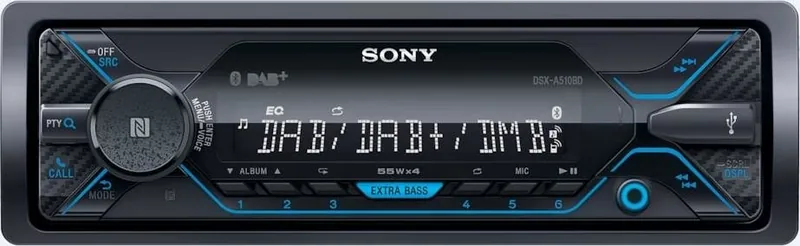
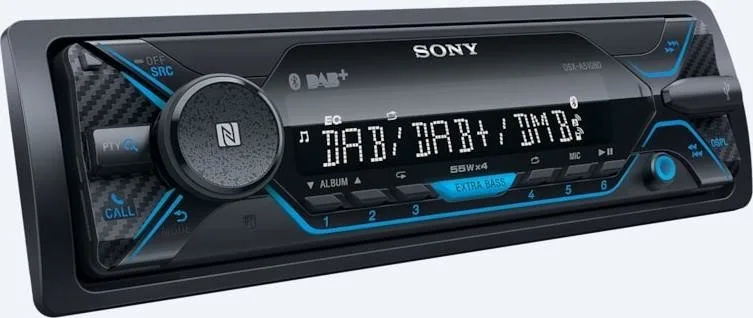
Sony DSX-A510KIT Manual
PDF manual · 208 Pages
English


Quick check
Incorrect answer, please try again.
Chat with your Sony DSX-A510KIT manual using AI
Get instant AI answers from your Sony DSX-A510KIT manual
Ask anything about the Sony DSX-A510KIT. Answers come from this manual, with the pages they are based on.
Ask a Question
Do you recommend DSX-A510KIT?
Yes NoFrequently Asked Questions
It is best for drivers who want a reliable car stereo with radio, USB playback, Bluetooth calling, and basic sound tuning. It focuses on practical daily use rather than complex multimedia features.
Is this answer helpful?
Yes. It supports Bluetooth audio streaming and handsfree calling. It also includes pairing features like NFC one-touch connection and automatic reconnection with previously linked devices.
Is this answer helpful?
Yes, the unit supports DAB in addition to FM, MW, and LW. That gives you more station choices and access to digital broadcasts where DAB service is available.
Is this answer helpful?
Yes. You can connect compatible USB devices for music playback, and some phones can connect through USB depending on the mode and supported playback format.
Is this answer helpful?
Yes, it includes support for steering wheel remote control setup. Depending on the vehicle, you may need the correct wiring or an adapter for proper operation.
Is this answer helpful?
Yes. You can adjust EQ presets, bass boost, balance, fader, subwoofer level, and crossover settings. This helps tailor the sound to your car interior and speaker setup.
Is this answer helpful?
Advantages and Disadvantages
Advantages

- Supports FM/MW/LW and DAB radio for broad listening options.
- BLUETOOTH handsfree calling and audio streaming improve convenience.
- USB playback and smartphone connectivity make everyday use simple.
- Sound controls like EQ, EXTRA BASS, and subwoofer settings add flexibility.
- NFC and automatic reconnection help speed up pairing and startup.
Disadvantages

- The interface is functional, but not as advanced as touchscreen systems.
- Some features depend on phone compatibility, app support, or vehicle setup.
- Installation and steering wheel control setup may require extra adaptation.
- Sound quality and calling performance can vary with the connected device.
- Certain playback and app features are limited in Android mode or with iPod use.
Product Specification
Type
Digital Receiver, 1-DIN
Display
Dot-Matrix
Navigation
no
TMC
no
Tuner
FM, AM, LW, DAB, DAB+
Media
USB Storage
Audio Formats
FLAC, MP3, WMA
Power
4x 55W Peak
Connections
2x Pre-out, 1x AUX In (Front), 1x USB 2.0 (Front), Bluetooth 3.0, NFC
Anti-theft protection
detachable front panel
Software Features
Voice control
Special Features
10-Band Equalizer
Product Description
Sony DSX-A510KIT: A Smart Upgrade for Everyday Driving
The Sony DSX-A510KIT Manual points to a car audio system built for drivers who want modern convenience without overcomplicating the dashboard. The DSX-A510KIT combines straightforward controls, flexible playback options, and wireless features that make daily commutes and long drives feel more connected. It is designed around practical use, with quick access to radio, USB playback, and BLUETOOTH handsfree calling.
One of the most appealing parts of this unit is how it blends classic radio functions with current smartphone support. You can listen to FM, MW, LW, and DAB stations, save favorites, and use program-type search tools to find the content you want faster. For drivers who still rely on radio for news, traffic updates, or music discovery, this creates a familiar but more capable experience.
The USB and BLUETOOTH playback features add another layer of convenience. Music from a phone or compatible USB device can be played directly, while the built-in calling tools help keep your hands on the wheel. NFC one-touch pairing, automatic reconnection, and support for Sony | Music Center make the setup feel smooth once the unit is installed and paired.
Sound tuning is another strong point. The DSX-A510KIT includes EQ presets, bass reinforcement, and options for balancing speakers and subwoofer output. That makes it easier to shape the sound to match your car and your listening style. Whether you prefer punchier bass, clearer vocals, or a more balanced setup, the controls are flexible enough for everyday use.
Installation and setup are also handled with the user in mind. The unit includes settings for clock adjustment, demo mode, display brightness, steering wheel remote integration, and automatic power-off behavior. These details help the stereo fit into different vehicles and driving habits. The interface may feel compact, but it is built to handle the essentials reliably.
Notes:
- Best suited for drivers who want radio, USB, and Bluetooth in one unit.
- DAB support adds a modern listening option where available.
- Sound and display settings can be adjusted to match the car environment.
Quick Take
The Sony DSX-A510KIT is a balanced car stereo choice for drivers who value simple controls, wireless calling, and flexible audio playback. It does not try to be flashy; instead, it focuses on useful features that improve time behind the wheel.
Summary
If you want a car head unit that combines trusted Sony audio quality with smartphone-friendly convenience, the DSX-A510KIT is a strong practical option. It delivers a clean mix of radio, Bluetooth, USB, and sound customization in a compact format.
Search for 67,706 Manuals online


Type-in Brand or Model
Alessandro Beahan
8 months ago
Is the included DAB+ window antenna really easy to install for good reception, and does Bluetooth reliably connect with my phone?
Manual.ly
8 months ago
Yes. The included DAB+ antenna is designed to be placed inside the windshield (window glass antenna) and does not require a car body ground connection. For best reception, mount it in the recommended position, keep it firmly attached, and avoid routing the cable near sources of interference. If your vehicle is right-hand drive, mounting orientation may need to be adjusted as described in the manual. For Bluetooth, most phones connect right away. If your radio occasionally does not recognize a phone, re-pair in your phone's Bluetooth settings (remove the old pairing and connect again), then reconnect using the radio menu. Also confirm your phone is discoverable and that Bluetooth is enabled. Some models may feel slightly warm after longer use, which is normal.