
Sonnet Allegro USB-C Manual
PDF manual · 2 Pages
English



Quick check
Incorrect answer, please try again.
Chat with your Sonnet Allegro USB-C manual using AI
Get instant AI answers from your Sonnet Allegro USB-C manual
Ask anything about the Sonnet Allegro USB-C. Answers come from this manual, with the pages they are based on.
Ask a Question
Do you recommend Allegro USB-C?
Yes NoFrequently Asked Questions
The card supports macOS 10.12.6 and later, Windows 10 and 11, Windows Server 2016 and 2019, and Linux Kernel 5.4.0+ including Ubuntu 20.04.1+. Drivers are included or installed automatically on these platforms.
Is this answer helpful?
Yes, the card works with Thunderbolt to PCIe expansion systems. It supports USB 3 devices when installed in a system with an available x16 PCIe slot, offering versatile connectivity options for mobile workstations.
Is this answer helpful?
Yes, the Allegro card supports USB Type-C charging. While many peripherals draw enough power from the card, others may require an external power source depending on their power consumption requirements.
Is this answer helpful?
The card does not support Thunderbolt-only peripheral devices even if they use the same connector type. If a device has the Thunderbolt icon, it will not function with this specific USB card.
Is this answer helpful?
Shut down your computer, open the case, and locate an x16 PCIe slot. Ground yourself to prevent static damage, insert the card firmly, secure it, and close the chassis. Ensure ports align correctly with the case opening.
Is this answer helpful?
No, never disconnect drives while they are transferring or receiving data. Always eject the drive through the operating system first to prevent file corruption or system hangs.
Is this answer helpful?
Advantages and Disadvantages
Advantages

- Eight high-speed USB Type-C ports provide extensive connectivity options.
- Automatic driver installation on macOS, Windows, and Linux systems.
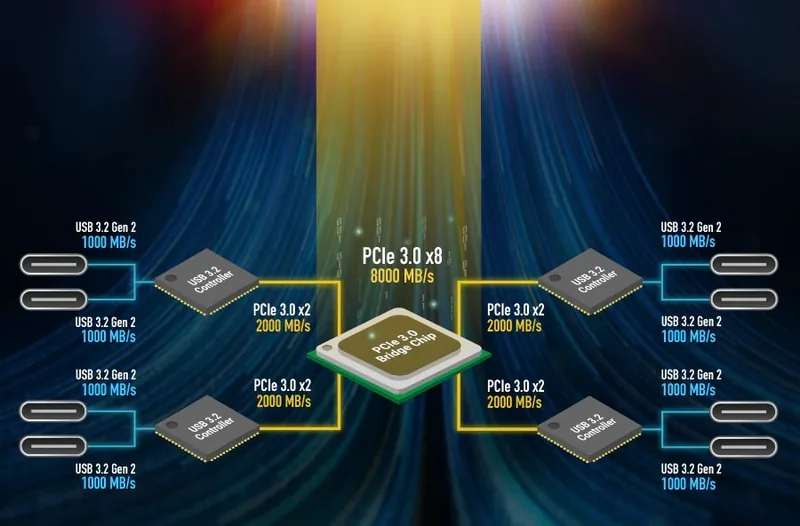
- Supports USB 3.2 Gen 2 speeds up to 10Gbps for rapid data transfers.
- Compatible with Thunderbolt PCIe expansion chassis for flexible setups.
Disadvantages

- Does not support Thunderbolt-only peripheral devices despite similar connectors.
- Some high-power devices may require external power adapters.
- Thunderbolt 3 cables do not support USB 3.0 speeds by default design.
- macOS 10.12 incorrectly reports connection speeds even when running at 10Gbps.
Product Specification
Intern
N/A
Power Supply
Power supply only via connection
USB Writing Mode
Link
Product Description
Elevate Your Connectivity with the Sonnet Allegro USB-C PCIe Card
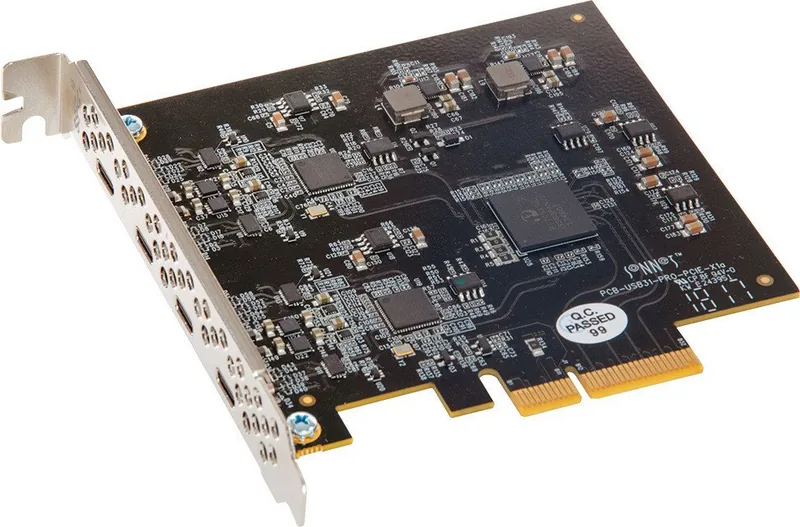
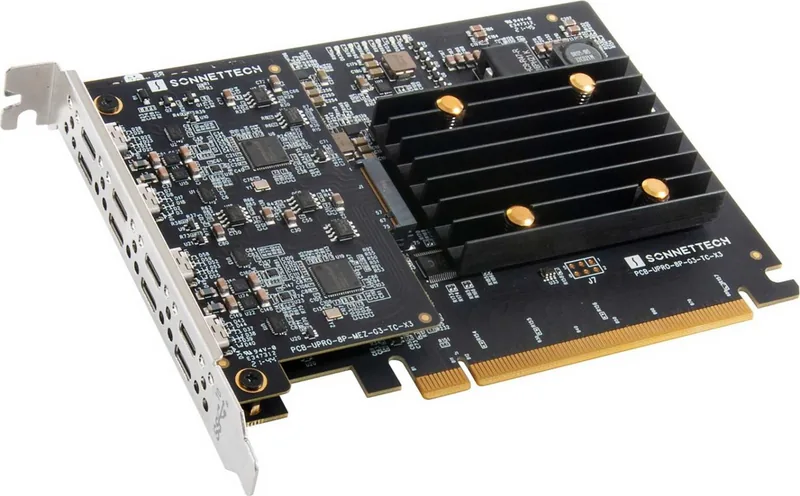
The Sonnet Allegro USB-C PCIe Card is a powerful expansion solution designed to transform your desktop into a high-speed peripheral hub. This card features eight USB Type-C ports, delivering blazing fast data transfer speeds of up to 10Gbps per port. It is an ideal choice for professionals who need to connect multiple external drives, cameras, or docking stations simultaneously without compromising performance.
Designed for versatility, this card supports a wide range of operating systems including macOS, Windows, and Linux. Whether you are using a Mac Pro, a Windows workstation, or a Linux server, the Allegro card ensures seamless integration. The installation process is straightforward, requiring only an available x16 PCIe slot. Once installed, drivers are automatically recognized by modern operating systems, allowing you to start using your new ports immediately after powering on your machine.
One of the standout features of the Allegro card is its support for USB charging capabilities. You can power up compatible devices directly through the card, reducing cable clutter on your desk. However, it is important to note that while many peripherals draw sufficient power from the card, some high-demand devices may require an external power adapter to function correctly. Additionally, users should be aware that Thunderbolt 3 cables do not natively support USB 3.0 speeds unless specifically designed for it, so selecting the right cabling is crucial for optimal performance.
For those concerned about compatibility, the card works within Thunderbolt PCIe expansion systems as well. It handles both USB 3.2 Gen 1 and Gen 2 devices effectively. Users must remember to properly eject drives before disconnecting them to prevent data corruption. With robust build quality and comprehensive driver support across major platforms, the Sonnet Allegro USB-C PCIe Card stands out as a reliable tool for expanding your digital workspace.
Important Notes
- Always ground yourself before handling internal components to prevent static damage.
- Ensure the card ports are centered in the case opening to avoid connection issues.
- Check the Sonnet website for the latest firmware updates and driver patches.
Search for 67,706 Manuals online


Type-in Brand or Model