
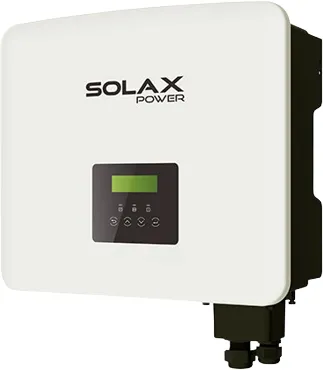
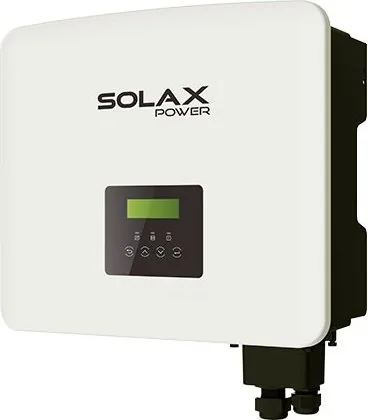
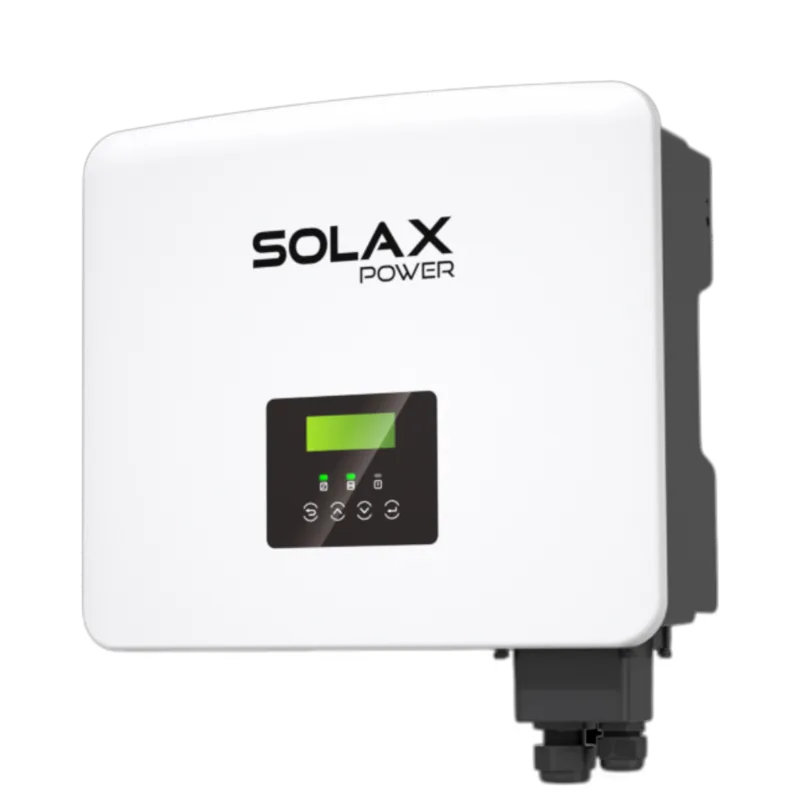
SolaX Power X1-Fit G4 Manual
PDF manual · 60 Pages
English



Quick check
Incorrect answer, please try again.
Chat with your SolaX Power X1-Fit G4 manual using AI
Get instant AI answers from your SolaX Power X1-Fit G4 manual
Ask anything about the SolaX Power X1-Fit G4. Answers come from this manual, with the pages they are based on.
X1-Fit G4 Maintenance Schedule
Verify the frequency converter indicator, button, and display are functioning normally.
Check input and output lines for damage or aging to ensure system integrity.
Qualified personnel must perform safety checks at least every 12 months. Record data in device log and contact manufacturer for training.
If overheating occurs, clean dirt from the heat sink behind the inverter using a soft dry cloth or brush.
Free maintenance reminders
Timed to your purchase date. Always free, unsubscribe anytime.
Ask a Question
Do you recommend X1-Fit G4?
Yes NoFrequently Asked Questions
The X1-FIT 4G is a single-phase hybrid energy storage inverter available in 3.7 kW, 5.0 kW, 6.0 kW and 7.5 kW variants, designed for PV plus battery systems supporting grid-tied and EPS (off-grid) backup.
Is this answer helpful?
The inverter supports high-voltage lithium batteries with a DC voltage range up to 480 V. Battery compatibility requires matching BMS communication (CAN/RS485) and adherence to the battery manufacturer specifications detailed in the manual.
Is this answer helpful?
Yes. The X1-FIT has an EPS (off-grid) port for backup loads and supports partial or full-load EPS configurations; full-load EPS typically requires the X1-Matebox accessory and correct wiring.
Is this answer helpful?
It supports export control, DRM for demand-response, PU (volt-watt) and reactive power curves, and configurable export limits to comply with local grid codes (AS/NZS, CE, EN standards). Proper meter/CT integration is required.
Is this answer helpful?
Yes. Up to two units can run in parallel with master-slave control via CAN. All inverters must share the same firmware, model power range and battery configuration for stable operation.
Is this answer helpful?
The X1-FIT offers CAN, RS485, BMS ports, meter/CT inputs, DRM and a USB port for firmware updates. Optional WiFi, 4G or LAN dongles (sold separately) provide cloud monitoring and remote access.
Is this answer helpful?
Installation, wiring and commissioning must be performed by qualified electricians familiar with local electrical codes, grounding, surge protection and inverter safety requirements.
Is this answer helpful?
Advantages and Disadvantages
Advantages

- Flexible work modes (Self-Use, Feed-in, Backup, Peak Shaving, Manual) for varied energy strategies.
- Supports high-voltage batteries (up to 480 V) with high round-trip efficiency (~97%).
- EPS (off-grid) output and optional X1-Matebox enable seamless backup for critical or full loads.
- Comprehensive communications: CAN/RS485/BMS, meter/CT, DRM, USB firmware upgrades, optional WiFi/4G/LAN dongles.
- Advanced grid control: export limiting, PU (volt-watt), reactive power curves and DRM support for regulatory compliance.
Disadvantages

- Complex installation and configuration requiring qualified electricians and careful adherence to local grid standards.
- Many advanced settings require installer/password access which may limit end-user adjustments.
- Full EPS capability for all loads may require additional Matebox accessory, increasing system cost.
- Compatibility depends on approved meter/CT and supported battery models — mismatch can prevent operation.
- Parallel operation limited to up to two inverters and demands matching firmware, model, and battery configurations.
Product Specification
Note
Prices partly include 0% VAT tax rates for AT and DE
Output Phases
single-phase
Efficiency
97.0% max., 97.0% ηEU
Input
MC4
Interfaces
RS-485
Protection Class
IP65
Ambient Temperature
-40°F to +149°F
Dimensions
18.98x16.42x7.13in (WxHxD)
Weight
50.70lb
Product Description
SolaX Power X1-FIT 4G Manual — Product Overview
The SolaX Power X1-FIT 4G is a compact hybrid single-phase energy storage inverter designed for residential and small commercial solar-plus-storage systems. Available in 3.7 kW, 5.0 kW, 6.0 kW and 7.5 kW variants, the X1-FIT family supports high-voltage lithium batteries, multiple working modes, EPS (off-grid) backup, smart meter/CT integration and optional communications (WiFi/4G/LAN). Its IP65 enclosure allows outdoor installation with natural or smart cooling depending on model, and it supports parallel operation for multi-inverter setups.
Key Features and Functionality
The X1-FIT 4G prioritizes flexible energy management: Self-Use, Feed-in Priority, Backup, Manual and Peak Shaving modes let users optimize self-consumption, grid export or reserve capacity for outages. It integrates active anti-islanding, residual current monitoring, over/under voltage and frequency protections, and DC/AC surge protection options. The inverter supports battery communication via CAN/RS485, non-polar DC breakers for safety, and firmware upgrades via USB.
Installation-oriented design includes detailed AC Grid and EPS wiring diagrams, CT/meter ports for export control and grid-limiting functions, and a dedicated X1-Matebox accessory to enable full EPS load support. The device handles DRM signals (for regulatory demand-response), supports AS/NZS/CE/EN standards applicable to several regions, and offers multiple advanced grid-control features like PU (volt-watt), power-factor/VAR curves, and export power limits.
Hardware and Technical Notes
The X1-FIT supports battery voltages up to 480 V DC, with max charge/discharge efficiencies around 97%. It includes meter/CT inputs, CAN for parallel/master-slave configuration (up to 2 units), and dedicated ports for BMS, DRM, COM and external displays. Safety instructions emphasize qualified-electrician installation, proper grounding, surge protection, and correct wiring of neutral and PE according to local regulations.
User Interface and Configuration
An onboard LCD with menu structure allows configuration of work modes, charge/discharge periods (allowed and forced charging windows), advanced grid parameters, peak-shaving schedules, battery charging limits, and parallel/master settings. The inverter logs history and error messages, supports self-test procedures for grid compliance, and permits installer-level advanced settings with a password.
Practical Use Cases
- Homeowners wanting to maximize self-consumption or follow feed-in tariffs.
- Properties needing reliable EPS backup for critical loads with optional Matebox for full-load EPS.
- Installers integrating smart-meter limits, DRM/AS4777 compliance, or parallel installations for higher capacity.
Notes
- Installation and commissioning must be performed by qualified electricians.
- Ensure battery compatibility and proper BMS communications before operation.
- Follow local grid codes when configuring export, DRM, PU and power-factor settings.
- Observe discharge/charging period settings to align with tariffs or peak shaving strategies.
Search for 67,706 Manuals online


Type-in Brand or Model