
Soehnle Shape Sense Connect 100 Manual
PDF manual · 60 Pages
English



Quick check
Incorrect answer, please try again.
Chat with your Soehnle Shape Sense Connect 100 manual using AI
Get instant AI answers from your Soehnle Shape Sense Connect 100 manual
Ask anything about the Soehnle Shape Sense Connect 100. Answers come from this manual, with the pages they are based on.
Ask a Question
Do you recommend Shape Sense Connect 100?
Yes NoFrequently Asked Questions
The scale measures body weight and, via bioelectrical impedance analysis, provides body fat percentage, body water, muscle mass, BMI and an estimate of basal metabolic rate (kcal/day).
Is this answer helpful?
Press the data-entry button, select a memory slot, then set height, age and gender on the scale. Wait for the display to show 0.0 and step on barefoot to perform the required initial measurement that stores the profile.
Is this answer helpful?
Yes. The Soehnle Connect app (Android 4.4.4+/iOS 9+) can transfer user data to the scale and sync measurements. The app also offers extra functions and links to Google Fit and Apple Health.
Is this answer helpful?
No. The device is not suitable for people with electronic implants such as pacemakers. Children under 8 or persons with reduced capabilities should use it only under supervision or after instruction.
Is this answer helpful?
Place the scale on a firm, level surface (not carpet), stand barefoot and still during measurement, and avoid taking readings on wet surfaces. Ensure the scale has auto-powered down before entering data to prevent measurement errors.
Is this answer helpful?
The scale uses three 1.5 V AAA batteries. Maximum capacity is 180 kg with a resolution of 100 g. It supports other unit displays (lb, st) via the toggle on the underside.
Is this answer helpful?
Batteries must be returned to public collection points—do not dispose of them in household waste. The electronic device should be recycled at an appropriate collection point per local electronic waste regulations.
Is this answer helpful?
Advantages and Disadvantages
Advantages

- Comprehensive body composition metrics: body fat, body water, muscle mass, BMI and BMR via bioimpedance analysis
- Bluetooth connectivity to Soehnle Connect app with sync to Google Fit and Apple Health
- Multi-user memory and automatic user recognition after initial setup
- Compact, sensor-touch controls and selectable measurement units (kg/cm, st/in, lb/in)
- Reasonable accuracy for home use with 180 kg capacity and 100 g resolution
Disadvantages

- Not suitable for people with electronic implants such as pacemakers
- Bioimpedance results can vary with hydration, posture and surface—requires barefoot measurement on a hard level floor
- Requires three AAA batteries and periodic replacement
- Initial setup requires a mandatory first measurement on the scale (cannot be completed remotely)
- Slipping hazard on wet surfaces; care required when used in bathrooms
Product Specification
Operating Mode
Battery operated (3x AAA battery)
Material
Glass
Color
white
Load Capacity
396.83 lb
Graduation
3.53 oz
Units of Measurement
lb, st
Analysis Data
Body Mass Index, Calorie Requirement, Body Fat, Body Water, Muscle Mass
Memory Function
User memory (for 8 people)
Display
yes
Special Features
automatic person recognition, automatic switch-on (Step-on), automatic switch-off
Smart Home
App control (Bluetooth)
Product Description
Soehnle Shape Sense Connect 100 digitale Personenwaage Manual
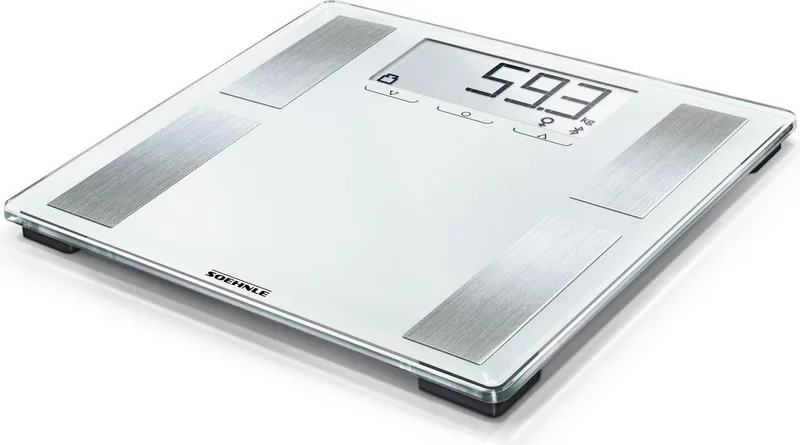
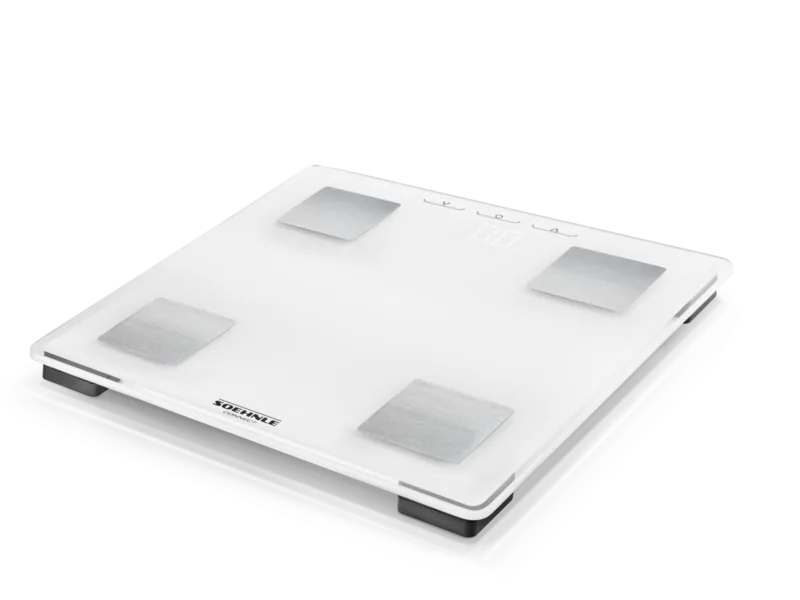
The Soehnle Shape Sense Connect 100 is a modern digital body analysis scale that combines precise weight measurement with bioelectrical impedance analysis to deliver body fat percentage, body water, muscle mass, BMI and basal metabolic rate. Designed for home use, the scale supports multiple user profiles, automatic user recognition and Bluetooth connectivity to the Soehnle Connect app for extended tracking and integration with Google Fit and Apple Health.
Key features and how it works
The scale measures body weight with a maximum capacity of 180 kg (100 g resolution) and conducts body composition analysis using bioimpedance. Users set up individual profiles—height, age and gender—directly on the scale or via the Soehnle Connect app. The first measurement is required to register a profile and enable automatic recognition on subsequent weigh-ins. The display shows measured values and possible memory slots when more than one profile could match the measured weight.
Built with sensor-touch controls and a unit switch on the underside, the device supports kg/cm, st/in and lb/in. It requires three AAA batteries and has an auto-off timeout to conserve power. The scale also shows simple alerts such as low battery and overload, and flags measurements outside recommended thresholds.
App connectivity and extra functions
Via Bluetooth the scale pairs with the Soehnle Connect app (Android 4.4.4+ and iOS 9+; Bluetooth 4.0+). The app streamlines profile setup, uploads measurements, and offers extra features like differences from the last weigh-in, distance to target weight, and deviation from standard BMI. It also syncs with Google Fit and Apple Health for consolidated health tracking.
Practical notes and care
Place the scale on a firm, level surface (never on carpet) and step on barefoot for accurate bioimpedance readings. Clean only with a slightly damp cloth; do not submerge the device or use solvents. The scale is not suitable for persons with electronic implants (e.g., pacemakers), and children under 8 should only use it under supervision.
Warranty and disposal
The product carries a three-year warranty from the manufacturer (Leifheit AG). Batteries and electronic components should be disposed of according to local regulations; batteries containing hazardous substances are marked accordingly.
Notes:
- The first measurement must be performed on the scale to register user data for automatic recognition.
- Keep the surface dry to avoid slipping hazards.
- Compatibility: Soehnle Connect integrates with Google Fit and Apple Health.
Search for 67,706 Manuals online


Type-in Brand or Model
facilis39
7 months ago
My Soehnle smart scale connects to the app only sporadically or not at all via Bluetooth. What can I do to fix constant disconnects and slow synchronization?
Manual.ly
7 months ago
We are sorry for the trouble. Please try these steps: (1) Make sure Bluetooth is enabled and that the scale is not paired to another phone/tablet. Close other Bluetooth apps. (2) Re-pair the scale in the app (remove device from settings, then add again). (3) Update the app to the latest version and check for any scale firmware update. (4) Verify the app permissions for Bluetooth/location are granted. (5) Restart your phone and power cycle the scale, then test within 1-2 meters. (6) Avoid multiple account/device logins and keep a stable connection during measurement. If it still does not sync reliably, use the brand compatibility list for your phone model and contact support with your app version and phone OS.