
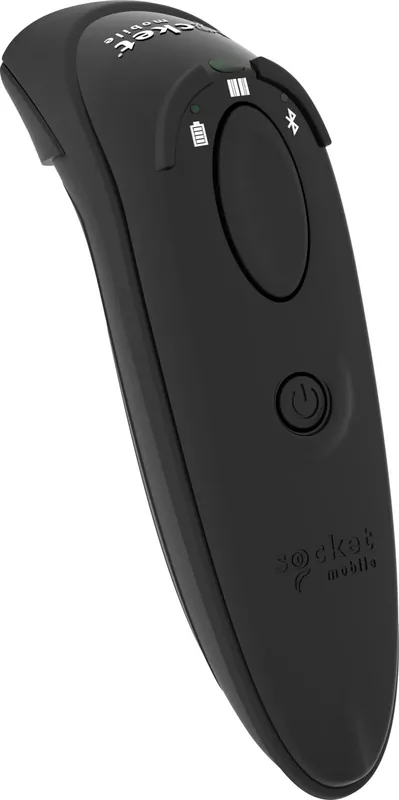
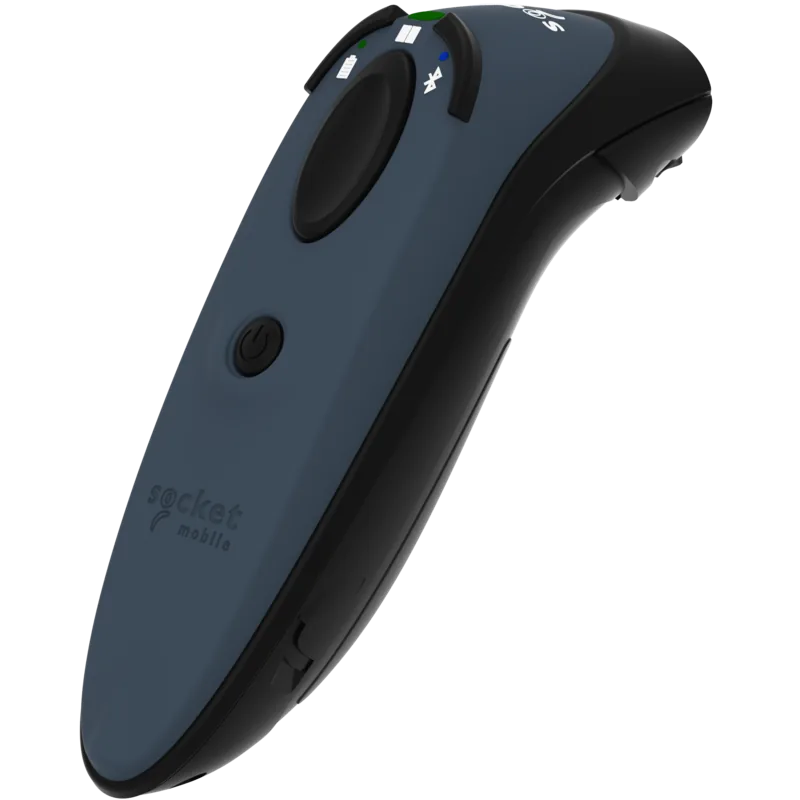
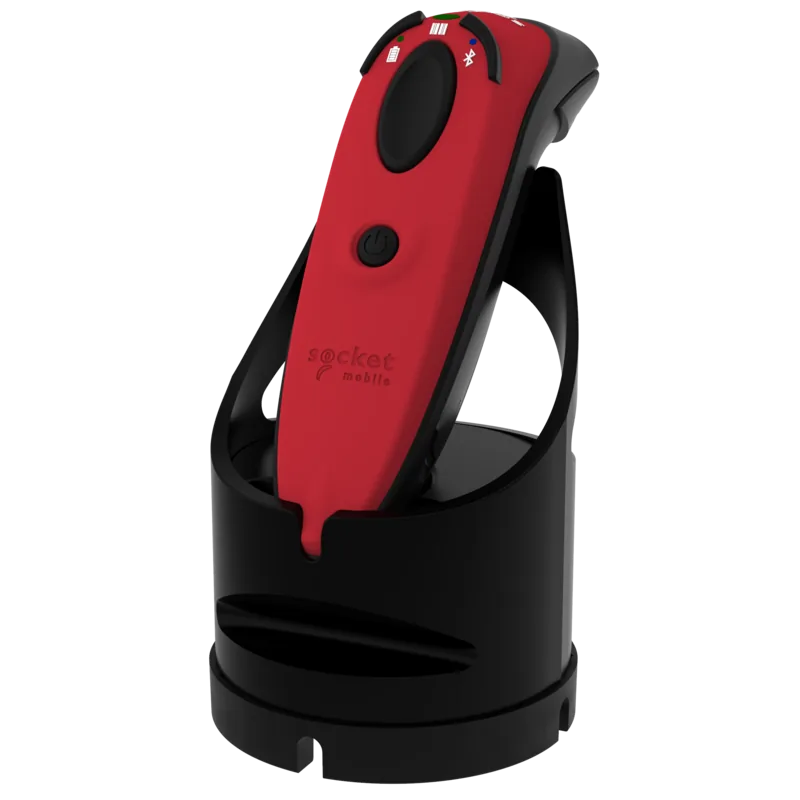
Socket Mobile DuraScan D700 Manual
PDF manual · 49 Pages
English



Quick check
Incorrect answer, please try again.
Chat with your Socket Mobile DuraScan D700 manual using AI
Get instant AI answers from your Socket Mobile DuraScan D700 manual
Ask anything about the Socket Mobile DuraScan D700. Answers come from this manual, with the pages they are based on.
Ask a Question
Do you recommend DuraScan D700?
Yes NoFrequently Asked Questions
The Lithium-Ion battery delivers over 30 hours of standby time or up to 70,000 scans on a single charge. It takes approximately six hours to fully charge. A blue light indicates charging status.
Is this answer helpful?
The scanner has an IP54 rating for dust and water protection. It can be wiped with isopropyl alcohol or Sani-Cloths. However, you should strictly not immerse it in water as mechanics could be damaged.
Is this answer helpful?
To factory reset, power the reader on. Press and hold the trigger button. Tap the power button once while continuing to press the trigger. Keep holding until a beep occurs, roughly 15 seconds. Release when confirmation beeps sound.
Is this answer helpful?
Yes, Windows users can use Basic Mode for keyboard emulation or Application Mode with SocketScan software. You need to install the latest SocketScan 10 software from the support web page for advanced features.
Is this answer helpful?
Socket Mobile provides a one-year warranty for defects in material and workmanship under normal use. Consumables like batteries and cables have 90-day coverage only. Proof of purchase is required for claims.
Is this answer helpful?
You can configure beep settings using command barcodes found in the command sheet. You can enable or disable beeps for successful scans or power on/off events by scanning specific configuration codes.
Is this answer helpful?
Yes, it supports Apple iOS via Bluetooth. Basic Mode works with standard apps while Application Mode requires compatible iOS apps. You can use the on-screen keyboard feature by tapping the power button twice.
Is this answer helpful?
Advantages and Disadvantages
Advantages

- Long battery life with over 30 hours standby time and 70,000 scans per charge.
- Durable IP54 rating provides protection against dust, water, and drops.
- Antimicrobial coating protects against bacteria and allows easy cleaning.
- Versatile connectivity supports Android, Apple iOS, and Windows systems.
- Class 1 LED safety complies with international regulatory standards.
Disadvantages

- Charging via computer USB ports is not recommended for reliability.
- Application Mode requires specific software downloads and pairing.
- Device is not waterproof and should not be fully immersed.
- No wireless charging option is available for the battery unit.
- Manual configuration is needed to switch between connection modes.
Product Specification
Type
Handheld Scanner
Decoding Capabilities
1D, GS1
Reading Distance
2.24-20.00 in
Wireless
Bluetooth 2.1
Protection Rating
IP54 Certified
Dimensions
1.58x5.20x1.46 in
Weight
3.86 oz
Features
Battery (Li-Ion, 1400 mAh), Apple iOS App, Google Android App
Manufacturer Warranty
1 Year
Product Description
Discover the Power of the DuraScan D700
The D700 represents a significant leap forward in mobile data capture technology. Users searching for the Socket mobile D700 Series Manual will find robust guidelines for setup and maintenance within the product ecosystem. This device excels in demanding environments with its IP54 rating ensuring comprehensive protection against dust and water ingress. You can wipe it down easily with isopropyl alcohol or Sani-Cloths without fear of damage due to built-in antimicrobial coatings that help protect against bacteria. Powering the operation is a reliable Lithium-Ion battery delivering over 30 hours of standby time or up to 70,000 scans on a single charge. Even the smallest devices can handle these heavy workloads without interruption.
Connectivity and Ease of Use
Bluetooth wireless technology ensures seamless integration with modern systems. The scanner connects quickly to Android, Apple iOS, and Windows PC platforms depending on the profile configured. It supports Basic Mode for standard keyboard emulation or Application Mode for serial port communication requiring specific software installation. Switching between modes involves scanning configuration barcodes or navigating settings within the pairing process. Users appreciate the versatility it offers across different operating systems without the need for extensive cable management during daily operations. This flexibility reduces overhead and setup time significantly.
Durability and Physical Design
Built to last, the unit withstands multiple five-foot drops to concrete surfaces repeatedly. Its compact physical dimensions make it easy to handle during extended work shifts without fatigue. Status indicators like LED lights and distinct beep tones provide immediate feedback on battery levels, connection states, and successful reads. Charging requires a minimum of six hours for a full initial charge using the provided power adapter. It is important to avoid using standard computer USB ports for optimal reliability during the charging cycle. The physical build ensures longevity in tough industrial conditions.
Technical Support and Safety Features
Safety is paramount with this equipment to prevent hazards. The device features Class 1 LED protection and complies strictly with FCC and CE regulations for electronic safety. Warranty covers defects in material and workmanship for one year from purchase for authorized buyers. Customers can access troubleshooting and updates via dedicated support channels online. The inclusion of command barcodes allows advanced configuration of vibrate and beep settings for specific workflows. Whether in logistics, retail, or healthcare, this scanner maintains high efficiency levels throughout its lifecycle.
Setting up the device is straightforward for all major platforms. For Android users, you simply enable Bluetooth and select D700 from the list to pair. Apple iOS devices utilize MFi-SPP for better application support with native apps. Windows PC users should download SocketScan software to manage connections effectively. Optional charging accessories like stands and cradles are available for enhanced workflow efficiency. The product also includes a lanyard for security during transport. This solution ensures that data entry remains fast and accurate. The wireless range extends up to 330 feet line of sight for maximum flexibility. It decodes all major 1D barcodes with high success rates even in bright sunlight or pitch dark conditions. This adaptability makes it ideal for warehouses where scanning speed is critical for productivity goals.
Search for 67,706 Manuals online


Type-in Brand or Model