
snom M58 Manual
PDF manual · 76 Pages
English



Quick check
Incorrect answer, please try again.
Chat with your snom M58 manual using AI
Get instant AI answers from your snom M58 manual
Ask anything about the snom M58. Answers come from this manual, with the pages they are based on.
Ask a Question
Do you recommend M58?
Yes NoFrequently Asked Questions
You can register via auto-registration by ensuring the base station is connected. Alternatively, enter the IPEI on the Web UI or press the LINK key on the base station after initiating the registration process on the deskset screen.
Is this answer helpful?
The deskset supports Shared Call Emulation allowing multiple handsets to handle calls on one account. It also allows shared directories and shared call indices visible across the network for team collaboration.
Is this answer helpful?
Yes, the device has integrated Bluetooth support. Connect via the Bluetooth menu in settings, add the headset to the device list, and switch audio sources during calls or use the headset key.
Is this answer helpful?
Unplug the product first. Use a damp cloth to clean the surface. Do not use liquid or aerosol cleaners and ensure no liquid enters the product slots or openings to maintain safety.
Is this answer helpful?
The equipment meets FCC Part 15 and Part 68 standards for radio frequency and telephone network safety. It also complies with Industry Canada requirements for regional deployment in Canada.
Is this answer helpful?
Only use the supplied power adapter. Ensure it is oriented vertically or in a floor mount position. Do not place it where the cord may be walked on or rested upon to prevent accidents.
Is this answer helpful?
Advantages and Disadvantages
Advantages

- 5 inch color display for clear visibility of call details and directory access
- Shared Call Emulation allows multiple handsets to answer on single account
- Integrated Bluetooth support connects wireless headsets seamlessly via Web UI
- Up to eight concurrent calls support ensures high capacity for busy users
- Robust local directory stores hundreds of contacts for easy employee lookup
Disadvantages

- Requires M500 base station setup which adds to initial configuration cost
- Manual installation requires careful placement away from interference sources
- Strict power adapter orientation rules limit flexibility in outlet usage
- No USB storage features mentioned in the available product documentation
- AC adapter power requirements are strict regarding orientation and supply
Product Specification
Display
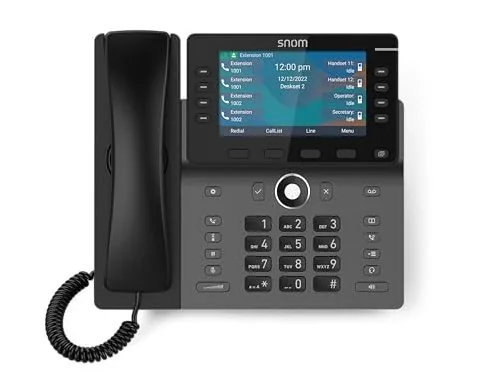
5.0", 480x272 Pixels, Color
Phonebook
200 Entries
Interfaces
DECT, Bluetooth, 1x Handset (RJ-9), 1x Headset (RJ-9)
Answering Machine
No
Special Features
Caller ID, Handsfree, Wideband, Display keys (12/8 illuminated), hearing aid compatible, optical call signaling, antibacterial
Dimensions
9.45 x 8.27 x 6.89 inches
Weight
2.32 lbs
Product Description
Introduction to the snom M58 SIP DECT Deskset
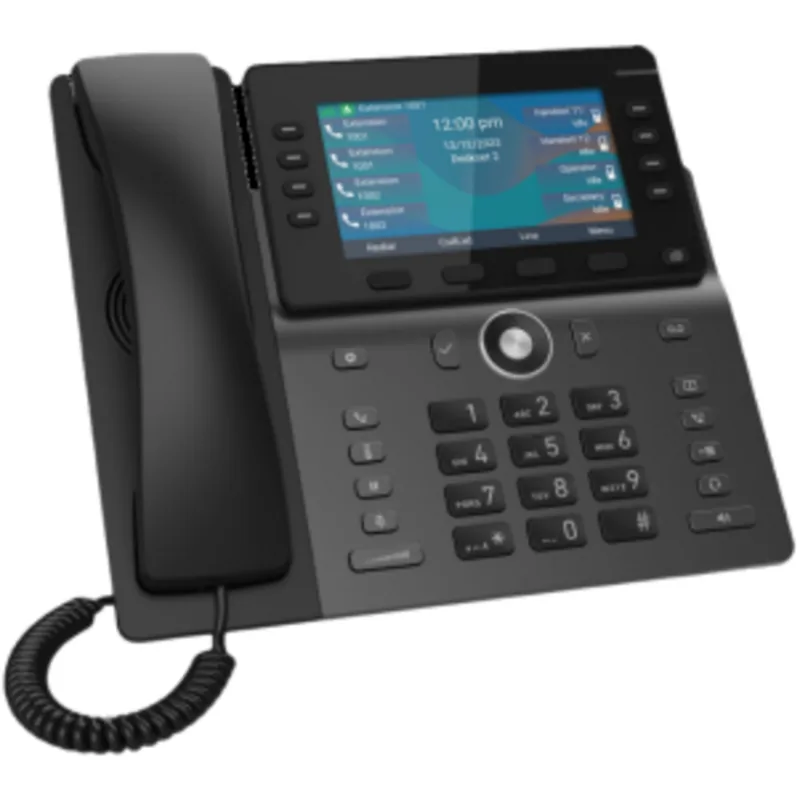
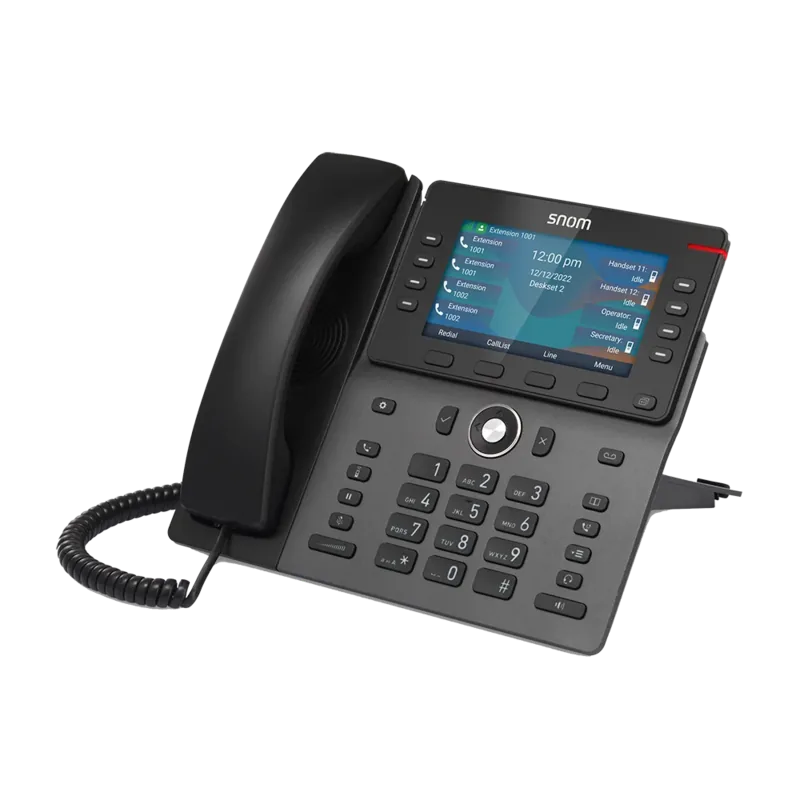
The snom M58 SIP DECT Deskset represents a significant leap forward in business communication technology. Designed for modern offices, this endpoint integrates seamlessly with popular hosted IP PBX services and on-premise systems. Users benefit from a vibrant five-inch color display that provides clear visibility for call details and directory access. Shared Call Emulation allows multiple handsets to handle incoming calls on a single account, ensuring no call goes unanswered in busy environments. This feature is particularly useful for reception desks or team areas where call distribution is critical.
Features and Setup
Setup is straightforward thanks to auto-registration features alongside manual options via the Web UI or physical buttons on the base station. The deskset supports up to eight concurrent calls and multiple SIP accounts per base station, providing flexibility for users. Connectivity options include integrated Bluetooth for wireless headsets or standard corded connections for those preferring traditional setups. Security features ensure privacy during shared calls, preventing unauthorized barge-ins when enabled. The device also includes a robust local directory capable of storing hundreds of contacts, alongside a shared directory accessible across the network for easy employee lookup.
Maintenance and Usage
Installation requires careful placement away from interference sources like microwaves or fluorescent lighting to maintain signal integrity. Safety instructions emphasize using only the supplied power adapter and avoiding water exposure in bathrooms or near sinks. Regular maintenance involves cleaning with a damp cloth rather than liquids to protect the antibacterial plastic casing. The Web UI offers extensive customization, allowing administrators to set ringer tones, display options, and system status monitoring remotely. The snom M58 Manual is essential for optimal performance.
Advanced Calling and Support
Advanced calling features include three-way conferencing, call waiting, and transfer capabilities that streamline daily operations. Paging functions allow one-way audio broadcasts to idle handsets, which is great for quick announcements throughout the facility. The Programmable Feature Keys offer customizable shortcuts for hold, transfer, or direct line access depending on your system configuration. Whether managing internal intercom calls or external client communications, this hardware delivers consistent performance. This blend makes it a strong choice for efficient professional solutions.
Compliance and Base Station
The base station supports dual-cell operation for wider coverage, ensuring signal strength remains high across larger office floors. Users can manage call history logs to review missed or dialed numbers efficiently. The mute function allows quiet listening without disconnecting, while volume control adjusts speakerphone levels per the environment. Power requirements are strict regarding the AC adapter orientation. For compliance, devices meet FCC Part 15 and Part 68 standards for radio frequency and telephone network safety. The hardware operates safely alongside other electronics in commercial buildings.
Search for 67,706 Manuals online


Type-in Brand or Model