
snom D385N Manual
PDF manual · 119 Pages
English



Quick check
Incorrect answer, please try again.
Chat with your snom D385N manual using AI
Get instant AI answers from your snom D385N manual
Ask anything about the snom D385N. Answers come from this manual, with the pages they are based on.
Ask a Question
Do you recommend D385N?
Yes NoFrequently Asked Questions
Yes, the device fully supports IEEE 802.3af Class 2 PoE, allowing it to receive power directly through the Ethernet cable. If PoE is unavailable, a separate DC power adapter can be used.
Is this answer helpful?
The Snom D385N features 48 freely programmable function keys, organized across four pages. These keys can be customized via the phone's keypad or the web interface to suit specific operational needs.
Is this answer helpful?
Yes, you can connect wireless headsets using the Snom EHS adapter or a Bluetooth USB adapter plugged into the phone's USB port. Wired headsets can also be connected directly to the audio jack.
Is this answer helpful?
Yes, the phone includes a secondary function key display that shows labels for the programmable keys. It supports four pages of content and allows for adjustable contrast and brightness settings.
Is this answer helpful?
If connectivity is lost, the phone will attempt to re-register automatically once the connection is restored. Users may see status messages indicating registration issues until the link is re-established.
Is this answer helpful?
You can change the default password, which is 0000, by accessing the web interface under QoS/Security or via the phone menu under Maintenance > Security. It is highly recommended to set a unique password immediately.
Is this answer helpful?
Yes, the phone supports importing and exporting contacts via CSV files through the web interface. This allows for bulk updates to the internal telephone book containing up to 1000 entries.
Is this answer helpful?
Advantages and Disadvantages
Advantages

- Dual display system enhances user experience and efficiency
- 48 programmable keys allow deep customization for specific workflows
- Power over Ethernet (PoE) support simplifies installation and reduces cable clutter
- High-quality audio with excellent noise cancellation capabilities
- Robust security features including configurable admin and HTTP passwords
Disadvantages

- Requires initial technical knowledge for full customization of features
- Headset must be purchased separately as it is not included in the box
- Web interface navigation can be overwhelming for non-technical users initially
- No built-in speakerphone volume boost for very large rooms
- Initial setup requires specific network credentials from a provider
Product Specification
Type
VoIP phone (corded)
Display
4.3", 480x272 pixels, color
Phonebook
1000 entries
Interfaces
2x 1000Base-T (PoE), 1x handset (RJ-9), 1x headset (RJ-9), 1x USB
Answering machine
no
Features
Caller ID, speakerphone, SIP, display keys (4), programmable keys (12/12 backlit), hearing aid compatible, optical call signaling, EHS/DHSG support
Color
black
Dimensions
7.28x4.72x9.84 inches
Weight
1.94 lbs
Product Description
Discover the Snom D385N VoIP Phone Black: A Professional Communication Solution
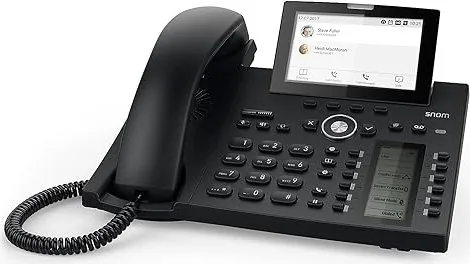
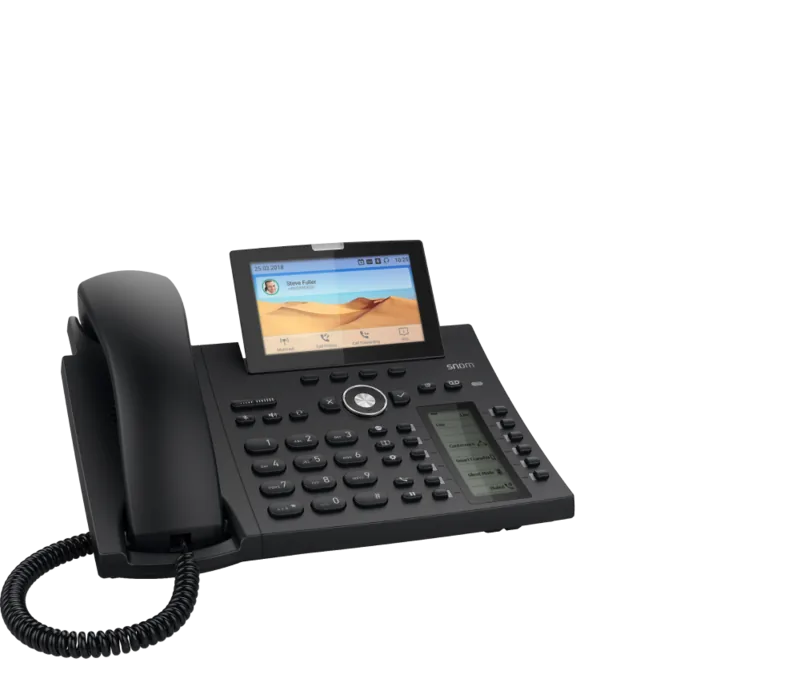
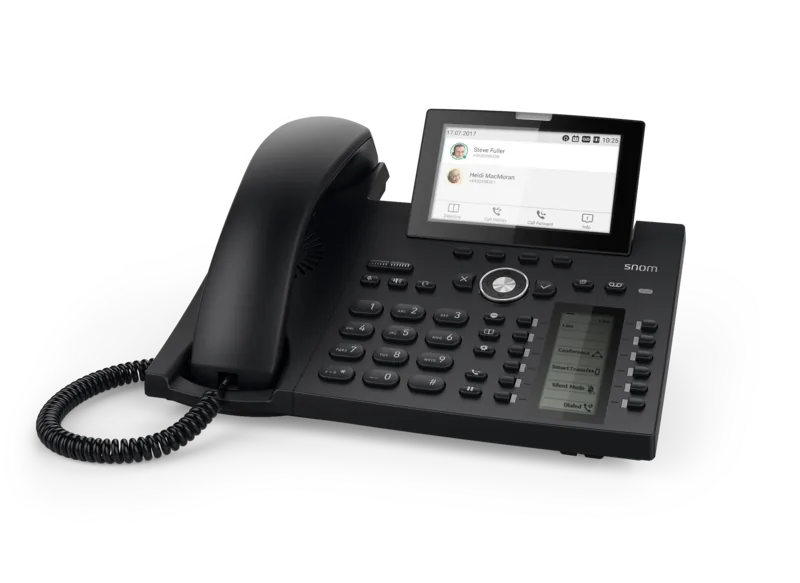
The Snom D385N VoIP Phone black stands as a pinnacle of modern business communication technology. Designed for professionals who demand clarity, reliability, and style, this sleek device transforms any office environment into a hub of efficient connectivity. Its sophisticated black finish offers a professional aesthetic that complements modern workspaces, while its robust feature set ensures seamless integration into complex voice networks.
At the heart of the D385N lies its dual-display architecture. The primary screen provides clear visibility of call details, status messages, and navigation menus, while the secondary function key display allows users to access programmable features instantly. This setup reduces the need to dig through multiple menus, speeding up daily operations significantly. The phone supports Power over Ethernet (PoE), simplifying installation by eliminating the need for separate power adapters in most network setups. When PoE is unavailable, it can be powered via a standard DC adapter, offering flexibility in various deployment scenarios.
Customization is a core strength of this device. With 48 freely programmable keys, users can tailor the interface to their specific workflow needs. Whether managing conference calls, monitoring extension lines, or accessing external directories, these keys provide one-touch access to critical functions. The intuitive navigation system, featuring a dedicated navigation key and context-sensitive buttons, makes learning the interface effortless even for new users. Security is paramount, with options to set administrator and HTTP passwords to prevent unauthorized access to sensitive settings.
Audio quality remains a priority with advanced noise cancellation and support for both wired and wireless headsets. The inclusion of an EHS adapter port allows for easy connection to Bluetooth headsets or corded models, ensuring hands-free operation without compromising sound fidelity. For those requiring extensive contact management, the internal directory supports up to 1000 entries, complete with VIP groups and custom ringtones to distinguish important callers instantly.
Key Features Summary
- Dual high-resolution displays for enhanced information viewing
- 48 programmable function keys for workflow customization
- PoE support for simplified cabling and installation
- Advanced security protocols including password protection
- Comprehensive headset compatibility for hands-free use
Important Notes
Always ensure your firmware is up to date to benefit from the latest security patches and feature enhancements. When configuring the device, remember to save changes on the web interface to apply them permanently. Regular backups of your configuration are recommended to prevent data loss during unexpected power failures.
Search for 67,706 Manuals online


Type-in Brand or Model