Manual.ly Logo

Snakebyte Key:Board Manual

4.0 · 1 Ratings

PDF manual · 2 Pages

English

M: OA-GPT-5-NAN
page

/ 2

Loading...
976ae3b731237b9de025585b5df6514db8fe page 1
KEY:BOARD™ FOR PC
INSTRUCTIONS DE FONCTIONNEMENT
INFORMATIONS PRODUIT
Merci d’avoir acheté la KEY:BOARD™. Veuillez lire ce guide pour des informations importantes relatives
à la sécurité et à la santé, et le conserver pour référence ultérieure.
UTILISATION
Installation de votre snakebyte KEY:BOARD™ SB909726 – La snakebyte KEY:BOARD™ est un dispositif
« Plug and Play ». Le logiciel du pilote est installé automatiquement lorsque la clavier est connectée à l‘ordinateur.
Aucun autre logiciel n‘est requis pour son utilisation.
1. Connectez la clavier à un port USB libre sur votre PC ou Mac.
2. Windows / MacOS détecte le dispositif. Une petite icône précisant l‘installation de l’appareil apparaît sur votre bureau.
3. Attendez que la clavier soit automatiquement connectée au PC et que le logiciel du pilote ait été installé.
Selon la vitesse de votre système d’exploitation, ce processus peut prendre plusieurs secondes.
4. L’éclairage LED s‘allume dès que la clavier est connectée et prête à l‘emploi.
CLÉS DE JEU SANS CONFLIT
Le clavier reconnaît les clés de jeu sans conflit (y compris WASD, touches fléchées) pendant le jeu. Cela vous permet d‘appuyer
simultanément sur plusieurs boutons, chaque bouton déclenchant les commandes assignées.
FONCTIONS DU CLAVIER
: Lumière LED tour / éteindre
+ : Luminosité +
+ : Luminosité -
+ : lumière tour, pulsant
+ : lumière, pulsant, vitesse +
+ : lumière, pulsant, vitesse -
+ : vitesse de réglage, combinaison de touches
MESURES DE SÉCURITE
• Ne pas exposer le produit à des températures extrêmement chaudes ou froides, à une forte humidité ou à une lumière directe
du soleil.
• Ne pas utiliser le produit près de quelconque source de chaleur.
• Ne pas soumettre le produit dans n‘importe quel liquide et ne jamais l‘utiliser lorsque le produit est mouillé.
• Ne pas mettre d‘objets lourds sur le produit.
• Ne pas lancer ni laisser tomber le produit.
• Ne pas tenter de démonter, d‘ouvrir, de servir ou de modifier le produit. Cela pourrait présenter le risque d’un choc électronique,
de dommages, d‘incendie ou d‘autres dangers.
PRÉCAUTIONS SANITAIRES
• Si vous vous sentez fatigué, un inconfort quelconque ou des douleurs au niveau de vos bras, ou vos mains, cessez d‘utiliser le
produit immédiatement et consultez un médecin, si ces symptômes persistent.
• Évitez l‘utilisation prolongée de ce produit et faites une pause environ toutes les 30 minutes.
NETTOYAGE
• Nettoyez seulement avec un chiffon doux et sec. Évitez les solutions de nettoyage, les solvants ou d‘autres produits chimiques
et ne tentez pas de nettoyer les connecteurs car cela pourrait endommager le produit.
SUPPORT CLIENT / SUPPORT TECHNIQUE
snakebyte distribution GmbH
Konrad-Zuse-Strasse 13
58239 Schwerte / Germany
Website: www.mysnakebyte.com
KEY:BOARD™ FOR PC
BEDIENUNGSANLEITUNG
PRODUKTINFORMATION
Vielen Dank, dass Sie sich für snakebyte‘s KEY:BOARD™ entschieden haben. Bitte lesen Sie die folgenden Sicherheitshinweise
aufmerksam durch und bewahren Sie diese auf.
BEDIENUNGSANLEITUNG
Installation des KEY:BOARD ™ SB909726 - Das snakebyte KEY:BOARD ™ ist ein Plug’n’Play-Gerät. Die Treibersoftware wird bei
der ersten Verbindung der Tastatur mit dem Computer automatisch installiert. Zur Verwendung ist keine weitere Software nötig.
1. Schließen Sie das USB-Kabel der Tastatur an einen freien USB-Port Ihres PCs oder Macs an.
2. Windows / MacOS erkennt das Gerät. Auf dem Desktop erscheint in der Taskleiste ein kleines Symbol mit einem Hinweis zur
Installation.
3. Warten Sie bis sich die Tastatur automatisch mit dem PC verbunden hat und die Treibersoftware installiert wurde. Je nach
Geschwindigkeit des Systems kann dieser Vorgang einige Sekunden dauern.
4. Die LED-Beleuchtung der Tastatur schaltet sich ein, sobald das Gerät angeschlossen und einsatzbereit ist.
KONFLIKTFREIE GAMINGTASTEN
Die Tastatur erkennt im Spielbetrieb konfliktfreie Gamingtasten (u.a. WASD, Pfeiltasten). Dies erlaubt ein gleichzeitiges Drücken
mehrerer Tasten, wobei jede Taste die zugewiesenen Befehle auslöst.
KEYBOARD FUNKTIONEN
: An oder ausschalten des LED Lichts
+ : Helligkeit +
+ : Helligkeit -
+ : Hintergrundlicht, pulsierend
+ : Licht, pulsierend, Geschwindigkeit +
+ : Licht, pulsierend, Geschwindigkeit -
+ : Anpassungsgeschwindigkeit, Tastenanschlag
SICHERHEITSHINWEISE
• Setzen Sie das Produkt nicht sehr hohen oder kalten Temperaturen, hoher Luftfeuchtigkeit, oder direktem Sonnenlicht aus.
• Verwenden Sie das Produkt nicht in der Nähe von Wärmequellen.
• Schützen Sie das Produkt vor Flüssigkeiten und benutzen Sie es niemals, wenn es feucht ist.
• Stellen Sie keine schweren Objekte auf dieses Produkt.
• Werfen Sie das Produkt nicht und lassen Sie es nicht fallen.
• Versuchen Sie nicht das Produkt selbst zu öffnen, auseinanderzunehmen oder zu ändern. Dies kann zu Stromschlag, Beschädi-
gung des Produkts, Feuer oder anderen Gefahren führen.
GESUNDHEITSHINWEISE
• Wenn Sie sich müde oder unwohl fühlen, oder Schmerzen in Armen, oder Händen spüren, unterbrechen Sie sofort die Nutzung
des Produkts. Falls die Beschwerden anhalten, konsultieren Sie bitte einen Arzt.
• Vermeiden Sie eine übermäßig lange Verwendung des Produkts und legen Sie alle 30 Minuten eine Pause ein.
REINIGUNG
• Reinigen Sie das Produkt nur mit einem weichen, trockenen Tuch. Vermeiden Sie die Verwendung von Reinigungslösungen und
Chemikalien und versuchen Sie nicht, die Kontaktstecker zu reinigen, da dies in Beschädigungen des Produkts resultieren kann.
KUNDENSUPPORT / TECHNISCHER SUPPORT
snakebyte distribution GmbH
Konrad-Zuse-Strasse 13
58239 Schwerte / Deutschland
Telefon: +49 (0) 0800-4022300
Webseite: www.mysnakebyte.com
Instruction Manual
Instructions d‘utilisation
Bedienungsanleitung
Manuale di istruzioni
Manual de instrucciones
Instruções de funcionamento
KEY:BOARD™
EN FR DE
KEY:BOARD™ FOR PC
INSTRUCCIONES DE USO
INFORMACIÓN DE PRODUCTO
Gracias por elegir el KEY:BOARD™ de snakebyte. Por favor, lee esta guía para obtener información importante de seguridad y
salud y guárdala para consultas futuras.
INSTALLAZION
Instalación del snakebyte KEY:BOARD™ SB909726 – El snakebyte KEY:BOARD™ es un dispositivo plug
and play. El software del driver se instala automáticamente cuando se conecta por primera vez el teclado al
ordenador. No se requiere ningún software adicional para su uso.
1. Conecte el teclado a un puerto USB libre de su PC o Mac.
2. Windows/MacOS detecta el dispositivo. Aparece un pequeño icono con una nota acerca de la instalación
en el escritorio.
3. Espere a que el teclado se conecte automáticamente al PC y a que el software del driver se instale. Dependiendo
de la velocidad del equipo, este proceso puede tardar algunos segundos.
4. La luz LED se enciende justo cuando el teclado está conectado y listo para ser usado.
LLAVES - LIBRE DE CONFLICTO
El teclado reconoce las claves de juego sin conflicto (incluyendo WASD, teclas de flecha) durante el juego. Esto le permite presionar
varios botones al mismo tiempo, cada botón disparando los comandos asignados.
FUNCIONES DEL TECLADO
: LED ligero en/apagado
+ : Brillo +
+ : Brillo -
+ : ligero en, pulsando
+ : Ligero, pulsando, rapidez +
+ : Ligero, pulsando, rapidez -
+ : Velocidad de ajuste, pulsación de tecla
ADVERTENCIAS DE SEGURIDAD
• No exponga el producto a temperaturas extremas de calor o frío, a ambientes con alta humedad o a la luz directa del sol.
• No utilice el producto cerca de una fuente de calor.
• No exponga el producto a sustancias líquidas y no lo utilice cuando esté húmedo.
• No ponga objetos pesados encima del producto.
• No tire o haga caer el producto.
• No intente separar, abrir, reparar o modificar el producto. De lo contrario, podría existir riesgo de descarga eléctrica, lesión,
incendio u otros peligros.
ADVERTENCIAS DE SALUD
• Si se siente cansado o experimenta alguna molestia o dolor en los brazos o en las manos, deje de usar el producto inmediata-
mente y consulte a un médico si el dolor no remite.
• Evite un uso prolongado del producto y tome un descanso aproximadamente cada 30 minutos.
LIMPIEZA
• Limpie el producto solo con un paño suave y seco. No use productos de limpieza, disolventes u otros productos químicos y no
intente limpiar los conectores, ya que esto podría dañar el producto.
ATENCIÓN AL CLIENTE / SOPORTE TÉCNICO
snakebyte distribution GmbH
Konrad-Zuse-Strasse 13
58239 Schwerte / Germany
Website: www.mysnakebyte.com
ES
KEY:BOARD™ FOR PC
OPERATION INSTRUCTION
PRODUCT INFORMATION
Thank you for choosing snakebyte’s KEY:BOARD™. Please read this guide for important safety and health information and retain
it for future reference.
OPERATING INSTRUCTION
Installing your KEY:BOARD™ SB909726 – The snakebyte KEY:BOARD™ is a plug‘n‘play device.
The driver software is installed automatically when the keyboard is first connected to the computer. No further
software is required for use.
1. Connect the keyboard to a free USB port on your PC or Mac.
2. Windows / MacOS detects the device. A small icon with a note about the installation appears on the
desktop.
3. Wait until the keyboard has automatically connected to the PC and the driver software has been installed.
Depending on the speed of the system, this process can take several seconds.
CONFLICT-FREE GAMBLING KEYS
The keyboard recognizes conflict-free gambling keys (including WASD, arrow keys) during gameplay. This allows you to press
several buttons at the same time, each button triggering the assigned commands.
KEYBOARD FUNCTIONS
: LED light on/off
+ : Brightness +
+ : Brightness -
+ : Light on, pulsing
+ : Light, pulsing, speed +
+ : Light, pulsing, speed -
+ : Adjustment speed, keystroke
SAFETY PRECAUTIONS
• Do not expose the product to extremely hot, or cold temperatures, high humidity or direct sunlight.
• Do not use the product close to any heat sources.
• Do not subject the product to any liquids and never use it when the product is wet
• Do not put heavy objects on the product.
• Do not throw or drop the product.
• Do not attempt to take apart, open, service or modify the product. Doing so could present the risk of electronic shock, damage,
fire, or other hazard.
HEALTH PRECAUTIONS
• If you feel tired, experience any discomfort or pain in your arms, or hands, stop using the product immediately and consult a
doctor, if the conditions persist.
• Avoid prolonged use of this product and take a break about every 30 minutes.
CLEANING
• Clean only with a soft, dry cloth. Avoid cleaning solutions, solvents or other chemicals and do not attempt to clean connectors
as this may damage the product.
CUSTOMER SUPPORT / TECHNICAL SUPPORT
snakebyte distribution GmbH
Konrad-Zuse-Strasse 13
58239 Schwerte / Germany
Website: www.mysnakebyte.com

Chat with your Snakebyte Key:Board manual using AI

Get instant AI answers from your Snakebyte Key:Board manual

Ask anything about the Snakebyte Key:Board. Answers come from this manual, with the pages they are based on.

Ask a Question

0/1000

Do you recommend Key:Board?

Yes No
0
User Pic

Lukas Schneider

8 months ago

Is there a way to control volume on this keyboard? I found it does not have dedicated volume buttons.

0
User Pic

Manual.ly

8 months ago

This model does not include dedicated volume keys. Volume control is typically handled through your operating system (media keys and your sound settings) or via keyboard hotkeys if supported by the firmware/utility. Please check the included manual for any Fn + key combinations related to media control. If your setup does not provide volume hotkeys, you can usually adjust volume using the OS shortcuts or remap media controls in your system settings.

M: OA-GPT-5-NAN
M: OA-GPT-5-NAN

Frequently Asked Questions

A

Connect the keyboard to a free USB port. Windows or macOS will detect the device and install drivers automatically. Wait a few seconds for the driver installation to complete; the LED backlight turns on when the keyboard is ready.

Is this answer helpful?

A

Use the keyboard's key-combination shortcuts to toggle the LED on/off, increase or decrease brightness, enable pulsing modes, and adjust pulsing speed. These functions are handled directly on the keyboard without extra software.

Is this answer helpful?

A

Yes. The Key:Board supports conflict-free gaming keys, including WASD and arrow keys, allowing simultaneous key presses so multiple in-game commands register correctly.

Is this answer helpful?

A

Clean the keyboard only with a soft, dry cloth. Do not use cleaning solutions, solvents, or chemicals, and avoid cleaning the connectors to prevent damage. Do not place heavy objects on the keyboard or expose it to liquids.

Is this answer helpful?

A

Avoid extreme temperatures, high humidity and direct sunlight. Do not use near heat sources or while wet. Take breaks about every 30 minutes; stop using the keyboard and consult a doctor if you experience persistent pain or discomfort in your hands or arms.

Is this answer helpful?

A

Customer and technical support are available from snakebyte distribution GmbH. Contact details and support downloads are provided on the official website: www.mysnakebyte.com, or email [email protected].

Is this answer helpful?

A

Follow regional guidelines for electronic and battery disposal. Do not discard the device with household waste—use local electronic recycling channels. Rechargeable batteries must be recycled at approved collection points per local regulations.

Is this answer helpful?

M: OA-GPT-5-NAN

Advantages and Disadvantages

Advantages

  • Plug-and-play USB connection with automatic driver installation on Windows and macOS.
  • Conflict-free gaming keys (WASD and arrow keys) support simultaneous key presses.
  • Multiple LED lighting modes with brightness and pulsing speed adjustments.
  • Simple cleaning instructions (soft, dry cloth) reduce maintenance complexity.
  • Includes regulatory compliance info and customer support contact details.
VS

Disadvantages

  • No dedicated software for advanced customization or macro programming.
  • Manual warns against exposure to liquids and extremes, limiting rugged use cases.
  • Limited cleaning options—connectors must not be cleaned, restricting user serviceability.
  • No explicit mention of mechanical switches or key switch type for tactile preference.
  • Safety requirement to avoid opening the device prevents user repairs or modifications.
M: OA-GPT-5-NAN

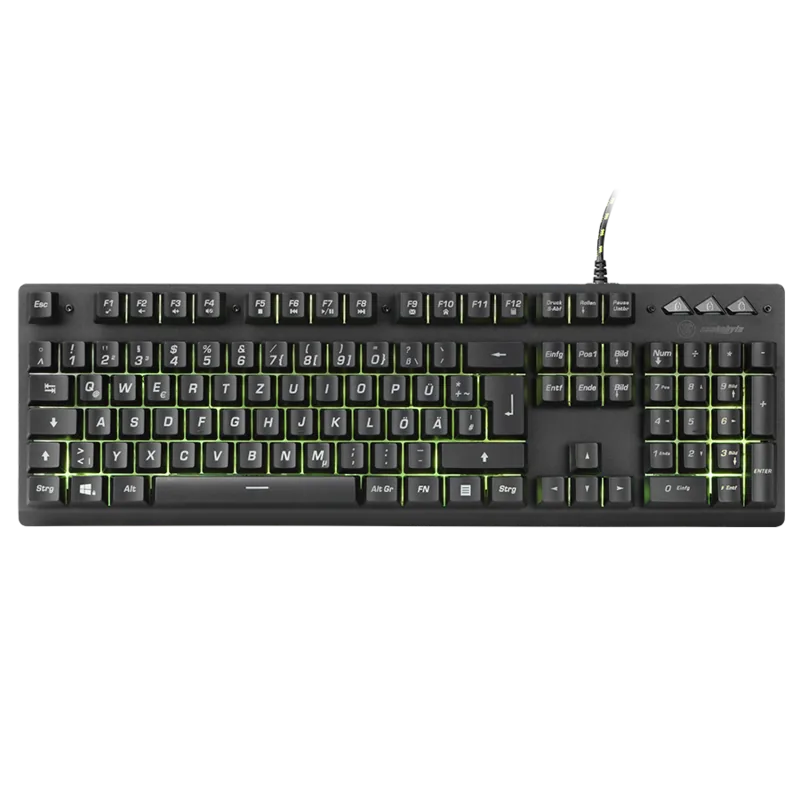
Product Specification

Layout

DE

Type

Rubber Dome

Lighting

yellow

Keycap Level

regular, with frame

Keycap Format

regular

Keycap Profile

concave

Numeric Keypad

Standard

Cursor Block

Standard

Control Keys

Standard

Enter Key

Standard

Delete Key

Standard

Status Indicator

Caps Lock, Num Lock, Scroll Lock

Palm Rest

N/A

Housing

Plastic

Connection

wired (59.06 in), USB-A 2.0

Power Supply

USB

Special Features

FN Key

M: OA-GPT-54-NAN

Product Description

Snakebyte Key:Board, USB, DE Manual

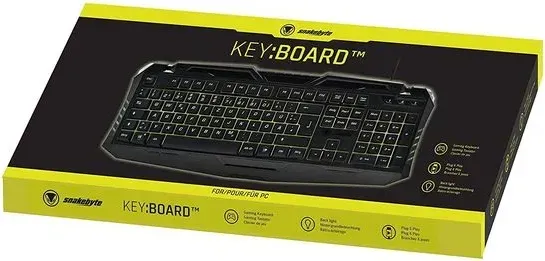
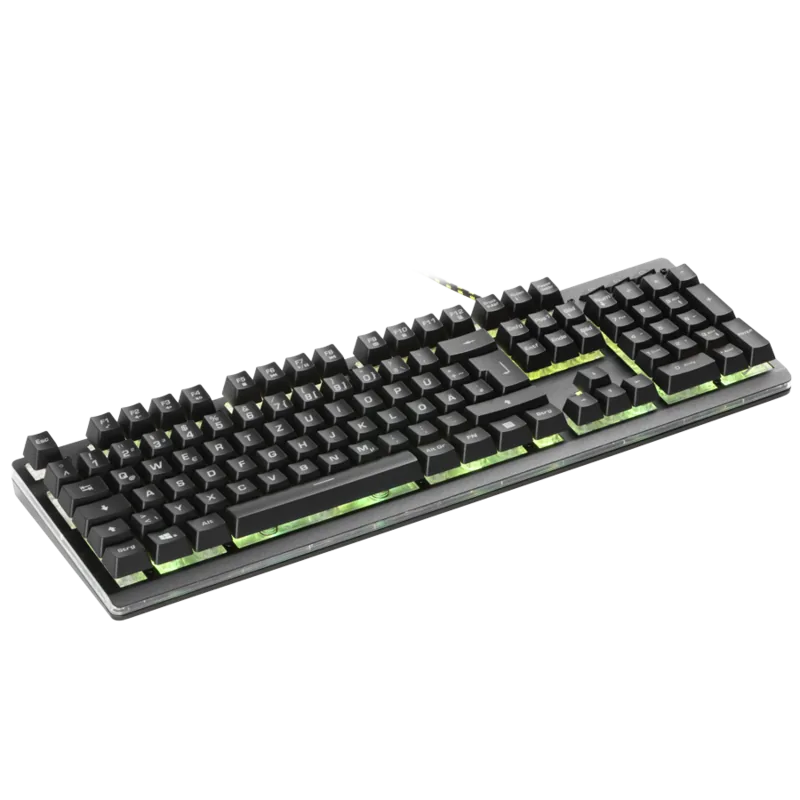
The Snakebyte Key:Board (SB909726) is a plug-and-play USB keyboard built for reliable everyday use and gaming. With automatic driver installation on Windows and macOS, the keyboard powers its LED lighting as soon as it’s connected and ready. Designed with conflict-free gaming keys (including WASD and arrow keys), the Key:Board supports simultaneous key presses so multiple in-game commands register accurately.

Beyond core responsiveness, the keyboard offers several LED lighting modes and controls: toggling the backlight on/off, increasing or decreasing brightness, enabling pulsing effects, adjusting pulsing speed, and cycling through light modes. These accessible shortcuts let users customize ambience without extra software.

Safety and durability are emphasized: the manual warns against exposing the device to extreme temperatures, high humidity, liquids, or heavy loads. Users are advised not to drop, open, or modify the unit to avoid electrical hazards or damage. For cleanliness, only a soft, dry cloth should be used; solvents and cleaning chemicals are discouraged, and connector cleaning is explicitly forbidden to prevent damage.

Health and ergonomic guidance recommends taking breaks roughly every 30 minutes and stopping use if discomfort or pain in the hands or arms occurs, with medical advice suggested for persistent symptoms. The product also carries regulatory compliance notes, including RoHS and WEEE guidance for responsible disposal and battery recycling where applicable.

Customer support is provided by snakebyte distribution GmbH in Germany, with contact details and a support website for downloads and technical help. The package includes compliance information (FCC Class B limits, CE/2014/53/EU conformity) and disposal recommendations to align with regional electronics recycling rules.

Notes:

  • Plug-and-play USB connection for PC and Mac; automatic driver installation.
  • Conflict-free gaming keys allow simultaneous key presses for gaming reliability.
  • Multiple LED modes with brightness and pulsing speed adjustments via key combinations.
  • Safety and cleaning guidelines to prolong device life and avoid hazards.
  • Regulatory compliance and recycling instructions included.
M: OA-GPT-5-NAN

© Copyright 2026 Manual.ly