Manual.ly Logo

Snakebyte Key:Board Pro Manual

5.0 · 1 Ratings

PDF manual · 2 Pages

English

M: OA-GPT-54-NAN
page

/ 2

Loading...
b1b80c61d37bfc4627be38330bfc49f1af79 page 1
Instruction Manual
Instructions d‘utilisation
Bedienungsanleitung
Manuale di istruzioni
Manual de instrucciones
Instruções de funcionamento
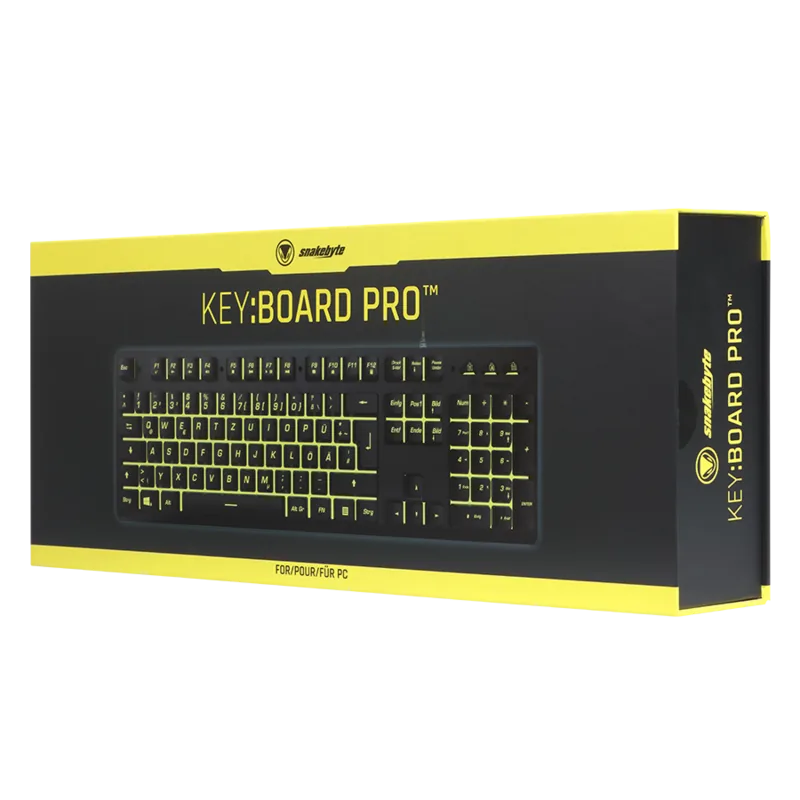
KEY:BOARD PRO™ FOR PC
BEDIENUNGSANLEITUNG
PRODUKTINFORMATION
Vielen Dank, dass Sie sich für snakebyte‘s KEY:BOARD PRO™ entschieden haben. Bitte lesen Sie die folgenden Sicherheitshinweise
aufmerksam durch und bewahren Sie die
BEDIENUNGSANLEITUNG
Installation des KEY:BOARD PRO™ SB909764 - Das snakebyte KEY:BOARD PRO™ ist ein Plug’n’Play-Gerät. Die Treibersoft-
ware wird bei der ersten Verbindung der Tastatur mit dem Computer automatisch installiert. Zur Verwendung ist keine weitere
Software nötig.
1. Schließen Sie das USB-Kabel der Tastatur an einen freien USB-Port Ihres PCs oder Macs an.
2. Windows / MacOS erkennt das Gerät. Auf dem Desktop erscheint in der Taskleiste ein kleines Symbol mit einem Hinweis zur
Installation.
3. Warten Sie bis sich die Tastatur automatisch mit dem PC verbunden hat und die Treibersoftware installiert wurde. Je nach
Geschwindigkeit des Systems kann dieser Vorgang einige Sekunden dauern.
4. Die LED-Beleuchtung der Tastatur schaltet sich ein, sobald das Gerät angeschlossen und einsatzbereit ist.
Die Multimediatasten
Die Tastatur verfügt über 12 Mediatasten, mit der sich die Audiowiedergabe ohne Spielunterbrechung steuern lässt:
FN + F1= Mediaplayer FN + F2= Laustärke - FN + F3= Lautstärke +
FN + F4= Stumm FN + F5= Stopp FN + F6= Vorheriges Stück
FN + F7= Abspielen/Pause FN + F8= Nächstes Stück FN + F9= Mail
FN + F10= Home FN + F12= Taschenrechner
Konfliktfreie Gamingtasten
Die Tastatur erkennt im Spielbetrieb konfliktfreie Gamingtasten (u.a. WASD, Pfeiltasten). Dies erlaubt ein gleichzeitiges Drücken
mehrerer Tasten, wobei jede Taste die zugewiesenen Befehle auslöst.
LED-Beleuchtungeffekte
Die Tastatur unterstützt zahlreiche RGB-Hintergrundbeleuchtungen. Durch folgende Tastenkombination kann zwischen voreinge-
stellten Beleuchtungsmodi gewechselt werden.
FN + 1: LED-Regenbogen, durchlaufend
FN + 2: LED-Regenbogen, pulsierend
FN + 3: LED-Regenbogen, blinkend
FN + 4: Einfarbige Hintergrundbeleuchtung, (7 Farben wählbar), feststehend
FN + 5: Einfarbige Hintergrundbeleuchtung im Wechsel (7 Farben), pulsierend
FN + 6: Einfarbige Hintergrundbeleuchtung im Wechsel (7 Farben), blinkend
FN + 7: Einfarbige Hintergrundbeleuchtung im Wechsel (3 Farben), blinkend
FN + 8: Einfarbige Hintergrundbeleuchtung (3 Farben wählbar), feststehend
FN + 9: LED-Regenbogen, feststehend
SICHERHEITSHINWEISE
• Setzen Sie das Produkt nicht sehr hohen oder kalten Temperaturen, hoher Luftfeuchtigkeit, oder direktem Sonnenlicht aus.
• Verwenden Sie das Produkt nicht in der Nähe von Wärmequellen.
• Schützen Sie das Produkt vor Flüssigkeiten und benutzen Sie es niemals, wenn es feucht ist.
• Stellen Sie keine schweren Objekte auf dieses Produkt.
• Werfen Sie das Produkt nicht und lassen Sie es nicht fallen.
• Versuchen Sie nicht das Produkt selbst zu öffnen, auseinanderzunehmen oder zu ändern. Dies kann zu Stromschlag, Beschädi-
gung des Produkts, Feuer oder anderen Gefahren führen.
GESUNDHEITSHINWEISE
• Wenn Sie sich müde oder unwohl fühlen, oder Schmerzen in Armen, oder Händen spüren, unterbrechen Sie sofort die Nutzung
des Produkts. Falls die Beschwerden anhalten, konsultieren Sie bitte einen Arzt.
• Vermeiden Sie eine übermäßig lange Verwendung des Produkts und legen Sie alle 30 Minuten eine Pause ein.
REINIGUNG
• Reinigen Sie das Produkt nur mit einem weichen, trockenen Tuch. Vermeiden Sie die Verwendung von Reinigungslösungen und
Chemikalien und versuchen Sie nicht, die Kontaktstecker zu reinigen, da dies in Beschädigungen des Produkts resultieren kann.
CUSTOMER SUPPORT / TECHNICAL SUPPORT
snakebyte distribution GmbH
Konrad-Zuse-Strasse 13
58239 Schwerte / Deutschland
Telefon: +49 (0) 0800-4022300
Webseite: www.mysnakebyte.com
KEY:BOARD PRO™ FOR PC
OPERATION INSTRUCTION
PRODUCT INFORMATION
Thank you for choosing snakebyte’s KEY:BOARD PRO™. Please read this guide for important safety and health information and
retain it for future reference.
OPERATING INSTRUCTION
Installing your KEY:BOARD PRO™ SB909764 – The snakebyte KEY:BOARD PRO™ is a plug‘n‘play device. The driver software is
installed automatically when the keyboard is first connected to the computer. No further software is required for use.
1. Connect the keyboard to a free USB port on your PC or Mac.
2. Windows / MacOS detects the device. A small icon with a note about the installation appears on the desktop.
3. Wait until the keyboard has automatically connected to the PC and the driver software has been installed.
4. Depending on the speed of the system, this process can take several seconds.
Combination functions
The keyboard has 12 media buttons that let you control the audio playback without interruption:
FN + F1= Media Player FN + F2= Volume - FN + F3= Volume +
FN + F4= Mute FN + F5= Stop FN + F6= Previous Track
FN + F7= Play / Pause FN + F8= Next Track FN + F9= Mail
FN + F10= Home FN + F12= Calculator
Conflict-free gaming keys
The keyboard recognizes conflict-free gaming keys (including WASD, arrow keys) during gameplay. This allows you to press several
buttons at the same time, each button triggering the assigned commands.
LED LIGHTING EFFECTS
The keyboard supports numerous RGB backlighting. The following key combination allows you to switch between preset lighting
modes.
FN + 1: LED-Rainbow, continuosly
FN + 2: LED-Rainbow, pulsing
FN + 3: LED-Rainbow, flashing
FN + 4: Monochrome background lighting, (7 colors selectable), fixed
FN + 5: Monochrome background lighting in change, (7 colors), pulsing
FN + 6: Monochrome background lighting in change, (7 colors), flashing
FN + 7: Monochrome background lighting in change, (3 colors), flashing
FN + 8: Monochrome background lighting in change, (3 colors selectable), fixed
FN + 9: LED-Rainbow, fixed
SAFETY PRECAUTIONS
• Do not expose the product to extremely hot, or cold temperatures, high humidity or direct sunlight.
• Do not use the product close to any heat sources.
• Do not subject the product to any liquids and never use it when the product is wet
• Do not put heavy objects on the product.
• Do not throw or drop the product.
• Do not attempt to take apart, open, service or modify the product. Doing so could present the risk of electronic shock, damage,
fire, or other hazard.
HEALTH PRECAUTIONS
• If you feel tired, experience any discomfort or pain in your arms, or hands, stop using the product immediately
• and consult a doctor, if the conditions persist.
• Avoid prolonged use of this product and take a break about every 30 minutes.
CLEANING
• Clean only with a soft, dry cloth. Avoid cleaning solutions, solvents or other chemicals and do not attempt to clean connectors
as this may damage the product.
CUSTOMER SUPPORT / TECHNICAL SUPPORT
snakebyte distribution GmbH
Konrad-Zuse-Strasse 13
58239 Schwerte / Germany
Website: www.mysnakebyte.com
KEY:BOARD PRO™ FOR PC
INSTRUCTIONS DE FONCTIONNEMENT
INFORMATIONS PRODUIT
Merci d’avoir acheté la KEY:BOARD PRO™. Veuillez lire ce guide pour des informations importantes relatives
à la sécurité et à la santé, et le conserver pour référence ultérieure.
UTILISATION
Installation de votre snakebyte KEY:BOARD PRO™ SB909764 – La snakebyte KEY:BOARD PRO™ est un dispositif « Plug and
Play ». Le logiciel du pilote est installé automatiquement lorsque la clavier est connectée à l‘ordinateur. Aucun autre logiciel n‘est
requis pour son utilisation.
1. Connectez la clavier à un port USB libre sur votre PC ou Mac.
2. Windows / MacOS détecte le dispositif. Une petite icône précisant l‘installation de l’appareil apparaît sur votre bureau.
3. Attendez que la clavier soit automatiquement connectée au PC et que le logiciel du pilote ait été installé.
Selon la vitesse de votre système d’exploitation, ce processus peut prendre plusieurs secondes.
4. L’éclairage LED s‘allume dès que la clavier est connectée et prête à l‘emploi.
FONCTIONS COMBINÉES
Le clavier dispose de 12 boutons multimédia qui vous permettent de contrôler la lecture audio sans interruption:
FN + F1= Lecteur multimédia FN + F2= Volume - FN + F3= Volume +
FN + F4= Muet FN + F5= Arrêtez FN + F6= Piste précédente
FN + F7= Jour / Pause FN + F8= Piste suivante FN + F9= Mail
FN + F10= Home FN + F12= Calculatrice
CLÉS DE JEU SANS CONFLIT
Le clavier reconnaît les clés de jeu sans conflit (y compris WASD, touches fléchées) pendant le jeu. Cela vous permet d‘appuyer
simultanément sur plusieurs boutons, chaque bouton déclenchant les commandes assignées.
EFFETS D‘ÉCLAIRAGE LED
FN + 1: LED-Rainbow, en continu
FN + 2: LED-Rainbow, pulsant
FN + 3: LED-Rainbow, clignotant
FN + 4: Éclairage de fond monochrome, (7 couleurs sélectionnables), fixé
FN + 5: Éclairage d‘éclairage monochrome en changement, (7 couleurs), pulsant
FN + 6 Éclairage d‘éclairage monochrome en changement, (7 couleurs), clignotant
FN + 7: Éclairage d‘éclairage monochrome en changement, (3 couleurs), clignotant
FN + 8: Éclairage d‘éclairage monochrome en changement, (3 couleurs sélectionnables), fixé
FN + 9: LED-Rainbow, fixé
MESURES DE SÉCURITE
• Ne pas exposer le produit à des températures extrêmement chaudes ou froides, à une forte humidité ou à une lumière directe
du soleil.
• Ne pas utiliser le produit près de quelconque source de chaleur.
• Ne pas soumettre le produit dans n‘importe quel liquide et ne jamais l‘utiliser lorsque le produit est mouillé.
• Ne pas mettre d‘objets lourds sur le produit.
• Ne pas lancer ni laisser tomber le produit.
• Ne pas tenter de démonter, d‘ouvrir, de servir ou de modifier le produit. Cela pourrait présenter le risque d’un choc électronique,
de dommages, d‘incendie ou d‘autres dangers.
PRÉCAUTIONS SANITAIRES
• Si vous vous sentez fatigué, un inconfort quelconque ou des douleurs au niveau de vos bras, ou vos mains, cessez d‘utiliser le
produit immédiatement et consultez un médecin, si ces symptômes persistent.
• Évitez l‘utilisation prolongée de ce produit et faites une pause environ toutes les 30 minutes.
NETTOYAGE
• Nettoyez seulement avec un chiffon doux et sec. Évitez les solutions de nettoyage, les solvants ou d‘autres produits chimiques
et ne tentez pas de nettoyer les connecteurs car cela pourrait endommager le produit.
SUPPORT CLIENT / SUPPORT TECHNIQUE
snakebyte distribution GmbH
Konrad-Zuse-Strasse 13
58239 Schwerte / Germany
Website: www.mysnakebyte.com
KEY:BOARD PRO™
EN FR DE
KEY:BOARD PRO™ FOR PC
INSTRUCCIONES DE USO
INFORMACIÓN DE PRODUCTO
Gracias por elegir el KEY:BOARD PRO™ de snakebyte. Por favor, lee esta guía para obtener información importante de seguridad
y salud y guárdala para consultas futuras.
INSTALLAZION
Instalación del snakebyte KEY:BOARD PRO™ SB909764 – El snakebyte KEY:BOARD PRO™ es un dispositivo plug and play. El
software del driver se instala automáticamente cuando se conecta por primera vez el teclado al ordenador. No se requiere ningún
software adicional para su uso.
1. Conecte el teclado a un puerto USB libre de su PC o Mac.
2. Windows/MacOS detecta el dispositivo. Aparece un pequeño icono con una nota acerca de la instalación
en el escritorio.
3. Espere a que el teclado se conecte automáticamente al PC y a que el software del driver se instale. Dependiendo
de la velocidad del equipo, este proceso puede tardar algunos segundos.
4. La luz LED se enciende justo cuando el teclado está conectado y listo para ser usado.
FUNCIONES DE COMBINACIÓN
El teclado tiene 12 botones de los medios de comunicación hicieron le permiten controlar la reproducción de audio sin interrupción:
FN + F1= Reproductor multimedia FN + F2= Volumen - FN + F3= Volumen +
FN + F4= Mudo FN + F5= Detener FN + F6= Pista anterior
FN + F7= Reproducir / Pausa FN + F8= Siguiente pista FN + F9= Mail
FN + F10= Home FN + F12= Calculadora
LLAVES - LIBRE DE CONFLICTO
El teclado reconoce las claves de juego sin conflicto (incluyendo WASD, teclas de flecha) durante el juego. Esto le permite presionar
varios botones al mismo tiempo, cada botón disparando los comandos asignados.
EFECTOS DE ILUMINACIÓN LED
FN + 1: LED-Arco iris, continuamente
FN + 2: LED-Arco iris, pulsando
FN + 3: LED-Arco iris, flashing
FN + 4: Iluminación de fondo monocromo, (7 colores seleccionables), fijado
FN + 5: Iluminación de fondo monocromo, cambio, (7 colors), pulsando
FN + 6: Iluminación de fondo monocromo, cambio, (7 colors), pulsando
FN + 7: Iluminación de fondo monocromo, cambio, (3 colors), pulsando
FN + 8: Iluminación de fondo monocromo, cambio, (3 colores seleccionables), fijado
FN + 9: LED-Arco iris, fijado
ADVERTENCIAS DE SEGURIDAD
• No exponga el producto a temperaturas extremas de calor o frío, a ambientes con alta humedad o a la luz directa del sol.
• No utilice el producto cerca de una fuente de calor.
• No exponga el producto a sustancias líquidas y no lo utilice cuando esté húmedo.
• No ponga objetos pesados encima del producto.
• No tire o haga caer el producto.
• No intente separar, abrir, reparar o modificar el producto. De lo contrario, podría existir riesgo de descarga eléctrica, lesión,
incendio u otros peligros.
ADVERTENCIAS DE SALUD
• Si se siente cansado o experimenta alguna molestia o dolor en los brazos o en las manos, deje de usar el producto inmediata-
mente y consulte a un médico si el dolor no remite.
• Evite un uso prolongado del producto y tome un descanso aproximadamente cada 30 minutos.
LIMPIEZA
• Limpie el producto solo con un paño suave y seco. No use productos de limpieza, disolventes u otros productos químicos y no
intente limpiar los conectores, ya que esto podría dañar el producto.
ATENCIÓN AL CLIENTE / SOPORTE TÉCNICO
snakebyte distribution GmbH
Konrad-Zuse-Strasse 13
58239 Schwerte / Germany
Website: www.mysnakebyte.com
ES

Chat with your Snakebyte Key:Board Pro manual using AI

Get instant AI answers from your Snakebyte Key:Board Pro manual

Ask anything about the Snakebyte Key:Board Pro. Answers come from this manual, with the pages they are based on.

Ask a Question

0/1000

Do you recommend Key:Board Pro?

Yes No
0
User Pic

Lea Schneider

8 months ago

Is this keyboard suitable for office work too, like typing in Word or Excel, and does it feel accurate (not too easy to mispress) or mostly just for gaming?

0
User Pic

Manual.ly

7 months ago

Yes, it works well beyond gaming. Reviewers mention they use it daily in an office for typing in Word and Excel. Key behavior feels reliable, and accidental presses are rare, so corrections can be done without much frustration. If you plan to use it at a desk, please note it is wired, so make sure you have a suitable USB cable length and an available port.

M: OA-GPT-5-NAN
M: OA-GPT-5-NAN

Frequently Asked Questions

A

It combines simple setup, multimedia shortcuts, and adjustable lighting in one keyboard. That makes it useful for both work and casual entertainment without requiring extra software or a complicated learning curve.

Is this answer helpful?

A

No extra software is needed for regular use. The keyboard is described as plug-and-play, and the driver installs automatically when it is connected to a PC or Mac for the first time.

Is this answer helpful?

A

Yes. It supports conflict-free gaming keys, including common movement controls like WASD and arrow keys. That helps multiple inputs register at the same time during fast gameplay.

Is this answer helpful?

A

It includes shortcut combinations for music and media management, such as volume up, volume down, mute, play/pause, previous track, next track, and quick access to tools like mail, home, and calculator.

Is this answer helpful?

A

Yes. The keyboard supports several preset RGB lighting modes, including rainbow effects and monochrome variations. Users can switch between continuous, pulsing, flashing, and fixed lighting styles.

Is this answer helpful?

A

Use a soft, dry cloth only. Avoid liquids, solvents, and chemicals, and do not try to clean the connectors. It should also be kept away from moisture, heavy objects, and extreme temperatures.

Is this answer helpful?

M: OA-GPT-54-NAN

Advantages and Disadvantages

Advantages

  • Easy plug-and-play USB setup with automatic driver installation.
  • 12 multimedia shortcuts improve playback and system control.
  • Conflict-free gaming keys support responsive multi-key input.
  • Multiple RGB lighting modes add customization and style.
VS

Disadvantages

  • No advanced software customization is mentioned.
  • Lighting options are preset rather than fully programmable.
  • Basic cleaning and care are required to avoid damage.
  • Design focuses on function, so premium features are limited.
M: OA-GPT-54-NAN

Product Specification

Layout

DE

Type

Rubber Dome

Lighting

RGB

Keycap profile

raised, frameless

Keycap size

regular

Keycap dish

concave

Numpad

Standard

Arrow keys block

Standard

Control keys

Standard

Enter key

Standard

Delete key

Standard

Status indicator

Caps Lock, Num Lock, Scroll Lock

Palm rest

N/A

Housing

Metal

Key legends

Laser etching

Connection

wired (5.91 ft), USB-A 2.0

Power supply

USB

Special features

FN key, Laser etching

M: OA-GPT-54-NAN

Product Description

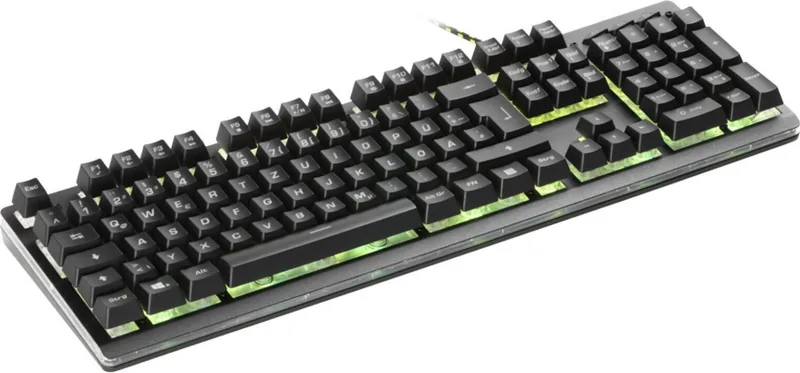
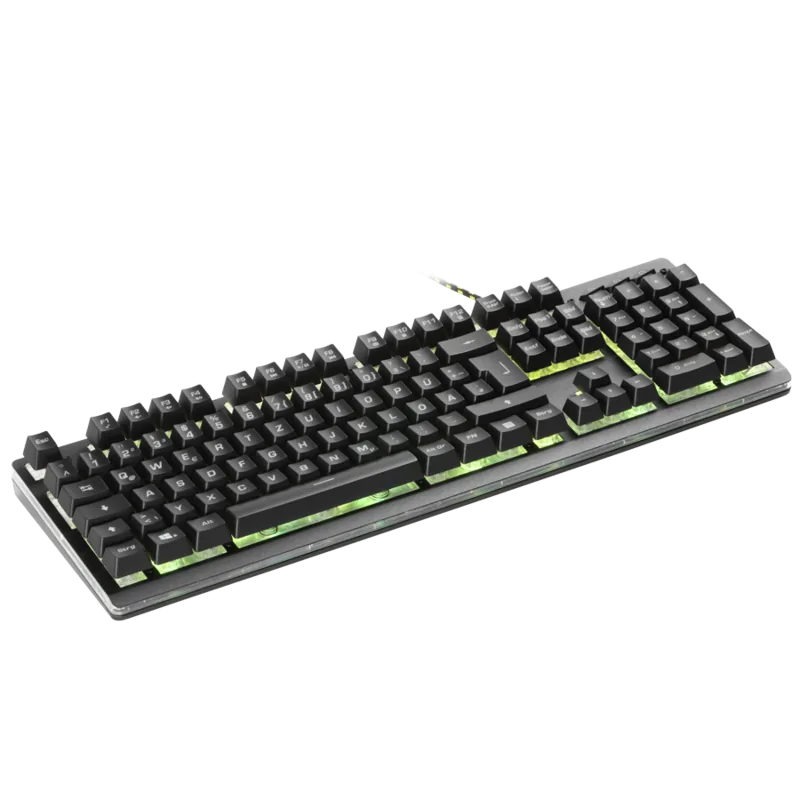
Snakebyte Key:Board Pro USB DE: Practical Gaming Style Meets Everyday Simplicity

If you are searching for the Snakebyte Key:Board Pro USB DE Manual, the overall message is easy to appreciate: this keyboard is built to be straightforward, colorful, and ready to use right away. The Snakebyte KEY:BOARD PRO is designed as a plug-and-play USB keyboard for PC and Mac users who want a reliable typing and gaming companion without complicated setup. Just connect it, wait for the automatic driver installation, and you are ready to go.

What stands out first is the balance between convenience and function. The keyboard includes dedicated multimedia shortcuts that make it simple to control music, adjust volume, skip tracks, or open useful system tools without interrupting what you are doing. For users who spend long hours at the computer, that kind of quick access can make a noticeable difference in comfort and workflow.

For gaming, the KEY:BOARD PRO adds another layer of appeal with conflict-free key recognition for common movement controls such as WASD and arrow keys. That means multiple key presses can register more reliably during fast action, which is essential for responsive gameplay. Combined with the LED backlighting options, the keyboard feels more dynamic than a standard office model while still staying easy to understand and use.

The RGB lighting effects are also a highlight. Several preset modes let you switch between rainbow styles and monochrome lighting variations, including fixed, pulsing, and flashing patterns. This gives the keyboard a customizable look that can match a gaming setup or simply add some personality to a desk. The design is not overly complex, but it offers enough variety to keep things visually interesting.

From a practical point of view, the keyboard is also easy to maintain. The guidance recommends simple cleaning with a soft, dry cloth and basic care such as keeping it away from moisture, extreme temperatures, and heavy impacts. That makes the KEY:BOARD PRO feel like a dependable, low-maintenance choice for everyday use.

Notes

  • Plug-and-play setup keeps installation quick and beginner-friendly.
  • Multimedia keys and lighting controls add value beyond basic typing.
  • Best suited for users who want a simple gaming-ready keyboard with visual flair.
  • Follow basic care instructions to help preserve performance and appearance.
M: OA-GPT-54-NAN

© Copyright 2026 Manual.ly