
Manual.ly Logo

smart things sDock Manual

0.0 · 0 Ratings

PDF manual · 8 Pages

English

M: OA-GPT-54-NAN
page

/ 8

Loading...
a097d74b0d817005baf38200923e142e23f5 page 3
Congratulations!
You have purchased the smart things sDock wall mount.
We put a lot of eort into the development and have selected only
materials of the highest quality. The production of our products is
subject to strict quality controls. However, in case you should detect
material or manufacturing defects, please contact the retailer where
you have purchased the product.
We hope that you will thoroughly enjoy our product.
Safety Instructions
Handling the sDock is very easy. However, we would like to ask you
to take a moment to read the mounting and operating instructions
carefully to avoid mistakes.
For latest informations please visit www.smart-things.com
Mounting
Make sure that the wall has sucient bearing capacity for mounting
the product. Please note that the wall xing has to carry a multiple
of the wall mount's weight. Depending on the wall materials it could
be necessary to use special xing items (e.g. cavity xing, etc.). The
supplied screws and rawl plugs are suitable for mounting the
product on walls made of solid timber, stone, concrete, or timber
posts only. Take extra caution not to damage gas or water pipes or
electric wiring in the wall!
Attention!
The transparent screen covering the clip-on screen is only held by
clamping in the frame. Please be aware, that the transparent screen
can fall o if you mount it on slanted surfaces (e.g. slanting ceilings
in the attic). Risk of injury!
Correct Use
Please use this product only with these Apple products together
with the cables and chargers approved by Apple.
The sDock wall mount was developed for the use in environmental
conditions normally found in private homes and oce buildings.
Please avoid positioning the product in areas with high exposure to
sun radiation, extremely warm or cold temperatures, high humidity
or moisture.
See bigger drawing
in the picture manual.
Instructions for use
EN
Félicitation!
Vous avez acheté la xation murale sDock de smart thinks.
Nous nous sommes concentrés sur la conception et avons utilisé
uniquement des matériaux de très haute qualité.
La production de nos produits est soumise à des contrôles stricts de
qualité.
Si, cependant, vous deviez détecter des défauts de matériau ou de
fabrication, veuillez en informer le vendeur. Nous espérons que vous
serez pleinement satisfait de l’achat de notre produit.
Instructions de sécurité
Le sDock Pro est très facile à manier. Veuillez cependant prendre le
temps de lire soigneusement la notice de montage et le mode
d'emploi an d’éviter toute erreur.
Pour plus d‘ informations, visitez nous sur www.smart-things.com
Fixation
Assurez-vous que le mur a la force portante susante pour xer le
produit. Veuillez noter que la xation murale doit porter elle-même
un autre poids. Pour certains matériaux muraux, il peut être
nécessaire d'utiliser des systèmes de xation spéciaux (p. ex. avec
une cheville pour corps creux etc…).
Les vis fournies et les chevilles en plastique sont appropriées
uniquement pour xer le produit sur des murs de construction
solideen bois, en pierres, en béton ou des poteaux en bois. Faîtes
attention de ne pas endommager les conduites de gaz ou d'eau et
les câbles électriques dans le mur.
Attention!
L'écran transparent couvrant l'écran à pince est uniquement tenu
par un système de serrage dans le cadre. Vous devez être conscient
que l'écran transparent peut tomber si vous le montez sur des
surfaces inclinées (p. ex. les plafonds inclinés d’un appartement
mansardé). Risque de blessures!
Usage correct
Veuillez combiner ce produit uniquement avec des produits Apple
ainsi que des câbles et des chargeurs approuvés par Apple. La xation
murale sDock a été conçue pour être utilisée dans des lieux privés et
des bâtiments de bureaux possédant des conditions environnementa-
les normales. Évitez de placer le produit dans des zones hautement
exposées aux radiations solaires, avec des températures extrêmement
chaudes ou froides ou un fort taux d’humidité et de moisissures.
Alimentation électrique
provenant du mur
sDock permet une alimentation
électrique à partir du mur. Une telle
installation ne peut être eectuée
que par un électricien professionnel.
Veillez à ce que l'alimentation
électrique ait un apport en air
susant. La surchaue pourrait
provoquer un incendie.
Attention!
L’alimentation électrique Apple
fournie avec l’iPadn’est pas
approprié pour être utilisé dans
une boite murale.
Risque d’incendie!
Micro ports USB
Attention!
Les micro ports USB ne sont pas
conçus comme un concentrateur
USB.
Connecter uniquement un seul
chargeur!
Entretien
Nettoyez votre sDock avec un tissu microbre ou un chion doux
légèrement humide. Ne jamais utiliser des produits de nettoyage
agressifs. Attention! Veuillez débrancher tous les câbles avant de
nettoyer.
Pege
Zur Reinigung Ihrer sDock Wandhalterung empfehlen wir ein
Mikrofasertuch oder ein angefeuchtetes weiches Tuch. Verwenden
Sie keine scharfen Reiniger oder Lösemittel oder scheuernde
Substanzen. Vorher alle Kabel lösen.
Traitement des déchets
Veuillez jeter le sDock en respectant l’environnement à la n de son
cycle de vie.
Selon le décret européen 2001/96/CE et 2006/66CE, il ne peut pas
être mis au rebut avec les ordures ménagères ! Apportez-le aux
points de collectes correspondants ou retournez-le au revendeur.
Power supply out of the
wall
sDock allows a power supply out of
the wall. Only a professional
electrician is allowed to make such
an installation.
Take care that the power supply in
any case has enough air supply.
Overheating may cause re!
Attention!
The Apple power supply delivered
with the iPad is not approved for
use in a wall box.
Fire danger!
USB micro ports
Attention!
The USB micro ports are
not designed as a USB Hub.
Do only connect a single charger!
Maintenance
Clean your sDock with a micro ber cloth or a soft, damp cloth.
Never use aggressive cleaning substances.
Attention! Please detach all cables before you clean it.
Proper Disposal
Once nished using, please dispose of the sDock in an
environmentally responsible manner.
According to EU regulation 2001/96/EC and 2006/ 66/EC it does not
belong in the household garbage! Bring it to a respective collection
point or return it to the place of purchase.
Reportez-vous à notre manuel
imagé pour voir de plus grandes
images.
Manuel d'utilisation
FR
Herzlichen Glückwunsch
zum Erwerb der smart things sDock Wandhalterung.
Wir haben uns bei der Entwicklung viel Mühe gegeben und nur
hochwertige Materialien ausgewählt. Die Produktion unserer
Produkte unterliegt strengen Qualitätskontrollen. Sollten Sie
trotzdem einmal Materialfehler oder Verarbeitungsmängel zu
beanstanden haben, wenden Sie sich bitte an Ihren Händler, bei dem
Sie das Produkt erworben haben.
Wir wünschen Ihnen viel Freude mit diesem Produkt.
Sicherheitshinweise
Die Bedienung des sDock mini ist eingängig, bitte nehmen Sie sich
dennoch etwas Zeit und lesen Sie die Montage- und Bedienungsan-
leitung vollständig durch, um Fehler zu vermeiden.
Informationen erfahren Sie auf www.smart-things.com
Montage
Beachten Sie unbedingt die Hinweise im Abschnitt „Montage“ !
Stellen Sie sicher, dass die zur Befestigung vorgesehene Wand über
eine ausreichende Tragfähigkeit verfügt. Bedenken Sie hierbei, dass
die Befestigung an der Wand ein Mehrfaches des Gewichtes der
Wandhalterung aushalten muss. Abhängig von der Wandbeschaf-
fenheit kann es erforderlich sein, besonderes Befestigungsmaterial
zu benutzen (z.B. Hohlraumdübel, etc.). Die mitgelieferten Schrau-
ben und Dübel sind nur zur Montage an Wänden aus massivem
Holz, Stein, Beton oder Holzpfosten vorgesehen.
Vorsicht vor möglichen Gas-, Wasser, Elektroinstallationen in der
Wand!
Achtung!
Die Sichtscheibe des Wechselbildes ist nur aufgesetzt, sie kann bei
Schrägmontage (z.B. an Dachschrägen) mit der Bildäche nach
unten oder Deckenmontage oder an beweglichen Oberächen
herausfallen. Verletzungsgefahr!
Ordnungsgemäße Verwendung
Die sDock Wandhalterung ist für eine Verwendung unter Umweltbe-
dingungen konzipiert, wie sie üblicherweise in Wohn- und Büroge-
bäuden vorzunden sind. Wählen Sie deshalb keine Aufstellungsorte
mit hoher Sonneneinstrahlung, extremer Wärme- oder Kälteeinwir-
kung, sowie hoher Luftfeuchtigkeit oder Nässeeinwirkung.
Entsorgung
Am Ende der Lebensdauer entsorgen Sie das sDock bitte umweltge-
recht.
Gemäß EU Verordnung 2001/96/EG und 2006/66EG gehört es nicht
in den Hausmüll! Führen Sie es entsprechenden Sammelstellen zu
oder bringen Sie es zurück zu Ihrer Verkaufsstelle.
Gebrauchsanleitung
DE
Stromversorgung aus der
Wand
Das sDock erlaubt eine Stromver-
sorgung von der Geräterückseite
her. Und das sogar drehbar!
Diese Installation darf nur durch
einen Fachmann erfolgen.
Bei nicht ordnungsgemäßer
Installation besteht Brandgefahr!
Achtung!
Das Standard Apple Netzteil ist für
einen Wandeinbau nicht geeignet.
Brandgefahr!
USB Micro Anschlüsse
Achtung!
Die Anschlüsse des sDocks sind
nicht als USB-Hub vorgesehen.
Benutzen Sie stets nur ein
einziges Netzteil !
smart things solutions GmbH
Clarita-Bernhard-Strasse 18
81249 München, Germany
www.smart-things.com
Designed in Germany.
Made in China.
1
2
3
5
4
iPad Positioning Guide
Mounting holes
Transparent pane
sLock
Pivoting base
Lever to remove the pane
Sockets for charging cables
VESA 75 xing option
On/O Switch (sDock mini)
6
7
8
9
2
8
6
1
5
2
7
9
1
4
3
1
2
3
5
4
iPad-Positionierungshilfe
Montage-Löcher
transparente Scheibe
Apple Lightning
Schloss
Drehbasis
Hebel zum Auswerfen der
Frontscheibe
Anschlüsse für Ladekabel
Option für VESA-75-Befestigung
Ein/Ausschalter (sDock mini)
6
7
8
9
2
8
6
1
5
2
7
9
1
4
3
1
2
3
5
4
guide de positionnement du iPad
trous de xation
écran transparent
Apple Lightning
sLock
base pivotante
Levier d’éjection du vitre avant
prise pour le chargement des
câbles
option de xation VESA 75
Interrupteur de mise en/hors
(sDock mini)
6
7
8
9
2
8
6
1
5
2
7
9
1
4
3
10
10
10
10
10

Chat with your smart things sDock manual using AI

Get instant AI answers from your smart things sDock manual

Ask anything about the smart things sDock. Answers come from this manual, with the pages they are based on.

Ask a Question

0/1000

Do you recommend sDock?

Yes No

Frequently Asked Questions

A

It is designed to hold an iPad securely on the wall while keeping the setup neat and practical. It works well for places where the tablet is used often and should stay docked, charged, and easy to reach.

Is this answer helpful?

A

It is intended for Apple devices that match the mount’s design and charging setup. The text emphasizes using Apple-approved cables and chargers for proper compatibility and safe operation.

Is this answer helpful?

A

No. The wall must have enough load-bearing strength, and the right anchors depend on the wall material. Solid wood, stone, concrete, and wooden posts are supported more directly than hollow or fragile surfaces.

Is this answer helpful?

A

Yes, it can support power supply from behind the wall for a cleaner installation. However, that type of setup should only be carried out by a professional electrician to reduce fire and safety risks.

Is this answer helpful?

A

No. The micro USB ports are not designed to function as a USB hub. The instructions clearly note that only a single charger should be connected, not multiple devices through a hub setup.

Is this answer helpful?

A

Use a microfiber cloth or a soft damp cloth. Avoid harsh cleaners, solvents, or abrasive materials, and disconnect all cables before cleaning to prevent damage or electrical issues.

Is this answer helpful?

M: OA-GPT-54-NAN

Advantages and Disadvantages

Advantages

  • Premium build with carefully chosen materials and strict quality control.
  • Clean wall-mounted design keeps the iPad secure and visually integrated.
  • Useful cable routing and charging options help reduce desk and countertop clutter.
  • Flexible setup includes rotating base support and a VESA 75 mounting option.
VS

Disadvantages

  • Installation needs a strong wall and may require special hardware for certain surfaces.
  • Behind-the-wall power work must be done by a professional electrician.
  • The USB micro ports are not a hub and support only a single charger.
  • The transparent front panel can be risky on slanted or unstable mounting surfaces.
M: OA-GPT-54-NAN

Product Specification

Type

Tablet Wall Mount

Compatibility

Apple iPad, Apple iPad Pro 9.7, Apple iPad Air, Apple iPad Air 2

Dimensions

11.34x4.72x0.79in

Weight

1.32 lb

M: OA-GPT-54-NAN

Product Description

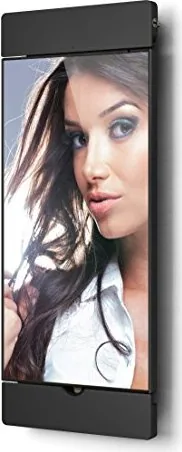
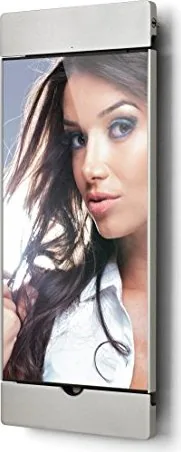
smart things sDock iPad Wall Mount: a polished way to dock and display an iPad

The smart things sDock iPad wall mount is built for anyone who wants an iPad to feel less like a loose device and more like part of the room. With a clean wall-mounted profile, it turns an everyday tablet into a fixed control center for the home, office, reception area, or smart-home setup. The design is practical, but it also feels intentional: tidy, stable, and made to blend into modern interiors.

What stands out most is how the mount balances form and function. It supports secure positioning, offers a guided fit for the iPad, and includes thoughtful details like a transparent front panel, locking element, and a rotating base. That makes it useful not only as a display solution, but also as a hands-on dock for charging and daily interaction. If you are browsing the smart things sDock iPad wall mount Manual keyword for setup context, the core idea is simple: mount the iPad securely, route power neatly, and keep the installation visually clean.

This product is clearly aimed at Apple users who want a dedicated wall solution. The cable paths and charging support help reduce clutter, while the VESA 75 mounting option expands placement flexibility in different environments. It is especially appealing for spaces where the iPad is used repeatedly throughout the day, such as entryways, kitchens, meeting rooms, or shared work areas. The result is a setup that feels organized instead of improvised.

Another strength is the emphasis on durability and careful use. The construction is described as high quality, with strict production checks and materials selected for long-term reliability. At the same time, the guidance around installation is serious: the wall must be strong enough, wiring must be avoided, and certain power-related setups should be handled by a professional. That makes the sDock more than a decorative accessory; it is a mounted system that expects proper installation and sensible handling.

Notes

  • Best suited for solid wall surfaces and planned installations.
  • Power routing from behind the wall can create an especially clean look.
  • Not intended for casual or temporary mounting.
  • Keep the mount away from excessive heat, moisture, and direct sun.
  • Regular cleaning should be gentle and cable-free.

Overall, the smart things sDock is a smart choice for users who value order, stability, and a refined wall-mounted presentation for their iPad.

M: OA-GPT-54-NAN

© Copyright 2026 Manual.ly