
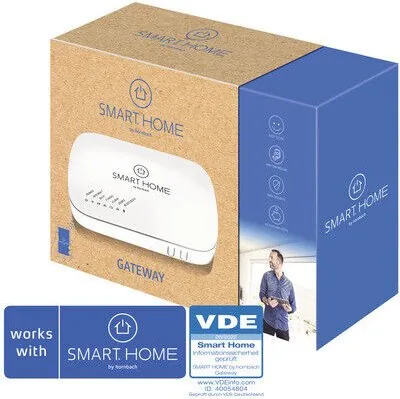
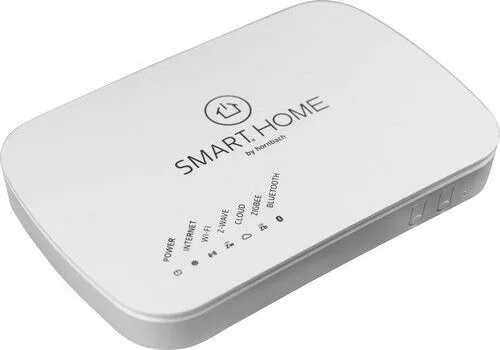
SMART HOME by hornbach Gateway Manual
PDF manual · 49 Pages
English


Quick check
Incorrect answer, please try again.
Chat with your SMART HOME by hornbach Gateway manual using AI
Get instant AI answers from your SMART HOME by hornbach Gateway manual
Ask anything about the SMART HOME by hornbach Gateway. Answers come from this manual, with the pages they are based on.
Ask a Question
Do you recommend Gateway?
Yes NoDo you recommend Gateway?
Yes No
Henry Rose
5 months ago
Is it possible to use a smart plug with this gateway if it is not in the supported device list?
Frequently Asked Questions
The gateway acts as the central control unit for your smart home, connecting and managing compatible devices like lights, sensors, and switches. It enables automation rules, remote control via the app, and sends push notifications to keep you updated on your home's status.
Is this answer helpful?
You need an internet router with an available LAN port. While no specific brand is required, it is recommended to use a modern router with up-to-date security features, password protection, and a firewall to ensure your local network remains secure.
Is this answer helpful?
No, the gateway requires a constant internet connection to execute automation rules, send push messages, and receive critical security updates. Without internet, these advanced features will not function properly.
Is this answer helpful?
The device is not intended for unsupervised use by young children. Children aged 8 and older may use it if they are supervised or have been instructed on safe operation and understand the associated risks. Always keep the device out of reach of very young children.
Is this answer helpful?
To reset the device, insert a pen into the reset hole on the front panel and hold the button behind it for 10 seconds while the power remains connected. This erases all stored data, preparing the device for a new owner.
Is this answer helpful?
The gateway supports multiple wireless standards including WiFi (IEEE 802.11 b/g/n/ac), ZigBee, Z-Wave modules, and Bluetooth Low Energy. This versatility allows it to connect with a wide variety of smart home accessories.
Is this answer helpful?
No, the gateway contains no user-serviceable parts. Opening the device or the power supply voids safety guarantees and increases the risk of electric shock. Repairs must be performed only by authorized personnel using original spare parts.
Is this answer helpful?
Advantages and Disadvantages
Advantages

- Central hub for controlling multiple smart home devices via one interface
- Supports diverse protocols including ZigBee, Z-Wave, and Bluetooth for broad compatibility
- Simple setup process with clear instructions and a user-friendly mobile app
- High service availability guaranteed at 98% outside maintenance windows
- Secure reset function allows for easy data removal when transferring ownership
Disadvantages

- Requires a permanent internet connection to function and receive updates
- Not suitable for commercial or industrial environments
- Cannot be opened or repaired by the user, requiring authorized service for faults
- Initial setup requires creating an external customer account first
- Limited to specific compatible devices rather than supporting every brand universally
Product Specification
Type
Hardware Control Unit
Standard
LAN, WLAN (802.11b/g/n), ZigBee, Z-Wave, Bluetooth LE
Function
Gateway
Dimensions
7.72x1.34x5 inches
Features
App-controlled
Product Description
Transform Your Home with SMART HOME by hornbach Gateway
Welcome to the future of home automation. The SMART HOME by hornbach Gateway serves as the intelligent brain for your connected living space, seamlessly integrating various smart devices into a unified system. Whether you are looking to control lighting, manage climate settings, or secure your property, this gateway acts as the central hub that makes it all possible. Designed for ease of use and reliability, it bridges the gap between your physical home environment and digital convenience.
Setting up your smart ecosystem is straightforward. The process begins with connecting the gateway to your internet router using the provided LAN cable and plugging in the power supply. Within minutes, the device lights up, signaling that it is ready to communicate. To activate the system, users simply need to create a customer account on the official website, download the dedicated mobile app, and input the unique six-digit ID code found on the device. This intuitive workflow ensures that even those new to smart technology can get started quickly.
Once activated, the gateway supports a wide range of compatible devices, allowing you to expand your smart home capabilities over time. It operates on robust wireless standards including WiFi, ZigBee, Z-Wave, and Bluetooth LE, ensuring compatibility with many third-party products. The system requires a constant internet connection to execute automated rules and send push notifications, keeping you informed about your home's status from anywhere. Security is paramount, with recommendations to use strong passwords and modern routers to protect your local network from unauthorized access.
Safety features are built into the design, emphasizing the importance of keeping the device away from moisture and avoiding any attempts to open the casing yourself. The unit is intended for residential use only and includes clear guidelines for safe operation around children. For privacy-conscious users, the gateway allows for a complete reset before being passed to a new owner, ensuring all personal data is wiped clean. With a high service availability guarantee, HORNBACH ensures your smart home stays online when you need it most.
Search for 67,732 Manuals online


Type-in Brand or Model
liam25
5 months ago
Can I search for and add smart plugs that are not listed in the app's product list?
Manual.ly
5 months ago
Currently, the mobile app only allows searching for components explicitly listed in its database. While the gateway supports LAN connections and full functionality on a PC, adding or searching for smart plugs outside the predefined list is not possible via the app at this time.