
Skil 2842 AA Manual
PDF manual · 128 Pages
English



Quick check
Incorrect answer, please try again.
Chat with your Skil 2842 AA manual using AI
Get instant AI answers from your Skil 2842 AA manual
Ask anything about the Skil 2842 AA. Answers come from this manual, with the pages they are based on.
2842 AA Maintenance Schedule
Always keep the tool clean, paying special attention to ventilation slots. Remove the battery from the tool before cleaning.
When drilling ferrous metals and a large hole is required, lubricate the drill bit occasionally with oil.
Ask a Question
Do you recommend 2842 AA?
Yes NoFrequently Asked Questions
It is designed for DIY drilling and screwdriving in wood, metal, brick, stone, ceramic, and plastic. With suitable accessories, it can also be used for thread cutting. It is not intended for professional use.
Is this answer helpful?
The Skil 2842 has a maximum hard-screwdriving torque of 45 Nm according to ISO 5393. The adjustable clutch lets you select lower torque settings for controlled fastening.
Is this answer helpful?
Low speed provides higher torque for screwdriving, large-diameter drilling, and thread tapping. High speed provides lower torque and is better suited to smaller holes and faster drilling. Change gears while the tool runs slowly.
Is this answer helpful?
The VariTorque system offers 23 clutch settings plus a drill position. Begin at a lower setting when driving screws, then increase it until the screw reaches the required depth.
Is this answer helpful?
Yes. The integrated LED light switches on automatically when the trigger is activated, helping illuminate the immediate work area.
Is this answer helpful?
Press the battery level indicator button to display the current battery charge. Fully charge the supplied battery before using the drill/driver for the first time.
Is this answer helpful?
Advantages and Disadvantages
Advantages

- 45 Nm maximum hard-screwdriving torque supports a broad range of household drilling and fastening tasks.
- 23-position VariTorque clutch helps control screw depth and reduce the risk of overdriving fasteners.
- Two-speed gearbox combines high torque for driving with higher speed for smaller drilling jobs.
- Integrated LED light and battery level indicator improve visibility and charge awareness during work.
- Cordless 20V Max, 18V platform design provides portable operation without a mains cable.
Disadvantages

- Designed for non-professional use, so it may not suit continuous heavy-duty jobsite work.
- The included 1.5Ah battery may require more frequent charging during longer projects.
- Correct bits and pre-drilling are needed for best results in hard wood, metal, tiles, and masonry.
- Battery operation is restricted by temperature, overload, and low-charge protection systems.
Product Specification
Type
Cordless drill/driver
Battery
1x battery (18 V, 1.5 Ah, lithium-ion)
No-load speed
0-400/0-1,500 rpm
Drilling capacity
Wood 1.38 in, steel 0.39 in
Screw diameter
0.31 in
Torque
398.28 in-lb, 24 settings (23+1)
Tool holder
0.04-0.39 in keyless chuck
Features
Forward/reverse, speed control, multi-speed, torque preselection, battery charge indicator, LED work light, soft grip, bit holder
Weight
3.09 lb (including battery)
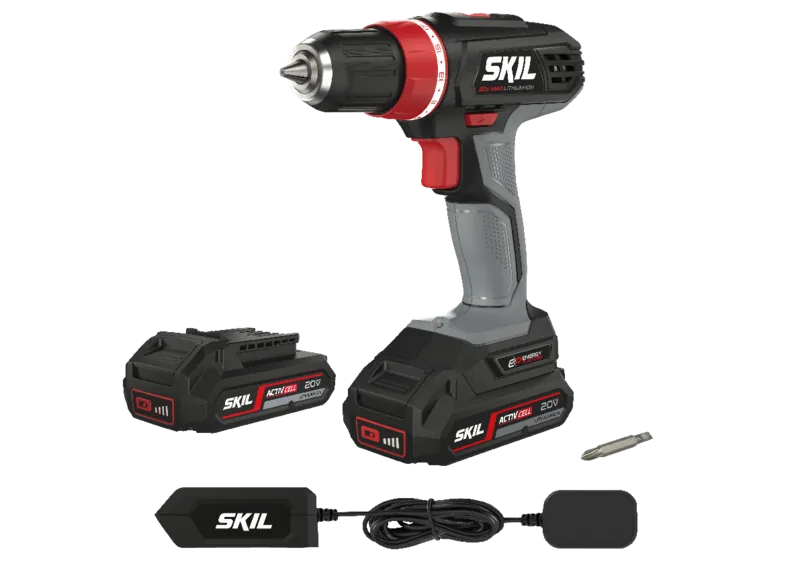
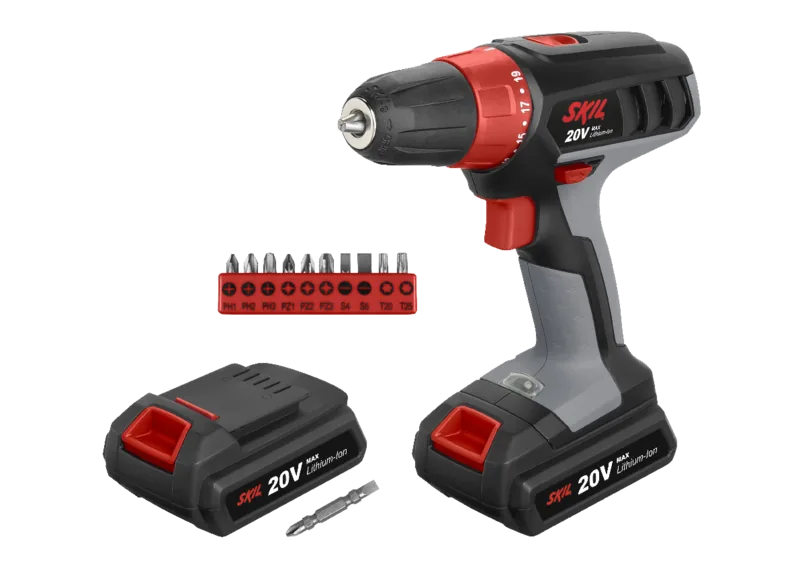
Package contents
Charger, 1x battery, screwdriver bit
Product Description
Skil 2842 AA Cordless Drill/Driver incl. 1.5Ah Battery - Read, Download & Print Free
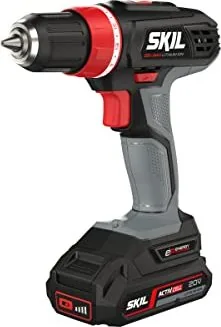
The Skil 2842 AA Cordless Drill/Driver is a versatile 20V Max, 18V cordless tool designed for everyday drilling and screwdriving around the home, workshop, or garage. Supplied with a 1.5Ah lithium-ion battery, it offers cable-free convenience for assembling furniture, fitting shelves, making repairs, and tackling a wide range of DIY projects.
Practical Power for Household Tasks
With a maximum hard-screwdriving torque of 45 Nm, the Skil 2842 provides useful turning force for common fastening jobs. Its electronic trigger delivers variable speed control, allowing users to start slowly for accurate screw placement and increase speed as the task demands. Forward and reverse rotation support both driving and removing screws.
The drill/driver is suitable for wood, metal, brick, stone, ceramic, and plastic when paired with the correct bit. It can also be used for thread cutting. For best results in harder materials, begin with a pilot hole, use sharp accessories, and let the tool work without excessive pressure.
Adjustable Control and Two-Speed Operation
A 23-position VariTorque clutch helps match the output to the material and screw size. Start at a low setting for delicate applications, then increase torque until the desired screw depth is reached. A dedicated drill position locks the clutch for more demanding drilling and driving work.
The mechanical two-speed gearbox adds further flexibility. Low speed delivers higher torque for large-diameter holes, screwdriving, and thread tapping. High speed is intended for smaller holes and faster drilling. Change gears only while the tool is running slowly, and change the direction selector only after the drill has stopped completely.
Helpful Everyday Features
An integrated LED light illuminates the work area when the trigger is pressed, making it easier to work in cabinets, corners, and other dim locations. The battery level indicator helps users check remaining charge before starting a task. Built-in battery protection helps prevent operation when the tool is overloaded, the battery is too hot or cold, or the charge is nearly depleted.
Notes
This model is intended for non-professional use. Charge the supplied battery fully before first use, use compatible Skil BR131 batteries and CR131 chargers, and keep ventilation slots clear. Wear appropriate eye protection, secure the workpiece, and remove the battery before cleaning, changing accessories, storing, or adjusting the tool.
Search for 67,732 Manuals online


Type-in Brand or Model