

Free SJCAM Manuals – Read, Download & Print
1 Manuals
Manuals
Categories

Introduction to SJCAM Action Camera Manuals
Welcome to the essential guide for understanding SJCAM manuals effectively. SJCAM is a leading manufacturer of action cameras offering models for various activities. From diving to extreme sports, these devices capture high quality footage. Unlocking the full potential often requires referring to the documentation provided by the manufacturer. This guide explores the importance of these manuals, how to access them, and the specific information they contain to help you maximize your experience and ensure the longevity of your equipment.
Importance of Using Official Documentation
Using official manuals is crucial for the safety and performance of your device. These documents provide detailed instructions on setup and configuration. Without them, users might miss out on advanced features or damage the device through incorrect handling. The manuals explain safety precautions and battery usage that protect your investment. Additionally, they serve as a reference for troubleshooting common issues that arise during regular use. Relying on the official guide ensures that you are following recommendations, which is vital for maintaining the warranty and ensuring optimal functionality throughout the lifespan of the camera.
Where to Find Official SJCAM Manuals
Accessing the correct manual for your specific model is the first step. The primary source is the official SJCAM website support portal. They maintain a download section where users can find PDF versions for all current and legacy models. When purchasing a new camera, the manual is usually included in the packaging either as a paper copy or a digital file on a card. Some newer boxes feature a QR code that directs users to the specific product support page. It is strongly recommended that you avoid downloading files from unauthorized third party sites as these may contain outdated information that could confuse the user during critical setup.
Understanding Your Specific SJCAM Model
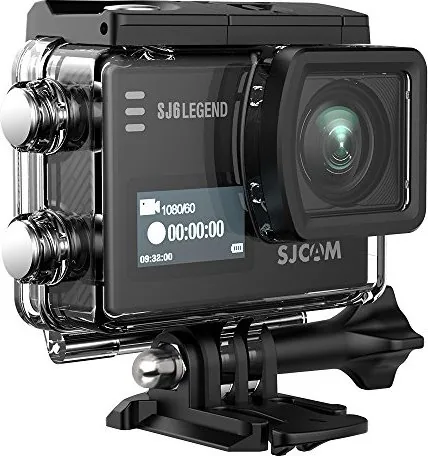
SJCAM produces many different series and the user manuals vary significantly between them. The SJ4000 series is known for being budget friendly. The SJ7 and SJ8 series offer advanced image stabilization and higher resolution video. The C300 series focuses on cinema style features. Each manual provides model specific details regarding physical button layouts and menu structures. Users must ensure they have the document corresponding to their exact model number to avoid configuring wrong settings. The documentation often includes technical diagrams illustrating the port locations and button functions specific to that hardware revision.
Key Features Explained in the Manual
Detailed descriptions of camera features are a core component of SJCAM manuals. These sections explain how to navigate the digital video settings and audio recording options. Advanced users can learn about Wi Fi connectivity which allows for remote control via mobile applications. The manual defines the meaning of various icons and status lights that appear on the screen. It also covers waterproofing capabilities, noting that while many models are waterproof without a case for shallow use, using an accessory housing is required for deep water use below specific depth thresholds. Understanding these technical specifications prevents accidental exposure to water or damage.
Common Troubleshooting Tips from the Guides
Even with careful use, technical issues can occur. The troubleshooting section of the manual is invaluable when problems arise. Common questions include why the camera is not powering on or issues with battery draining quickly. The manual suggests checking SD card compatibility and ensuring batteries are inserted correctly in the compartment. If the Wi Fi connection fails, the guide instructs users on resetting network settings to factory defaults. For playback issues, it recommends checking for corrupted files or using the recommended media player software provided by the company to ensure compatibility.
Updating Firmware and Software
Keeping your device up to date is essential for performance improvements. The manuals provide detailed instructions on how to connect the camera to a computer using a data cable. Users are advised to use high quality cables and ensure batteries are fully charged before starting the update process. Interrupting an update can cause the device to become unusable. The guide highlights the specific versions available and explains what changes were implemented in each release. It also warns against downloading software from untrusted sources to prevent malware or compatibility errors that could harm the device.
Accessories, Power, and Storage
SJCAM action cameras support a vast ecosystem of accessories. The manual often includes a compatibility list for batteries and mounting gear. Understanding these relationships is key to expanding your filming capabilities. You might need a remote control for hands free operation or a floatation hand grip for water sports. The guide explains how to attach these accessories securely to ensure they do not detach during intense activity. It also outlines the types of SD cards that are certified safe to use with the internal flash memory to prevent data loss.
Conclusion and Maintenance Best Practices
In conclusion, the SJCAM manual is a vital toolkit for success with your action camera. By following the guidelines, users can prevent damage and solve technical issues efficiently. Regular maintenance, such as cleaning the lens glass, is recommended in these documents to keep the device running smoothly. Keeping a copy of the manual accessible ensures that you are always prepared when settings need adjustment. SJCAM continues to innovate with new models and software updates, making the manual an evolving resource for every enthusiast to enjoy their time capturing the world around them without limits.
Search for 67,706 Manuals online


Type-in Brand or Model