
SimCity 3000 Manual
PDF manual · 40 Pages
English



Quick check
Incorrect answer, please try again.
Chat with your SimCity 3000 manual using AI
Get instant AI answers from your SimCity 3000 manual
Ask anything about the SimCity 3000. Answers come from this manual, with the pages they are based on.
Ask a Question
Do you recommend 3000?
Yes NoFrequently Asked Questions
It explains essential systems—zoning, infrastructure, utilities, public services, taxes, and ordinances—while offering step-by-step startup guidance to help new mayors establish stable, growing cities and avoid common early mistakes.
Is this answer helpful?
The manual outlines network design principles: hierarchy of roads, proper placement of public transit, phased upgrades, and zoning adjustments. It recommends monitoring data views, decentralizing commercial hubs, and staggering service placement to reduce bottlenecks.
Is this answer helpful?
Yes—there are concrete budgeting tips such as balancing tax rates with desirability, prioritizing essential services, investing in revenue-generating amenities, and using phased infrastructure spending to avoid unsustainable deficits.
Is this answer helpful?
It covers pollution sources and mitigation: industrial placement, waste management, green zoning, parks, and ordinances. The manual emphasizes trade-offs between industry-driven income and long-term desirability and health.
Is this answer helpful?
Yes—sections explain industrial specialization, tourism development, landmark placement, and regional trade cooperation. Strategies focus on diversifying revenue streams and creating distinct district identities to boost growth.
Is this answer helpful?
The manual is organized for quick reference with jump-to essentials, troubleshooting checklists, and scenario examples—allowing players to rapidly address urgent issues like disasters, traffic spikes, or budget shortfalls.
Is this answer helpful?
It includes advanced tips on density management, phased upgrades, and feedback-driven iteration. While some techniques require practice, the manual gives a solid framework to experiment and refine long-term optimization.
Is this answer helpful?
Advantages and Disadvantages
Advantages

- Clear walkthrough of core mechanics: zoning, services, infrastructure, and budgets.
- Actionable strategies for early, mid, and late-game city growth and recovery.
- Helpful troubleshooting tips for traffic, pollution, finances, and disasters.
- Organized for quick reference: jump to start-up or advanced strategy sections.
- Appeals to multiple playstyles—planners, strategists, and creative designers.
Disadvantages

- Focuses on in-game mechanics; limited real-world urban planning depth.
- May be less useful for players who prefer sandbox creativity over optimization.
- Doesn’t replace hands-on experimentation—some solutions require trial and error.
- Advanced optimization tips can be dense for absolute beginners.
Product Description
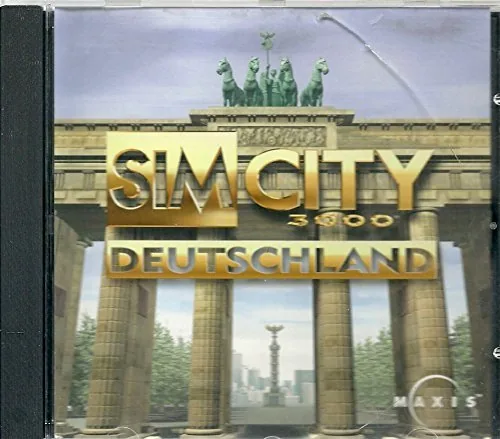
SimCity 3000 (PC) Manual — A Timeless Urban Design Companion
SimCity 3000 (PC) Manual is a focused, user-friendly companion for players who want to master one of the most celebrated city-building simulators. SimCity 3000 (PC) invites both newcomers and veteran mayors to plan, zone, and manage thriving urban environments while balancing budgets, services, and citizen satisfaction. This description highlights the manual’s utility for understanding mechanics, optimizing gameplay, and deepening appreciation for SimCity 3000 (PC).
What the manual covers
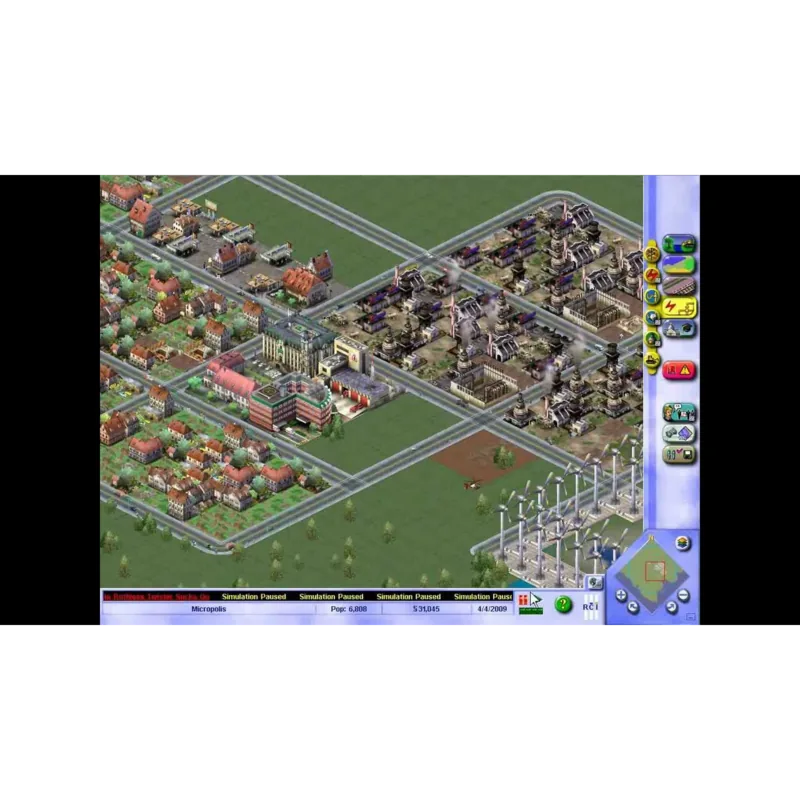
The SimCity 3000 (PC) Manual provides clear explanations of core systems: zoning (residential, commercial, industrial), infrastructure (roads, power, water), public services (police, fire, education, healthcare), and environmental management. It walks readers through game mechanics such as taxes, funding, ordinances, and regional trade, offering practical tips for growth and crisis response. The manual also decodes interface elements, maps, and data charts so players can make informed decisions quickly.
Why it’s valuable for players
SimCity 3000 (PC) rewards thoughtful planning; this manual shortens the learning curve by translating game systems into actionable strategies. It includes step-by-step approaches for starting new cities, transitioning from small towns to metropolitan hubs, and troubleshooting common problems like traffic congestion, pollution, and fiscal shortfalls. Players seeking long-term success will appreciate sections on balancing budgets, phased infrastructure upgrades, and using feedback data to refine city layouts.
Key features and guidance
Beyond basic mechanics, the SimCity 3000 (PC) Manual explores mid- and late-game concerns: industrial specialization, tourism attraction, and regional cooperation. It emphasizes the interplay between aesthetics and function—how parks, landmarks, and zoning density influence desirability and tax revenue. Practical checklists help players prioritize investments, while scenario-based examples demonstrate recovery from disasters and contested growth periods.
For builders, strategists, and storytellers
Whether you enjoy methodical simulation or creative city design, the manual supports multiple playstyles. Aspiring urban planners learn how to craft efficient transit networks and healthy neighborhoods; strategists benefit from fiscal and policy frameworks that stabilize growth; storytellers discover ways to shape a city’s identity through landmarks and district planning.
Notes
- The manual is organized to let readers jump to essentials (start-up, troubleshooting) or dive into advanced strategy (economic specialization, environmental policy).
- Advice balances realism and gameplay—practical for players seeking both challenge and creative freedom.
- Ideal for players returning to SimCity 3000 (PC) who want a concise refresher on systems and quality-of-life mechanics.
Search for 67,706 Manuals online


Type-in Brand or Model