
SilverStone ECU02 Manual
PDF manual · 2 Pages
English



Quick check
Incorrect answer, please try again.
Chat with your SilverStone ECU02 manual using AI
Get instant AI answers from your SilverStone ECU02 manual
Ask anything about the SilverStone ECU02. Answers come from this manual, with the pages they are based on.
Ask a Question
Do you recommend ECU02?
Yes NoFrequently Asked Questions
It is a PCIe expansion card that adds one internal USB 3.1 Gen2 20-pin connector. This lets a PC case or front panel gain high-speed USB Type-C or internal USB 3.1 connectivity.
Is this answer helpful?
Yes. The card requires a 15-pin SATA power connector to operate reliably, so it must be connected to the system power supply.
Is this answer helpful?
The ECU02 supports USB 3.1 Gen2 speeds of up to 10Gbps. Its PCIe 3.0 x2 interface provides enough bandwidth for high-speed data transfers.
Is this answer helpful?
On systems with xHCI support, it can often work without extra drivers. Windows 7 and earlier typically need the ASM3142 driver for proper USB 3.1 Gen2 performance.
Is this answer helpful?
Yes. The package includes an optional low-profile bracket, which helps the card fit in compact or slim cases.
Is this answer helpful?
Fast external SSDs, high-speed USB storage, and front-panel Type-C setups benefit most. UASP support can also help compatible drives respond more efficiently during transfers.
Is this answer helpful?
Advantages and Disadvantages
Advantages

- Adds one internal USB 3.1 Gen2 20-pin header for modern front-panel connectivity.
- PCIe 3.0 x2 design offers strong bandwidth and supports up to 10Gbps USB transfer speeds.
- UASP and xHCI support can improve drive performance and reduce driver setup on supported systems.
- Includes a low-profile bracket, making it easier to use in compact or slim PC cases.
Disadvantages

- Needs a 15-pin SATA power connection, so cable management is slightly more involved.
- Only provides one internal USB 3.1 connection, which limits expansion options.
- Older systems may require driver installation to unlock full performance.
- Works best when the case or front panel already supports a 20-pin USB 3.1 header.
Product Specification
External
N/A
Internal
1x USB-C 3.1 Key-A Header (10Gb/s)
Interface
PCIe 3.0 x2
Chipset
ASMedia ASM3142
Power connector
1x 15-Pin SATA Power
Special features
incl. low profile bracket, UASP
USB Notation
Link
Product Description
SilverStone ECU02: A Compact Internal Upgrade for Faster USB 3.1
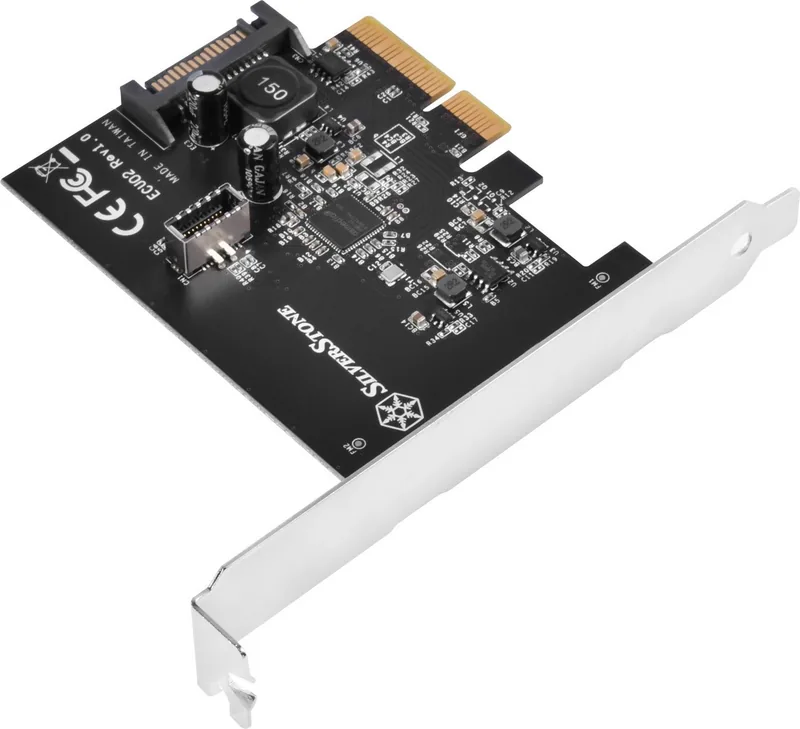
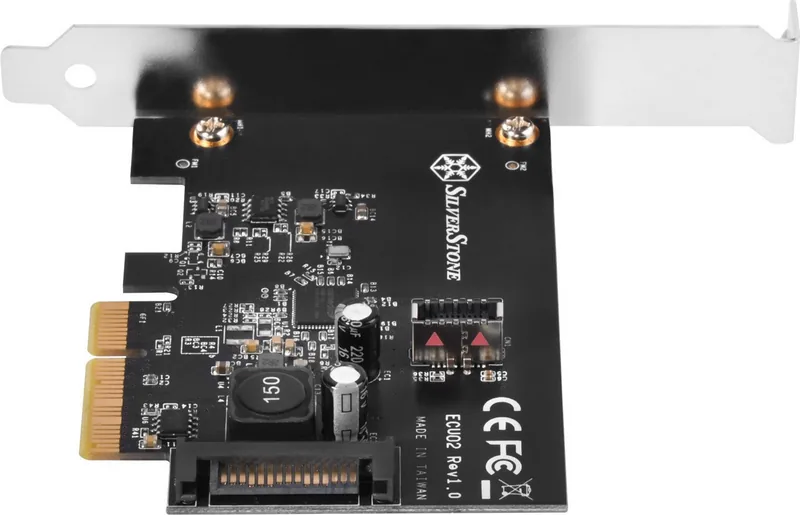
The SilverStone ECU02 is a practical PCIe expansion card built for users who want to add a modern internal USB 3.1 Gen2 connection without replacing their whole system. It uses a PCIe 3.0 x2 interface and provides one internal 20-pin Key-A connector, making it a smart match for PC cases and front panels that support USB Type-C or internal high-speed USB wiring.
What makes this card appealing is its balance of speed and convenience. With USB 3.1 Gen2 support, it can deliver up to 10Gbps transfer rates, which is a noticeable step up for fast external storage, backup drives, and other high-bandwidth accessories. The card also supports UASP, helping compatible drives perform more efficiently and respond better under heavy data movement.
Another strong point is the ECU02's broad compatibility. Systems that support xHCI can often recognize it without additional drivers, while older Windows 7 installations can use the ASM3142 driver for full performance. That makes the card flexible for different builds, whether you are refreshing an older desktop or adding extra connectivity to a newer workstation.
Installation is straightforward for anyone comfortable opening a PC. The card fits into a PCIe slot, connects to SATA power, and then links to the internal USB 3.1 header on the motherboard or case. SilverStone also includes a low-profile bracket, which is useful for compact cases where space is limited.
For builders who want a clean internal upgrade path, the ECU02 stands out as a focused solution rather than a flashy add-on. It is especially useful when a motherboard lacks the right internal header but the case or front panel is ready for it. In that sense, it helps bridge the gap between older hardware and modern USB needs.
Notes
- Requires a 15-pin SATA power connection for operation.
- Best suited for cases or front panels with an internal 20-pin USB 3.1 connection.
- Windows 7 and earlier may need the ASM3142 driver for optimal performance.
- Low-profile support helps with smaller builds and tight layouts.
Search for 67,706 Manuals online


Type-in Brand or Model