
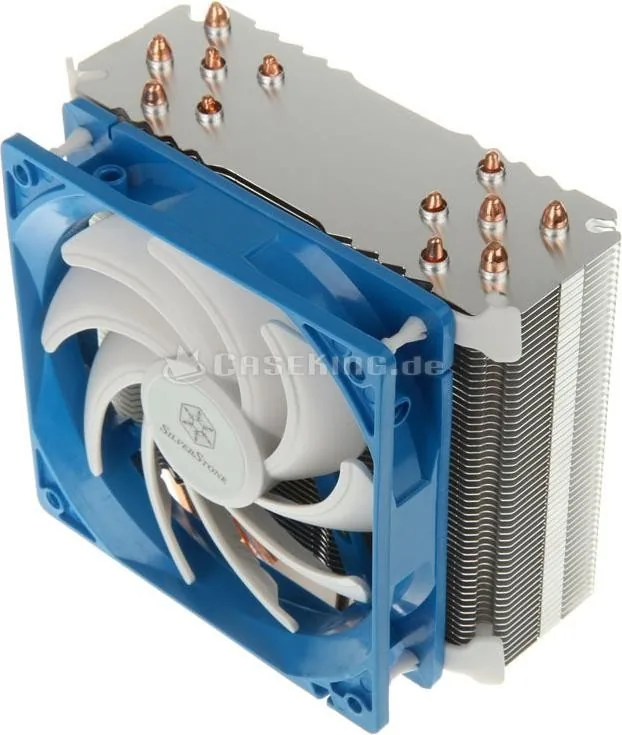
SilverStone Argon AR03 V2 Manual
PDF manual · 1 Pages
English


Quick check
Incorrect answer, please try again.
Chat with your SilverStone Argon AR03 V2 manual using AI
Get instant AI answers from your SilverStone Argon AR03 V2 manual
Ask anything about the SilverStone Argon AR03 V2. Answers come from this manual, with the pages they are based on.
Ask a Question
Do you recommend Argon AR03 V2?
Yes NoFrequently Asked Questions
No, this model is specifically designed for AMD AM4 sockets. You should check other models or mounting kits for Intel compatibility as per the documentation provided by SilverStone.
Is this answer helpful?
It comes with a heat sink, AMD clips for AR01/02/03, thumb nuts, stand offs, and a backplate gasket. Refer to the included manual for the full list of components provided in the box.
Is this answer helpful?
The design focuses on silent operation for general use. However, noise levels depend on the fan speed settings and the airflow requirements of your specific system case configuration.
Is this answer helpful?
It is recommended to use the SilverStone Argon AR03 V2 Manual for correct steps to avoid damaging motherboard components or screws during the mounting process.
Is this answer helpful?
Yes, the backplate distributes pressure evenly across the back of the board and protects the surface from stress and potential cracking during cooler installation.
Is this answer helpful?
These indicate variations in the mounting kit to support different specific AMD socket configurations accurately and ensure the clips fit the correct platform.
Is this answer helpful?
Yes, SilverStone typically offers replacement mounting hardware. Contact their official support for specific part availability and purchase options to extend the life of your gear.
Is this answer helpful?
Advantages and Disadvantages
Advantages

- Efficient thermal dissipation keeps components cool under load
- Compatible with AMD AM4 sockets for Ryzen CPU platforms
- Includes thumb nuts for easy manual tightening without tools
- Sturdy fixed beam design ensures mounting stability over time
- Backplate gasket seals against dust ingress effectively
Disadvantages

- Installation requires precision alignment for best thermal results
- Backplate gasket might need careful handling during installation
- Limited compatibility outside of AMD AM4 standard sockets
- Stand off height is fixed and cannot be adjusted for custom setups
- No RGB lighting mentioned for aesthetic customization or flair
Product Specification
Form Factor
Tower Cooler
Dimensions with Fan
5.51x6.26x2.95in (WxHxD)
Fan
1x 4.72x4.72x0.98in, 1000-2200rpm, 16.4-33.5dBA
Weight with Fan
1.23 lbs
Connector
4-Pin PWM
AMD Socket
AM4, AM2/AM2+/AM3/AM3+, FM1/FM2/FM2+
Intel Socket
2011-0/2011-1/2011-3/2066, 1356/1366, 1150/1151/1155/1156/1200, 775
Features
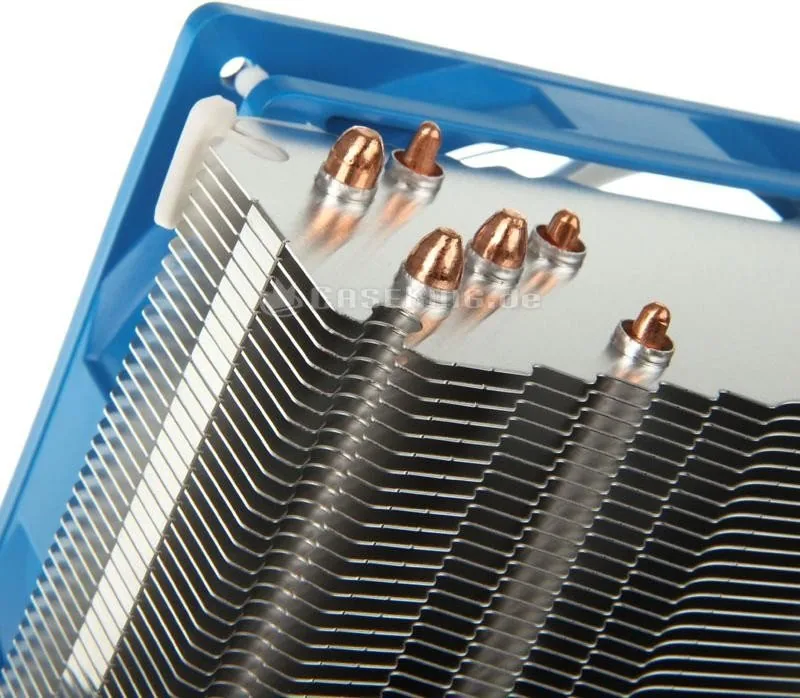
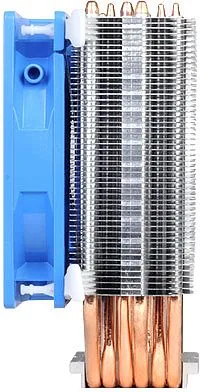
6 Heat Pipes (0.24in), Direct Touch Heat Pipes
Manufacturer Warranty
2 Years
Product Description
The SilverStone Argon AR03 V2 Cooling Solution
When building a high-performance PC, thermal management remains a critical factor for stability and longevity across all system configurations. The SilverStone Argon AR03 V2 stands out as a robust cooling option for enthusiasts. Many users turn to the SilverStone Argon AR03 V2 Manual to understand the intricacies of mounting and optimization. This guide explores the key features that make this hardware essential for your system.
The unit features a dedicated heat sink designed to draw heat away from the CPU efficiently under heavy load. It incorporates a thumb nut mechanism throughout the assembly. This thumb nut allows for secure tightening without needing excessive torque tools. It simplifies the assembly process significantly compared to older designs that used complex screwdrivers or bolts. The system is designed for easy maintenance. This structure ensures physical stability. This prevents vibration issues that could affect performance or noise levels over time within the case configuration.
Compatibility is another strong point of this model for AMD users. It supports the popular AMD AM4 socket standard found in many modern processors. Users will find the AMD-CLIP-AR01/02/03 included in the package. This clip system ensures a firm connection between the cooler and the motherboard surface. There is also a backplate provided to distribute pressure evenly across the board. A backplate gasket seals the interface to prevent dust ingress effectively. To ensure the CPU is fully covered by the base plate for optimal contact, proper alignment is key.
While installation is straightforward for experienced builders, novices should refer to technical documentation. The model number indicates specific variations within the Argon family. Models AR01 through AR03 share core architectures but differ in compatibility. Ensuring you have the correct hardware is vital before beginning the assembly. The Argon series balances cost and performance effectively for most users. It suits people looking for silent cooling without breaking the bank. This works well for both budget builds and premium workstations. It handles thermal loads well without needing liquid cooling solutions.
This hardware represents a solid choice for AM4 based systems. Proper maintenance ensures long-term reliability and peak thermal efficiency. Whether building a new rig or upgrading one, the Argon V2 delivers. It remains a popular choice for its straightforward design. Remember to check your manual for torque specifications to avoid potential damage to components during fitting and operation. This ensures safety for the motherboard and longevity of your investment.
Search for 67,732 Manuals online


Type-in Brand or Model