Manual.ly Logo

Silverline Tools DIY 1020W Manual

0.0 · 0 Ratings

PDF manual · 64 Pages

English

M: qwen/qwen3.5-flash-20260224
page

/ 64

Loading...
8d593d4bca34ebb5fc4121da22c7346d47e7 page a
GB
10
Maintenance
WARNING: ALWAYS disconnect from the power supply before carrying out any inspection,
maintenance or cleaning.
General Inspection
• Regularly check that all the xing screws are tight
• Inspect the supply cord of the tool, prior to each use, for damage or wear. Repairs should be
carried out by an authorised SILVERLINE service centre. This advice also applies to extension cords
used with this tool
Cleaning
• Keep your tool clean at all times. Dirt and dust will cause internal parts to wear quickly, and
shorten the machine’s service life. Clean the body of your machine with a soft brush, or dry cloth.
If available, use clean, dry, compressed air to blow through the ventilation holes
• Clean the tool casing with a soft damp cloth using a mild detergent. Do not use alcohol, petrol or
strong cleaning agents
• Never use caustic agents to clean plastic parts
Lubrication
• All the bearings in this tool are lubricated with a sufcient amount of high-grade lubricant for the
life of the unit under normal conditions. Therefore, no further lubrication is required.
Brushes
• Over time the carbon brushes inside the motor may become worn
• Excessively worn brushes may cause loss of power, intermittent failure, or visible sparking
• To replace the brushes:
1. Place the router upright on a secure, at surface then plunge and lock the router at the
lowest height
2. Remove the 2 screws next to the Motor Vents (4) and remove the motor cover
3. Use a small hooked tool in the opening for the wire contact terminal (on the right side of
image E) to pull out the carbon brush holder. If necessary, remove the wire contact terminal by
turning 90°, as shown by the curved arrow, and remove from the slot. This will give more space to
insert a hooked end enabling you to pull out the brush holder. It is under reasonable spring
tension and can be difcult to remove
4. To remove the carbon brush carefully, angle so the solid end of the carbon brush groove passes
the securing pin of the brush holding frame (both arrowed in image E)
• If necessary, ret the wire contact terminal by inserting at an angle before turning it so it
becomes at with the end of the carbon brush holder. Replace the carbon brush by angling
slightly and pushing past the securing pin
• Carefully ret the carbon brush and holder into the slot recess so it matches the other side
• Alternatively, have the machine serviced at an authorised service centre
Note: Always replace carbon brushes in pairs and once tted the brushes may take a short time
to bed in.
Making a Cut
Note: NEVER operate the router freehand without some form of guide. Guidance can be provided
by a bearing guided router bit cutter (Guide Bearing (30), guide bush (Fig. IV), parallel guide (Fig. I),
circle guide (Fig. II) or a straight or curved edge (Fig. III).
1. ALWAYS hold the router using both hands, on the handles provided. Ensure the workpiece does
not move. Use clamps wherever possible
2. Allow the motor to reach the full operating speed to which it has been set
3. Lower the router bit cutter into the workpiece whilst moving the router slowly, keeping the base
plate held at against the workpiece
4. If edge cutting, the cutting of the workpiece should be on the left side relative to the cutting
direction (Fig. I and V). Maintain constant pressure and allow the cutter to work steadily through
the material. Be aware that knots and other variations will slow the rate of progress
Note: To avoid 'bit chatter', direct the cut anti-clockwise for external cuts, and clockwise for internal
cuts.
Note: Moving the router too fast can result in a poor quality nish and overloading of the motor.
Moving the router too slowly can result in overheating the workpiece.
Note: Normal operation of a router is to plunge the head after the router has been switched ON.
Base Plate
• The router features a combined at-sided and round base plate. This allows the round edge to
follow contours easily but also gives an easy straight edge which may be useful for some straight
cuts (when the Parallel Guide (16) cannot be used), using with guide bushes and also where the
edge of the Base Plate needs to be closer to the router bit cutter, e.g. for use with dovetail
jigs, etc.
• Always remember which edge of the base plate you are working with as the distance is different
to the router bit cutter
IMPORTANT: If the router bit cutter impacts hard material such as metal the router bit will be
destroyed and the router itself may be damaged
Accessories
• A wide range of accessories for this tool, including a large selection of router bits, personal
protective equipment (PPE) and other accessories is available from your Silverline stockist. Spare
parts, including carbon brushes, guide bushes and collets are available from your Silverline
stockist or www.toolsparesonline.com
329863_Manual.indd 10 08/06/2018 14:20

Chat with your Silverline Tools DIY 1020W manual using AI

Get instant AI answers from your Silverline Tools DIY 1020W manual

Ask anything about the Silverline Tools DIY 1020W. Answers come from this manual, with the pages they are based on.

DIY 1020W Maintenance Schedule

Before each use
Inspect supply cord for damage or wear

Check the tool's supply cord prior to each use for damage or wear. Repairs must be done by an authorized service center.

Show in the manual (page 10)
Regularly
Check fixing screws are tight

Regularly check that all the fixing screws on the tool are tight to ensure safe operation.

Show in the manual (page 10)
As needed
Clean motor vents and body

Keep motor vents clean using a vacuum or compressed air. Clean the body with a soft brush or dry cloth to prevent internal wear.

Show in the manual (page 10)
M: qwen/qwen3.8-flash

Ask a Question

0/1000

Do you recommend DIY 1020W?

Yes No

Frequently Asked Questions

A

The router features a 1020W motor for reliable power.

Is this answer helpful?

A

It accepts up to 8mm collets for bits.

Is this answer helpful?

A

Yes, a dial adjusts speed from 11500 to 34000 rpm.

Is this answer helpful?

A

It comes with a 3 year guarantee if registered.

Is this answer helpful?

A

Wear eye and ear protection plus a dust mask.

Is this answer helpful?

A

Yes, with modifications to hold the switch on manually.

Is this answer helpful?

M: qwen/qwen3.5-flash-20260224

Advantages and Disadvantages

Advantages

  • Powerful 1020W motor delivers consistent performance for heavy duty woodworking tasks.
  • Variable speed control allows fine tuning for different cutter diameters and materials.
  • Plunge action with turret stop enables precise multi-stage depth cutting operations.
  • Dust extraction connector helps maintain a cleaner and safer workshop environment.
  • Three year manufacturer guarantee provides long term confidence and product value.
VS

Disadvantages

  • Carbon brushes may require periodic inspection and replacement for optimal function.
  • Unit weight of 2.9kg may cause fatigue during extended overhead or prolonged work.
  • Power cord length is 2.5 meters which might require an extension for larger shops.
  • Noise levels exceed 85 decibels so strict ear protection is mandatory during operation.
  • Router bits and guides are sold separately as standard accessories for this model.
M: qwen/qwen3.5-flash-20260224

Product Specification

Type

Router

Power

1020W

Speed Range

11,500-34,000 RPM

Bit Diameter

max. 1.26 in

Stroke

max. 1.57 in

Cutting Depth

max. 1.42 in

Collet

Collet (0.31 in, 1/4 in)

Features

Speed Control, Parallel Guide, Depth Stop, Dust Extraction

Weight

6.39 lbs

Package Contents

2x Collets

M: qwen/qwen3.5-flash-20260224

Product Description

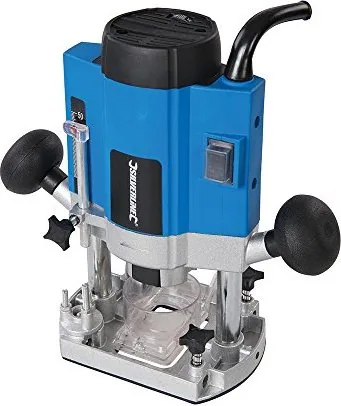
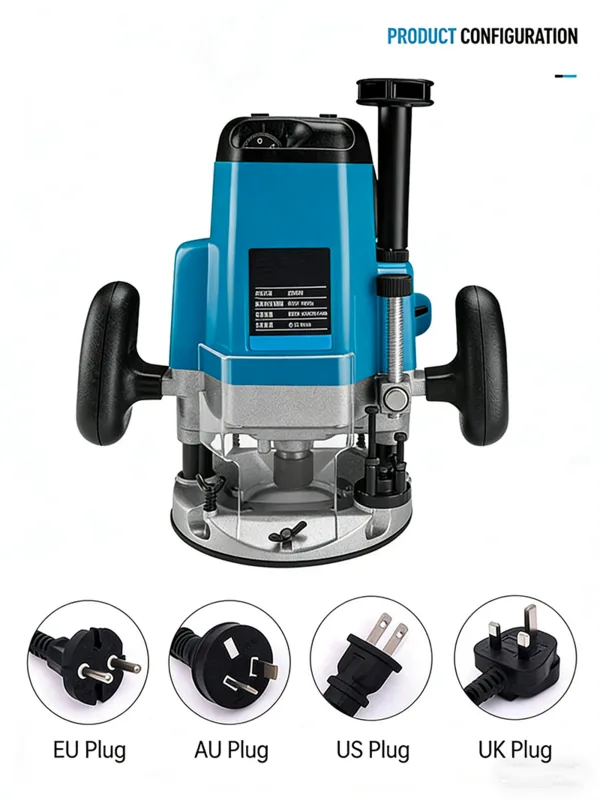
Unlock Professional Woodworking Results with the Silverline 1020W Electric Router

Welcome to a new era of craftsmanship with the Silverline 1020W Electric Router. This high-performance power tool is engineered for both professional joiners and passionate DIY woodworkers who require consistent accuracy and cutting power. Whether you are preparing to shape edges, carve deep grooves, or follow complex templates for custom signs, this machine delivers reliable performance every time. It stands out as a robust solution for shaping natural and composite wood materials efficiently. The design focuses on user comfort and control during extended cutting tasks to ensure quality workmanship.

At the core of this unit sits a powerful 1020W motor that achieves impressive no-load speeds ranging from 11500 to 34000 revolutions per minute. This extensive speed range ensures smooth operation across different hardness levels and cutter diameters. The plunge action mechanism allows for precise depth control, making it essential for mortising and inlay work where exactness matters. Users will find the Silverline 1020W Electric Router Manual critical for correctly configuring the turret stop for multi-step depth procedures. The maximum cutting depth allows for substantial material removal in a single pass while maintaining motor control.

Safety remains a top priority during operation. The device features Class II double insulation to protect the operator from electric shock. Essential warnings highlight the need for hearing protection when sound levels exceed safe limits. Vibration levels are also monitored to ensure user health during extended use sessions. Always engage the spindle lock before changing bits and ensure the workpiece is clamped securely to prevent movement. Keep handles dry to maintain a firm grip at all times during operation.

Versatility defines the utility of this router in any workshop setting. It supports various guides including a parallel guide for straight grooves and a circle guide for cutting perfect arcs. The turret stop feature allows users to configure three different plunge depths for faster workflow during complex operations. The base plate design combines a flat side for stability and a round profile for following contours on curved surfaces effectively. Guide bushes allow for template matching to recreate shapes exactly as intended on a workpiece.

Maintenance involves checking carbon brushes periodically to ensure optimal motor function. A dust extraction port is included to assist in keeping the workspace clean by capturing chips and sawdust at the source. The tool comes with a three-year guarantee when registered. Store the tool in a secure dry location.

M: qwen/qwen3.5-flash-20260224

© Copyright 2026 Manual.ly
