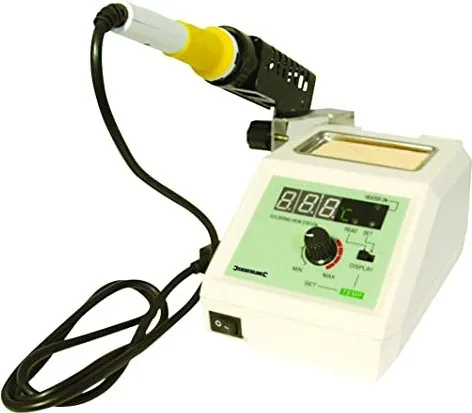
It is designed for soldering electronic parts, wires, and electrical connections. The adjustable temperature makes it suitable for both delicate circuit work and tougher joints that need more heat.
Is this answer helpful?
A
The station operates from 150°C to 420°C. This wide range helps users choose lower heat for sensitive components or higher heat for thicker wires and solder with a higher melting point.
Is this answer helpful?
A
Yes. The station includes a digital temperature display, which makes it easier to monitor and adjust the working temperature during use.
Is this answer helpful?
A
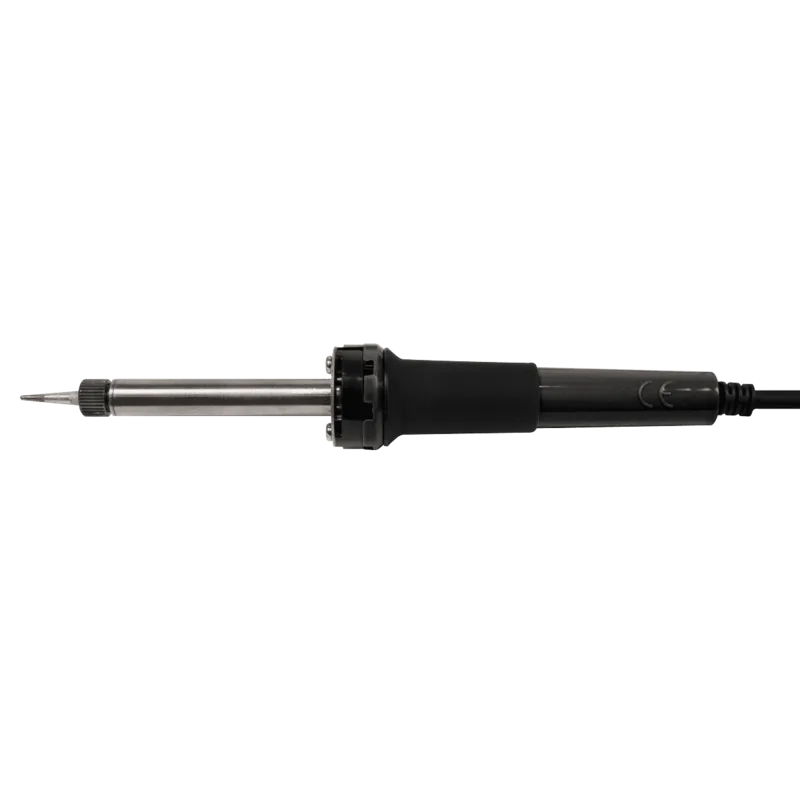
Yes. The tip can be removed by loosening the locking screw, then replaced with a new one and secured again. The tool should be fully cooled and disconnected first.
Is this answer helpful?
A
It can be a good choice for beginners who want more control than a basic iron, but safety rules still matter. Users should follow heating, ventilation, and tip-handling instructions carefully.
Is this answer helpful?
A
Keep it clean, wipe the body with a dry cloth or soft brush, and clean the tip before and after use with the sponge and suitable flux. Always unplug it before maintenance.
Is this answer helpful?
A
Do not leave the iron unattended while hot, avoid touching anything except the handle, keep flammable materials away, and always work in a well-ventilated area. Allow full cooling before adjustments.
Is this answer helpful?
M: OA-GPT-54-NAN
Advantagesand
Disadvantages
Advantages
48W power and 150°C–420°C control support both delicate and heavier soldering tasks.
Digital temperature display improves accuracy and makes setup easier for repeat work.
Included holder and cleaning sponge add convenience for everyday bench use.
Replaceable tip design helps extend service life and simplifies maintenance.
VS
Disadvantages
No advanced safety shutoff or modern smart features are mentioned.
Basic stand and handling rules are important, so setup must be used carefully.
High-temperature work still requires strong ventilation and protective habits.
Best performance depends on correct tip care and regular maintenance.
M: OA-GPT-54-NAN
Product
Specification
Power
48W
Temperature
302-896°F
Soldering tip width
0.05in
Weight
4.41lb
Package contents
Soldering iron, Soldering tip, Soldering iron stand
M: OA-GPT-54-NAN
Product
Description
Silverline Digital Soldering Station: A Practical 48W Workbench Upgrade
If you need a compact soldering solution for electronics, wiring, and general repair work, the Silverline Digital Soldering Station stands out as a straightforward and capable choice. With a 48W output, adjustable temperature control, and a clear digital display, it is designed to give makers and hobbyists better control than a basic soldering iron. For anyone looking up the Silverline Digital Soldering Station Manual, the core idea is simple: this station is built to help you solder more accurately, more safely, and with less guesswork.
One of the biggest strengths of this station is its temperature range, which runs from 150°C to 420°C. That flexibility makes it suitable for delicate electronic components as well as thicker wires and higher-melting-point solder. The unit change switch is a practical touch too, letting you alternate between temperature units without confusion. Combined with the temperature control dial, it gives users a more refined way to match heat output to the job at hand.
The design also focuses on convenience. The soldering iron connects directly to the base unit, and the included holder helps keep the hot iron safely parked between uses. A cleaning sponge is provided for routine tip care, while the replaceable tip system makes maintenance easier over time. These features make the station feel well thought out for regular bench work rather than occasional use only.
Safety and care are clearly emphasized in the instructions, and for good reason. The soldering iron gets very hot, so proper handling, good ventilation, and a stable stand are essential. The manual also reminds users to avoid leaving the tool unattended, to keep flammable materials away, and to let the iron cool fully before changing parts. That makes this station especially useful for users who want a more controlled setup than a handheld iron alone.
Overall, the Silverline Digital Soldering Station is a solid entry-level to mid-range option for electronics repair, cable work, and DIY projects. It balances temperature control, practical accessories, and clear operating steps in a way that makes soldering feel more accessible.
Notes
Best suited for electronics, wiring, and small repair tasks
Temperature control helps reduce damage to sensitive components
Always use in a well-ventilated area
Let the iron cool before changing tips or cleaning