
Silk'n SilkyAir Flex SIF005 Manual
PDF manual · 173 Pages
English



Quick check
Incorrect answer, please try again.
Chat with your Silk'n SilkyAir Flex SIF005 manual using AI
Get instant AI answers from your Silk'n SilkyAir Flex SIF005 manual
Ask anything about the Silk'n SilkyAir Flex SIF005. Answers come from this manual, with the pages they are based on.
SilkyAir Flex SIF005 Maintenance Schedule
Press speed and temperature buttons simultaneously for 3 seconds to reverse motor airflow. Use every 2 weeks or when the cleaning icon illuminates.
Detach filter cage by turning left and sliding down. Clean with soft cloth or brush to remove dust accumulation. Reattach by locking right.
Ask a Question
Do you recommend SilkyAir Flex SIF005?
Yes NoFrequently Asked Questions
The manual advises using dry hair sections. Wet hair may show difficulty wrapping around the barrel effectively and could potentially cause styling issues.
Is this answer helpful?
Filters require regular biweekly attention to avoid blockages from accumulated particles blocking vents. This ensures optimal airflow and performance.
Is this answer helpful?
An E01 error indicates an internal fault. Contact customer service for assistance as user repairs may void warranty coverage.
Is this answer helpful?
Yes, this product is covered by a 2-year warranty according to European regulations and law limiting coverage to technical defects.
Is this answer helpful?
No, never leave the product unattended while plugged in due to fire risk and potential electric shock hazards.
Is this answer helpful?
Yes, the electronic unit remembers your previous selections enabling quick setup for the next session without reconfiguration.
Is this answer helpful?
Advantages and Disadvantages
Advantages

- Auto-wrapping barrels save time and effort during styling sessions
- Multiple attachments suit various hair types and styles effectively
- Cool shot button sets styles instantly after heating completes
- Internal cleaning mode maintains motor health and longevity
Disadvantages

- High temperatures risk burning skin if mishandled incorrectly
- Auto-wrap works best on dry hair only for success
- Water proximity creates shock hazard risks during use
- Warranty covers defects but not misuse errors
Product Specification
Power Source
Mains operation (1.3 kW)
Color
black, gold
Display
Yes
Temperature Settings
4
Temperature Range
86-194°F
Attachments
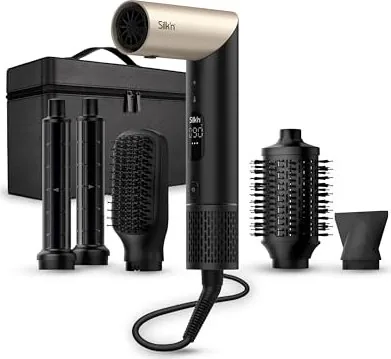
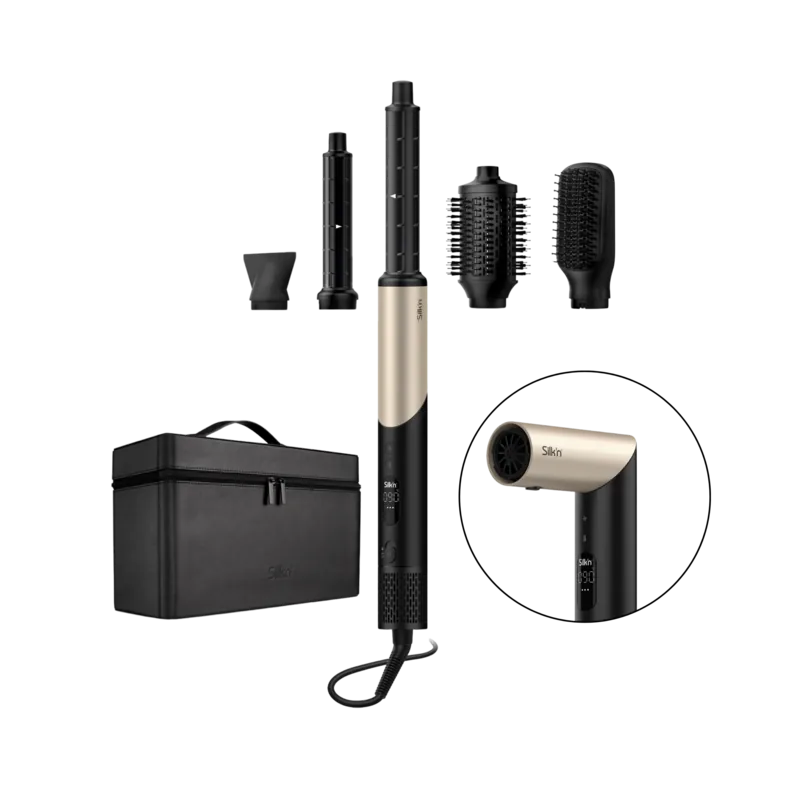
1x Brush attachment, 1x Round brush, 2x Curling barrels, 1x Styling nozzle
Features
Ionization, Swivel cord, Overheat protection, Control lock
Cord Length
9.84 ft
Package Contents
Case, 5x Attachments
Product Description
Introduction
Welcome to your comprehensive overview of the latest hair styling innovation. The Silk'n SilkyAir Flex Multistyler stands out as a powerful tool for creating salon quality looks directly from home. Users seeking versatility find comfort in its ability to switch between drying and curling functions seamlessly. If you read the Silk'n SilkyAir Flex Multistyler Manual carefully you will discover advanced features designed for safety and efficiency. It simplifies the complex process of changing appliances for different styles into a single streamlined experience. This review highlights why this appliance has become a favorite among beauty enthusiasts looking for all-in-one solutions.
Design and Attachments
Styling becomes effortless with the included attachments. Two auto wrap barrels work automatically to create voluminous curls. One rotates clockwise while the other turns anticlockwise offering perfect symmetry for your hairstyle. Additional accessories focus airflow for targeted drying or smoothens frizzy ends. The oval brush adds volume while the paddle brush prevents breakage during detangling sessions. You gain total control over your hair texture using these specialized components attached easily to the outlet.
Operation and Safety
Performance customization is handled through intuitive buttons located on the handle grip. Four specific temperature settings range from thirty nine to ninety degrees Celsius allowing low heat for delicate strands to high heat for thick textures. Three distinct speed levels adjust the wind force depending on your specific drying preference or styling requirement. A dedicated cool air burst function locks styles in place immediately after heating cycles finish successfully. The electronic unit remembers your previous selections enabling quick setup for the next session. Safety warnings emphasize keeping water away during operation and unplugging the unit after use especially in damp bathrooms. Overheating protection mechanisms exist to prevent burnout during extended usage periods.
Maintenance and Support
Proper maintenance keeps the motor running smoothly for many years of regular use. Internal cleaning activates via specific button combination to reverse airflow and remove accumulated dust from housing. Filters require regular biweekly attention to avoid blockages from accumulated particles blocking vents. Cleaning must never involve submerging the unit in tap water or using aggressive industrial chemicals. Wiping with a soft damp cloth suffices for basic exterior hygiene maintenance tasks. Following these steps guarantees longevity and consistent performance according to the official printed guide. Enjoy professional results with confidence knowing your tool is well maintained and ready for daily routines everywhere. Contact service centers for technical support regarding error codes displayed on the screen interface.
Search for 67,706 Manuals online


Type-in Brand or Model