
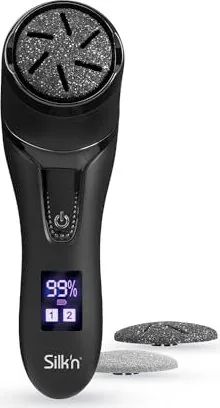
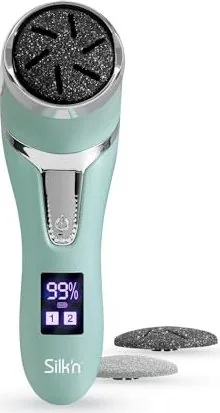
Silk'n FreshPedi Manual
PDF manual · 172 Pages
English



Quick check
Incorrect answer, please try again.
Chat with your Silk'n FreshPedi manual using AI
Get instant AI answers from your Silk'n FreshPedi manual
Ask anything about the Silk'n FreshPedi. Answers come from this manual, with the pages they are based on.
FreshPedi Maintenance Schedule
Empty the dust chamber using the cleaning brush. Rinse the grinding disc, dust chamber, and body under running water. Wipe all parts dry before storage.
Fully charge the product when the battery power is low as indicated on the display. Unplug the USB cable after charging is completed.
Ask a Question
Do you recommend FreshPedi?
Yes NoFrequently Asked Questions
Yes it has an IPX7 rating which means it is protected against water immersion up to one meter for thirty minutes. However do not leave it submerged for longer periods.
Is this answer helpful?
The device provides approximately 100 minutes of continuous operation after a full charge cycle. Battery capacity is 1500 mAh lithium.
Is this answer helpful?
No the device is designed strictly for feet callus removal and should not be used on other body parts or face skin.
Is this answer helpful?
Yes this product is covered by a two-year warranty for technical defects caused by faulty production processes according to European regulations.
Is this answer helpful?
Consult a doctor first if you have a pacemaker diabetes or specific skin diseases before using the product to ensure safety.
Is this answer helpful?
Wipe it off after use. Rinse parts under running water using the provided cleaning brush to remove dust from the chamber.
Is this answer helpful?
The package includes three grinding discs fine medium and coarse to handle different levels of callus hardness.
Is this answer helpful?
Advantages and Disadvantages
Advantages

- IPX7 waterproof rating allows use near water sources during cleaning sessions.
- Includes three discs fine medium and coarse for various skin types.
- USB charging provides up to 100 minutes of continuous use time.
- Built-in dust chamber minimizes mess during callus removal process.
- Two speed settings offer control based on specific foot skin needs.
Disadvantages

- Requires dry skin only and prohibits using oils or lotions.
- Not suitable for use on open wounds or inflamed skin areas.
- Children under eight years old must not use the product unattended.
- Battery cannot be removed easily without damaging the housing.
- Charging time is around two to two and a half hours duration.
Product Specification
Power Source
Battery Power (Li-Ion)
Max. Speed
2200 RPM
Speed Settings
2
Features
Charging Indicator Light
Attachments
Sanding Disc
Runtime
1.67h
Charging Time
2.5h
Package Contents
USB Charging Cable, Protective Cap, 3 Attachments, Cleaning Brush
Product Description
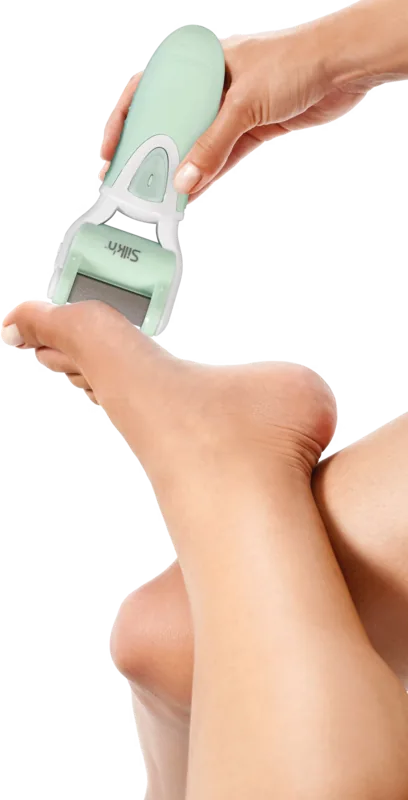
Looking for soft feet again? The Silk'n FreshPedi Electric Callus Remover Manual offers detailed guidance on maintaining smooth skin at home. This device is designed exclusively for private use to remove calluses effectively without professional help. It features multiple grinding discs tailored for different skin needs and conditions. The product allows you to choose between two speed settings for either gentle or deeper treatment depending on your skin sensitivity. Dust creation is actively managed by a built-in chamber which traps particles during operation to keep your area clean.
Product Features
The manual highlights the inclusion of three grinding discs labeled as Fine, Medium, and Coarse. It is essential to start with the fine disc to test skin tolerance before switching. The device is rechargeable via a supplied USB cable, providing approximately 100 minutes of continuous use on a full charge cycle. Its IPX7 rating ensures protection against water immersion up to one meter depth for thirty minutes. You can rinse the parts under running water after cleaning sessions. Always ensure the unit is completely dry before charging the battery to prevent electrical shock. Safety is paramount when handling these devices during use.
Operating Instructions
Press the operation button once for low speed and again for high speed settings. Apply the head strictly to dry skin only. Do not use oils or lotions during treatment as this is not recommended. Move the head over calloused areas for no more than three seconds at a single time then check the result. The dust collects in the chamber behind the head efficiently. After treatment, press the button a third time to turn off the power completely. Clean the device by rinsing the head and chamber thoroughly. Wipe dry before storage to avoid moisture buildup.
Maintenance and Safety
Always unplug the USB cable before cleaning the device. Use the provided brush to clear dust from the chamber. Check for damage before use every time. If pain occurs during application, stop immediately to avoid injury. The manufacturer offers a two-year warranty for technical defects caused by production processes. Customer service is available for guidance on repairs or questions. Store in a cool dry place away from direct sunlight to protect the housing. Avoid direct sunlight exposure. Dispose of the battery according to local regulations for electronic waste. This product is a reliable tool for professional foot care at home for many users.
Search for 67,706 Manuals online


Type-in Brand or Model